本教程是的一部分: ESP32-S3 RGB LED 点阵
这是一个很棒的项目,可以使用 ESP32-S3 RGB 矩阵模块进行创作,兼具趣味性和实用性。本文下方有其他相关视频的链接。
ESP32-S3 RGB LED矩阵互联网时钟项目 - 4种随机颜色
ESP32-S3随机RGB颜色网络时钟
这个项目是一个ESP32-S3 RGB矩阵互联网时钟,可以连接到Wi-Fi,从NTP服务器同步本地时间,并滚动显示时间。HH:MM内置的 8×8 RGB NeoMatrix 上的格式。在这个版本中,小时、冒号和分钟分别被渲染为随机颜色每个完整的滚动周期上选择,创造一个动态且充满趣味的时钟显示,不断变化。
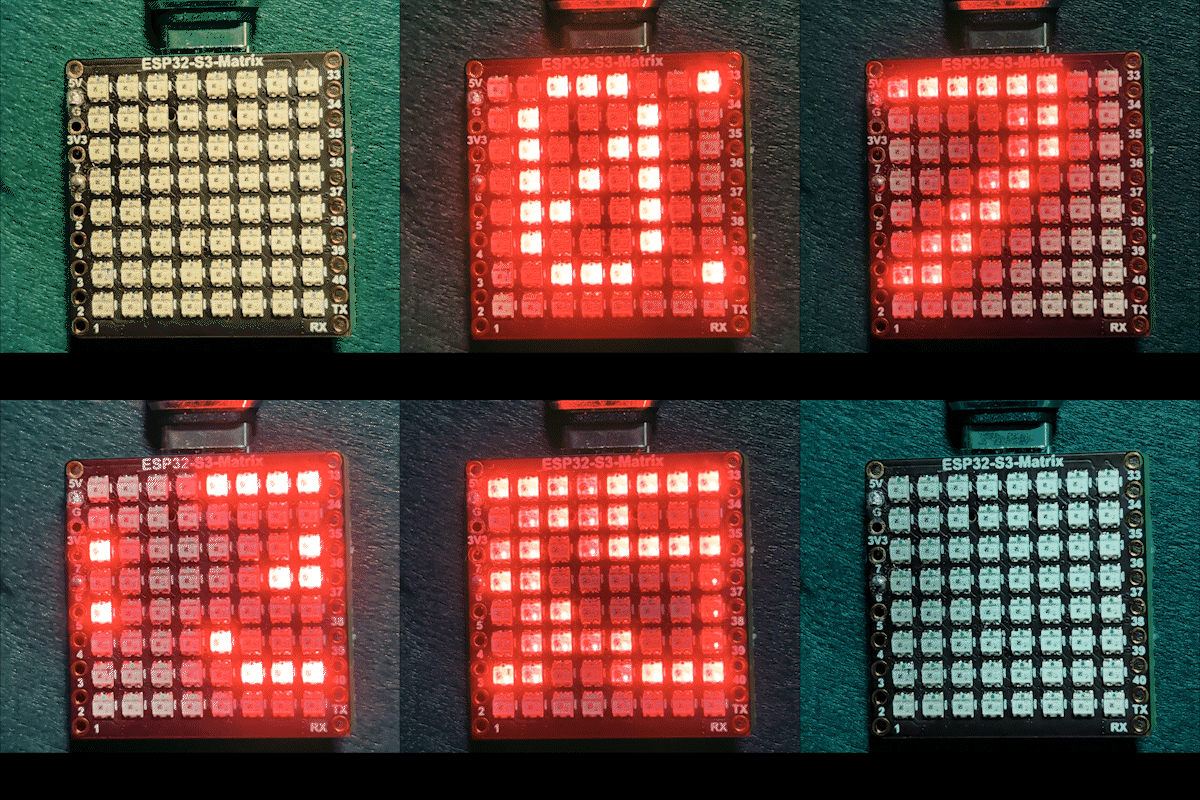

这个钟是如何工作的
在通过USB-C为电路板供电后,ESP32-S3连接到您的Wi-Fi网络,并从互联网获取当前本地时间。时间分为三个部分:小时、冒号和分钟,每个部分在RGB矩阵上单独绘制。当文本完全滚动出屏幕时,将为下一轮选择新的随机颜色。
使用的库
此草图使用以下库:
#include <WiFi.h>
#include "time.h"
#include <Adafruit_GFX.h>
#include <Adafruit_NeoMatrix.h>
#include <Adafruit_NeoPixel.h>安装Adafruit NeoMatrix来自Arduino库管理器。所需的依赖项如Adafruit GFX Library和Adafruit NeoPixel将会自动安装。
重要用户配置
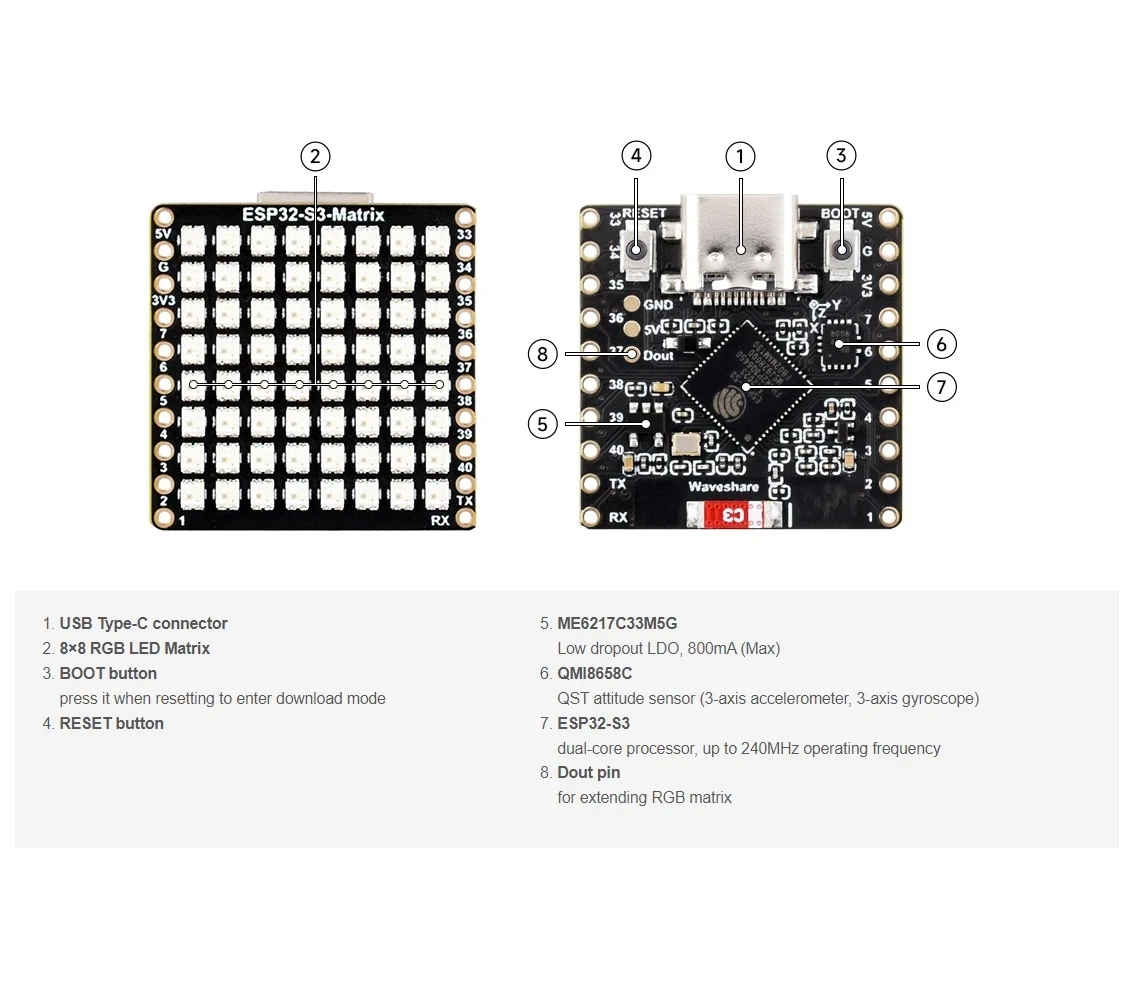
矩阵数据引脚(内置RGB矩阵)
尽管RGB矩阵已集成在主板上,数据引脚仍需在代码中定义:

#define MATRIX_PIN 14GPIO 14 通常在 ESP32-S3 RGB 矩阵板上使用。如果您的板子变种使用不同的引脚,请相应地更新此值。
Wi-Fi SSID 和密码(区分大小写)
用您的网络细节替换Wi-Fi凭据:
const char* WIFI_SSID     = "your WiFi SSID";
const char* WIFI_PASSWORD = "passW0rd";重要:Wi-Fi SSID是区分大小写. 一个名为SSID的"Book"并不相同于"book"如果大小写不完全匹配,ESP32-S3将无法连接。
NTP服务器、时区和夏令时
时间同步是通过互联网 NTP 服务器完成的:
const char* ntpServer = "pool.ntp.org";当地时间是根据协调世界时(UTC)和夏令时偏移量计算的:
// Toronto-ish: UTC-5, plus 1 hour DST
const long  gmtOffset_sec     = -5 * 3600;
const int daylightOffset_sec = 3600;gmtOffset_sec:UTC偏移量(以秒为单位)(根据您的位置进行调整)daylightOffset_sec使用3600当夏令时生效时,或者0否则
这些设置是通过以下方式应用的:
configTime(gmtOffset_sec, daylightOffset_sec, ntpServer);自动昼夜亮度
时钟根据当前小时自动调整亮度:
const int DAY_BRIGHTNESS = 40;
const int NIGHT_BRIGHTNESS = 5;
const int NIGHT_START_HOUR = 22;
const int NIGHT_END_HOUR = 6;
在晚上10点到早上6点之间,显示屏会变暗以减少在黑暗环境中的眩光。白天时,矩阵恢复到正常亮度。
随机RGB颜色行为
预定义的 RGB 颜色列表存储在一个数组中,每种颜色的红色、绿色和蓝色值范围从 0 到 255。
uint8_t userColors[][3] = {
  {255, 0, 0},    // Red
  {0, 255, 0},    // Green
  {0, 0, 255},    // Blue
  {255, 165, 0},  // Orange
  {255, 0, 255},  // Magenta
  {0, 255, 255},  // Cyan
  {255, 255, 0}   // Yellow
};
在每个完整的滚动周期中:
- the小时数字被分配一个随机颜色
- 翻译冒号接收不同的随机颜色
- 翻译分钟数字接收另一种随机颜色
这会产生一个不断变化的颜色组合,使时钟在视觉上保持有趣。要创建您自己的自定义颜色,您可以使用RGB颜色选择器工具:RGB 颜色选择器.
时间渲染逻辑
时间被分为三个部分:
- 小时:
HH - 冒号:
: - 分钟:
MM
每个部分都是单独绘制的,因此可以拥有自己的颜色,同时所有部分一起移动,形成在8×8显示屏上平滑滚动的动画。
随机颜色生成
为了确保颜色的随机性,草图在启动时使用未连接的模拟引脚为随机数生成器设定种子:
randomSeed(analogRead(0));这确保了每个能量增强和每个卷轴循环中的颜色组合都是不同的。
示范
上传草图并通过USB-C供电后:
- ESP32-S3 连接到您的 Wi-Fi 网络。
- 时间与互联网同步。
- 时间已悄然流逝。
HH:MM格式 - 每个周期内,小时、冒号和分钟会变成随机颜色。
- 屏幕在夜间会自动调暗。
下载和链接
完整的源代码已在本文下方提供。实用工具和参考资料链接在本文下方。
图像
本教程是……的一部分: ESP32-S3 RGB LED 点阵
- ESP32-S3 RGB LED矩阵项目 1- 基本点阵
- ESP32-S3 RGB LED矩阵项目2 - 滚动文字
- ESP32-S3 RGB LED矩阵项目3 - 手机文本
- ESP32-S3 RGB LED矩阵项目4 - 倾斜点
- ESP32-S3 RGB LED矩阵项目5 - 箭头始终向上
- ESP32-S3 RGB LED矩阵项目6 - Cible游戏
- ESP32-S3 RGB LED 矩阵 Wi-Fi + NTP 时钟项目 - 1 基本时钟
- ESP32-S3 RGB LED矩阵网络时钟项目 - 2个时钟多彩时间和日期显示
- ESP32-S3 RGB LED矩阵互联网时钟项目 - 带日期的3种夜间颜色
- ESP32-S3 RGB LED 矩阵网络时钟项目 - 5 种彩虹色
- ESP32-S3 RGB LED矩阵测试,RGB,GRB设置
/*
 * =====================================================================================
 * ESP32-S3 INTERNET RGB CLOCK (8x8 Matrix) - Project 4- Random Color
 * =====================================================================================
 watch video https://youtube.com/shorts/4iWjLiD7fS8
 📚⬇️ Download and resource page https://robojax.com/RJT843
 * Author: Gemini (AI Thought Partner) & Ahmad Shamshiri (Robojax.com)
 * Date: 07 Jan 2026

 * * FEATURES:
 * 1. WiFi/NTP Time: Syncs automatically with internet time servers.
 * 2. Cycle-Based Color: Color changes ONLY after the time finishes a full scroll.
 * 3. Auto-Brightness: Dims the LEDs during night hours (User-configurable).
 * =====================================================================================
 */
/*
 * =====================================================================================
 * ESP32-S3 INTERNET CLOCK - MULTI-COLOR ELEMENTS
 * =====================================================================================
 * Each part of the time (HH : MM) gets a different random color from your list.
 * Colors only change once the full scroll cycle is finished.
 * =====================================================================================
 */

#include <WiFi.h>
#include "time.h"
#include <Adafruit_GFX.h>
#include <Adafruit_NeoMatrix.h>
#include <Adafruit_NeoPixel.h>

#define MATRIX_PIN 14

// --- CONFIGURATION ---
const int DAY_BRIGHTNESS = 40;
const int NIGHT_BRIGHTNESS = 5;
const int NIGHT_START_HOUR = 22;
const int NIGHT_END_HOUR = 6;

uint8_t userColors[][3] = {
  {255, 0, 0},    // Red
  {0, 255, 0},    // Green
  {0, 0, 255},    // Blue
  {255, 165, 0},  // Orange
  {255, 0, 255},  // Magenta
  {0, 255, 255},  // Cyan
  {255, 255, 0}   // Yellow
};
int totalColors = sizeof(userColors) / sizeof(userColors[0]);

// Variables to store the current random color indices
int hourColorIdx = 0;
int colonColorIdx = 1;
int minColorIdx = 2;

// --- GLOBALS ---
Adafruit_NeoMatrix matrix(8, 8, MATRIX_PIN,
  NEO_MATRIX_TOP    + NEO_MATRIX_LEFT +
  NEO_MATRIX_ROWS   + NEO_MATRIX_PROGRESSIVE,
  NEO_RGB           + NEO_KHZ800);

char hourText[3], minText[3];
int16_t scrollX = 8;
unsigned long lastScrollMs = 0;
const uint16_t scrollIntervalMs = 100;

// 👇 REPLACE these with your real home WiFi name & password
const char* WIFI_SSID     = "your WiFi SSID";
const char* WIFI_PASSWORD = "passW0rd";


// NTP (time) server
const char* ntpServer = "pool.ntp.org";

// Toronto-ish: UTC-5, plus 1 hour DST
const long  gmtOffset_sec     = -5 * 3600;  // -5 hours
const int   daylightOffset_sec = 3600;      // +1 hour for DST


void updateTimeParts() {
  struct tm timeinfo;
  if (!getLocalTime(&timeinfo)) return;

  snprintf(hourText, sizeof(hourText), "%02d", timeinfo.tm_hour);
  snprintf(minText, sizeof(minText), "%02d", timeinfo.tm_min);

  if (timeinfo.tm_hour >= NIGHT_START_HOUR || timeinfo.tm_hour < NIGHT_END_HOUR) {
    matrix.setBrightness(NIGHT_BRIGHTNESS);
  } else {
    matrix.setBrightness(DAY_BRIGHTNESS);
  }
}

void scrollTime() {
  matrix.fillScreen(0);

  int x = scrollX;

  // 1. Draw Hours
  matrix.setTextColor(matrix.Color(userColors[hourColorIdx][0], userColors[hourColorIdx][1], userColors[hourColorIdx][2]));
  matrix.setCursor(x, 0);
  matrix.print(hourText);
  x += 12; // Move 12 pixels (2 digits * 6px)

  // 2. Draw Colon
  matrix.setTextColor(matrix.Color(userColors[colonColorIdx][0], userColors[colonColorIdx][1], userColors[colonColorIdx][2]));
  matrix.setCursor(x, 0);
  matrix.print(":");
  x += 6; // Move 6 pixels

  // 3. Draw Minutes
  matrix.setTextColor(matrix.Color(userColors[minColorIdx][0], userColors[minColorIdx][1], userColors[minColorIdx][2]));
  matrix.setCursor(x, 0);
  matrix.print(minText);

  matrix.show();
  scrollX--;

  // Total width is roughly 30 pixels (HH=12, :=6, MM=12)
  if (scrollX < -30) {
    scrollX = matrix.width();

    // Pick NEW random colors for the next cycle
    hourColorIdx = random(0, totalColors);
    colonColorIdx = random(0, totalColors);
    minColorIdx = random(0, totalColors);
  }
}

void setup() {
  Serial.begin(115200);

  // Seed the random generator using an unconnected analog pin
  randomSeed(analogRead(0));

  WiFi.begin(WIFI_SSID, WIFI_PASSWORD);
  while (WiFi.status() != WL_CONNECTED) delay(500);

  // Configure time via NTP
  configTime(gmtOffset_sec, daylightOffset_sec, ntpServer);
  Serial.println("Waiting for time...");
  delay(2000); // small wait for initial sync

  matrix.begin();
  matrix.setTextWrap(false);
  matrix.setBrightness(DAY_BRIGHTNESS);
}

void loop() {
  if (millis() % 1000 == 0) updateTimeParts();

  if (millis() - lastScrollMs >= scrollIntervalMs) {
    lastScrollMs = millis();
    scrollTime();
  }
}
资源与参考
-
视频ESP32-S3 RGB LED矩阵互联网时钟项目短视频youtube.com
-
内部颜色选择器工具robojax.com
文件📁
Fritzing 文件
-
esp32-S3-supermini-tht Fritzing 部件
esp32-S3-supermini-tht.fzpz0.02 MB