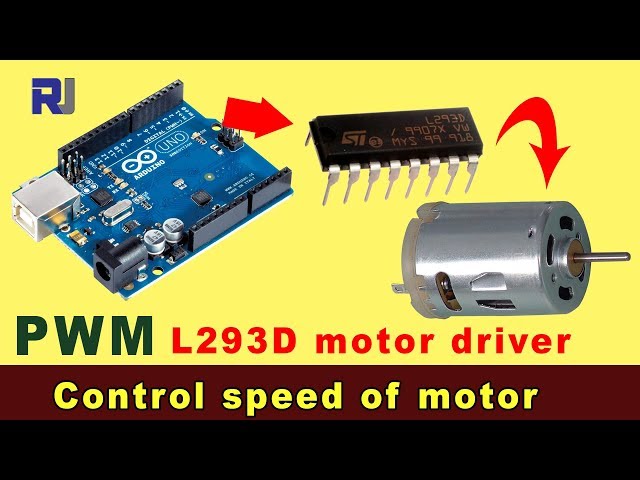
Control a 4 DC Motor Using an L293D DC Motor Shield for Arduino
Using this L293D motor shield, we can control four DC motors operating from 4.5V to 36V with 600mA current per channel.
To use this motor shield, you need to install the library by following the instructions below.
Code to learn and use the L293D chip without a shield is here
图像
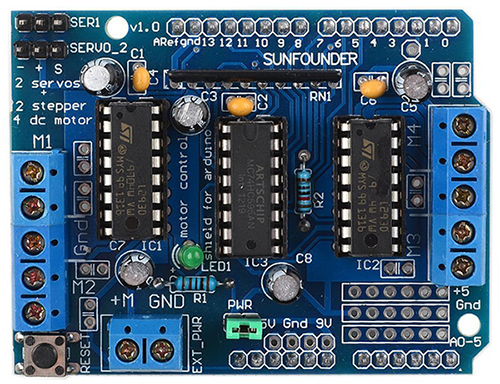
L293D Shield
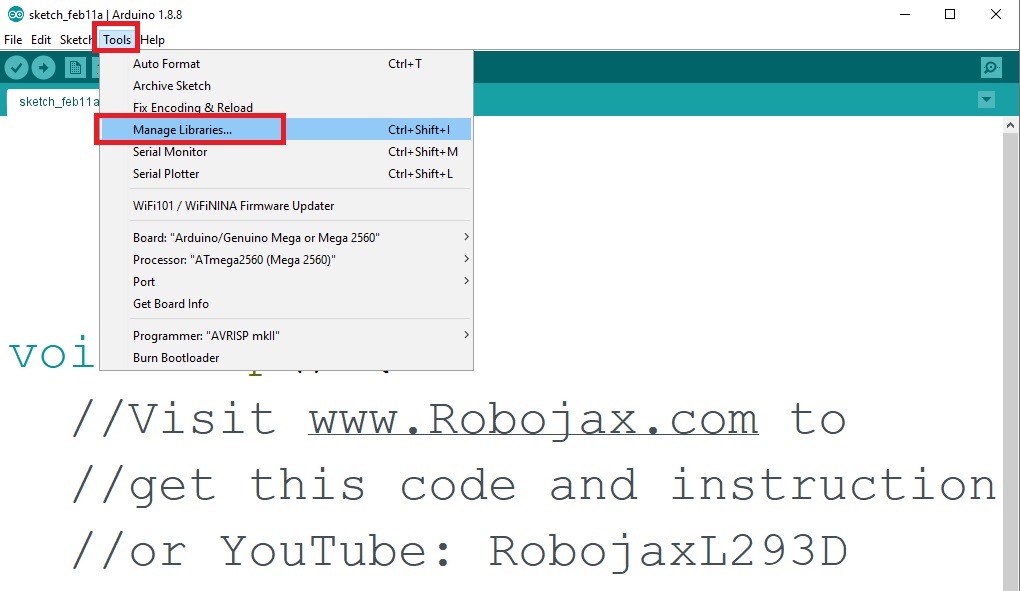
Installign the library
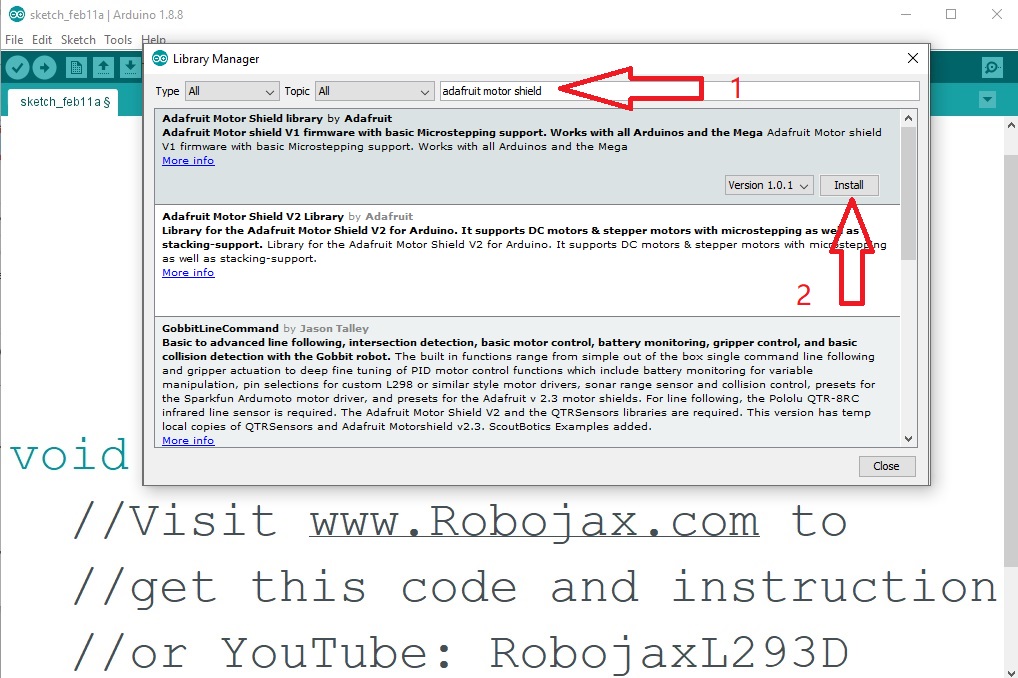
Installign the library
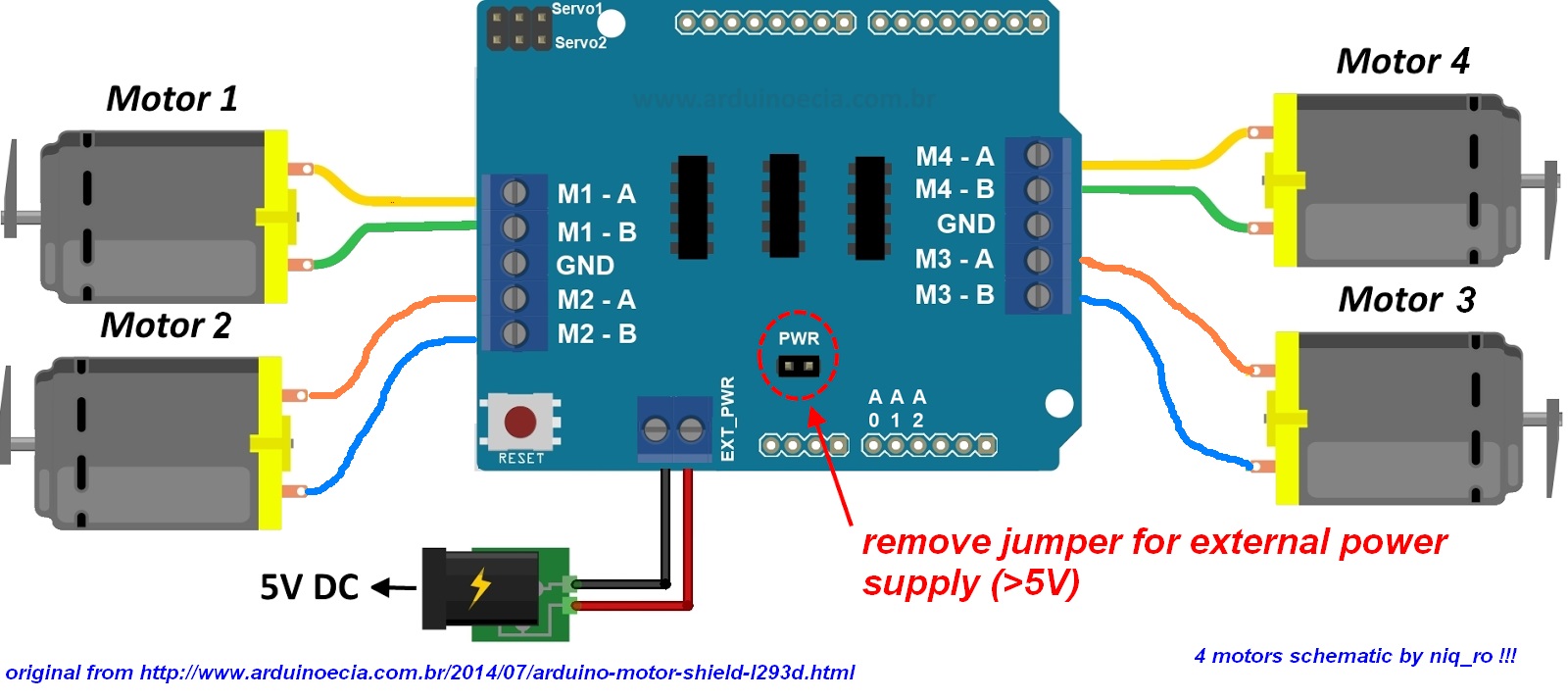
L293D Motor Sheild Wiring for 4 motors
296-Resources for this sketch
语言: C++
++
/*
 *
 *   L293D motor shield library
 * Original Adafruit-Motor-Shield-library
 * Library URL: https://github.com/adafruit/Adafruit-Motor-Shield-library
 *
 * This code is to control 4 DC motors in both CW and CCW directions.
 * I have modified the code to allow you to better understand how to control DC motors.
 *
 * Learn how to use the L293D chip without the shield: https://youtu.be/akQoGNUzhHI
 *  *
 * Written by Ahmad Shamshiri on Feb 11, 2021 in Ajax, Ontario, Canada
 * www.Robojax.com
 *
  *
 * This code is "AS IS" without warranty or liability. Free to be used as long as you keep this note intact.
 * This code has been downloaded from Robojax.com
    This program is free software: you can redistribute it and/or modify
    it under the terms of the GNU General Public License as published by
    the Free Software Foundation, either version 3 of the License, or
    (at your option) any later version.

    This program is distributed in the hope that it will be useful,
    but WITHOUT ANY WARRANTY; without even the implied warranty of
    MERCHANTABILITY or FITNESS FOR A PARTICULAR PURPOSE.  See the
    GNU General Public License for more details.

    You should have received a copy of the GNU General Public License
    along with this program.  If not, see <https://www.gnu.org/licenses/>.

*/
#include <AFMotor.h>

AF_DCMotor m1(1);//define motor 1 as m1
AF_DCMotor m2(2);//define motor 2 as m2
AF_DCMotor m3(3);//define motor 3 as m3
AF_DCMotor m4(4);//define motor 4 as m4


void setup() {
  Serial.begin(9600);           // set up Serial library at 9600 bps
  Serial.println("Robojax Motor test!");

  // initial state of motor; turn on motor
  m1.setSpeed(0);//motor 1 is turned off; to turn on, change 0 to 255
  m2.setSpeed(0);//motor 2 is turned off
  m3.setSpeed(0);//motor 3 is turned off
  m4.setSpeed(0); //motor 4 is turned off
}

void loop() {
  uint8_t i;

  Serial.println("Motor 1 FORWARD 100% speed");
  m1.run(FORWARD);
  m1.setSpeed(speed(100));
  Serial.println("m4 FORWARD 100%");
 m4.run(FORWARD);
 m4.setSpeed(speed(100));
  delay(3000);


  m1.run(RELEASE);
  Serial.println("M1 RELEASE");
 m4.run(RELEASE);
  Serial.println("m4 RELEASE");
  delay(3000);


  Serial.println("M1 BACKWARD 80%");
  m1.run(BACKWARD );
  m1.setSpeed(speed(80));
  Serial.println("m4 BACKWARD 60%");
 m4.run(BACKWARD );
 m4.setSpeed(speed(60));


  delay(3000);


 delay(3000);
  m1.run(RELEASE);
  Serial.println("M1 RELEASE");
  m4.run(RELEASE);
  Serial.println("m4 RELEASE");
  delay(3000);
  Serial.println("=============");
}

/*
 * Get percentage value (0 to 100%) and
 * converts it to 0 to 255, which is the motor speed used by Arduino.
 * Written by Ahmad Shamshiri on Feb 12, 2021
 */
int speed(int b)
{
  return map(b, 0, 100, 0, 255);
}
资源与参考
-
外部
-
外部SunFounder Motor Shield wikiwiki.sunfounder.cc
文件📁
没有可用的文件。