如何通过ESP32和L298N模块控制直流电机的速度
控制直流电动机可以通过合适的组件和理解变得简单。在本教程中,我们将研究如何使用 ESP32 微控制器和 L298N 电机驱动模块控制两个直流电动机。通过本指南的学习,您将能够根据 ESP32 发出的 PWM 信号调整电动机的速度和方向,从而在机器人和自动化领域实现多种应用。
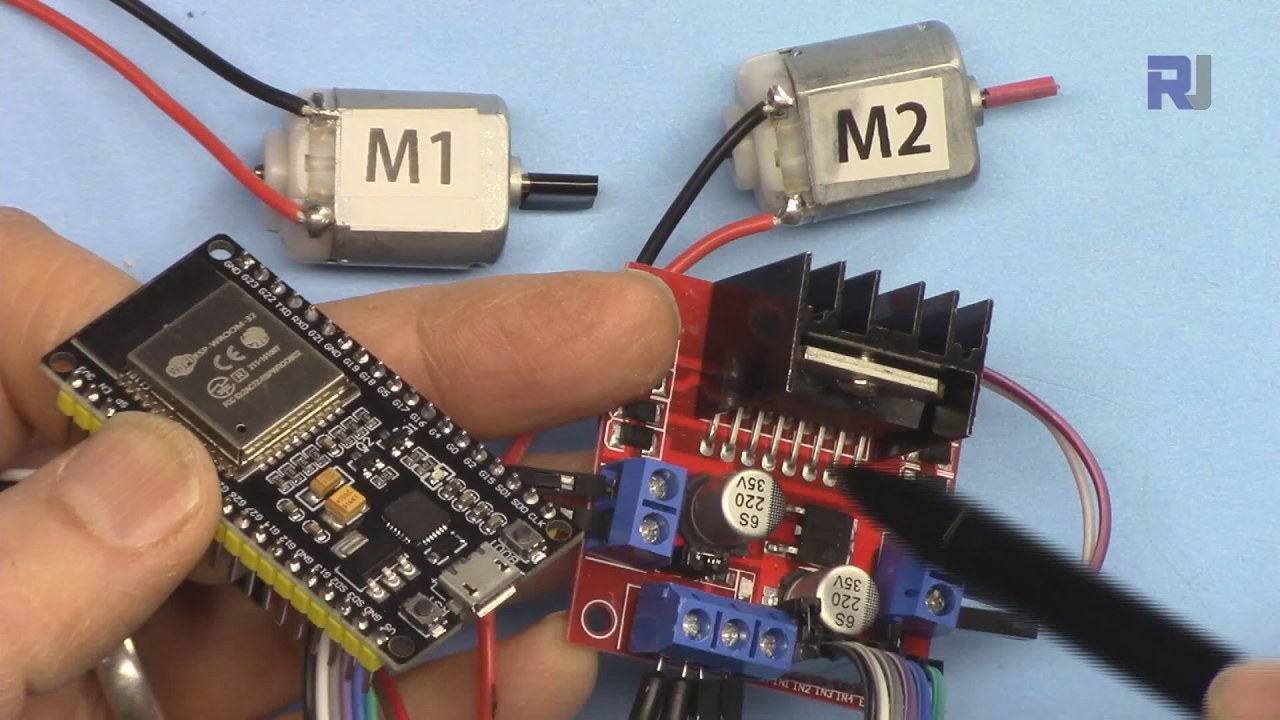
本教程附带的视频提供了整个过程的视觉演示,包括接线和编码(视频在:00)。
硬件解析

为了实现电机控制,我们将使用ESP32和L298N电机驱动模块。ESP32是一款强大的微控制器,具有Wi-Fi和蓝牙功能,非常适合IoT项目。L298N是一个H桥电机驱动器,允许我们通过使用PWM信号来控制电机的方向和速度。L298N模块具有两个H桥电路,这意味着我们可以独立控制两个电机。每个H桥允许控制电机的方向(顺时针或逆时针)和通过改变PWM信号来调节速度。通过将L298N的使能和输入引脚连接到ESP32,我们可以有效地操控电机。
数据表详情
| 制造商 | 意法半导体 |
|---|---|
| 零件号码 | L298N |
| 逻辑/IO 电压 | 5 V |
| 供电电压 | 5-46 V (VS) |
| 输出电流(每通道) | 2 A 最大/通道(绝对最大) |
| 峰值电流(每通道) | 2.5 安培 |
| PWM频率指导 | 1 kHz - 15 kHz |
| 输入逻辑阈值 | 2.5 伏 (高),1.5 伏 (低) |
| 电压降 / RDS(导通)/ 饱和度 | 1.8 伏特在 2 安培时 |
| 热极限 | 150 °C |
| 包裹 | 15针多功率 |
| 注释 / 变体 | 双H桥电机驱动器 |
抱歉,您没有提供要翻译的文本。
- 确保电机的电压等级与L298N的供电电压匹配。
- 在高电流下连续运行时,请使用足够的散热器。
- 连接所有组件的接地,以避免浮动参考。
- 使用适合该应用的PWM频率(1-15 kHz)。
- 注意最大电流额定值,以防止过热。
- 在确定接线之前测试电机方向,以避免损坏。
- 考虑在电源上使用去耦电容以实现稳定性。
接线说明

将L298N接线到ESP32时,首先将两个直流电机连接到L298N的输出端子上。将电机1连接到标记为的端子。OUT1和OUT2, 和电机 2 到OUT3和OUT4电机的极性无关紧要,因为 L298N 会处理方向。接下来,将外部电源连接到VMS和GNDL298N上的端子。确保电压适合您的电动机,通常在5V到46V之间。5VL298N上的端子可以在需要时为ESP32供电,但确保满足电流要求。对于控制引脚,连接ENA到 GPIO 19,IN1连接到GPIO 18,和IN2连接到电机1的GPIO 5。对于电机2,连接IN3到 GPIO 17,IN4到 GPIO 16,和ENB连接到 GPIO 4。最后,将 ESP32 和 L298N 的地线连接在一起,以确保共同参考。
代码示例与指南
以下代码片段演示了如何使用为ESP32设计的L298N库控制电机。该库简化了向电机发送命令的过程。首先,包含必要的库,并定义电机参数:
#include
#define ENA 19
#define IN1 18
#define IN2 5
#define IN3 17
#define IN4 16
#define ENB 4
Robojax_L298N_DC_motor robot(IN1, IN2, ENA, CHA, IN3, IN4, ENB, CHB);
在这个代码片段中,我们为两个电机定义控制引脚。库实例robot被创建,用于在整个程序中控制电机。接下来,我们设置串行通信并初始化机器人实例。setup()功能:
void setup() {
  Serial.begin(115200);
  robot.begin();
}
这初始化了调试的串行通信,并准备了电机控制库以供操作。最后,主控制逻辑被放置在loop()功能,可以旋转电机并调整其速度:
void loop() {
  robot.rotate(motor1, 80, CW); // run motor1 at 80% speed in CW direction
  delay(3000); // wait for 3 seconds
  robot.brake(1); // brake motor1
  delay(2000); // wait for 2 seconds
}
该摘录演示了如何以80%的速度顺时针旋转电动机1三秒钟,然后制动。完整代码包括电动机2的额外逻辑和不同的速度,可以在文章下方加载的完整程序中查看。
演示 / 预期内容
当执行时,电动机应该对来自ESP32的PWM信号做出响应。您将看到电机1以80%的速度顺时针旋转,随后执行刹车动作。该程序包含逐步管理速度变化的逻辑,可以通过观察电机从0%加速到100%的过程进行测试(视频在05:00)。常见的陷阱包括未正确连接接地,这可能导致不稳定的行为,以及超过L298N的电流额定值,导致其过热。确保监测电机的行为,并根据需要调整参数。
视频时间戳
- 00:46 介绍
- 04:07 使用 L298N 连接 ESP32
- 06:10 准备 Arduino IDE 以便与 ESP32 板配合使用
- 08:15 Arduino 代码解读
- 15:00 单电机控制演示
- 16:00 控制两个直流电动机的演示
- 17:00 ESP32通过L298N和外部电源供电的演示
图像
/*
 * Library Example for L298N Module to control DC motors
 *
 * This code is to control a single motor. For two motor control, please open L298N_DC_2_Motors.
 * This code is ready for ESP32.
 * Watch video instructions for this code:  https://youtu.be/2JTMqURJTwg
 *
 * Written by Ahmad Shamshiri on December 24, 2019
 * in Ajax, Ontario, Canada. www.robojax.com
 *
 *
  *
 * Get this code and other Arduino codes from Robojax.com.

or make a donation using PayPal http://robojax.com/L/?id=64

 *  * This code is "AS IS" without warranty or liability. Free to be used as long as you keep this note intact.*
 * This code has been downloaded from Robojax.com
    This program is free software: you can redistribute it and/or modify
    it under the terms of the GNU General Public License as published by
    the Free Software Foundation, either version 3 of the License, or
    (at your option) any later version.

    This program is distributed in the hope that it will be useful,
    but WITHOUT ANY WARRANTY; without even the implied warranty of
    MERCHANTABILITY or FITNESS FOR A PARTICULAR PURPOSE.  See the
    GNU General Public License for more details.

    You should have received a copy of the GNU General Public License
    along with this program.  If not, see <https://www.gnu.org/licenses/>.
 */

#include <Robojax_L298N_DC_motor.h>
// motor 1 settings
#define CHA 0
#define ENA 19 // this pin must be PWM enabled pin if Arduino board is used
#define IN1 18
#define IN2 5

// motor 2 settings
#define IN3 17
#define IN4 16
#define ENB 4// this pin must be PWM enabled pin if Arduino board is used
#define CHB 1

const int CCW = 2; // do not change
const int CW  = 1; // do not change

#define motor1 1 // do not change
#define motor2 2 // do not change

// for single motor
//Robojax_L298N_DC_motor robot(IN1, IN2, ENA, CHA, true);

// for two motors without debug information	// Watch video instruction for this line: https://youtu.be/2JTMqURJTwg
Robojax_L298N_DC_motor robot(IN1, IN2, ENA, CHA,  IN3, IN4, ENB, CHB);

// for two motors with debug information
//Robojax_L298N_DC_motor robot(IN1, IN2, ENA, CHA, IN3, IN4, ENB, CHB, true);

void setup() {
  Serial.begin(115200);
  robot.begin();
  //L298N DC Motor by Robojax.com

}

void loop() {

 // robot.demo(1);
  robot.rotate(motor1, 80, CW);//run motor1 at 60% speed in CW direction
  robot.rotate(motor2, 70, CCW);//run motor1 at 60% speed in CW direction

  delay(3000);

  robot.brake(1);
  robot.brake(2);
  delay(2000);


  robot.rotate(motor1, 100, CW);//run motor1 at 60% speed in CW direction
  delay(3000);

  robot.rotate(motor2, 100, CCW);//run motor1 at 60% speed in CW direction

  robot.brake(1);
  robot.brake(2);
  delay(2000);

  for(int i=0; i<=100; i++)
  {
    robot.rotate(motor1, i, CW);// turn motor1 with i% speed in CW direction (whatever is i)
    delay(100);
  }
  delay(2000);

  robot.brake(1);
  delay(2000);

  for(int i=0; i<=100; i++)
  {
    robot.rotate(motor2, i, CW);// turn motor1 with i% speed in CW direction (whatever is i)
    delay(100);
  }
  delay(2000);

  robot.brake(2);
  delay(2000);
  // Robojax L298N Library. Watch video instruction https://youtu.be/2JTMqURJTwg
}
|||您可能需要的东西
-
亚马逊从亚马逊购买 L298N 电机驱动器amzn.to
-
易趣从 eBay 购买 L298N 模块(关联)ebay.us
资源与参考
-
外部从 eBay 购买 L298N 模块(关联)ebay.us
文件📁
Arduino 库(zip 格式)
-
robojax_ESP32_L298N库
robojax_ESP32_L298N_library.zip0.18 MB
Fritzing 文件
-
ESP32-38针_宽
ESP32-38Pin_Wide.fzpz0.03 MB -
L298N直流电机驱动器
L298N DC motor driver.fzpz0.11 MB