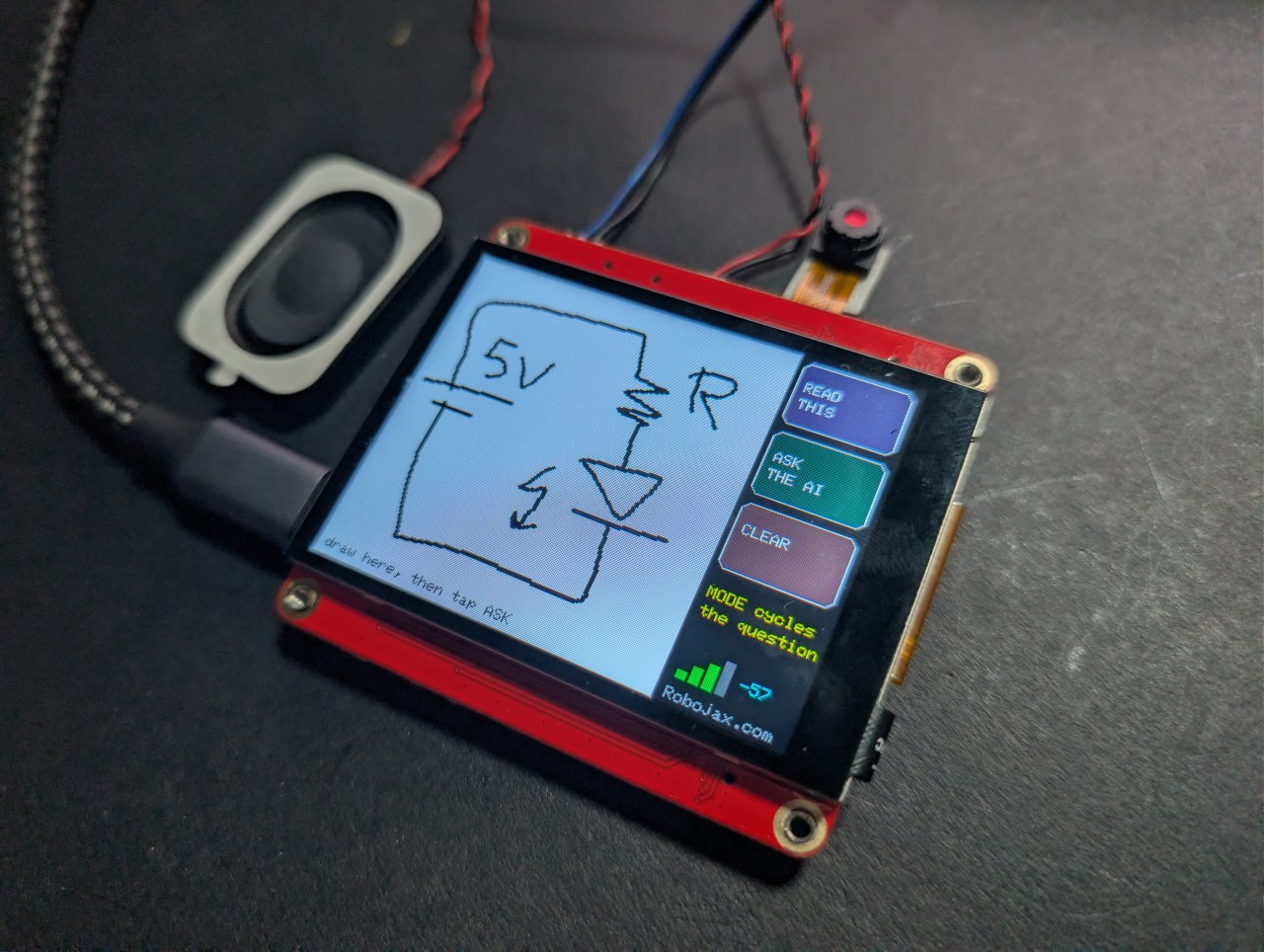
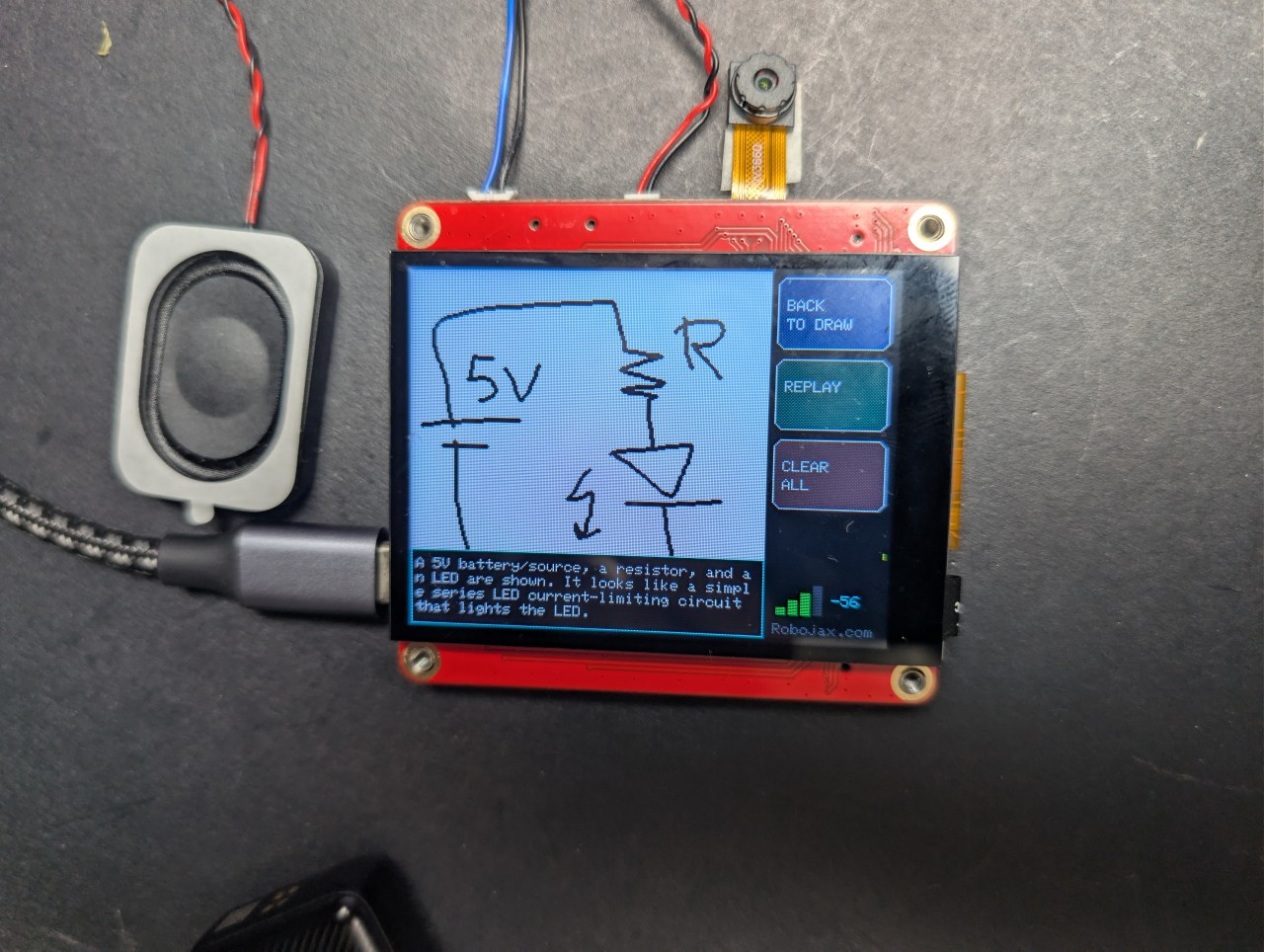
Нацртав коло на оваа ESP32 плочка од 40 долари и вештачката интелигенција го објасни
Скицирајте коло со прстот и нека вештачка интелигенција го објасни
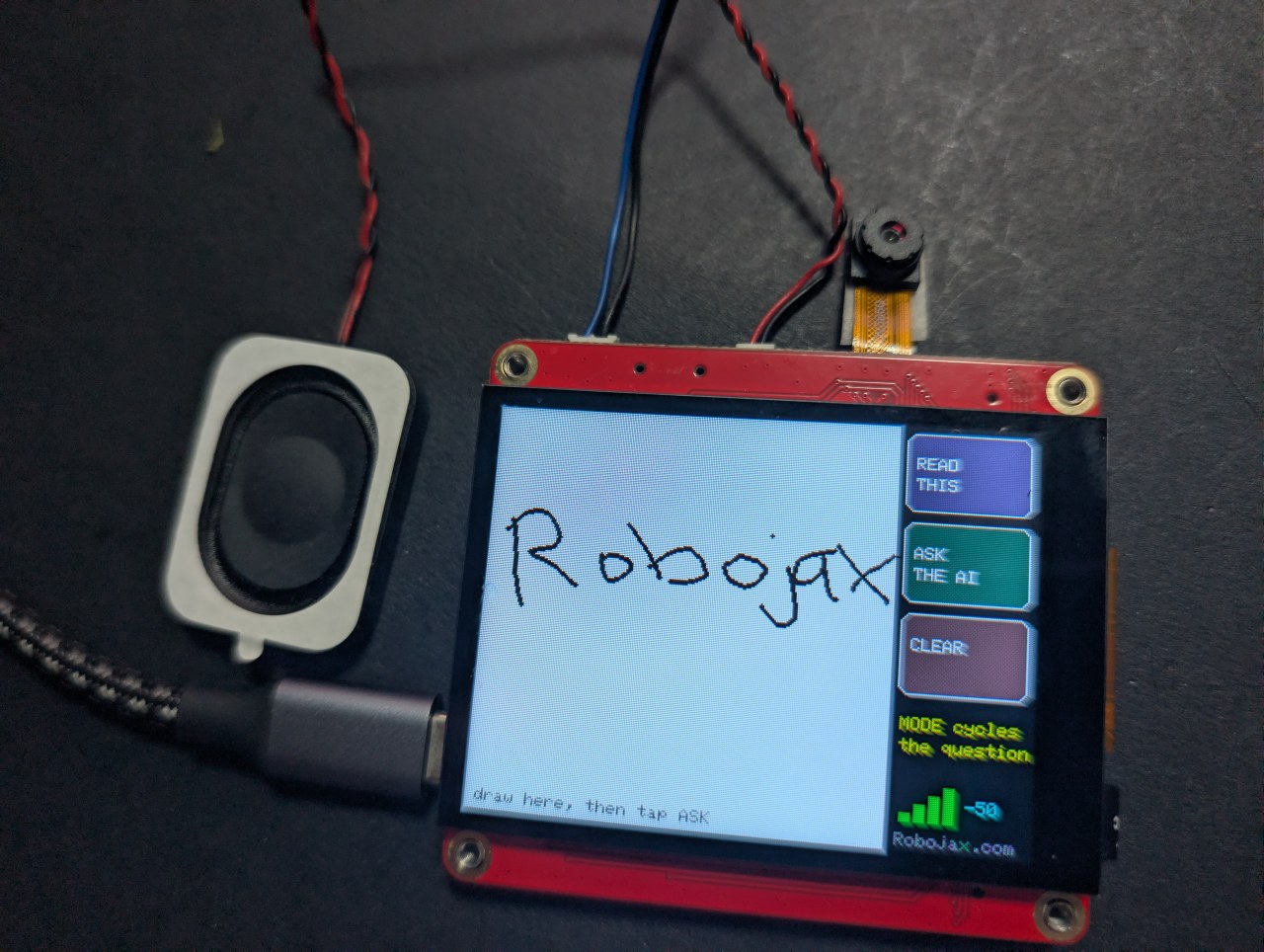
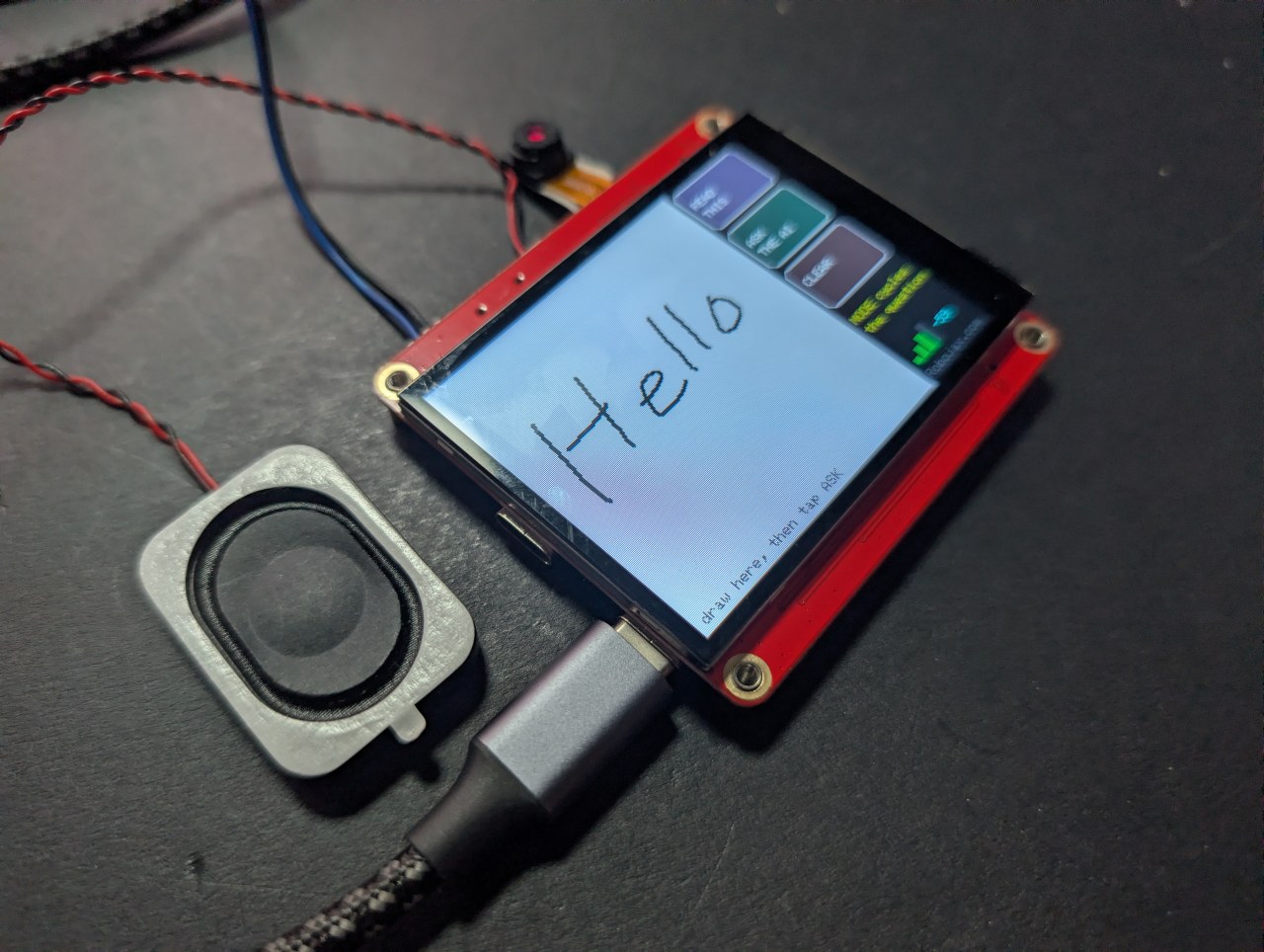
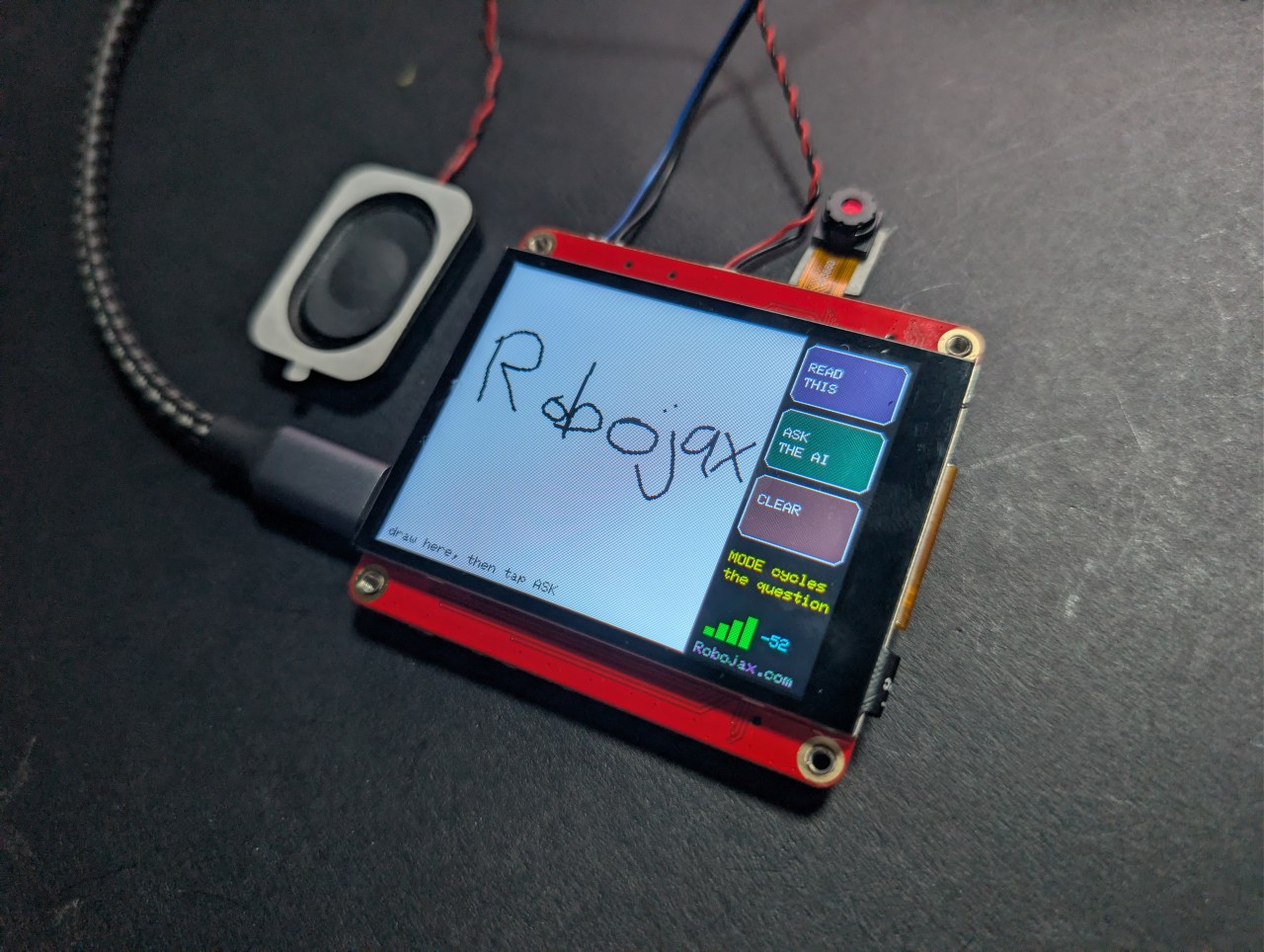
Цртајте или пишувајте на екранот на допир со прстот, допрете ASK, и вештачка интелигенција ви кажува што нацртавте - на екранот и гласно. Три режими: именување на обликот, читање на ракописот, или објаснување на рачно нацртаното коло.
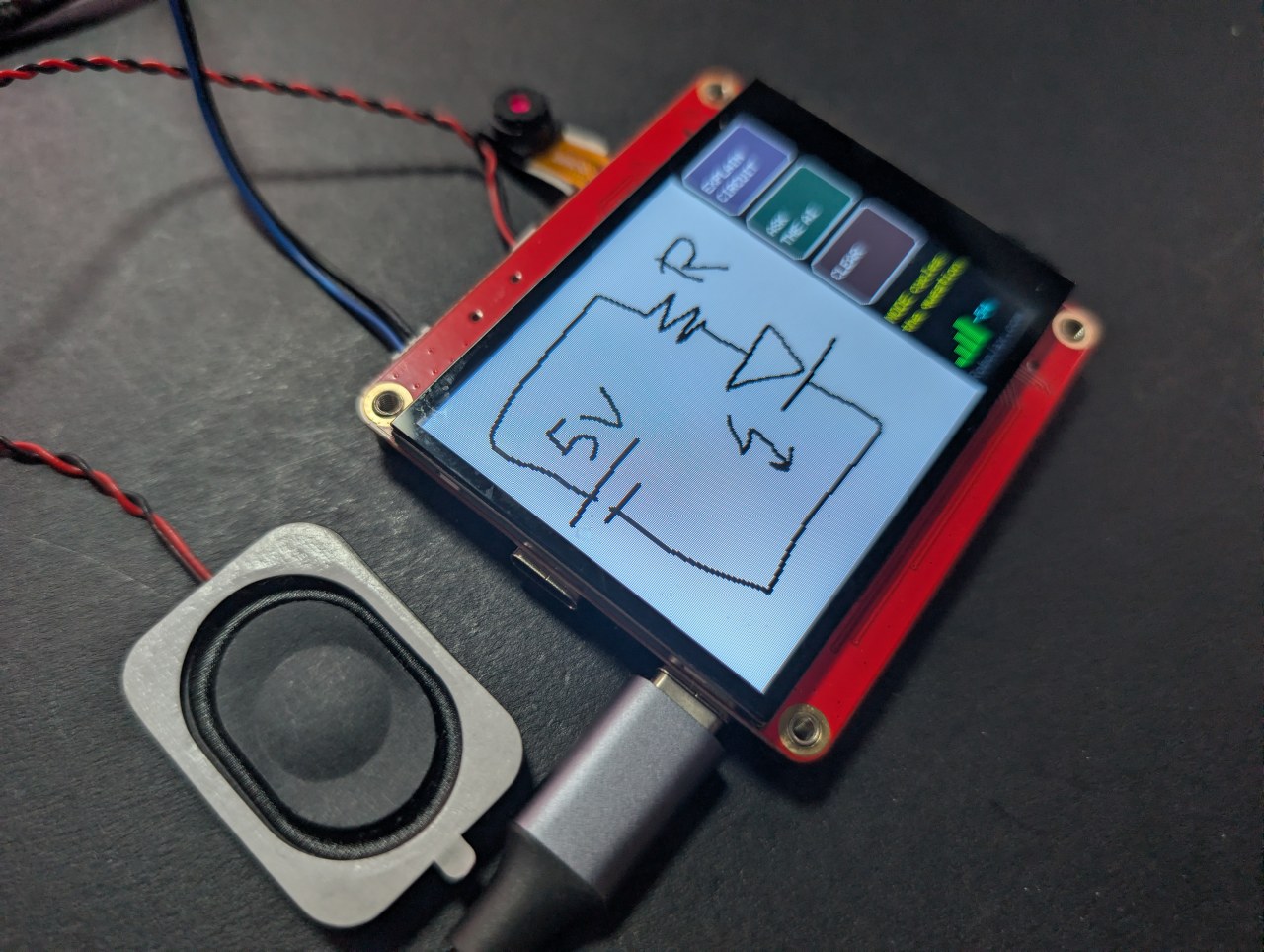
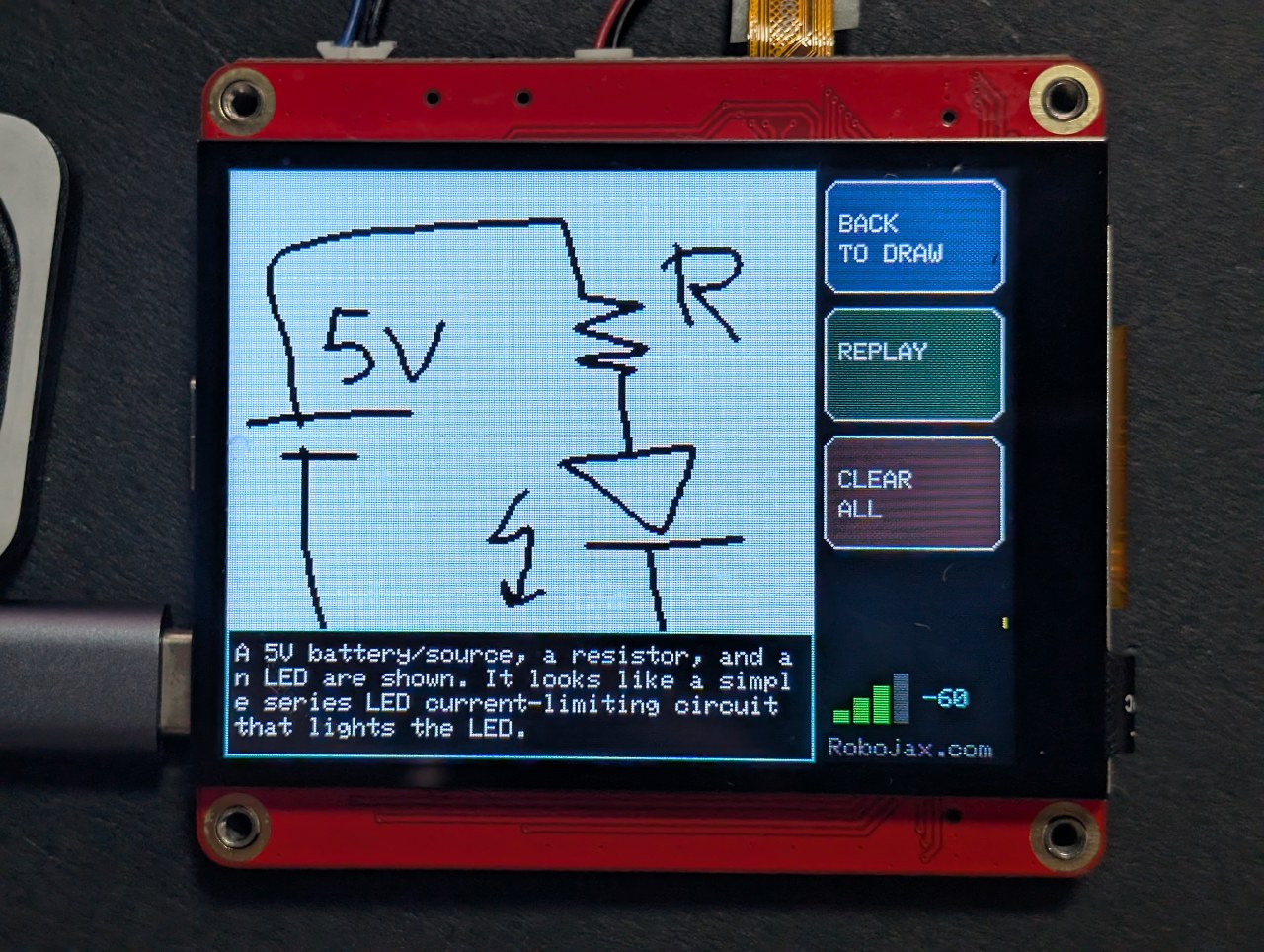
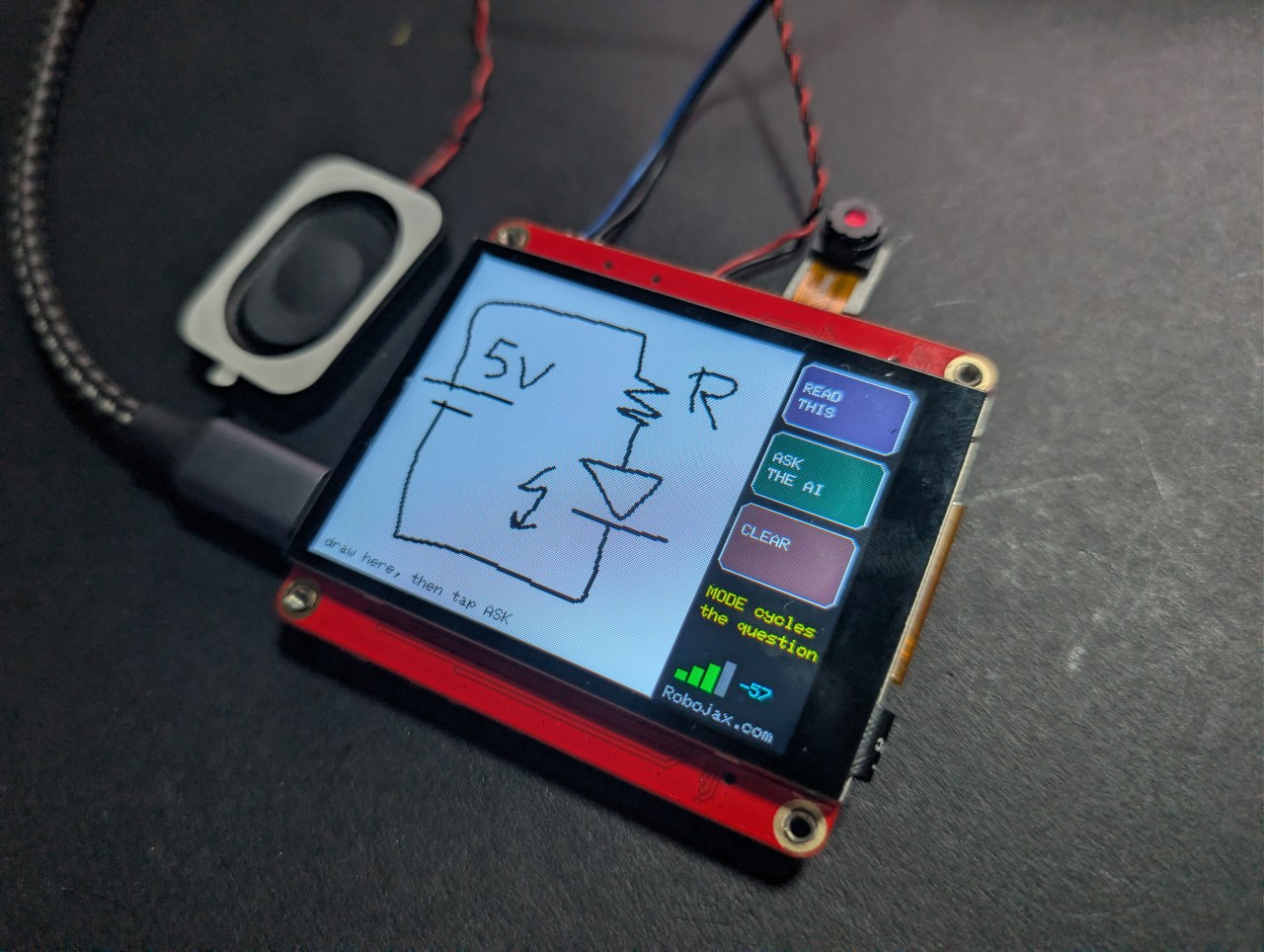
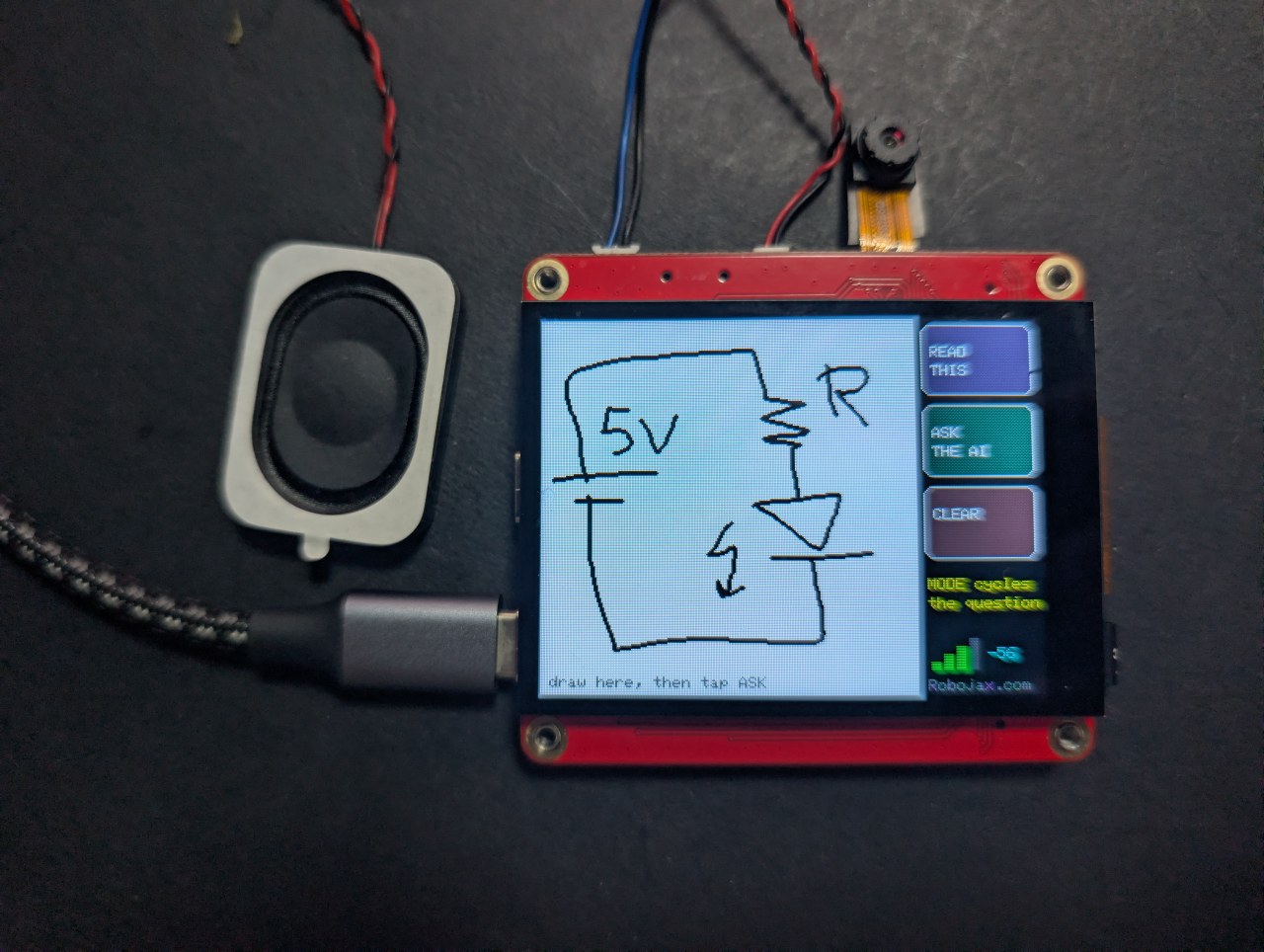
Последниот е интересниот. Скицирајте батерија, отпорник и LED, и плочката ќе ги именува компонентите и ќе ви каже што прави колото.
Robojax_Makerfab при наплата на страницата на производот MaTouch AI ESP32-S3. Не ве чини ништо да го користите, и помага да се поддржат бесплатниот код и упатствата овде.Проблемот што овој проект требаше да го реши
Не можете да читате пиксели назад од овој дисплеј преку SPI, и графичката библиотека нормално црта директно на панелот без копија во меморијата - затоа нема слика од екранот што може да се испрати било каде. Решението е никогаш да не се црта директно на панелот. Оваа скица црта во Arduino_Canvas, кој чува целосен framebuffer во PSRAM. Тој бафер е сликата, па fmt2jpg() ја претвора директно во JPEG.
Зошто мастилото е црно на бело
Моделите за вид читаат темни ознаки на светла позадина многу посигурно отколку обратното, и изгледа како хартија на камера. Копчињата се цртаат на панелот, а не во платното, па тие никогаш не се дел од сликата што ја гледа вештачката интелигенција - таа добива само вашето цртање на чисто бело поле.
Правење потези да изгледаат како потези
Две работи мораа да бидат точни пред цртањето да се чувствува како пенкало, а не како матрица на точки:
- Платното не се испраќа на екранот при секое допирање - тоа турка 115 KB преку SPI секој пат и забавува сè. Секој потег се црта во платното и се слика на панелот одделно, што чини речиси ништо.
- Потегот завршува само откако панелот е мирен околу 70 милисекунди. Контролерот за допир не враќа точка при секое анкетирање, и третирањето на секое празно анкетирање како кренат прст ја крши линијата на неповрзани точки.
Три режими, едно цртање
Вашето цртање останува под одговорот, па можете да допрете BACK TO DRAW, да го промените режимот, и да поставите различно прашање за истата скица. Како слика тоа се линии и облици; прашано како инженер, станува коло.
Совети за добри резултати
- Евтин капацитивен стилус работи многу подобро од врвот на прстот.
- Цртајте големо - платното е 240×240, па неколку големи елементи, не ситни детали.
- Нема отфрлање на дланката. Држете ја раката подалеку од стаклото.
За плочката MaTouch AI ESP32-S3 2.8"
Секој проект на оваа страница работи на MaTouch AI ESP32-S3 2.8" TFT ST7789V од Makerfabs. Тоа е се-во-едно плочка: екран на допир во боја, камера од 3 мегапиксели, два микрофони и вистински засилувач за звучник, сите управувани од ESP32-S3 со 8 MB PSRAM. Таа комбинација е она што ги прави овие вештачка интелигенција проекти можни на една плочка без ништо друго прикачено.
8 MB PSRAM е поважно од било кој друг број овде. Тоа е она што ѝ овозможува на плочката да држи камера рамка, неколку секунди снимен аудио, или base64-кодирана фотографија во меморијата истовремено - ништо од тоа не собира во нормалната RAM меморија на ESP32’.
Производителска документација: Makerfabs wiki страница.
Клучни спецификации
- Процесор: ESP32-S3, двојно јадро 240 MHz, WiFi 2.4 GHz + Bluetooth 5.0
- Меморија: 16 MB flash, 8 MB PSRAM (потребно за речиси секој проект овде)
- Дисплеј: 2.8" IPS, 320×240, ST7789V драјвер, SPI
- Допир: GT911 капацитивен, следи 5 прста одеднаш
- Камера: OV3660, 3 мегапиксели, до 2048×1536
- Микрофони: два INMP441 I2S дигитални микрофони (вистински стерео пар)
- Звучник: MAX98357A класа-D засилувач, 3.2 W на 4 Ω
- Складирање: microSD картичка слот (SPI режим)
- Напојување: USB-C, JST конектор за батерија, TP4056 полнач, прекинувач за напојување
- Исто на плочката: WS2812B RGB LED, PCF8563T часовник во реално време со батерија, и MAX17048 мерач на гориво за батерија што не е наведен во официјалните спецификации
USB CDC On Boot на Disabled. Користете го погрешниот порт и аудиото ќе работи лошо или поставувањето ќе пропадне.Напојувате од батерија? Двете USB-C приклучоци, TP4056 полначот и прекинувачот за напојување се објаснети целосно, со шемата, во статијата за тестирање на плочката — вклучувајќи кое приклучок полни и дали прекинувачот треба да биде вклучен или исклучен.
Поставки за Arduino IDE
Овие поставки се важни. Повеќето проблеми што луѓето ги пријавуваат со оваа плочка се една од овие грешки, и тие се ресетираат кога ја менувате верзијата на јадрото, па проверете ги повторно по секоја промена.
| Поставка | Вредност |
|---|---|
| Плочка | ESP32S3 Dev Module |
| Верзија на ESP32 јадрото | 2.0.17 |
| PSRAM | OPI PSRAM |
| Големина на Flash | 16MB (128Mb) |
| Шема на партиции | 16M Flash (3MB APP/9.9MB FATFS) |
| USB CDC On Boot | Disabled |
| Брзина на поставување | 921600 |
| Избриши сè пред поставување | Disabled |
| Порт | CH340K USB-C портот |
Потребни библиотеки
Овој проект ги бара сите библиотеки во табелата подолу - ништо повеќе, ништо помалку. Повеќето се инсталираат директно од Tools → Manage Libraries во Arduino IDE, но GFX Library for Arduino мора да се инсталира од ZIP датотека. Броевите на верзии се важни, па ве молиме користете точно оние што се наведени.
| Библиотека | Верзија | Автор | Инсталирај од |
|---|---|---|---|
| GFX Library for Arduino | 1.5.6 | moononournation | ZIP датотека - види подолу |
| bb_captouch | 1.3.1 | Larry Bank | Library Manager |
| ArduinoJson | 7.x | Benoit Blanchon | Library Manager |
| Adafruit NeoPixel | било која скорешна | Adafruit | Library Manager |
Инсталирање на GFX библиотеката од ZIP датотека
- Преземете ја ZIP датотеката. Таа е вклучена во преземањето на овој проект, или можете да ја добиете од Arduino_GFX складиштето - кликнете на зеленото Code копче, па Download ZIP.
- Зачувајте ја некаде каде што можете да ја најдете повторно. Не ја отпакувајте.
- Во Arduino IDE, кликнете Sketch → Include Library → Add .ZIP Library.
- Пребарајте ја ZIP датотеката што ја преземавте и кликнете Open.
- IDE ја инсталира и потврдува на дното на прозорецот. Ако веќе имате инсталирано верзија 1.6, избришете ја таа папка од
Documents/Arduino/librariesпрво, или двете ќе се судрат.
Поставување на secrets.h
Вашите WiFi детали и било какви API клучеви одат во secrets.h, кој е вклучен во преземањето со вредности за пополнување. Отворете го тој таб во Arduino IDE и заменете ги со вашите.
secrets.h.Добивање на вашите API клучеви
Овој проект комуницира со облачна вештачка интелигенција услуга, па ви треба ваш сопствен клуч. Ако никогаш не сте го направиле ова, не грижете се - тоа е истата идеја како лозинка што ја идентификува вашата сметка кај услугата. Потребни се неколку минути, еднаш.
OpenAI - очите
OpenAI обезбедува модел за вид што гледа слики. Само проектите што испраќаат слика го бараат ова.
- Одете на platform.openai.com/api-keys и најавете се или креирајте сметка.
- Кликнете Create new secret key, дајте му име, и креирајте го.
- Копирајте го веднаш - се прикажува само еднаш.
- Отворете Billing и додадете мала сума на кредит. API-то е претплатено и одделно од било која ChatGPT претплата што можеби веќе ја имате.
Ставете го клучот во secrets.h како OPENAI_KEY.
Microsoft Azure Speech - за слушање и зборување
Azure го претвора вашиот говор во текст и го претвора одговорот назад во глас. Бесплатниот степен е доволно дарежлив за сè на оваа страница.
- Одете на portal.azure.com и најавете се со Microsoft сметка (бесплатна е во ред).
- Ако никогаш не сте користеле Azure, ќе видите Welcome to Azure екран што нуди три избори. Изберете Start with an Azure free trial - ви треба претплата пред Azure да ви дозволи да креирате било што. (Студентите треба да изберат Azure for Students наместо тоа: ист резултат, без потреба од картичка.) Игнорирајте го Manage Microsoft Entra ID, што е сосема друго нешто.
- Кликнете Create a resource, пребарајте Speech, и изберете Speech service објавено од Microsoft.
- Пополнете ја формата: било која resource group, било кое име, и изберете Region блиску до вас - запишете го тој регион точно како што се појавува, на пример
eastus. - За Pricing tier изберете F0 (Free). Тоа овозможува околу пет часа говор-во-текст и половина милион карактери текст-во-говор секој месец.
- Кликнете Review + create, па Create. Почекајте околу една минута, па кликнете Go to resource.
- Во левото мени отворете Keys and Endpoint. Копирајте KEY 1 и Location/Region.
Ставете ги во secrets.h како AZURE_SPEECH_KEY и AZURE_REGION.
Што чини да работи
Многу малку, но не е бесплатно, и треба да знаете приближно што трошите пред да оставите проект да работи.
| Услуга | Приближна цена |
|---|---|
| OpenAI вид | приближно еден или два цента по слика, во зависност од моделот |
| Azure Speech | бесплатниот степен покрива околу 5 часа слушање и 0.5 M карактери зборување месечно |
Цените се менуваат, па третирајте ги како водич, а не како понуда. Секоја од овие услуги има страница за користење каде што можете да гледате што сте потрошиле, и сите ви дозволуваат да поставите лимит на трошење - што вреди да се направи од првиот ден.
Решавање проблеми
| Симптом | Причина и решение |
|---|---|
| Екранот останува црн | Погрешна верзија на GFX библиотеката (користете 1.5.6) или погрешни поставки на плочката. |
PSRAM alloc failed |
Tools → PSRAM не е поставено на OPI PSRAM. |
| Ништо не се поставува / нема COM порт | Погрешен USB-C порт, или CH340 драјверот не е инсталиран. |
Слики
/*
* ===========================================================================
* 08_Draw_AI — MaTouch AI ESP32-S3 2.8" TFT ST7789V
* ===========================================================================
*
* ---------------------------------------------------------------------------
* ROBOJAX.COM - MaTouch AI ESP32-S3 2.8" project series
*
* WATCH THE Introduction and face recognition VIDEO
* https://youtu.be/6AL3g3tC_Hk
* Video 2: Draw AI - https://youtu.be/FaIW1MVIsj4
*
* WRITTEN TUTORIALS - every project, with photos and full explanation
* Camera and touchscreen.... https://robojax.com/RTJ849
* Offline face recognition.. https://robojax.com/RTJ850
* AI voice assistant........ https://robojax.com/RTJ851
* AI vision................. https://robojax.com/RTJ852
* Draw AI ................. https://robojax.com/RTJ867 (this code)
*
* GET THE BOARD - SAVE $5 with coupon code: Robojax_Makerfab
* https://www.makerfabs.com/matouch-ai-esp32s3-2-8-tft-st7789v.html
* (enter the code at checkout)
*
* All of this code is free. If it helped you, a subscribe on YouTube is
* the best way to support more of it.
* ---------------------------------------------------------------------------
*
* Draw or write on the touchscreen with your finger, tap ASK, and an AI
* tells you what you drew - on the screen and out loud.
*
* THREE MODES (tap MODE to cycle):
*
* WHAT IS THIS? draw a house, a cat, a triangle -> it names it
* READ THIS write HELLO in big letters -> it reads it back
* EXPLAIN CIRCUIT sketch a battery, resistor and LED -> it tells you
* what the components are and what the circuit does
*
* That last mode is the interesting one: a hand-drawn schematic, explained
* by an AI, on a forty-dollar board with no computer attached.
*
* NO CAMERA IS USED by this sketch. That means the J1/J3 Mabee sockets are
* free GPIO here (see 07_GPIO_Test), and there is no camera/SD memory
* contention to worry about.
*
* ---------------------------------------------------------------------------
* HOW IT WORKS (the trick worth knowing)
*
* You cannot read pixels back out of the ST7789 over SPI, and Arduino_GFX
* normally draws straight to the panel with no copy in memory - so there is
* no "screenshot" to send anywhere. The fix: draw into an Arduino_Canvas,
* which keeps a full framebuffer in PSRAM and flushes it to the display.
* That buffer IS the image, so fmt2jpg() turns it straight into a JPEG and
* the rest of the path is identical to 05_Vision_AI.
*
* Black ink on a white canvas, deliberately: vision models read dark-on-light
* far more reliably than the reverse, and it looks like paper on camera.
*
* ---------------------------------------------------------------------------
* TIPS
* - A cheap capacitive stylus is MUCH better than a fingertip.
* - Write BIG. The canvas is 240x240 - a few large characters, not a
* sentence.
* - There is no palm rejection: only the first touch point is used, so
* keep your palm off the glass.
*
* ---------------------------------------------------------------------------
* FILL IN secrets.h BEFORE FLASHING (WIFI_* and OPENAI_*; AZURE_* only if
* SPEAK_REPLIES is 1).
*
* BOARD SETTINGS (Tools menu - EVERY line matters)
* Board : ESP32S3 Dev Module
* ESP32 core : 2.0.17
* PSRAM : OPI PSRAM <-- required, the canvas lives there
* Flash Size : 16MB (128Mb)
* Partition Scheme : 16M Flash (3MB APP/9.9MB FATFS)
* USB CDC On Boot : Disabled
* Upload Speed : 921600
* Port : the CH340K USB-C port (the one near RESET)
*
* LIBRARIES
* GFX Library for Arduino v1.5.6 (NOT 1.6.x - that pairs with core 3)
* bb_captouch v1.3.1
* ArduinoJson v7.x
* Adafruit NeoPixel any recent
*
* ---------------------------------------------------------------------------
* FUNCTIONS IN THIS SKETCH
* led(r,g,b) set the RGB status LED colour
* getTouch(&x,&y) read the touch panel, mapped to screen coordinates
* clearCanvas() wipe to white and redraw the hint
* drawStroke(...) one thick line segment, into the canvas AND the panel
* handleDrawing(...) turn touch samples into continuous strokes
* waitData()/readHttpResponse() robust HTTPS reply reader (de-chunking)
* canvasToJpeg(&len) RGB565 canvas -> JPEG in PSRAM
* askVision(...) send the drawing + prompt to OpenAI, get an answer
* spkInit()/speak()/playLastAnswer() Azure voice out, with free REPLAY
* drawButtons()/drawAnswerSide()/showAnswer()/drawWifi() the UI
* askAboutDrawing() one full cycle: encode -> ask -> show -> speak
* setup() / loop() boot + WiFi / drawing and button handling
*
* Robojax.com
* ===========================================================================
*/
#define SPEAK_REPLIES 1 // 1 = read the answer aloud with Azure TTS
#define LED_BRIGHTNESS 15 // WS2812 is on the power rail - 15 is plenty
#include <Arduino_GFX_Library.h>
#include <bb_captouch.h>
#include <Adafruit_NeoPixel.h>
#include <ArduinoJson.h>
#include <WiFi.h>
#include <WiFiClientSecure.h>
#include "mbedtls/base64.h"
#include "img_converters.h" // fmt2jpg()
#include "esp_camera.h" // for the pixformat_t enum used by fmt2jpg
#include "pins.h"
#include "secrets.h"
#if SPEAK_REPLIES
#include "driver/i2s.h"
#define WAV_HEADER_LEN 44
#endif
Arduino_HWSPI *bus = new Arduino_HWSPI(
TFT_DC, TFT_CS, TFT_SCLK, TFT_MOSI, TFT_MISO, &SPI, true);
Arduino_GFX *panel = new Arduino_ST7789(bus, TFT_RES, 1, true);
/* The canvas is what we actually draw into: a real framebuffer in PSRAM that
* we can both flush to the panel AND hand to the JPEG encoder. */
#define CANVAS_W 240
#define CANVAS_H 240
Arduino_Canvas *canvas = new Arduino_Canvas(CANVAS_W, CANVAS_H, panel, 0, 0);
BBCapTouch bbct;
Adafruit_NeoPixel rgb(RGB_LED_NUM, RGB_LED_PIN, NEO_GRB + NEO_KHZ800);
/* --- the three modes ------------------------------------------------------ */
struct DrawMode { const char *l1, *l2; const char *prompt; };
const DrawMode MODES[] = {
{"WHAT IS", "THIS?",
"This is a drawing made with a finger on a small touchscreen. Name the "
"shape or object in ONE short sentence of at most 15 words. Plain text only."},
{"READ", "THIS",
"This image contains handwriting drawn with a finger. Reply with ONLY the "
"text you can read, nothing else. If you cannot read it, say: cannot read it."},
{"EXPLAIN", "CIRCUIT",
"This is a hand-drawn electronic circuit diagram. In at most two short "
"sentences, name the components you can identify and say what the circuit "
"does. Plain text only. If it is not a circuit, say so."},
};
#define N_MODES 3
int mode = 0;
/* --- layout: 240 canvas on the left, buttons on the right ----------------- */
#define BTN_X 244
#define BTN_W 72
#define BTN_H 46
#define BTN_MODE_Y 4
#define BTN_ASK_Y 56
#define BTN_CLEAR_Y 108
bool showing_answer = false;
/* --- drawing state -------------------------------------------------------- */
int last_x = -1, last_y = -1;
bool has_ink = false;
/* --- kept audio for REPLAY ------------------------------------------------ */
uint8_t *last_audio = nullptr;
size_t last_audio_len = 0;
void led(uint8_t r, uint8_t g, uint8_t b) { rgb.setPixelColor(0, rgb.Color(r, g, b)); rgb.show(); }
void playLastAnswer();
void drawButtons();
/* ===========================================================================
* Touch
* =========================================================================== */
bool getTouch(uint16_t *x, uint16_t *y) {
TOUCHINFO ti;
if (!bbct.getSamples(&ti)) return false;
if (ti.count < 1) return false; // first point only - no palm rejection
*x = ti.y[0];
*y = (ti.x[0] > 240) ? 0 : (240 - ti.x[0]);
return true;
}
/* ===========================================================================
* Canvas / drawing
* =========================================================================== */
void clearCanvas() {
canvas->fillScreen(WHITE);
canvas->flush(); // one full push: paint it white
has_ink = false;
last_x = last_y = -1;
/* The hint goes on the PANEL, never into the canvas - anything drawn into
* the canvas becomes part of the image the AI sees, and it would happily
* read this text back to you. */
panel->setTextSize(1);
panel->setTextColor(panel->color565(170, 170, 170));
panel->setCursor(6, CANVAS_H - 12);
panel->print("draw here, then tap ASK");
}
/* One thick line segment, drawn into BOTH the canvas and the panel.
*
* Why both: the canvas is the image we will send to the AI, but flushing the
* whole 240x240 buffer to the screen costs ~115 KB of SPI. Doing that per
* touch sample throttled the loop so hard that most samples were missed -
* which is exactly what "it only draws dots" looks like. Painting the same
* few pixels directly to the panel is essentially free, so the canvas is only
* flushed when the screen genuinely has to be rebuilt. */
static const int8_t STROKE_OFFS[5][2] = {{0,0},{1,0},{-1,0},{0,1},{0,-1}};
void drawStroke(int x0, int y0, int x1, int y1) {
for (int i = 0; i < 5; i++) {
int ox = STROKE_OFFS[i][0], oy = STROKE_OFFS[i][1];
canvas->drawLine(x0 + ox, y0 + oy, x1 + ox, y1 + oy, BLACK);
panel->drawLine(x0 + ox, y0 + oy, x1 + ox, y1 + oy, BLACK);
}
}
/* Touch is read once per loop and handed in here.
*
* THE IMPORTANT BIT - why this is time-based rather than "no touch = lifted":
* the GT911 does not return a point on every poll. It reports when its own
* internal sample is ready, so a poll in between comes back empty even though
* your finger never left the glass. Treating each empty poll as a lift resets
* the stroke, and every real sample then lands as an isolated dot instead of
* a line joined to the previous one - which is exactly what "it only draws
* dots" looks like. So a stroke only ends after the panel has been quiet for
* LIFT_MS, which bridges the dropouts but is still far shorter than a genuine
* lift-and-reposition. */
#define LIFT_MS 70
void handleDrawing(bool touched, int x, int y) {
static uint32_t last_seen = 0;
if (touched && x >= 0 && x < CANVAS_W) {
if (last_x >= 0) drawStroke(last_x, last_y, x, y); // join to the last point
else drawStroke(x, y, x, y); // start of a stroke
last_x = x; last_y = y;
last_seen = millis();
has_ink = true;
} else if (last_x >= 0 && millis() - last_seen > LIFT_MS) {
last_x = last_y = -1; // really lifted now
}
}
/* ===========================================================================
* HTTP — the same robust reader proven in 04 and 05
* =========================================================================== */
static bool waitData(WiFiClientSecure &c, uint32_t ms) {
uint32_t t0 = millis();
while (!c.available()) {
if (!c.connected()) return false;
if (millis() - t0 > ms) return false;
delay(10);
}
return true;
}
static int readHttpResponse(WiFiClientSecure &client, String &body_out, uint32_t idle_ms) {
body_out = "";
if (!waitData(client, idle_ms)) { Serial.println("HTTP: no response at all"); return 0; }
String status_line = client.readStringUntil('\n');
int code = 0;
sscanf(status_line.c_str(), "HTTP/%*s %d", &code);
bool chunked = false;
while (waitData(client, idle_ms)) {
String h = client.readStringUntil('\n');
if (h == "\r" || h.length() <= 1) break;
h.toLowerCase();
if (h.startsWith("transfer-encoding:") && h.indexOf("chunked") >= 0) chunked = true;
}
if (chunked) {
int blanks = 0;
while (true) {
if (!waitData(client, idle_ms)) { Serial.println("HTTP: chunk timeout"); break; }
String szline = client.readStringUntil('\n');
szline.trim();
if (szline.length() == 0) { if (++blanks > 4) break; continue; }
blanks = 0;
long sz = strtol(szline.c_str(), NULL, 16);
if (sz <= 0) break;
long got = 0;
while (got < sz) {
if (!waitData(client, idle_ms)) break;
while (client.available() && got < sz) { body_out += (char)client.read(); got++; }
}
if (waitData(client, 3000)) client.readStringUntil('\n');
if (got < sz) break;
}
} else {
while (waitData(client, idle_ms))
while (client.available()) body_out += (char)client.read();
}
return code;
}
/* ===========================================================================
* Canvas -> JPEG
* The canvas framebuffer is plain RGB565, which fmt2jpg() accepts directly.
* =========================================================================== */
uint8_t *canvasToJpeg(size_t *len_out) {
*len_out = 0;
uint16_t *fb = canvas->getFramebuffer();
if (!fb) { Serial.println("no canvas framebuffer"); return nullptr; }
uint8_t *jpg = NULL;
size_t jpg_len = 0;
if (!fmt2jpg((uint8_t *)fb, (size_t)CANVAS_W * CANVAS_H * 2,
CANVAS_W, CANVAS_H, PIXFORMAT_RGB565, 90, &jpg, &jpg_len)) {
Serial.println("fmt2jpg failed");
return nullptr;
}
*len_out = jpg_len;
return jpg; // caller frees
}
/* ===========================================================================
* OpenAI vision — identical shape to 05_Vision_AI
* =========================================================================== */
bool askVision(const uint8_t *jpg, size_t jpg_len, const char *prompt, String &answer_out) {
size_t b64_cap = ((jpg_len + 2) / 3) * 4 + 16;
unsigned char *b64 = (unsigned char *)ps_malloc(b64_cap);
if (!b64) return false;
size_t b64_len = 0;
if (mbedtls_base64_encode(b64, b64_cap, &b64_len, jpg, jpg_len) != 0) { free(b64); return false; }
const char *head_fmt =
"{\"model\":\"%s\",\"max_completion_tokens\":%d,\"messages\":[{\"role\":\"user\","
"\"content\":[{\"type\":\"text\",\"text\":\"%s\"},"
"{\"type\":\"image_url\",\"image_url\":{\"url\":\"data:image/jpeg;base64,";
const char *tail = "\"}}]}]}";
char head[900];
int head_len = snprintf(head, sizeof(head), head_fmt, OPENAI_MODEL, LLM_MAX_TOKENS, prompt);
size_t body_len = head_len + b64_len + strlen(tail);
char *body = (char *)ps_malloc(body_len + 1);
if (!body) { free(b64); return false; }
memcpy(body, head, head_len);
memcpy(body + head_len, b64, b64_len);
strcpy(body + head_len + b64_len, tail);
free(b64);
WiFiClientSecure client;
client.setInsecure();
client.setTimeout(45);
if (!client.connect(OPENAI_HOST, 443)) {
Serial.println("Vision: TLS connect failed");
free(body);
return false;
}
client.print(String("POST /v1/chat/completions HTTP/1.1\r\n"
"Host: " OPENAI_HOST "\r\n"
"Authorization: Bearer " OPENAI_KEY "\r\n"
"Content-Type: application/json\r\n"
"Connection: close\r\n"
"Content-Length: ") + String(body_len) + "\r\n\r\n");
size_t sent = 0;
while (sent < body_len) {
size_t n = min((size_t)4096, body_len - sent);
size_t w = client.write((uint8_t *)body + sent, n);
if (w == 0) { delay(50); w = client.write((uint8_t *)body + sent, n); if (w == 0) break; }
sent += w;
yield();
}
free(body);
if (sent < body_len) { client.stop(); Serial.println("Vision: upload stalled"); return false; }
String resp;
int code = readHttpResponse(client, resp, 45000);
client.stop();
if (code != 200) { Serial.printf("Vision HTTP %d: %s\n", code, resp.c_str()); return false; }
JsonDocument doc;
if (deserializeJson(doc, resp)) {
Serial.printf("Vision: JSON parse failed, %u bytes\n", resp.length());
return false;
}
const char *content = doc["choices"][0]["message"]["content"];
if (!content) return false;
answer_out = String(content);
answer_out.trim();
return answer_out.length() > 0;
}
/* ===========================================================================
* Azure voice out — same de-chunked player as 04/05
* =========================================================================== */
#if SPEAK_REPLIES
void spkInit() {
i2s_config_t cfg = {
.mode = (i2s_mode_t)(I2S_MODE_MASTER | I2S_MODE_TX),
.sample_rate = 16000,
.bits_per_sample = I2S_BITS_PER_SAMPLE_16BIT,
.channel_format = I2S_CHANNEL_FMT_ONLY_LEFT,
.communication_format = I2S_COMM_FORMAT_STAND_I2S,
.intr_alloc_flags = ESP_INTR_FLAG_LEVEL1,
.dma_buf_count = 8,
.dma_buf_len = 256,
.use_apll = false,
.tx_desc_auto_clear = true,
.fixed_mclk = 0
};
i2s_pin_config_t pins = {
.mck_io_num = I2S_PIN_NO_CHANGE,
.bck_io_num = I2S_SPK_BCLK,
.ws_io_num = I2S_SPK_LRC,
.data_out_num = I2S_SPK_DOUT,
.data_in_num = I2S_PIN_NO_CHANGE
};
i2s_driver_install(I2S_SPK_PORT, &cfg, 0, NULL);
i2s_set_pin(I2S_SPK_PORT, &pins);
i2s_zero_dma_buffer(I2S_SPK_PORT);
}
void playLastAnswer() {
if (!last_audio || last_audio_len <= WAV_HEADER_LEN) return;
static const uint8_t lead_in[640] = {0};
size_t w = 0;
i2s_write(I2S_SPK_PORT, lead_in, sizeof(lead_in), &w, portMAX_DELAY);
i2s_write(I2S_SPK_PORT, last_audio + WAV_HEADER_LEN,
last_audio_len - WAV_HEADER_LEN, &w, portMAX_DELAY);
i2s_write(I2S_SPK_PORT, lead_in, sizeof(lead_in), &w, portMAX_DELAY);
delay(150);
i2s_zero_dma_buffer(I2S_SPK_PORT);
}
/* Read exactly n bytes into a raw buffer. BINARY SAFE - unlike the String
* based reader used for JSON, which cannot carry audio: PCM is full of 0x00
* bytes, and an Arduino String treats those as end-of-string. */
static size_t readExact(WiFiClientSecure &c, uint8_t *dst, size_t n) {
size_t got = 0;
uint32_t t0 = millis();
while (got < n && millis() - t0 < 10000) {
int r = c.read(dst + got, n - got);
if (r > 0) { got += r; t0 = millis(); }
else if (!c.connected() && !c.available()) break;
else delay(2);
}
return got;
}
void speak(const String &text) {
String safe = text;
safe.replace("&", "&"); safe.replace("<", "<"); safe.replace(">", ">");
String ssml = "<speak version='1.0' xml:lang='" AZURE_TTS_LANG "'>"
"<voice name='" AZURE_TTS_VOICE "'>" + safe + "</voice></speak>";
WiFiClientSecure client;
client.setInsecure();
client.setTimeout(30);
const char *host = AZURE_REGION ".tts.speech.microsoft.com";
if (!client.connect(host, 443)) { Serial.println("TTS: TLS connect failed"); return; }
client.print(String("POST /cognitiveservices/v1 HTTP/1.1\r\nHost: ") + host + "\r\n"
"Ocp-Apim-Subscription-Key: " AZURE_SPEECH_KEY "\r\n"
"Content-Type: application/ssml+xml\r\n"
"X-Microsoft-OutputFormat: riff-16khz-16bit-mono-pcm\r\n"
"User-Agent: MaTouchRobojax\r\nConnection: close\r\n"
"Content-Length: " + String(ssml.length()) + "\r\n\r\n");
client.print(ssml);
/* --- status line + headers (text, so String is fine here) --- */
if (!waitData(client, 30000)) { Serial.println("TTS: no response"); client.stop(); return; }
String status_line = client.readStringUntil('\n');
int code = 0;
sscanf(status_line.c_str(), "HTTP/%*s %d", &code);
bool chunked = false;
long content_len = -1;
while (waitData(client, 30000)) {
String h = client.readStringUntil('\n');
if (h == "\r" || h.length() <= 1) break;
h.toLowerCase();
if (h.startsWith("transfer-encoding:") && h.indexOf("chunked") >= 0) chunked = true;
if (h.startsWith("content-length:")) content_len = h.substring(15).toInt();
}
if (code != 200) { Serial.printf("TTS HTTP %d\n", code); client.stop(); return; }
/* --- body straight into PSRAM as raw bytes --- */
const size_t AUDIO_CAP = 1200 * 1024; // ~37 s of 16 kHz mono
uint8_t *audio = (uint8_t *)ps_malloc(AUDIO_CAP);
if (!audio) { Serial.println("TTS: PSRAM alloc failed"); client.stop(); return; }
size_t alen = 0;
if (chunked) {
int blanks = 0;
while (alen < AUDIO_CAP) {
if (!waitData(client, 15000)) break;
String szline = client.readStringUntil('\n');
szline.trim();
if (szline.length() == 0) { if (++blanks > 4) break; continue; }
blanks = 0;
long sz = strtol(szline.c_str(), NULL, 16);
if (sz <= 0) break; // final chunk
if ((size_t)sz > AUDIO_CAP - alen) sz = (long)(AUDIO_CAP - alen);
size_t got = readExact(client, audio + alen, (size_t)sz);
alen += got;
if (waitData(client, 3000)) client.readStringUntil('\n'); // CRLF
if (got < (size_t)sz) break;
}
} else if (content_len > 0) {
size_t want = (size_t)content_len < AUDIO_CAP ? (size_t)content_len : AUDIO_CAP;
alen = readExact(client, audio, want);
} else {
uint32_t idle = millis();
while (millis() - idle < 5000 && alen < AUDIO_CAP) {
int r = client.read(audio + alen, AUDIO_CAP - alen);
if (r > 0) { alen += r; idle = millis(); }
else if (!client.connected()) break;
else delay(5);
}
}
client.stop();
if (alen <= WAV_HEADER_LEN) { Serial.println("TTS: no audio"); free(audio); return; }
if (last_audio) free(last_audio);
last_audio = audio; // kept for REPLAY
last_audio_len = alen;
Serial.printf("TTS: %u KB clean audio (%s), playing\n",
(unsigned)(alen / 1024), chunked ? "de-chunked" : "plain");
playLastAnswer();
}
#else
void spkInit() {}
void speak(const String &t) { (void)t; }
void playLastAnswer() {}
#endif
/* ===========================================================================
* UI — right-hand button column (drawn on the PANEL, not the canvas, so
* it is never part of the image sent to the AI)
* =========================================================================== */
void drawWifi() {
panel->fillRect(BTN_X, 196, BTN_W, 44, BLACK);
bool up = (WiFi.status() == WL_CONNECTED);
long rssi = up ? WiFi.RSSI() : -100;
int bars = rssi > -55 ? 4 : rssi > -65 ? 3 : rssi > -75 ? 2 : rssi > -85 ? 1 : 0;
for (int b = 0; b < 4; b++) {
int bh = 5 + b * 5;
panel->fillRect(BTN_X + 4 + b * 8, 224 - bh, 6, bh,
(b < bars) ? GREEN : panel->color565(60, 60, 60));
}
panel->setTextSize(1);
panel->setCursor(BTN_X + 40, 210);
panel->setTextColor(up ? CYAN : RED);
if (up) panel->printf("%ld", rssi); else panel->print("--");
panel->setCursor(BTN_X + 2, 230);
panel->setTextColor(panel->color565(120, 120, 120));
panel->print("Robojax.com");
}
void drawButton(int y, const char *l1, const char *l2, uint16_t colour) {
panel->fillRoundRect(BTN_X, y, BTN_W, BTN_H, 6, colour);
panel->drawRoundRect(BTN_X, y, BTN_W, BTN_H, 6, WHITE);
panel->setTextSize(1);
panel->setTextColor(WHITE);
panel->setCursor(BTN_X + 6, y + 14);
panel->print(l1);
panel->setCursor(BTN_X + 6, y + 26);
panel->print(l2);
}
void drawButtons() {
panel->fillRect(BTN_X, 0, BTN_W, 196, BLACK);
drawButton(BTN_MODE_Y, MODES[mode].l1, MODES[mode].l2, panel->color565(90, 60, 140));
drawButton(BTN_ASK_Y, "ASK", "THE AI", panel->color565(0, 100, 60));
drawButton(BTN_CLEAR_Y, "CLEAR", "", panel->color565(110, 35, 35));
panel->setTextColor(YELLOW);
panel->setCursor(BTN_X + 2, 166);
panel->print("MODE cycles");
panel->setCursor(BTN_X + 2, 178);
panel->print("the question");
drawWifi();
showing_answer = false;
}
void drawAnswerSide() {
panel->fillRect(BTN_X, 0, BTN_W, 196, BLACK);
drawButton(BTN_MODE_Y, "BACK", "TO DRAW", panel->color565(0, 90, 160));
#if SPEAK_REPLIES
if (last_audio_len) drawButton(BTN_ASK_Y, "REPLAY", "", panel->color565(0, 110, 60));
#endif
drawButton(BTN_CLEAR_Y, "CLEAR", "ALL", panel->color565(110, 35, 35));
drawWifi();
showing_answer = true;
}
/* The answer is drawn on the PANEL over the canvas area, and stays until the
* user taps BACK or CLEAR - the canvas underneath is untouched. */
void showAnswer(const String &text) {
const int max_chars = 38;
int lines = (text.length() + max_chars - 1) / max_chars;
if (lines > 8) lines = 8;
int h = lines * 10 + 12;
int y = CANVAS_H - h;
panel->fillRect(0, y, CANVAS_W, h, BLACK);
panel->drawRect(0, y, CANVAS_W, h, CYAN);
panel->setTextSize(1);
panel->setTextColor(WHITE);
for (int i = 0; i < lines; i++) {
panel->setCursor(4, y + 6 + i * 10);
panel->print(text.substring(i * max_chars,
min((int)text.length(), (i + 1) * max_chars)));
}
}
/* ===========================================================================
* One full ask cycle
* =========================================================================== */
void askAboutDrawing() {
if (!has_ink) {
showAnswer("Draw something first, then tap ASK.");
drawAnswerSide();
return;
}
led(255, 120, 0); // amber: working
panel->fillRect(0, CANVAS_H - 22, CANVAS_W, 22, BLACK);
panel->setTextSize(1);
panel->setTextColor(YELLOW);
panel->setCursor(6, CANVAS_H - 15);
panel->printf("asking the AI (%s)...", MODES[mode].l1);
size_t jpg_len = 0;
uint8_t *jpg = canvasToJpeg(&jpg_len);
if (!jpg) {
showAnswer("Could not encode the drawing.");
drawAnswerSide();
led(255, 0, 0);
return;
}
Serial.printf("drawing encoded: %u KB\n", (unsigned)(jpg_len / 1024));
String answer;
uint32_t t0 = millis();
bool ok = askVision(jpg, jpg_len, MODES[mode].prompt, answer);
uint32_t ms = millis() - t0;
free(jpg);
if (!ok) {
showAnswer("No answer - see the serial monitor.");
drawAnswerSide();
led(255, 0, 0);
return;
}
Serial.printf("AI (%lu ms): %s\n", (unsigned long)ms, answer.c_str());
showAnswer(answer);
drawAnswerSide();
#if SPEAK_REPLIES
led(0, 255, 40);
speak(answer);
#endif
led(0, 0, 0);
}
/* ===========================================================================
* SETUP
* =========================================================================== */
void setup() {
Serial.begin(115200);
delay(400);
Serial.println("\n=== 08 Draw + AI | Robojax.com ===");
pinMode(TFT_BLK, OUTPUT);
digitalWrite(TFT_BLK, LOW);
pinMode(SD_CS, OUTPUT);
digitalWrite(SD_CS, HIGH);
SPI.begin(TFT_SCLK, TFT_MISO, TFT_MOSI);
panel->begin();
panel->fillScreen(BLACK);
digitalWrite(TFT_BLK, HIGH);
if (!canvas->begin()) {
panel->setTextColor(RED);
panel->setTextSize(2);
panel->setCursor(10, 100);
panel->print("Canvas alloc failed!");
panel->setTextSize(1);
panel->setCursor(10, 130);
panel->print("Tools > PSRAM > OPI PSRAM must be set.");
while (1) delay(1000);
}
bbct.init(TOUCH_SDA, TOUCH_SCL, TOUCH_RST, TOUCH_INT);
delay(50);
rgb.begin();
rgb.setBrightness(LED_BRIGHTNESS);
led(0, 0, 0);
spkInit();
clearCanvas();
panel->setTextSize(1);
panel->setTextColor(YELLOW);
panel->setCursor(BTN_X + 2, 4);
panel->printf("WiFi...");
WiFi.mode(WIFI_STA);
WiFi.begin(WIFI_SSID, WIFI_PASS);
uint32_t t0 = millis();
while (WiFi.status() != WL_CONNECTED && millis() - t0 < 20000) delay(300);
Serial.println(WiFi.status() == WL_CONNECTED
? "WiFi ok" : "WiFi FAILED (2.4GHz only - check secrets.h)");
drawButtons();
Serial.println("Draw on the screen, then tap ASK. MODE cycles the question.");
}
/* ===========================================================================
* LOOP
* =========================================================================== */
void loop() {
/* edge-detected buttons: one action per tap, finger must lift first */
static bool btn_down = false;
static uint8_t misses = 0;
uint16_t ux, uy;
bool touched = getTouch(&ux, &uy);
int x = touched ? (int)ux : -1;
int y = touched ? (int)uy : -1;
if (touched && x >= BTN_X) {
misses = 0;
if (!btn_down) {
btn_down = true;
last_x = last_y = -1; // never draw from a button tap
if (y >= BTN_MODE_Y && y < BTN_MODE_Y + BTN_H) {
if (showing_answer) { // BACK TO DRAW
canvas->flush(); // repaint the drawing
drawButtons();
} else { // MODE
mode = (mode + 1) % N_MODES;
drawButtons();
Serial.printf("mode: %s %s\n", MODES[mode].l1, MODES[mode].l2);
}
} else if (y >= BTN_ASK_Y && y < BTN_ASK_Y + BTN_H) {
if (showing_answer) {
#if SPEAK_REPLIES
led(0, 255, 40); playLastAnswer(); led(0, 0, 0);
#endif
} else {
askAboutDrawing();
}
} else if (y >= BTN_CLEAR_Y && y < BTN_CLEAR_Y + BTN_H) {
clearCanvas();
drawButtons();
}
}
} else {
if (btn_down && ++misses >= 4) { btn_down = false; misses = 0; }
/* Draw only when no answer overlay is up and we are not mid-button-press. */
if (!btn_down && !showing_answer) handleDrawing(touched, x, y);
}
/* The WiFi meter repaints only when the pen has been up for a moment, so it
* can never steal SPI time in the middle of a stroke. */
static uint32_t last_wifi = 0;
if (last_x < 0 && millis() - last_wifi > 3000) { last_wifi = millis(); drawWifi(); }
/* Poll as fast as possible while the pen is down - every millisecond spent
* sleeping here is a touch sample missed and a gap in the line. */
if (last_x < 0) delay(5);
}
Работи што можеби ќе ви требаат
-
ДругоProduct page for MaTouch AI ESP32S3 2.8" TFT ST7789Vmakerfabs.com
Ресурси и референци
-
ДокументацијаMakerfabs MaTouch ESP32-S3 2.8" Camera and Touchscreen: User's Manualwiki.makerfabs.com
-
Документација
-
ДокументацијаProduct page for MaTouch AI ESP32S3 2.8" TFT ST7789Vmakerfabs.com
-
НадворешноMakerfabs websitemakerfabs.com
Датотеки📁
Arduino код (.ino)
-
makerfabs_ESP32S3_Draw_AI.zip Arduino sketchincludes the pin header and secrete header .h files
makerfabs_ESP32S3_Draw_AI.zip0.02 MB