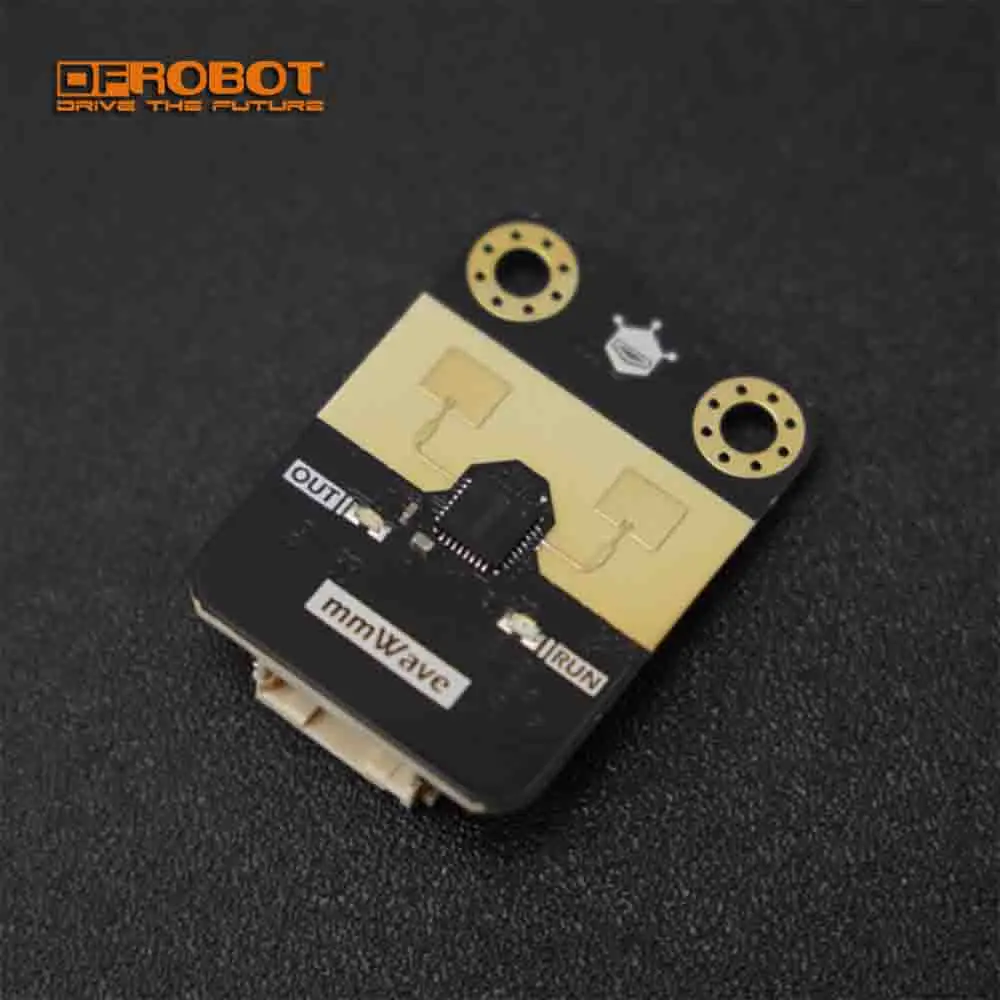
Hướng dẫn này là một phần của: Makerfabs MaTouch AI ESP32S3 2.8" Camera
Bo mạch MaTouch AI mới nhất tích hợp đầu vào âm thanh I2S/loa I2S/camera 3 triệu pixel OV3660/màn hình độ phân giải 320*240, với bộ xử lý mạnh ESP32S3 và khả năng Wifi, làm cho bo mạch này trở thành công cụ/nền tảng tốt cho phát triển AI với ESP32.
Makerfabs MaTouch ESP32-S3 2.8" camera Xây dựng trợ lý giọng nói AI trên ESP32-S3 (Azure + DeepSeek)
Giữ một nút, đặt một câu hỏi, và bo mạch sẽ trả lời bằng giọng nói
Một trợ lý giọng nói hoàn chỉnh trên một bo mạch nhỏ. Giữ nút SPEAK và đặt một câu hỏi. Bo mạch ghi âm bạn bằng cả hai micro, gửi âm thanh đến Microsoft Azure để chuyển thành văn bản, gửi văn bản đó đến DeepSeek để suy nghĩ, gửi câu trả lời trở lại Azure để chuyển thành giọng nói, và phát qua loa tích hợp. Toàn bộ cuộc trò chuyện hiển thị trên màn hình dưới dạng các bong bóng chat.
 Trợ lý AI giọng nói đang chạy trên bo mạch MaTouch AI ESP32-S3
Điều gì xảy ra từ lúc bạn nhấn nút
Đây là toàn bộ hành trình của một câu hỏi, từng bước một. Đáng để đọc một lần, vì mọi thứ bạn thấy trên màn hình và trên đèn LED đều tương ứng với một trong các giai đoạn này.
Bạn nhấn và GIỮ nút SPEAK. Đây là chế độ giữ-để-nói, không phải chạm-để-nói: quá trình ghi âm chạy chính xác theo thời gian ngón tay bạn giữ, tối đa sáu giây. Đèn LED trạng thái chuyển sang màu xanh dương và nút hiển thị LISTENING.
Cả hai micro ghi âm bạn. Bo mạch lấy mẫu 16.000 lần mỗi giây từ cặp stereo, tính trung bình hai kênh thành một, áp dụng một chút khuếch đại, và lưu kết quả vào PSRAM. Một thanh tiến trình di chuyển ngang qua nút khi bạn nói. Hai giây nói chuyện tương đương khoảng 64 KB.
Bạn thả nút. Quá trình ghi âm dừng lại. Bo mạch ghi một tiêu đề WAV 44 byte vào đầu đoạn âm thanh - nhãn nhỏ đó là thứ biến các mẫu thô thành một tệp mà Azure sẽ chấp nhận.
Âm thanh được gửi đến Azure Speech-to-Text. Nó được tải lên thành các phần 4 KB qua kết nối bảo mật, và trả về dưới dạng một dòng văn bản duy nhất. 64 KB âm thanh của bạn đã trở thành khoảng 25 byte chữ viết. Đèn LED chuyển sang màu hổ phách.
Câu hỏi của bạn xuất hiện trên màn hình dưới dạng bong bóng chat màu xanh dương, để bạn có thể thấy chính xác những gì nó nghe được - điều này hữu ích, vì các từ nghe sai giải thích hầu hết các câu trả lời kỳ lạ.
Văn bản được gửi đến DeepSeek. Bo mạch gửi câu hỏi của bạn cùng với một chỉ dẫn cố định để giữ câu trả lời trong hai câu ngắn. Mô hình suy nghĩ - thực sự suy nghĩ, đây là mô hình lý luận - và trả về một câu trả lời.
Câu trả lời xuất hiện trên màn hình dưới dạng bong bóng màu xám. Bạn có thể đọc trước khi nghe.
Câu trả lời được gửi trở lại Azure để chuyển thành giọng nói. Bo mạch yêu cầu âm thanh PCM 16 kHz thô, đây chính xác là định dạng mà bộ khuếch đại của nó cần, vì vậy không có bộ giải mã MP3 nào trong dự án này. Nút bây giờ hiển thị GETTING VOICE và đèn LED vẫn màu hổ phách, vì chưa có gì nghe được.
Toàn bộ đoạn clip được tải xuống vào PSRAM trước khi một mẫu nào được phát. Điều này quan trọng - xem ghi chú bên dưới.
Phát lại. Ngay khi âm thanh được chuyển đến loa, đèn LED chuyển sang màu xanh lá và nút hiển thị SPEAKING. Bạn nghe thấy câu trả lời.
Tại sao âm thanh được tải xuống trước thay vì phát khi đến. Phát trực tiếp từ mạng vào loa nghe như tiếng gõ cửa. Bộ đệm của loa chỉ chứa khoảng một phần mười giây, và mọi khoảng dừng trong quá trình truyền WiFi lâu hơn thế sẽ làm trống bộ đệm, tạo ra tiếng gõ nghe được. Tải toàn bộ câu trả lời vào PSRAM trước tốn khoảng một giây chờ thêm và loại bỏ mọi khoảng trống. Đó cũng là lý do màn hình hiển thị GETTING VOICE trước khi hiển thị SPEAKING - hai giai đoạn này thực sự khác nhau.
Mỗi giai đoạn mất bao lâu
Được đo trên phần cứng thực tế, cho một câu hỏi đơn giản:
Giai đoạn | Thời gian điển hình |
|---|---|
Ghi âm | theo thời gian bạn giữ nút |
Chuyển giọng nói thành văn bản (Azure) | khoảng 1,8 giây |
Suy nghĩ (DeepSeek) | khoảng 1,8 giây cho câu hỏi đơn giản, lâu hơn nhiều cho câu cần tính toán thực sự |
Tải giọng nói (Azure) | khoảng 7 giây - phần lớn nhất |
Tổng cộng, từ thả nút đến âm thanh đầu tiên | khoảng 11 giây |
Mỗi lần trao đổi in thời gian riêng của nó ra màn hình nối tiếp, vì vậy bạn có thể đo của riêng mình thay vì tin những con số này. Nếu bạn muốn nhanh hơn, thay đổi hiệu quả nhất là yêu cầu câu trả lời ngắn hơn trong SYSTEM_PROMPT - ít văn bản để nói nghĩa là ít âm thanh để tổng hợp và tải xuống.
Bo mạch tự nó không bao giờ hiểu bất cứ điều gì. Nó là một người đưa tin với đôi tai tốt và giọng nói tốt - trí thông minh được thuê theo từng giây.
Tại sao ba dịch vụ này
Azure xử lý giọng nói vào và ra. Trình chuyển văn bản thành giọng nói của nó có thể trả về PCM 16 kHz thô, đây chính xác là thứ chip loa cần, vì vậy không có bộ giải mã MP3 nào trong dự án này. Trình chuyển giọng nói thành văn bản của nó nhận một tệp WAV đơn giản trong một POST đơn giản.
DeepSeek là bộ não hội thoại. Nó nhanh và tốn một phần nhỏ của một xu cho mỗi câu trả lời.
OpenAI không được sử dụng ở đây - xem dự án 05, nơi nó thực hiện công việc thị giác.
Tên mô hình DeepSeek đã thay đổi. Các tên cũ deepseek-chat và deepseek-reasoner đã bị ngừng vào tháng 7 năm 2026. Hầu hết các hướng dẫn trực tuyến vẫn sử dụng chúng và sẽ trả về lỗi. Các tên hiện tại là deepseek-v4-flash và deepseek-v4-pro. Dự án này sử dụng v4-flash.
Cái bẫy của mô hình lý luận
DeepSeek v4-flash suy nghĩ trước khi trả lời và thời gian suy nghĩ đó tính vào hạn mức token của bạn. Nếu đặt LLM_MAX_TOKENS quá thấp, toàn bộ ngân sách sẽ bị tiêu tốn cho việc suy luận, câu trả lời trả về trống rỗng và bảng điều khiển không hiển thị gì. Vì lý do đó, nó được đặt ở mức 400 ở đây. Các câu hỏi khó cũng mất nhiều thời gian hơn - một câu trả lời đơn giản mất khoảng hai giây, một câu hỏi cần tính toán thực sự có thể mất nhiều thời gian hơn nhiều.
Đọc đèn trạng thái
Màu sắc | Ý nghĩa |
|---|---|
Xanh dương | đang lắng nghe bạn |
Hổ phách | đám mây đang suy nghĩ hoặc giọng nói đang được tải về |
Xanh lục | đang nói - chuyển sang màu xanh lục đúng thời điểm âm thanh bắt đầu |
Đỏ | có gì đó lỗi - hãy kiểm tra màn hình nối tiếp |
Điều khiển trên màn hình
Cuộc trò chuyện cuộn như một cuộc gọi điện thoại, các tin nhắn cũ nhất di chuyển lên trên và biến mất. CLEAR xóa sạch nó. Một đồng hồ đo cường độ WiFi với chỉ số dBm thực tế nằm ở góc, hữu ích khi bạn đang thắc mắc liệu phản hồi chậm là do mạng hay do dịch vụ.
Về bo mạch MaTouch AI ESP32-S3 2.8"
Mọi dự án trên trang này chạy trên MaTouch AI ESP32-S3 2.8" TFT ST7789V từ Makerfabs. Đây là một bo mạch tất cả trong một: màn hình cảm ứng màu, camera 3 megapixel, hai micro và một bộ khuếch đại loa thực sự, tất cả được điều khiển bởi ESP32-S3 với 8 MB PSRAM. Sự kết hợp đó là điều khiến các dự án AI này khả thi trên một bo mạch duy nhất mà không cần thêm thiết bị nào khác.
8 MB PSRAM quan trọng hơn bất kỳ con số nào khác ở đây. Nó cho phép bo mạch giữ một khung hình camera, vài giây âm thanh đã ghi hoặc một bức ảnh mã hóa base64 trong bộ nhớ cùng lúc - không thứ nào trong số đó vừa với RAM thông thường của ESP32.
Tài liệu của nhà sản xuất: Trang wiki Makerfabs.
Thông số kỹ thuật chính
Bộ xử lý: ESP32-S3, lõi kép 240 MHz, WiFi 2.4 GHz + Bluetooth 5.0
Bộ nhớ: 16 MB flash, 8 MB PSRAM (bắt buộc đối với gần như mọi dự án ở đây)
Màn hình: 2.8" IPS, 320×240, driver ST7789V, SPI
Cảm ứng: GT911 điện dung, theo dõi 5 ngón tay cùng lúc
Camera: OV3660, 3 megapixel, lên đến 2048×1536
Micro: hai micro kỹ thuật số I2S INMP441 (một cặp âm thanh nổi thực sự)
Loa: bộ khuếch đại class-D MAX98357A, 3.2 W vào 4 Ω
Lưu trữ: khe thẻ microSD (chế độ SPI)
Nguồn: USB-C, đầu nối pin JST, bộ sạc TP4056, công tắc nguồn
Cũng có trên bo: đèn LED RGB WS2812B, đồng hồ thời gian thực có pin dự phòng PCF8563T và bộ đo pin MAX17048 không được liệt kê trong thông số kỹ thuật chính thức
Hai cổng USB-C không giống nhau. Loa của bo mạch chia sẻ các chân tín hiệu (IO19 và IO20) với cổng USB gốc, vì các chân đó là đường dữ liệu USB được nối cứng của ESP32-S3. Luôn tải lên và cấp nguồn qua cổng USB-C CH340K (cổng bên cạnh nút RESET) và đặt USB CDC On Boot thành Disabled. Dùng sai cổng sẽ khiến âm thanh hoạt động sai hoặc quá trình tải lên thất bại.
Cài đặt Arduino IDE
Những cài đặt này rất quan trọng. Hầu hết các vấn đề mọi người báo cáo với bo mạch này là do một trong những cài đặt này sai và chúng được đặt lại khi bạn thay đổi phiên bản core, vì vậy hãy kiểm tra lại sau bất kỳ thay đổi nào.
Cài đặt | Giá trị |
|---|---|
Bo mạch | ESP32S3 Dev Module |
Phiên bản core ESP32 | 2.0.17 |
PSRAM | OPI PSRAM |
Kích thước Flash | 16MB (128Mb) |
Sơ đồ phân vùng | 16M Flash (3MB APP/9.9MB FATFS) |
USB CDC On Boot | Disabled |
Tốc độ tải lên | 921600 |
Xóa toàn bộ Flash trước khi tải lên | Disabled |
Cổng | cổng USB-C CH340K |
Sử dụng core ESP32 2.0.17, không phải 3.x. Espressif đã loại bỏ các mô hình phát hiện khuôn mặt trên thiết bị trong core 3, vì vậy các dự án khuôn mặt sẽ không biên dịch được ở đó. Cố định 2.0.17 giúp mọi dự án trên trang này hoạt động với một cấu hình duy nhất. Trong Boards Manager, menu thả xuống phiên bản cho phép bạn chuyển đổi qua lại bất cứ khi nào bạn muốn.
Sử dụng GFX Library for Arduino phiên bản 1.5.6, không phải 1.6.x. Các bản phát hành 1.6 được xây dựng cho core ESP32 3 và có thể treo khi khởi động trên core 2.0.17. Nếu màn hình của bạn vẫn đen sau khi tải lên, đây là điều đầu tiên cần kiểm tra.
Thư viện bắt buộc
Cài đặt các thư viện này qua Tools → Manage Libraries trong Arduino IDE. Số phiên bản rất quan trọng - vui lòng sử dụng các phiên bản được liệt kê.
Thư viện | Phiên bản | Tác giả |
|---|---|---|
GFX Library for Arduino | 1.5.6 | moononournation |
bb_captouch | 1.3.1 | Larry Bank |
ArduinoJson | 7.x | Benoit Blanchon |
Adafruit NeoPixel | bất kỳ bản mới nào | Adafruit |
Thiết lập secrets.h
Chi tiết WiFi của bạn và mọi khóa API nằm trong secrets.h, tệp này được bao gồm trong bản tải xuống với các giá trị mẫu. Hãy mở tab đó trong Arduino IDE và thay thế chúng bằng thông tin của bạn.
WiFi phải là 2.4 GHz. ESP32-S3 không thể nhìn thấy mạng 5 GHz nào cả. Nếu bộ định tuyến của bạn kết hợp cả hai băng tần dưới một tên (Asus gọi đây là Smart Connect), hãy tắt tính năng đó hoặc đặt cho băng tần 2.4 GHz một tên riêng và sử dụng tên đó trong secrets.h.
Lấy khóa API của bạn
Dự án này kết nối với dịch vụ AI đám mây, vì vậy bạn cần khóa riêng của mình. Nếu bạn chưa từng làm điều này trước đây, đừng lo lắng - nó giống như mật khẩu xác định tài khoản của bạn với dịch vụ. Chỉ mất vài phút, một lần duy nhất.
Khóa không phải là đăng ký trang web. Ví dụ, trả phí cho ChatGPT Plus không cung cấp cho bạn khóa API - hai thứ này là sản phẩm riêng biệt với hóa đơn riêng. Bạn cần tài khoản trên nền tảng dành cho nhà phát triển, như mô tả bên dưới.
Microsoft Azure Speech - để nghe và nói
Azure chuyển giọng nói của bạn thành văn bản và chuyển câu trả lời trở lại thành giọng nói. Gói miễn phí đủ rộng rãi cho mọi thứ trên trang này.
Truy cập portal.azure.com và đăng nhập bằng tài khoản Microsoft (tài khoản miễn phí là đủ).
Nếu bạn chưa từng sử dụng Azure trước đây, bạn sẽ thấy màn hình Chào mừng đến với Azure với ba lựa chọn. Chọn Bắt đầu với bản dùng thử miễn phí Azure - bạn cần một đăng ký trước khi Azure cho phép tạo bất kỳ thứ gì. (Sinh viên nên chọn Azure cho Sinh viên thay thế: kết quả tương tự, không cần thẻ.) Bỏ qua Quản lý Microsoft Entra ID, thứ hoàn toàn khác.
Nhấp Tạo tài nguyên, tìm kiếm Speech, và chọn Dịch vụ Speech do Microsoft phát hành.
Điền vào biểu mẫu: bất kỳ nhóm tài nguyên nào, bất kỳ tên nào, và chọn một Khu vực gần bạn - ghi lại khu vực đó chính xác như hiển thị, ví dụ
eastus.Đối với Bậc giá, chọn F0 (Miễn phí). Điều này cho phép khoảng năm giờ chuyển giọng nói thành văn bản và nửa triệu ký tự chuyển văn bản thành giọng nói mỗi tháng.
Nhấp Xem lại + tạo, sau đó Tạo. Đợi khoảng một phút, rồi nhấp Đi tới tài nguyên.
Trong menu bên trái, mở Khóa và Điểm cuối. Sao chép KHÓA 1 và Vị trí/Khu vực.
Đặt chúng vào secrets.h dưới dạng AZURE_SPEECH_KEY và AZURE_REGION. Đối với AZURE_STT_HOST, sử dụng <khu-vực>.stt.speech.microsoft.com - vì vậy với khu vực eastus, đó là eastus.stt.speech.microsoft.com.
Về thẻ tín dụng. Bản dùng thử miễn phí Azure yêu cầu thẻ để xác minh danh tính của bạn. Họ không tính phí bạn. Bạn nhận được $200 tín dụng trong 30 ngày, và sau đó tài khoản chuyển sang Trả theo mức sử dụng - nhưng Bậc Speech F0 vẫn miễn phí, tháng này qua tháng khác, và mọi thứ trong các dự án này nằm gọn trong đó. Nếu bạn không muốn cung cấp thẻ và là sinh viên, tùy chọn Azure cho Sinh viên cung cấp tín dụng mà không cần thẻ.
Phải là tài nguyên "Dịch vụ Speech". Khóa từ tài nguyên Translator, Language hoặc Cognitive Services chung trông giống hệt và hoàn toàn hợp lệ - nhưng mọi yêu cầu giọng nói đều trả về lỗi 401. Điều này đã làm chúng tôi bối rối trong quá trình thử nghiệm và tốn một giờ. Nếu giọng nói thất bại với mã 401 trong khi khóa trông có vẻ đúng, hãy kiểm tra loại tài nguyên bạn đã tạo.
DeepSeek - phần suy nghĩ
DeepSeek là mô hình ngôn ngữ thực sự trả lời câu hỏi của bạn. Nó rẻ - vài đô la tín dụng bao phủ hàng nghìn câu trả lời.
Truy cập platform.deepseek.com và tạo tài khoản.
Mở Khóa API trong menu và nhấp Tạo khóa API mới.
Sao chép ngay lập tức. Nó chỉ hiển thị một lần và không bao giờ hiển thị lại - nếu bạn làm mất, hãy xóa khóa đó và tạo khóa khác.
Thêm một lượng tín dụng nhỏ trong mục Nạp tiền. Không có bậc miễn phí, nhưng khoản nạp nhỏ nhất kéo dài rất lâu với mức sử dụng này.
Đặt khóa vào secrets.h dưới dạng DEEPSEEK_KEY. Nó bắt đầu bằng sk-.
Tên mô hình đã thay đổi vào tháng 7 năm 2026. Các tên cũ deepseek-chat và deepseek-reasoner đã bị ngừng, vì vậy hầu hết các hướng dẫn trực tuyến bạn tìm thấy sẽ thất bại với lỗi 400. Hãy sử dụng deepseek-v4-flash, đây là tên mà các dự án này đã đặt sẵn.
Chi phí vận hành là bao nhiêu
Rất ít, nhưng không miễn phí, và bạn nên biết đại khái mình đang chi bao nhiêu trước khi để một dự án chạy.
Dịch vụ | Chi phí ước tính |
|---|---|
Azure Speech | bậc miễn phí bao phủ khoảng 5 giờ nghe và 0.5 M ký tự nói mỗi tháng |
DeepSeek | một phần nhỏ của xu cho mỗi câu trả lời - hàng nghìn phản hồi với vài đô la |
OpenAI vision | khoảng một hoặc hai xu mỗi hình ảnh, tùy thuộc vào mô hình |
Giá thay đổi, vì vậy hãy coi đây là hướng dẫn thay vì báo giá. Mỗi dịch vụ này đều có trang sử dụng nơi bạn có thể theo dõi số tiền đã chi, và tất cả đều cho phép bạn đặt giới hạn chi tiêu - điều đáng làm ngay từ ngày đầu tiên.
Giữ khóa của bạn ở chế độ riêng tư. Bất kỳ ai có chúng đều có thể tiêu tiền của bạn. Đừng đặt chúng trong video, ảnh chụp màn hình, bài đăng trên diễn đàn hoặc kho mã công khai. Nếu khóa từng bị lộ, hãy xóa nó trên trang web của nhà cung cấp và tạo khóa mới - việc này chỉ mất vài giây và đó là cách khắc phục thực sự duy nhất.
Khắc phục sự cố
Triệu chứng | Nguyên nhân và cách khắc phục |
|---|---|
Màn hình vẫn đen | Sai phiên bản thư viện GFX (sử dụng 1.5.6) hoặc sai cài đặt bo mạch. |
|
|
Không tải lên được / không có cổng COM | Sai cổng USB-C hoặc trình điều khiển CH340 chưa được cài đặt. |
Camera lỗi và không bao giờ phục hồi | Đường reset của camera được liên kết với nút RESET của bo mạch, vì vậy phần mềm không thể khởi động lại nó. Nhấn RESET. Nếu vẫn lỗi, hãy cắm lại cáp ruy băng của camera. |
Tải mã xuống
Bản phác thảo Arduino hoàn chỉnh cho dự án này, cùng với pins.h và mọi thứ khác cần thiết, được tải xuống miễn phí.
Giải nén nó, mở tệp .ino trong Arduino IDE, kiểm tra các cài đặt ở trên và tải lên qua cổng CH340K USB-C.
Hướng dẫn này là một phần của: Makerfabs MaTouch AI ESP32S3 2.8" Camera
/*
* ===========================================================================
* 04_Voice_Assistant — MaTouch AI ESP32-S3 2.8" TFT ST7789V
* ===========================================================================
*
----------
* ROBOJAX.COM - MaTouch AI ESP32-S3 2.8" project series
*
* WATCH THE VIDEO
* https://youtu.be/6AL3g3tC_Hk
*
* WRITTEN TUTORIALS - every project, with photos and full explanation
* Camera and touchscreen.... https://robojax.com/RTJ849
* Offline face recognition.. https://robojax.com/RTJ850
* AI voice assistant........ https://robojax.com/RTJ851
* AI vision................. https://robojax.com/RTJ852
*
* GET THE BOARD - SAVE $5 with coupon code: Robojax_Makerfab
* https://www.makerfabs.com/matouch-ai-esp32s3-2-8-tft-st7789v.html
* (enter the code at checkout)
*
* All of this code is free. If it helped you, a subscribe on YouTube is
* the best way to support more of it.
*
* ---------------------------------------------------------------------------
*
* A complete voice assistant on a $40 board:
*
* hold SPEAK -> both INMP441 microphones record you
* -> Azure Speech turns the audio into text
* -> DeepSeek v4-flash thinks of an answer
* -> Azure Speech turns the answer into audio
* -> the MAX98357 speaker says it out loud
*
* and the whole conversation is drawn as chat bubbles on the touchscreen.
*
* WHY THIS COMBINATION OF SERVICES (each is used where it is best):
* - Azure STT accepts a plain WAV in a plain POST with one header. OpenAI's
* transcription endpoint wants multipart/form-data - miserable on an MCU.
* - Azure TTS can return RAW 16 kHz PCM ("riff-16khz-16bit-mono-pcm"),
* which streams straight into the I2S speaker with NO MP3 decoder at all.
* - DeepSeek v4-flash is fast and nearly free per reply. NOTE: the old
* model names deepseek-chat / deepseek-reasoner were RETIRED in July 2026.
* Most tutorials online still use them and are broken. See secrets.h.
*
* A detail the vendor examples get wrong: this board has TWO microphones on
* one I2S bus (left + right), but every Makerfabs demo records left-only and
* throws one away. This sketch records both and averages them.
*
* ---------------------------------------------------------------------------
* *** WHICH USB PORT - THIS MATTERS ***
* The speaker shares IO19/IO20 with the NATIVE USB port. Upload and power
* through the CH340K UART USB-C port, and set USB CDC On Boot = Disabled.
* If you use the wrong port the audio will be garbage or uploads will fail.
* ---------------------------------------------------------------------------
*
* FILL IN secrets.h BEFORE FLASHING (WiFi + all three API keys).
*
* BOARD SETTINGS (Tools menu - EVERY line matters, wrong = black screen
* or compile errors. These reset when you switch cores - recheck them!)
*
* Board : ESP32S3 Dev Module
* ESP32 core : 2.0.17
* PSRAM : OPI PSRAM <-- required, audio buffer lives there
* Flash Size : 16MB (128Mb)
* Partition Scheme : 16M Flash (3MB APP/9.9MB FATFS)
* USB CDC On Boot : Disabled <-- required, see USB note above
* Upload Speed : 921600
* Port : the CH340K USB-C port (the one near RESET)
*
* LIBRARIES
* GFX Library for Arduino v1.5.6 (NOT 1.6.x - that pairs with core 3)
* bb_captouch v1.3.1
* ArduinoJson v7.x
* Adafruit NeoPixel any recent
*
* ---------------------------------------------------------------------------
* FUNCTIONS IN THIS SKETCH
* led(r,g,b) + LED_* macros RGB status colours (blue/amber/green/red)
* getTouch(&x,&y) read the touch panel, mapped to screen coordinates
* speakButtonHeld() true while a finger is on the SPEAK button
* bubbleLines(t) how many lines a message wraps to
* drawOneBubble(m,y) draw a single chat bubble
* redrawChat() rebuild the chat area from history, newest at bottom
* clearChat() wipe the chat history (CLEAR button)
* chatBubble(t,user) add a message to history and redraw
* drawWifi() WiFi signal bars + dBm readout
* drawBar(label,col) bottom bar: SPEAK button + CLEAR + WiFi meter
* micInit() I2S input - BOTH INMP441 mics, stereo
* spkInit() I2S output - MAX98357 speaker
* recordWhileHeld() record while SPEAK held, downmix stereo->mono
* writeWavHeader(...) prepend the 44-byte RIFF/WAVE header
* dumpWavToSD(...) save the exact upload to SD (/stt_debug.wav)
* readHttpResponse() read an HTTPS reply, de-chunking it properly
* azureSTT(...) chunked upload of the WAV -> recognised text
* deepseekChat(...) question -> deepseek-v4-flash -> answer text
* azureTTSSpeak(text) answer -> Azure voice -> PSRAM -> speaker
* setup() / loop() boot + WiFi / one conversation turn per press
*
* Robojax.com
* ===========================================================================
*/
#include <Arduino_GFX_Library.h>
#include <bb_captouch.h>
#include <Adafruit_NeoPixel.h>
#include <ArduinoJson.h>
#include <WiFi.h>
#include <WiFiClientSecure.h>
#include <HTTPClient.h>
#include <SPI.h>
#include <SD.h>
#include "driver/i2s.h"
#include "pins.h"
#include "secrets.h"
/* --- audio geometry ------------------------------------------------------- */
#define SAMPLE_RATE 16000
#define RECORD_MAX_S 6 // hard cap on one question
#define WAV_HEADER_LEN 44
#define REC_BUF_BYTES (SAMPLE_RATE * RECORD_MAX_S * 2) // 16-bit mono
/* Software gain applied to the recording. The INMP441 capture is quiet at
* 16-bit depth; if the serial monitor reports "mic peak" under ~10% while you
* speak normally, raise this (6 -> 10 -> 16). If it reports clipping (100%),
* lower it. */
#define MIC_GAIN 6
/* 1 = read BOTH microphones (stereo bus) and average them - better SNR.
* 0 = vendor-style single left mic. Use 0 as a fallback if recordings come
* back silent or garbled in stereo mode. */
#define USE_BOTH_MICS 1
/* Status LED brightness, 0-255. The WS2812 runs from the power rail and is
* uncomfortably bright at full power - 25 is plenty visible on camera. */
#define LED_BRIGHTNESS 25
/* HWSPI (not ESP32SPI): the debug WAV dump writes to the SD card, which
* shares these pins - both must go through the same SPI driver. */
Arduino_HWSPI *bus = new Arduino_HWSPI(
TFT_DC, TFT_CS, TFT_SCLK, TFT_MOSI, TFT_MISO, &SPI, true);
Arduino_GFX *gfx = new Arduino_ST7789(bus, TFT_RES, 1, true);
BBCapTouch bbct;
Adafruit_NeoPixel rgb(RGB_LED_NUM, RGB_LED_PIN, NEO_GRB + NEO_KHZ800);
/* --- big buffers live in PSRAM, allocated once at boot -------------------- */
uint8_t *wav_buf = nullptr; // WAV_HEADER_LEN + up to REC_BUF_BYTES
/* --- state ---------------------------------------------------------------- */
enum State { ST_IDLE, ST_RECORDING, ST_STT, ST_LLM, ST_TTS, ST_ERROR };
State state = ST_IDLE;
/* --- diagnostics: shown ON SCREEN so the serial monitor is optional -------- */
bool ok_sd = false;
float g_mic_peak_pct = 0; // last recording's raw peak, % of full scale
char g_stt_err[64] = ""; // last STT failure cause, verbatim
char g_llm_err[64] = ""; // last DeepSeek failure cause, verbatim
/* --- layout --------------------------------------------------------------- */
#define CHAT_H 200 // chat area: y 0..199
#define BAR_Y 202 // button bar below it
#define BTN_SPEAK_X 4
#define BTN_SPEAK_W 160
#define BTN_CLEAR_X 170
#define BTN_CLEAR_W 58
#define WIFI_X 236 // signal indicator, right end of the bar
#define BTN_H 36
/* --- chat history: last 8 messages, redrawn newest-at-bottom like a phone.
* This is what prevents new text printing over old - the whole area is
* rebuilt from history on every message, older lines scroll up and out. */
#define CHAT_HISTORY 8
struct ChatMsg { char text[160]; bool from_user; };
ChatMsg chat_hist[CHAT_HISTORY];
int chat_count = 0;
/* --- LED status colours: visible from across the room --------------------- */
void led(uint8_t r, uint8_t g, uint8_t b) {
rgb.setPixelColor(0, rgb.Color(r, g, b));
rgb.show();
}
#define LED_IDLE() led(0, 0, 0)
#define LED_LISTEN() led(0, 60, 255) // blue - recording
#define LED_THINK() led(255, 120, 0) // amber - waiting on the cloud
#define LED_SPEAK() led(0, 255, 40) // green - talking
#define LED_ERROR() led(255, 0, 0) // red
/* ===========================================================================
* Touch
* =========================================================================== */
bool getTouch(uint16_t *x, uint16_t *y) {
TOUCHINFO ti;
if (!bbct.getSamples(&ti)) return false;
if (ti.count < 1) return false;
*x = ti.y[0];
*y = (ti.x[0] > 240) ? 0 : (240 - ti.x[0]);
return true;
}
bool speakButtonHeld() {
uint16_t x, y;
if (!getTouch(&x, &y)) return false;
return (x >= BTN_SPEAK_X && x < BTN_SPEAK_X + BTN_SPEAK_W && y >= BAR_Y);
}
/* ===========================================================================
* Chat UI — word-wrapped bubbles, user right/blue, assistant left/grey
* =========================================================================== */
#define CHAT_CHARS 42 // chars per line at textsize 1
static int bubbleLines(const char *t) {
int l = ((int)strlen(t) + CHAT_CHARS - 1) / CHAT_CHARS;
return l < 1 ? 1 : l;
}
void drawOneBubble(const ChatMsg &m, int y) {
int len = strlen(m.text);
int lines = bubbleLines(m.text);
int h = lines * 10 + 8;
uint16_t bg = m.from_user ? gfx->color565(0, 70, 140) : gfx->color565(50, 50, 55);
int w = (len > CHAT_CHARS ? CHAT_CHARS : len) * 6 + 10;
if (w < 30) w = 30;
int x = m.from_user ? (316 - w) : 4;
gfx->fillRoundRect(x, y, w, h, 5, bg);
gfx->setTextSize(1);
gfx->setTextColor(WHITE);
for (int i = 0; i < lines; i++) {
char line[CHAT_CHARS + 1] = {0};
strncpy(line, m.text + i * CHAT_CHARS, CHAT_CHARS);
gfx->setCursor(x + 5, y + 5 + i * 10);
gfx->print(line);
}
}
/* Rebuild the whole chat area from history: newest message anchored at the
* bottom, older ones stacked upward until the area is full. */
void redrawChat() {
gfx->fillRect(0, 0, 320, CHAT_H, BLACK);
int shown = min(chat_count, CHAT_HISTORY);
int y = CHAT_H - 2;
for (int i = 0; i < shown; i++) {
ChatMsg &m = chat_hist[(chat_count - 1 - i) % CHAT_HISTORY];
int h = bubbleLines(m.text) * 10 + 8;
y -= h;
if (y < 0) break; // area full - older ones drop off
drawOneBubble(m, y);
y -= 4;
}
}
void clearChat() {
chat_count = 0;
redrawChat();
}
void chatBubble(const char *text, bool from_user) {
ChatMsg &m = chat_hist[chat_count % CHAT_HISTORY];
strncpy(m.text, text, sizeof(m.text) - 1);
m.text[sizeof(m.text) - 1] = 0;
m.from_user = from_user;
chat_count++;
redrawChat();
}
/* WiFi bars + dBm, right end of the button bar. Refreshed from the loop. */
void drawWifi() {
gfx->fillRect(WIFI_X, BAR_Y, 320 - WIFI_X, BTN_H, BLACK);
bool up = (WiFi.status() == WL_CONNECTED);
long rssi = up ? WiFi.RSSI() : -100;
// -55 dBm or better = full bars; each 10 dB drops one
int bars = rssi > -55 ? 4 : rssi > -65 ? 3 : rssi > -75 ? 2 : rssi > -85 ? 1 : 0;
for (int b = 0; b < 4; b++) {
int bh = 6 + b * 6; // heights 6,12,18,24
uint16_t col = (b < bars) ? GREEN : gfx->color565(60, 60, 60);
gfx->fillRect(WIFI_X + 2 + b * 8, BAR_Y + 28 - bh, 6, bh, col);
}
gfx->setTextSize(1);
gfx->setCursor(WIFI_X + 38, BAR_Y + 6);
if (up) {
gfx->setTextColor(CYAN);
gfx->printf("%lddBm", rssi);
} else {
gfx->setTextColor(RED);
gfx->print("DOWN");
}
gfx->setCursor(WIFI_X + 38, BAR_Y + 18);
gfx->setTextColor(gfx->color565(120, 120, 120));
gfx->print("WiFi");
}
void drawBar(const char *label, uint16_t colour) {
gfx->fillRect(0, BAR_Y, 320, 240 - BAR_Y, BLACK);
gfx->fillRoundRect(BTN_SPEAK_X, BAR_Y, BTN_SPEAK_W, BTN_H, 6, colour);
gfx->drawRoundRect(BTN_SPEAK_X, BAR_Y, BTN_SPEAK_W, BTN_H, 6, WHITE);
gfx->setTextSize(2);
gfx->setTextColor(WHITE);
gfx->setCursor(BTN_SPEAK_X + 10, BAR_Y + 10);
gfx->print(label);
// CLEAR wipes the chat history
gfx->fillRoundRect(BTN_CLEAR_X, BAR_Y, BTN_CLEAR_W, BTN_H, 6, gfx->color565(110, 35, 35));
gfx->drawRoundRect(BTN_CLEAR_X, BAR_Y, BTN_CLEAR_W, BTN_H, 6, WHITE);
gfx->setTextSize(1);
gfx->setTextColor(WHITE);
gfx->setCursor(BTN_CLEAR_X + 14, BAR_Y + 15);
gfx->print("CLEAR");
drawWifi();
}
/* ===========================================================================
* I2S — microphones on port 0, speaker on port 1. Separate hardware
* ports, so recording and playback can never fight over a bus.
* =========================================================================== */
void micInit() {
i2s_config_t cfg = {
.mode = (i2s_mode_t)(I2S_MODE_MASTER | I2S_MODE_RX),
.sample_rate = SAMPLE_RATE,
.bits_per_sample = I2S_BITS_PER_SAMPLE_16BIT,
/* BOTH channels - this is the two-microphone fix. The vendor examples
* use ONLY_LEFT here and waste the second microphone. USE_BOTH_MICS 0
* falls back to the vendor-proven single-mic configuration. */
#if USE_BOTH_MICS
.channel_format = I2S_CHANNEL_FMT_RIGHT_LEFT,
#else
.channel_format = I2S_CHANNEL_FMT_ONLY_LEFT,
#endif
.communication_format = I2S_COMM_FORMAT_STAND_I2S,
.intr_alloc_flags = ESP_INTR_FLAG_LEVEL1,
.dma_buf_count = 8,
.dma_buf_len = 256,
.use_apll = false,
.tx_desc_auto_clear = false,
.fixed_mclk = 0
};
i2s_pin_config_t pins = {
.mck_io_num = I2S_PIN_NO_CHANGE,
.bck_io_num = I2S_MIC_SCK,
.ws_io_num = I2S_MIC_WS,
.data_out_num = I2S_PIN_NO_CHANGE,
.data_in_num = I2S_MIC_SD
};
i2s_driver_install(I2S_MIC_PORT, &cfg, 0, NULL);
i2s_set_pin(I2S_MIC_PORT, &pins);
}
void spkInit() {
i2s_config_t cfg = {
.mode = (i2s_mode_t)(I2S_MODE_MASTER | I2S_MODE_TX),
.sample_rate = SAMPLE_RATE,
.bits_per_sample = I2S_BITS_PER_SAMPLE_16BIT,
.channel_format = I2S_CHANNEL_FMT_ONLY_LEFT, // mono - the amp downmixes anyway
.communication_format = I2S_COMM_FORMAT_STAND_I2S,
.intr_alloc_flags = ESP_INTR_FLAG_LEVEL1,
.dma_buf_count = 8,
.dma_buf_len = 256,
.use_apll = false,
.tx_desc_auto_clear = true,
.fixed_mclk = 0
};
i2s_pin_config_t pins = {
.mck_io_num = I2S_PIN_NO_CHANGE,
.bck_io_num = I2S_SPK_BCLK,
.ws_io_num = I2S_SPK_LRC,
.data_out_num = I2S_SPK_DOUT,
.data_in_num = I2S_PIN_NO_CHANGE
};
i2s_driver_install(I2S_SPK_PORT, &cfg, 0, NULL);
i2s_set_pin(I2S_SPK_PORT, &pins);
i2s_zero_dma_buffer(I2S_SPK_PORT);
}
/* ===========================================================================
* Recording — runs while the SPEAK button is held (up to RECORD_MAX_S).
* Reads stereo pairs, averages L+R into one mono stream, applies a little
* software gain, and fills wav_buf after the 44-byte header slot.
* Returns the number of audio bytes recorded.
* =========================================================================== */
size_t recordWhileHeld() {
int16_t *mono = (int16_t *)(wav_buf + WAV_HEADER_LEN);
size_t mono_samples = 0;
const size_t max_samples = SAMPLE_RATE * RECORD_MAX_S;
int16_t chunk[512];
uint32_t last_touch_ok = millis();
int32_t peak = 0; // loudest raw sample - mic health check
i2s_zero_dma_buffer(I2S_MIC_PORT);
while (mono_samples < max_samples) {
size_t got = 0;
i2s_read(I2S_MIC_PORT, chunk, sizeof(chunk), &got, 80 / portTICK_PERIOD_MS);
#if USE_BOTH_MICS
size_t n = got / 4; // 4 bytes = one L+R pair
for (size_t i = 0; i < n && mono_samples < max_samples; i++) {
int32_t raw = ((int32_t)chunk[i * 2] + (int32_t)chunk[i * 2 + 1]) / 2;
#else
size_t n = got / 2; // 2 bytes = one mono sample
for (size_t i = 0; i < n && mono_samples < max_samples; i++) {
int32_t raw = chunk[i];
#endif
if (abs(raw) > peak) peak = abs(raw);
int32_t mixed = raw * MIC_GAIN;
if (mixed > 32767) mixed = 32767;
if (mixed < -32768) mixed = -32768;
mono[mono_samples++] = (int16_t)mixed;
}
/* The GT911 is polled between I2S reads. A 250 ms grace period stops a
* momentary missed touch sample from cutting the recording short. */
if (speakButtonHeld()) last_touch_ok = millis();
else if (millis() - last_touch_ok > 250) break;
// live progress on the button
static uint32_t last_draw = 0;
if (millis() - last_draw > 200) {
last_draw = millis();
gfx->fillRect(BTN_SPEAK_X + 2, BAR_Y + BTN_H - 6,
(int)((BTN_SPEAK_W - 4) * mono_samples / max_samples), 4, WHITE);
}
}
/* Mic health line: peak as % of full scale BEFORE gain.
* 0% = the mic is not being read at all (config/pin problem)
* under 3% = too quiet - speak closer or raise MIC_GAIN
* 3-40% = healthy speech level
*/
g_mic_peak_pct = peak * 100.0 / 32768.0;
Serial.printf("mic peak: %.1f%% of full scale (gain x%d applied%s)\n",
g_mic_peak_pct, MIC_GAIN,
peak == 0 ? " - MIC IS SILENT, check USE_BOTH_MICS" : "");
return mono_samples * 2;
}
/* Dump the exact WAV we are about to POST onto the SD card, so it can be
* played on a PC - you hear exactly what Azure hears. Overwritten each time. */
void dumpWavToSD(size_t audio_bytes) {
if (!ok_sd) return;
SD.remove("/stt_debug.wav");
File f = SD.open("/stt_debug.wav", FILE_WRITE);
if (!f) return;
f.write(wav_buf, WAV_HEADER_LEN + audio_bytes);
f.close();
Serial.println("debug copy saved to SD as /stt_debug.wav");
}
/* Standard 44-byte RIFF/WAVE header for 16 kHz 16-bit mono PCM. */
void writeWavHeader(uint8_t *h, uint32_t data_bytes) {
uint32_t file_len = data_bytes + 36;
uint32_t byte_rate = SAMPLE_RATE * 2;
memcpy(h, "RIFF", 4); memcpy(h + 4, &file_len, 4);
memcpy(h + 8, "WAVEfmt ", 8);
uint32_t fmt_len = 16; memcpy(h + 16, &fmt_len, 4);
uint16_t fmt = 1, ch = 1; memcpy(h + 20, &fmt, 2); memcpy(h + 22, &ch, 2);
uint32_t rate = SAMPLE_RATE; memcpy(h + 24, &rate, 4); memcpy(h + 28, &byte_rate, 4);
uint16_t align = 2, bits = 16; memcpy(h + 32, &align, 2); memcpy(h + 34, &bits, 2);
memcpy(h + 36, "data", 4); memcpy(h + 40, &data_bytes, 4);
}
/* ===========================================================================
* HTTP response reader — shared by all three cloud calls.
* Returns the status code and fills body_out. Handles chunked transfer
* encoding PROPERLY: the chunk-size markers must be stripped, or they end
* up embedded inside the JSON body and the parse fails on long replies.
* =========================================================================== */
/* Block until the connection has data (or the budget runs out). Returns false
* on timeout / closed-and-empty. Every read below goes through this, because
* a reasoning model can think for many seconds between the response headers
* and the first byte of the body - and a bare read() would just time out. */
static bool waitData(WiFiClientSecure &c, uint32_t ms) {
uint32_t t0 = millis();
while (!c.available()) {
if (!c.connected()) return false;
if (millis() - t0 > ms) return false;
delay(10);
}
return true;
}
static int readHttpResponse(WiFiClientSecure &client, String &body_out, uint32_t idle_ms) {
body_out = "";
if (!waitData(client, idle_ms)) { Serial.println("HTTP: no response at all"); return 0; }
String status_line = client.readStringUntil('\n');
int code = 0;
sscanf(status_line.c_str(), "HTTP/%*s %d", &code);
bool chunked = false;
while (waitData(client, idle_ms)) {
String h = client.readStringUntil('\n');
if (h == "\r" || h.length() <= 1) break; // blank line = end of headers
h.toLowerCase();
if (h.startsWith("transfer-encoding:") && h.indexOf("chunked") >= 0) chunked = true;
}
if (chunked) {
int blanks = 0;
while (true) {
/* The chunk-size line may not arrive for a long time while the model
* reasons. Waiting here - instead of letting read() time out - is the
* whole fix: a timed-out read looks exactly like "0" (final chunk),
* which silently truncated the body to nothing. */
if (!waitData(client, idle_ms)) {
Serial.println("HTTP: timed out waiting for the next chunk");
break;
}
String szline = client.readStringUntil('\n');
szline.trim();
if (szline.length() == 0) { // stray blank line
if (++blanks > 4) break;
continue;
}
blanks = 0;
long sz = strtol(szline.c_str(), NULL, 16);
if (sz <= 0) break; // genuine final chunk
long got = 0;
while (got < sz) {
if (!waitData(client, idle_ms)) break;
while (client.available() && got < sz) { body_out += (char)client.read(); got++; }
}
if (waitData(client, 3000)) client.readStringUntil('\n'); // CRLF after chunk
if (got < sz) { Serial.println("HTTP: short chunk"); break; }
}
} else {
while (waitData(client, idle_ms))
while (client.available()) body_out += (char)client.read();
}
return code;
}
/* ===========================================================================
* CLOUD CALL 1 — Azure speech-to-text
* One POST, one header, plain WAV body. This is why Azure does the ears.
* =========================================================================== */
bool azureSTT(size_t audio_bytes, String &text_out) {
/* HTTPClient's one-shot POST fails on bodies this large (it attempts one
* giant TLS write and dies with error -3 SEND_PAYLOAD_FAILED). So this
* function speaks HTTP directly and streams the WAV up in 4 KB chunks -
* reliable, and if it ever stalls we know the exact byte it stopped at. */
WiFiClientSecure client;
client.setInsecure(); // no cert bundle on-device; see notes
client.setTimeout(15); // seconds, for reads
writeWavHeader(wav_buf, audio_bytes);
dumpWavToSD(audio_bytes); // PC-playable copy of what we send
size_t total = WAV_HEADER_LEN + audio_bytes;
if (!client.connect(AZURE_STT_HOST, 443)) {
snprintf(g_stt_err, sizeof(g_stt_err), "TLS connect failed");
Serial.println("STT: TLS connect failed");
return false;
}
/* Two valid host forms use DIFFERENT URL paths - detect which one is in
* secrets.h: <resource>.cognitiveservices.azure.com -> /stt/speech/...
* <region>.stt.speech.microsoft.com -> /speech/... */
bool custom_subdomain = (strstr(AZURE_STT_HOST, ".cognitiveservices.azure.com") != NULL);
String req = String("POST ") + (custom_subdomain ? "/stt" : "") +
"/speech/recognition/conversation/cognitiveservices/v1"
"?language=" AZURE_STT_LANG "&format=simple HTTP/1.1\r\n"
"Host: " AZURE_STT_HOST "\r\n"
"Ocp-Apim-Subscription-Key: " AZURE_SPEECH_KEY "\r\n"
"Content-Type: audio/wav; codecs=audio/pcm; samplerate=16000\r\n"
"Accept: application/json\r\n"
"Connection: close\r\n"
"Content-Length: " + String(total) + "\r\n\r\n";
client.print(req);
/* body, 4 KB at a time */
size_t sent = 0;
while (sent < total) {
size_t n = min((size_t)4096, total - sent);
size_t w = client.write(wav_buf + sent, n);
if (w == 0) {
delay(50); // brief stall - retry once
w = client.write(wav_buf + sent, n);
if (w == 0) {
snprintf(g_stt_err, sizeof(g_stt_err), "upload stalled at %uKB",
(unsigned)(sent / 1024));
Serial.printf("STT: upload stalled at %u/%u bytes\n",
(unsigned)sent, (unsigned)total);
client.stop();
return false;
}
}
sent += w;
yield();
}
Serial.printf("STT: uploaded %u bytes\n", (unsigned)sent);
/* read the reply with proper de-chunking */
String resp;
int code = readHttpResponse(client, resp, 10000);
client.stop();
if (code != 200) {
snprintf(g_stt_err, sizeof(g_stt_err), "HTTP %d", code);
Serial.printf("STT HTTP %d: %s\n", code, resp.c_str());
return false;
}
JsonDocument doc;
DeserializationError err = deserializeJson(doc, resp);
if (err) {
snprintf(g_stt_err, sizeof(g_stt_err), "bad JSON reply");
Serial.printf("STT parse error, raw response: %s\n", resp.c_str());
return false;
}
const char *status = doc["RecognitionStatus"];
if (!status || strcmp(status, "Success") != 0) {
/* The status names the exact failure:
* InitialSilenceTimeout = Azure heard silence (mic level too low)
* NoMatch = heard sound but no recognisable words
* BabbleTimeout = heard only noise */
snprintf(g_stt_err, sizeof(g_stt_err), "%s", status ? status : "no status");
Serial.printf("STT status: %s\nraw: %s\n", status ? status : "null", resp.c_str());
return false;
}
text_out = doc["DisplayText"].as<String>();
if (text_out.length() == 0) snprintf(g_stt_err, sizeof(g_stt_err), "empty text");
return text_out.length() > 0;
}
/* ===========================================================================
* CLOUD CALL 2 — DeepSeek chat completion
* OpenAI-compatible format. Model name is deepseek-v4-flash - the old
* deepseek-chat name is dead, see secrets.h.
* =========================================================================== */
bool deepseekChat(const String &question, String &answer_out) {
/* Manual HTTP, same as azureSTT: HTTPClient truncates larger TLS response
* bodies (long answers + the model's hidden reasoning), which shows up as
* "bad JSON reply". Reading until the server closes the connection is
* reliable regardless of reply length. */
JsonDocument req;
req["model"] = DEEPSEEK_MODEL;
req["max_tokens"] = LLM_MAX_TOKENS;
JsonArray msgs = req["messages"].to<JsonArray>();
JsonObject sys = msgs.add<JsonObject>();
sys["role"] = "system"; sys["content"] = SYSTEM_PROMPT;
JsonObject usr = msgs.add<JsonObject>();
usr["role"] = "user"; usr["content"] = question;
String body;
serializeJson(req, body);
WiFiClientSecure client;
client.setInsecure();
/* 60 s: deepseek-v4-flash is a REASONING model. Easy questions answer in
* ~2 s, but anything that needs actual working-out (an Ohm's law problem,
* say) can think for 10-30 s before sending a single byte. */
client.setTimeout(60);
if (!client.connect(DEEPSEEK_HOST, 443)) {
snprintf(g_llm_err, sizeof(g_llm_err), "TLS connect failed");
Serial.println("LLM: TLS connect failed");
return false;
}
client.print(String("POST /chat/completions HTTP/1.1\r\n"
"Host: " DEEPSEEK_HOST "\r\n"
"Authorization: Bearer " DEEPSEEK_KEY "\r\n"
"Content-Type: application/json\r\n"
"Connection: close\r\n"
"Content-Length: ") + String(body.length()) + "\r\n\r\n");
client.print(body);
/* read the reply with proper de-chunking; generous window - long
* questions make the model think for a while before it responds */
String resp;
int code = readHttpResponse(client, resp, 60000);
client.stop();
if (code != 200) {
snprintf(g_llm_err, sizeof(g_llm_err), "HTTP %d", code);
Serial.printf("LLM HTTP %d: %s\n", code, resp.c_str());
return false;
}
JsonDocument doc;
DeserializationError err = deserializeJson(doc, resp);
if (err) {
snprintf(g_llm_err, sizeof(g_llm_err), "bad JSON reply");
Serial.printf("LLM parse error, raw: %s\n", resp.c_str());
return false;
}
const char *content = doc["choices"][0]["message"]["content"];
const char *finish = doc["choices"][0]["finish_reason"];
if (!content || !content[0]) {
/* v4-flash is a reasoning model: if finish_reason is "length", the whole
* token budget went to internal reasoning - raise LLM_MAX_TOKENS. */
if (finish && strcmp(finish, "length") == 0)
snprintf(g_llm_err, sizeof(g_llm_err), "empty - raise LLM_MAX_TOKENS");
else
snprintf(g_llm_err, sizeof(g_llm_err), "empty content");
Serial.printf("LLM empty content, raw: %s\n", resp.c_str());
return false;
}
answer_out = String(content);
answer_out.trim();
if (answer_out.length() == 0) snprintf(g_llm_err, sizeof(g_llm_err), "blank answer");
return answer_out.length() > 0;
}
/* ===========================================================================
* CLOUD CALL 3 — Azure text-to-speech, streamed straight to the speaker
* We ask for riff-16khz-16bit-mono-pcm: a WAV whose payload is exactly what
* the I2S peripheral eats. Skip the 44-byte header, forward the rest.
* No MP3 decoder, no audio library, no buffering the whole reply.
* =========================================================================== */
/* Read exactly n bytes from a client (or until timeout). */
static size_t readExact(WiFiClientSecure &c, uint8_t *dst, size_t n) {
size_t got = 0;
uint32_t t0 = millis();
while (got < n && millis() - t0 < 10000) {
int r = c.read(dst + got, n - got);
if (r > 0) { got += r; t0 = millis(); }
else if (!c.connected() && !c.available()) break;
else delay(2);
}
return got;
}
bool azureTTSSpeak(const String &text) {
// Escape the XML special characters for the SSML body
String safe = text;
safe.replace("&", "&");
safe.replace("<", "<");
safe.replace(">", ">");
String ssml = "<speak version='1.0' xml:lang='" AZURE_TTS_LANG "'>"
"<voice name='" AZURE_TTS_VOICE "'>" + safe + "</voice></speak>";
/* Manual HTTP like the other two cloud calls - and for a hard reason:
* Azure sends this audio with CHUNKED transfer encoding, and HTTPClient's
* raw stream hands over the chunk framing (ASCII "2000\r\n" lines) mixed
* into the PCM. Played as sound, every chunk boundary is an audible KNOCK.
* Here we parse the framing properly and keep only clean audio bytes. */
WiFiClientSecure client;
client.setInsecure();
client.setTimeout(20);
const char *host = AZURE_REGION ".tts.speech.microsoft.com";
if (!client.connect(host, 443)) {
Serial.println("TTS: TLS connect failed");
return false;
}
client.print(String("POST /cognitiveservices/v1 HTTP/1.1\r\n"
"Host: ") + host + "\r\n"
"Ocp-Apim-Subscription-Key: " AZURE_SPEECH_KEY "\r\n"
"Content-Type: application/ssml+xml\r\n"
"X-Microsoft-OutputFormat: riff-16khz-16bit-mono-pcm\r\n"
"User-Agent: MaTouchRobojax\r\n"
"Connection: close\r\n"
"Content-Length: " + String(ssml.length()) + "\r\n\r\n");
client.print(ssml);
/* status + headers; note whether the body is chunked */
String status_line = client.readStringUntil('\n');
int code = 0;
sscanf(status_line.c_str(), "HTTP/%*s %d", &code);
bool chunked = false;
long content_len = -1;
while (client.connected() || client.available()) {
String h = client.readStringUntil('\n');
if (h == "\r" || h.length() <= 1) break;
h.toLowerCase();
if (h.startsWith("transfer-encoding:") && h.indexOf("chunked") >= 0) chunked = true;
if (h.startsWith("content-length:")) content_len = h.substring(15).toInt();
}
if (code != 200) {
Serial.printf("TTS HTTP %d\n", code);
client.stop();
return false;
}
const size_t AUDIO_CAP = 1200 * 1024; // ~37 s of speech
uint8_t *audio = (uint8_t *)ps_malloc(AUDIO_CAP);
if (!audio) { client.stop(); return false; }
size_t alen = 0;
if (chunked) {
/* chunked: <hex size>\r\n <bytes> \r\n ... 0\r\n\r\n */
while (true) {
String szline = client.readStringUntil('\n');
long sz = strtol(szline.c_str(), NULL, 16);
if (sz <= 0) break;
if (alen + sz > AUDIO_CAP) break;
size_t got = readExact(client, audio + alen, sz);
alen += got;
client.readStringUntil('\n'); // trailing CRLF after each chunk
if (got < (size_t)sz) break;
}
} else if (content_len > 0) {
alen = readExact(client, audio, min((size_t)content_len, AUDIO_CAP));
} else {
/* no framing info: read until the server closes */
uint32_t idle = millis();
while ((client.connected() || client.available()) && millis() - idle < 5000) {
int r = client.read(audio + alen, min((size_t)2048, AUDIO_CAP - alen));
if (r > 0) { alen += r; idle = millis(); }
else delay(5);
}
}
client.stop();
Serial.printf("TTS: %u KB clean audio (%s), playing\n",
(unsigned)(alen / 1024), chunked ? "de-chunked" : "plain");
bool ok = (alen > WAV_HEADER_LEN);
if (ok) {
/* NOW the audio actually starts - this is the honest moment to go green */
LED_SPEAK();
drawBar("SPEAKING...", gfx->color565(0, 130, 40));
/* skip the RIFF header; a silence pre-roll softens the amp wake-up pop */
static const uint8_t lead_in[640] = {0}; // 20 ms of silence
size_t w = 0;
i2s_write(I2S_SPK_PORT, lead_in, sizeof(lead_in), &w, portMAX_DELAY);
i2s_write(I2S_SPK_PORT, audio + WAV_HEADER_LEN, alen - WAV_HEADER_LEN, &w, portMAX_DELAY);
i2s_write(I2S_SPK_PORT, lead_in, sizeof(lead_in), &w, portMAX_DELAY);
}
free(audio);
// let the DMA buffers drain so the last word is not cut off
delay(150);
i2s_zero_dma_buffer(I2S_SPK_PORT);
return ok;
}
/* ===========================================================================
* SETUP
* =========================================================================== */
void setup() {
Serial.begin(115200);
delay(400);
Serial.println("\n=== 04 Voice Assistant | Robojax.com ===");
Serial.println("Mics -> Azure STT -> DeepSeek -> Azure TTS -> speaker");
pinMode(TFT_BLK, OUTPUT);
digitalWrite(TFT_BLK, LOW);
pinMode(SD_CS, OUTPUT);
digitalWrite(SD_CS, HIGH);
// one shared SPI bus for TFT + SD (started before either device)
SPI.begin(TFT_SCLK, TFT_MISO, TFT_MOSI);
gfx->begin();
gfx->fillScreen(BLACK);
digitalWrite(TFT_BLK, HIGH);
// SD is optional here - it only stores the /stt_debug.wav diagnostic copy
ok_sd = SD.begin(SD_CS, SPI, 20000000);
digitalWrite(SD_CS, HIGH);
Serial.println(ok_sd ? "SD ok - will save /stt_debug.wav after each recording"
: "SD not found - debug WAV dump disabled (not fatal)");
bbct.init(TOUCH_SDA, TOUCH_SCL, TOUCH_RST, TOUCH_INT);
delay(50);
rgb.begin();
rgb.setBrightness(LED_BRIGHTNESS);
LED_IDLE();
/* One recording buffer for the whole session, in PSRAM. This is the 8 MB
* that makes the board worth buying. */
wav_buf = (uint8_t *)ps_malloc(WAV_HEADER_LEN + REC_BUF_BYTES);
if (!wav_buf) {
gfx->setTextColor(RED);
gfx->setTextSize(2);
gfx->setCursor(10, 100);
gfx->print("PSRAM alloc failed!");
gfx->setTextSize(1);
gfx->setCursor(10, 130);
gfx->print("Tools > PSRAM > OPI PSRAM must be set.");
while (1) delay(1000);
}
micInit();
spkInit();
gfx->setTextSize(1);
gfx->setTextColor(YELLOW);
gfx->setCursor(4, 4);
gfx->printf("Connecting to %s ...", WIFI_SSID);
Serial.printf("Connecting to %s ", WIFI_SSID);
WiFi.mode(WIFI_STA);
WiFi.begin(WIFI_SSID, WIFI_PASS);
uint32_t t0 = millis();
while (WiFi.status() != WL_CONNECTED && millis() - t0 < 20000) {
delay(300);
Serial.print(".");
}
Serial.println();
clearChat();
if (WiFi.status() == WL_CONNECTED) {
Serial.printf("Connected, IP %s\n", WiFi.localIP().toString().c_str());
chatBubble("Hold SPEAK and ask me anything.", false);
} else {
chatBubble("WiFi failed. Remember: the ESP32 is 2.4GHz only. Check secrets.h, then press RESET.", false);
LED_ERROR();
}
drawBar("HOLD+TALK", gfx->color565(0, 90, 160));
}
/* ===========================================================================
* LOOP — one full conversation turn per button press
* =========================================================================== */
void loop() {
/* CLEAR button: edge-detected so one tap wipes once. Reading the panel
* twice per loop (here and in speakButtonHeld) is fine - the GT911 just
* reports its current state. */
static bool tap_latch = false;
static uint8_t tap_release = 0;
if (state == ST_IDLE) {
uint16_t cx, cy;
if (getTouch(&cx, &cy)) {
tap_release = 0;
if (!tap_latch) {
tap_latch = true;
if (cx >= BTN_CLEAR_X && cx < BTN_CLEAR_X + BTN_CLEAR_W && cy >= BAR_Y) {
clearChat();
chatBubble("Hold SPEAK and ask me anything.", false);
}
}
} else if (tap_latch && ++tap_release >= 4) {
tap_latch = false;
tap_release = 0;
}
/* live WiFi signal indicator, refreshed every 2 s while idle */
static uint32_t last_wifi = 0;
if (millis() - last_wifi > 2000) {
last_wifi = millis();
drawWifi();
}
}
if (state == ST_IDLE && speakButtonHeld()) {
/* ---- record ---- */
state = ST_RECORDING;
LED_LISTEN();
drawBar("LISTENING...", gfx->color565(0, 60, 200));
uint32_t t_rec = millis();
size_t audio_bytes = recordWhileHeld();
t_rec = millis() - t_rec;
Serial.printf("Recorded %u bytes (%.1f s)\n", (unsigned)audio_bytes, audio_bytes / 32000.0);
if (audio_bytes < SAMPLE_RATE / 2) { // under a quarter second - a tap
drawBar("HOLD+TALK", gfx->color565(0, 90, 160));
LED_IDLE();
state = ST_IDLE;
return;
}
/* ---- speech to text ---- */
state = ST_STT;
LED_THINK();
drawBar("HEARD YOU...", gfx->color565(150, 90, 0));
uint32_t t_stt = millis();
String question;
if (!azureSTT(audio_bytes, question)) {
/* Show the REAL cause on screen - no serial monitor needed. */
char diag[96];
snprintf(diag, sizeof(diag), "STT failed: %s | mic peak %.1f%%%s",
g_stt_err, g_mic_peak_pct,
ok_sd ? " | saved /stt_debug.wav" : "");
chatBubble(diag, false);
drawBar("HOLD+TALK", gfx->color565(0, 90, 160));
LED_IDLE();
state = ST_IDLE;
return;
}
t_stt = millis() - t_stt;
chatBubble(question.c_str(), true);
Serial.printf("STT (%lu ms): %s\n", (unsigned long)t_stt, question.c_str());
/* ---- think ---- */
state = ST_LLM;
drawBar("THINKING...", gfx->color565(150, 90, 0));
uint32_t t_llm = millis();
String answer;
if (!deepseekChat(question, answer)) {
char diag[96];
snprintf(diag, sizeof(diag), "DeepSeek failed: %s", g_llm_err);
chatBubble(diag, false);
drawBar("HOLD+TALK", gfx->color565(0, 90, 160));
LED_IDLE();
state = ST_IDLE;
return;
}
t_llm = millis() - t_llm;
chatBubble(answer.c_str(), false);
Serial.printf("LLM (%lu ms): %s\n", (unsigned long)t_llm, answer.c_str());
/* ---- speak ----
* Still amber here: the voice has to be synthesised and downloaded first
* (a few seconds). azureTTSSpeak() itself flips the bar and LED to green
* at the exact moment audio starts coming out of the speaker. */
state = ST_TTS;
LED_THINK();
drawBar("GETTING VOICE", gfx->color565(150, 90, 0));
uint32_t t_tts = millis();
bool spoke = azureTTSSpeak(answer);
t_tts = millis() - t_tts;
/* Timing summary on serial - this feeds the "honest numbers" segment. */
Serial.printf("TIMINGS rec %.1fs | stt %lums | llm %lums | tts %lums%s\n",
audio_bytes / 32000.0, (unsigned long)t_stt,
(unsigned long)t_llm, (unsigned long)t_tts,
spoke ? "" : " (TTS FAILED)");
drawBar("HOLD+TALK", gfx->color565(0, 90, 160));
LED_IDLE();
state = ST_IDLE;
}
delay(20);
}
Nghĩ bạn có thể cần
-
KhácProduct page for MaTouch AI ESP32S3 2.8" TFT ST7789Vmakerfabs.com
Tài nguyên & tài liệu tham khảo
-
Tài liệuMakerfabs MaTouch ESP32-S3 2.8" Camera and Touchscreen: User's Manualwiki.makerfabs.com
-
Tài liệu
-
Tài liệuProduct page for MaTouch AI ESP32S3 2.8" TFT ST7789Vmakerfabs.com
-
Tải xuốngArduino GFX Library on GitHubgithub.com
Tập tin📁
Tệp Yêu Cầu (.h)
Các Tệp Khác
Sơ đồ
-
MaTouch_AI 2.8“ MaTouch AI ESP32S3 2.8" TFT ST7789V schematicThe latest MaTouch AI board integrate I2S voice input/I2S speaker/ 3 million camera OV3660/ 320*240 resolution display, with ESP32S3 strong processor& Wifi ability, to make this board a good tool/platform for AI development with ESP32.
MaTouch_AI 2.8“ SPI TFT ST7789V V1.1.PDF0.15 MB