This tutorial is part of: ESP32-S3 RGB LED 点阵
这是一个很棒的项目,可以使用 ESP32-S3 RGB 矩阵模块进行创作,兼具趣味性和实用性。本文下方有其他相关视频的链接。
ESP32-S3 RGB LED矩陣網絡時鐘項目 - 4種隨機顏色
ESP32-S3 互聯網時鐘(隨機 RGB 顏色)
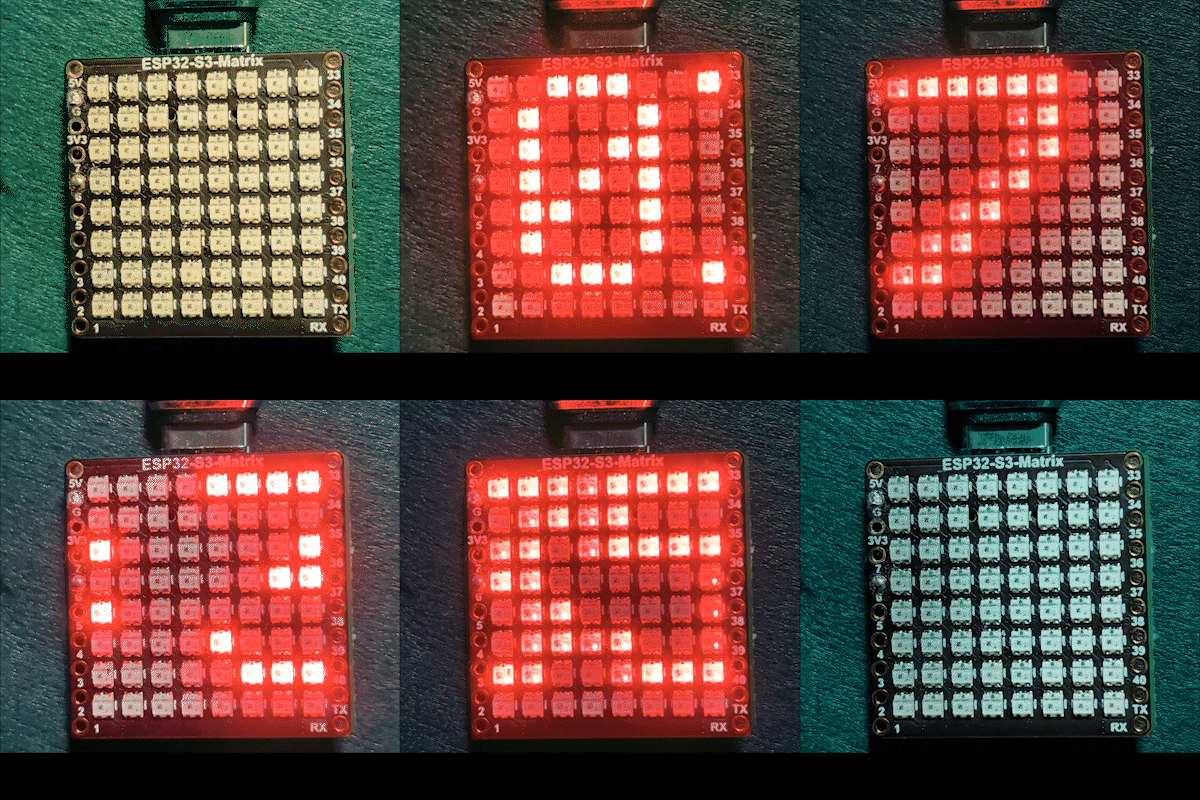
呢個項目係一個 ESP32-S3 RGB 矩陣互聯網時鐘,佢會連接 Wi-Fi、從 NTP 伺服器同步本地時間,並以 HH:MM 格式將時間滾動顯示喺內置嘅 8×8 RGB NeoMatrix 上面。喺呢個版本入面,時、冒號同分鐘每個都會用隨機顏色嚟顯示,顏色會喺每次完整滾動週期重新揀過,創造出一個動態又好玩嘅時鐘顯示,不斷變化。

呢個時鐘點樣運作
透過 USB-C 供電之後,ESP32-S3 會連接你嘅 Wi-Fi 網絡,並從互聯網攞返當前嘅本地時間。時間會被分成三個部分——時、冒號同分鐘——每個部分會分別畫喺 RGB 矩陣上面。當文字完全滾出螢幕之後,下一輪就會揀新嘅隨機顏色。
用到嘅程式庫
呢個 sketch 用到以下程式庫:
#include <WiFi.h>
#include "time.h"
#include <Adafruit_GFX.h>
#include <Adafruit_NeoMatrix.h>
#include <Adafruit_NeoPixel.h>
從 Arduino Library Manager 安裝Adafruit NeoMatrix。需要嘅依賴程式庫好似 Adafruit GFX Library 同 Adafruit NeoPixel 會自動安裝。
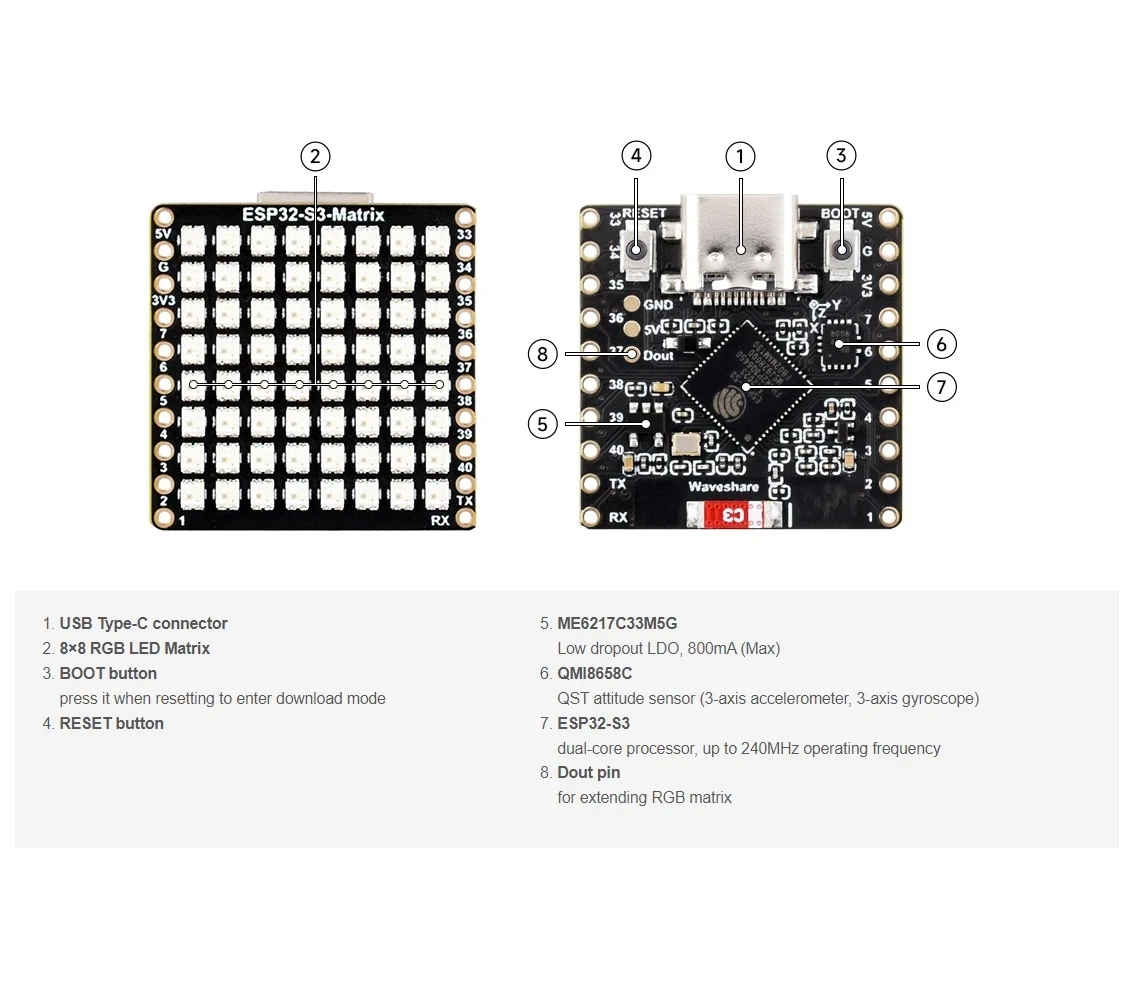
重要嘅用戶設定
矩陣數據引腳(內置 RGB 矩陣)
雖然 RGB 矩陣已經整合咗喺板上面,但數據引腳仍然要喺程式碼入面定義:

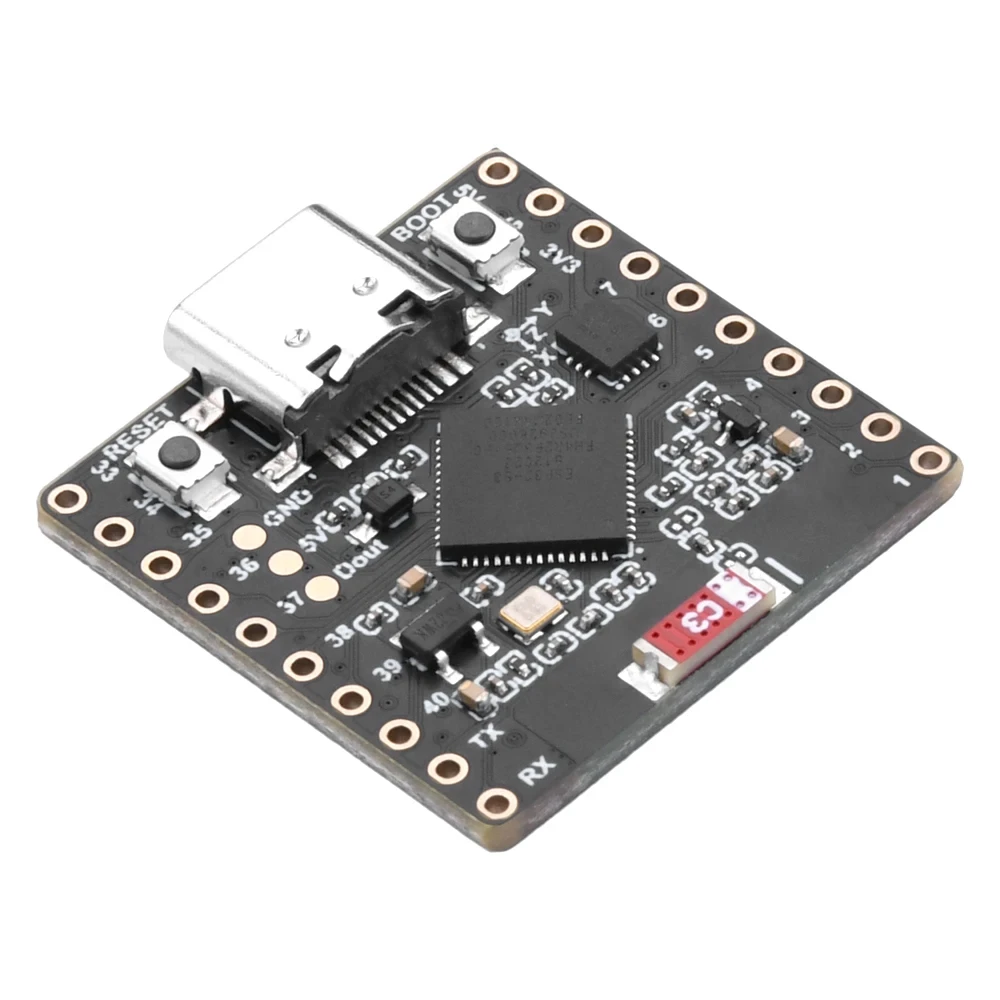
#define MATRIX_PIN 14GPIO 14 通常用喺 ESP32-S3 RGB 矩陣板上面。如果你嘅板型號用咗唔同嘅引腳,就要相應更新呢個數值。
Wi-Fi SSID 同密碼(區分大小寫)
將 Wi-Fi 憑證換成你自己嘅網絡資料:
const char* WIFI_SSID     = "your WiFi SSID";
const char* WIFI_PASSWORD = "passW0rd";
重要: Wi-Fi SSID 係區分大小寫嘅。一個叫 "Book" 嘅 SSID 同 "book" 唔係一樣。如果大細階唔完全相符,ESP32-S3 就會連接失敗。
NTP 伺服器、時區同日光節約時間
時間同步係用互聯網 NTP 伺服器嚟做:
const char* ntpServer = "pool.ntp.org";本地時間係用 UTC 同日光節約偏移量嚟計算:
// 多倫多附近:UTC-5,加 1 個鐘 DST
const long  gmtOffset_sec     = -5 * 3600;
const int daylightOffset_sec = 3600;gmtOffset_sec:UTC 偏移量(以秒計)(按你嘅位置調整)daylightOffset_sec:當 DST 生效時用3600,否則用0
呢啲設定會用以下方式套用:
configTime(gmtOffset_sec, daylightOffset_sec, ntpServer);自動日/夜亮度
時鐘會根據當前嘅小時自動調整亮度:
const int DAY_BRIGHTNESS = 40;
const int NIGHT_BRIGHTNESS = 5;
const int NIGHT_START_HOUR = 22;
const int NIGHT_END_HOUR = 6;
喺夜晚 10 點到凌晨 6 點之間,顯示會調暗,減少喺黑暗環境入面嘅刺眼光線。喺日間時段,矩陣會恢復正常亮度。
隨機 RGB 顏色行為
一個預先定義嘅 RGB 顏色列表會儲存喺陣列入面,每種顏色都用紅、綠、藍值(0 到 255)嚟定義:
uint8_t userColors[][3] = {
  {255, 0, 0},    // 紅色
  {0, 255, 0},    // 綠色
  {0, 0, 255},    // 藍色
  {255, 165, 0},  // 橙色
  {255, 0, 255},  // 洋紅色
  {0, 255, 255},  // 青色
  {255, 255, 0}   // 黃色
};
每次完整滾動週期:
- 時嘅數字會被分配一個隨機顏色
- 冒號會攞到另一個唔同嘅隨機顏色
- 分鐘嘅數字會攞到另一個隨機顏色
咁樣就會產生一個不斷變化嘅顏色組合,令時鐘睇起嚟更有趣。如果你想整自己嘅自訂顏色,可以用 RGB Color Picker 工具:RGB Color Picker。
時間顯示邏輯
時間會被分成三個部分:
- 時:
HH - 冒號:
: - 分鐘:
MM
每個部分都會獨立畫出嚟,所以可以有自己嘅顏色,同時所有部分會一齊移動,形成一個流暢嘅滾動動畫,橫跨成個 8×8 顯示。
隨機顏色生成
為咗確保顏色嘅隨機性,sketch 喺啟動時會用一個未連接嘅模擬引腳嚟做隨機數生成器嘅種子:
randomSeed(analogRead(0));咁樣就可以確保每次開機同每個滾動週期嘅顏色組合都唔同。
示範
上傳 sketch 並透過 USB-C 供電之後:
- ESP32-S3 會連接你嘅 Wi-Fi 網絡
- 時間會從互聯網同步
- 時間會以
HH:MM格式滾動顯示 - 時、冒號同分鐘每個週期都會轉成隨機顏色
- 顯示會喺夜晚自動調暗
下載同連結
完整原始碼提供喺呢篇文章下面。有用嘅工具同參考資料亦都連結喺呢篇文章下面。
圖片
This tutorial is part of: ESP32-S3 RGB LED 点阵
- ESP32-S3 RGB LED矩陣項目1-基本點
- ESP32-S3 RGB LED矩陣項目2 - 滾動文字
- ESP32-S3 RGB LED矩陣項目3 - 手機文字
- ESP32-S3 RGB LED矩陣項目 4 - 傾斜點
- ESP32-S3 RGB LED矩陣項目5 - 箭嘴永遠向上
- ESP32-S3 RGB LED矩陣項目6 - Cible遊戲
- ESP32-S3 RGB LED矩陣 Wi-Fi + NTP時鐘項目 -1 基本時鐘
- ESP32-S3 RGB LED矩陣網絡時鐘項目 - 2個時鐘多色時間及日期顯示
- ESP32-S3 RGB LED矩陣互聯網時鐘項目 - 3種夜間顏色連日期
- ESP32-S3 RGB LED矩陣網絡時鐘項目 - 5 彩虹色
- ESP32-S3 RGB LED Matrix test for RGB, GRB setting
/*
 * =====================================================================================
 * ESP32-S3 INTERNET RGB CLOCK (8x8 Matrix) - Project 4- Random Color
 * =====================================================================================
 watch video https://youtube.com/shorts/4iWjLiD7fS8
 📚⬇️ Download and resource page https://robojax.com/RJT843
 * Author: Gemini (AI Thought Partner) & Ahmad Shamshiri (Robojax.com)
 * Date: 07 Jan 2026

 * * FEATURES:
 * 1. WiFi/NTP Time: Syncs automatically with internet time servers.
 * 2. Cycle-Based Color: Color changes ONLY after the time finishes a full scroll.
 * 3. Auto-Brightness: Dims the LEDs during night hours (User-configurable).
 * =====================================================================================
 */
/*
 * =====================================================================================
 * ESP32-S3 INTERNET CLOCK - MULTI-COLOR ELEMENTS
 * =====================================================================================
 * Each part of the time (HH : MM) gets a different random color from your list.
 * Colors only change once the full scroll cycle is finished.
 * =====================================================================================
 */

#include <WiFi.h>
#include "time.h"
#include <Adafruit_GFX.h>
#include <Adafruit_NeoMatrix.h>
#include <Adafruit_NeoPixel.h>

#define MATRIX_PIN 14

// --- CONFIGURATION ---
const int DAY_BRIGHTNESS = 40;
const int NIGHT_BRIGHTNESS = 5;
const int NIGHT_START_HOUR = 22;
const int NIGHT_END_HOUR = 6;

uint8_t userColors[][3] = {
  {255, 0, 0},    // Red
  {0, 255, 0},    // Green
  {0, 0, 255},    // Blue
  {255, 165, 0},  // Orange
  {255, 0, 255},  // Magenta
  {0, 255, 255},  // Cyan
  {255, 255, 0}   // Yellow
};
int totalColors = sizeof(userColors) / sizeof(userColors[0]);

// Variables to store the current random color indices
int hourColorIdx = 0;
int colonColorIdx = 1;
int minColorIdx = 2;

// --- GLOBALS ---
Adafruit_NeoMatrix matrix(8, 8, MATRIX_PIN,
  NEO_MATRIX_TOP    + NEO_MATRIX_LEFT +
  NEO_MATRIX_ROWS   + NEO_MATRIX_PROGRESSIVE,
  NEO_RGB           + NEO_KHZ800);

char hourText[3], minText[3];
int16_t scrollX = 8;
unsigned long lastScrollMs = 0;
const uint16_t scrollIntervalMs = 100;

// 👇 REPLACE these with your real home WiFi name & password
const char* WIFI_SSID     = "your WiFi SSID";
const char* WIFI_PASSWORD = "passW0rd";


// NTP (time) server
const char* ntpServer = "pool.ntp.org";

// Toronto-ish: UTC-5, plus 1 hour DST
const long  gmtOffset_sec     = -5 * 3600;  // -5 hours
const int   daylightOffset_sec = 3600;      // +1 hour for DST


void updateTimeParts() {
  struct tm timeinfo;
  if (!getLocalTime(&timeinfo)) return;

  snprintf(hourText, sizeof(hourText), "%02d", timeinfo.tm_hour);
  snprintf(minText, sizeof(minText), "%02d", timeinfo.tm_min);

  if (timeinfo.tm_hour >= NIGHT_START_HOUR || timeinfo.tm_hour < NIGHT_END_HOUR) {
    matrix.setBrightness(NIGHT_BRIGHTNESS);
  } else {
    matrix.setBrightness(DAY_BRIGHTNESS);
  }
}

void scrollTime() {
  matrix.fillScreen(0);

  int x = scrollX;

  // 1. Draw Hours
  matrix.setTextColor(matrix.Color(userColors[hourColorIdx][0], userColors[hourColorIdx][1], userColors[hourColorIdx][2]));
  matrix.setCursor(x, 0);
  matrix.print(hourText);
  x += 12; // Move 12 pixels (2 digits * 6px)

  // 2. Draw Colon
  matrix.setTextColor(matrix.Color(userColors[colonColorIdx][0], userColors[colonColorIdx][1], userColors[colonColorIdx][2]));
  matrix.setCursor(x, 0);
  matrix.print(":");
  x += 6; // Move 6 pixels

  // 3. Draw Minutes
  matrix.setTextColor(matrix.Color(userColors[minColorIdx][0], userColors[minColorIdx][1], userColors[minColorIdx][2]));
  matrix.setCursor(x, 0);
  matrix.print(minText);

  matrix.show();
  scrollX--;

  // Total width is roughly 30 pixels (HH=12, :=6, MM=12)
  if (scrollX < -30) {
    scrollX = matrix.width();

    // Pick NEW random colors for the next cycle
    hourColorIdx = random(0, totalColors);
    colonColorIdx = random(0, totalColors);
    minColorIdx = random(0, totalColors);
  }
}

void setup() {
  Serial.begin(115200);

  // Seed the random generator using an unconnected analog pin
  randomSeed(analogRead(0));

  WiFi.begin(WIFI_SSID, WIFI_PASSWORD);
  while (WiFi.status() != WL_CONNECTED) delay(500);

  // Configure time via NTP
  configTime(gmtOffset_sec, daylightOffset_sec, ntpServer);
  Serial.println("Waiting for time...");
  delay(2000); // small wait for initial sync

  matrix.begin();
  matrix.setTextWrap(false);
  matrix.setBrightness(DAY_BRIGHTNESS);
}

void loop() {
  if (millis() % 1000 == 0) updateTimeParts();

  if (millis() - lastScrollMs >= scrollIntervalMs) {
    lastScrollMs = millis();
    scrollTime();
  }
}
資源與參考資料
-
視頻
-
內部🎨 Color picker Toolrobojax.com
文件📁
Fritzing 文件
-
esp32-S3-supermini-tht fritzing part
esp32-S3-supermini-tht.fzpz0.02 MB