このチュートリアルはの一部です: ESP32-S3 RGB LEDマトリックス
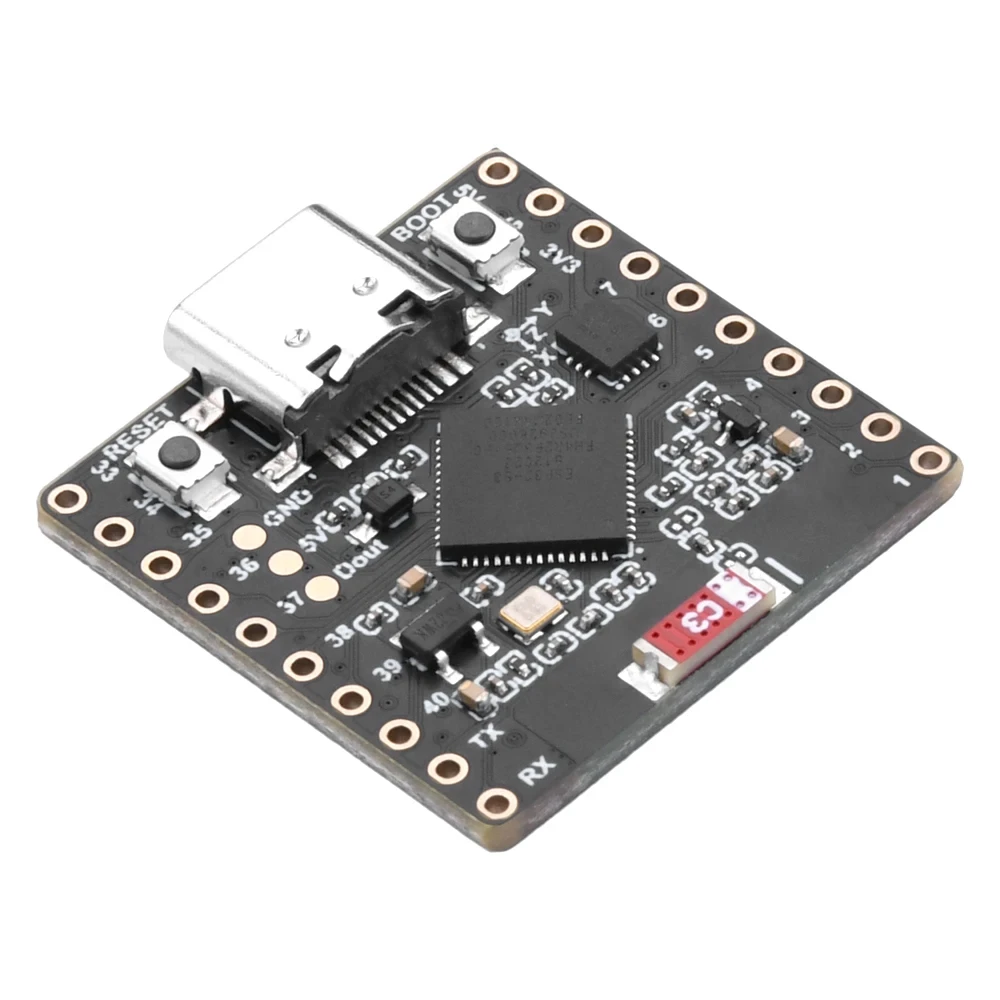
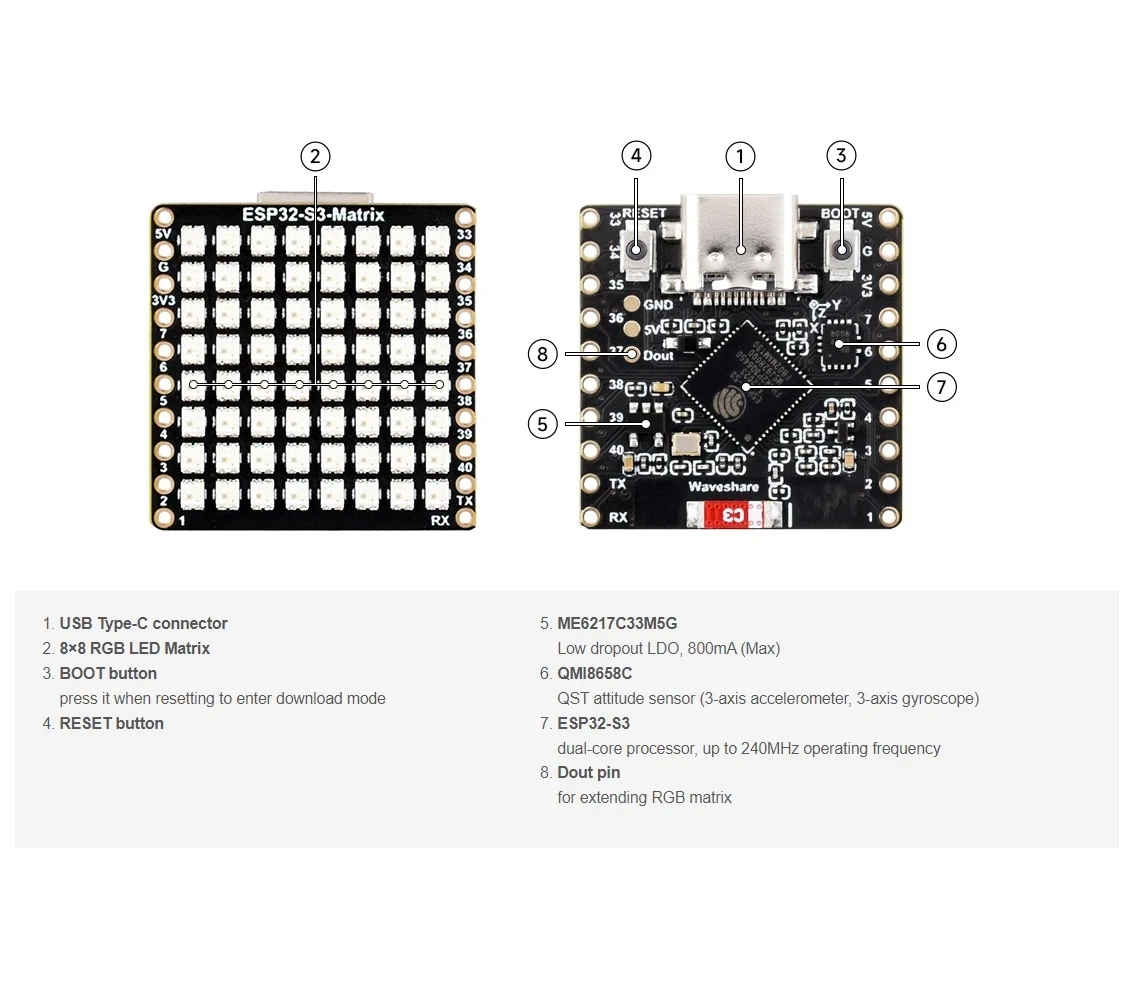
ESP32-S3 RGBマトリックスモジュールを使って、楽しく実用的なアプリケーションを作成するためのクールなプロジェクトです。他のビデオへのリンクはこの記事の下にあります。
ESP32-S3 RGB LEDマトリックスインターネット時計プロジェクト - 3つの夜間カラーと日付
ESP32-S3 RGBネオマトリックスインターネット時計 自動昼夜明るさ調整
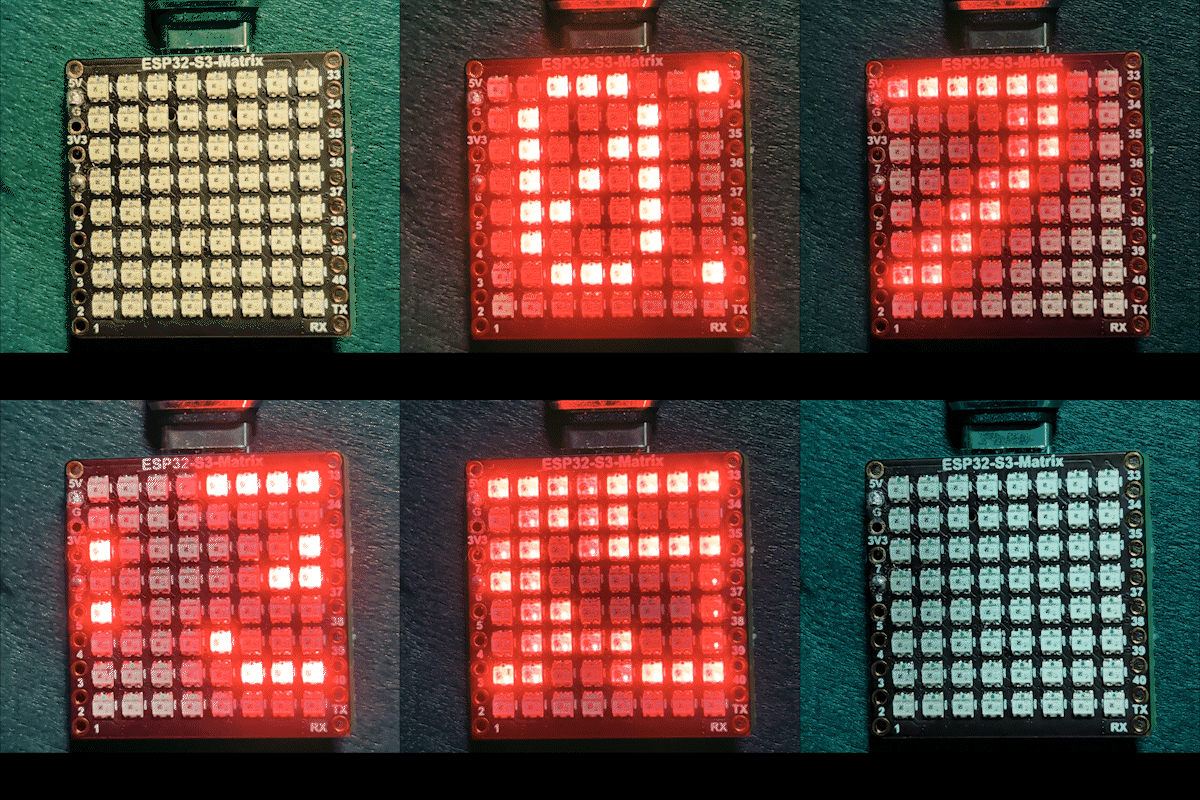
このプロジェクトは、昼夜に応じて明るさを自動調整するESP32-S3 RGBマトリックスインターネット時計です。ESP32-S3はWi-Fiに接続し、NTPサーバーから現在の時刻を同期し、時刻をスクロール表示します。HH:MM8×8 RGB NeoMatrix全体のフォーマット。時計は、表示テキスト用に固定または循環するRGBカラーもサポートしています。

この時計の機能
ESP32-S3が起動すると、Wi-Fiネットワークに接続し、インターネットから現在のローカルタイムを取得します。時間はLEDマトリックスを滑らかにスクロールします。夜間は、自動的に明るさが低下し、昼間は再び明るいレベルに切り替わります。
使用されたライブラリ
このスケッチは以下のライブラリを使用しています:
#include <WiFi.h>
#include "time.h"
#include <Adafruit_GFX.h>
#include <Adafruit_NeoMatrix.h>
#include <Adafruit_NeoPixel.h>インストールAdafruit NeoMatrixArduinoライブラリマネージャーから。必要なすべての依存関係が含まれています。Adafruit GFX LibraryとAdafruit NeoPixel自動的にインストールされます。
重要なユーザー設定
Wi-Fi SSIDとパスワード(大文字と小文字を区別)
以下の値をあなた自身のWi-Fi認証情報に置き換えてください。

const char* WIFI_SSID     = "WiFi";
const char* WIFI_PASSWORD = "passW0rd";重要:Wi-Fi SSIDは大文字と小文字を区別するSSIDという名前の"Book"はない同じように"book"大文字と小文字が正確に一致しない場合、ESP32は接続できません。
NTPサーバー、タイムゾーン、サマータイム
時計は以下のNTPサーバーを使用して時間を同期します:
const char* ntpServer = "pool.ntp.org";ローカル時間は、これらのオフセットを使用して計算されます:
const long  gmtOffset_sec     = -5 * 3600;
const int daylightOffset_sec = 3600;gmtOffset_secUTCオフセットを秒単位で定義しますdaylightOffset_sec夏時間が適用されている場合は1時間加算します (使用して0必要ない場合)
これらの値は次のように適用されます:
configTime(gmtOffset_sec, daylightOffset_sec, ntpServer);自動昼夜明るさ
表示の明るさは現在の時間に基づいて自動的に変更されます。
const int DAY_BRIGHTNESS = 40;
const int NIGHT_BRIGHTNESS = 5;
const int NIGHT_START_HOUR = 22; // 10 PM
const int NIGHT_END_HOUR = 6;    // 6 AM
午後10時から午前6時まで、マトリックスの明るさが低下し、暗い環境で快適に過ごせるようになります。その時間外では、昼間の明るさが復元されます。これらの値は、部屋の照明に合わせて調整できます。
RGBカラー設定
時計のテキストの色はRGB(赤、緑、青)値を使用して定義されており、各チャネルは0から255の範囲です。複数の色を配列に保存し、自動的にサイクルさせることができます。
uint8_t userColors[][3] = {
  {17, 43, 171},  // Light Blue
  {255, 0, 0},    // Red
  {0, 255, 0},    // Green
  {255, 165, 0},  // Orange
  {255, 0, 255}   // Magenta
};もしuseFixedColor設定されているtrue、時計は常に一色を使用します。設定するとfalse色は、時間を1回完全にスクロールした後、自動的に変わります。
任意の色の正確なRGB値を迅速に見つけるには、RGBカラーピッカーツールを使用してください。RGBカラーピッカー.
時間表示とスクロール
現在の時刻は次のように表示されますHH:MM小さな文字バッファに保存されます。表示は幅が8ピクセルしかないため、テキストは右から左にスムーズにスクロールします。時間が表示から完全に外れると、次の色(有効になっている場合)が次のパスのために選択されます。
デモンストレーション
スケッチをアップロードした後:
- ESP32-S3はWi-Fiに接続します。
- 時間はインターネットから同期されています。
- 現在の時刻がRGBマトリックスをスクロールします。
- 明るさは自動的に昼と夜で変わります。
- テキストの色は設定に応じて固定されるか、循環します。
ダウンロードとリンク
この記事の下に完全なソースコードが提供されています。部品、ツール、およびデータシートへのリンクはこの記事の下にあります。
画像
このチュートリアルはの一部です: ESP32-S3 RGB LEDマトリックス
- ESP32-S3 RGB LEDマトリックスプロジェクト(傾斜ゲーム、テキスト表示、矢印表示、WiFiデモ)
- ESP32-S3 RGB LEDマトリックスプロジェクト 2 - スクロールテキスト
- ESP32-S3 RGB LEDマトリックスプロジェクト3 - 携帯電話からのテキスト
- ESP32-S3 RGB LEDマトリックスプロジェクト4 - 傾斜ドット
- ESP32-S3 RGB LEDマトリックスプロジェクト5 - 矢印は常に上向き
- ESP32-S3 RGB LEDマトリックスプロジェクト6 - Cibleゲーム
- ESP32-S3 RGB LEDマトリックス Wi-Fi + NTP時計プロジェクト -1 基本時計
- ESP32-S3 RGB LEDマトリックスインターネット時計プロジェクト - 2つの時計の多色時間と日付の表示
- ESP32-S3 RGB LEDマトリックスインターネット時計プロジェクト - 5つの虹色
- ESP32-S3 RGB LEDマトリックスインターネット時計プロジェクト - 4つのランダムカラー
- ESP32-S3 RGB LEDマトリックステスト RGB、GRB設定用
/*
 * =====================================================================================
 * ESP32-S3 INTERNET RGB CLOCK (8x8 Matrix) - Project 3- Night color with Date
 * =====================================================================================
 watch video https://youtube.com/shorts/4iWjLiD7fS8
 📚⬇️ Download and resource page https://robojax.com/RJT840
 * Author: Gemini (AI Thought Partner) & Ahmad Shamshiri (Robojax.com)
 * Date: 07 Jan 2026

 * * FEATURES:
 * 1. WiFi/NTP Time: Syncs automatically with internet time servers.
 * 2. Cycle-Based Color: Color changes ONLY after the time finishes a full scroll.
 * 3. Auto-Brightness: Dims the LEDs during night hours (User-configurable).
 * =====================================================================================
 */

#include <WiFi.h>
#include "time.h"
#include <Adafruit_GFX.h>
#include <Adafruit_NeoMatrix.h>
#include <Adafruit_NeoPixel.h>

#define MATRIX_PIN 14

// --- BRIGHTNESS CONFIGURATION ---
const int DAY_BRIGHTNESS = 40;
const int NIGHT_BRIGHTNESS = 5;
const int NIGHT_START_HOUR = 22; // 10 PM
const int NIGHT_END_HOUR = 6;    // 6 AM

// --- COLOR CONFIGURATION ---
bool useFixedColor = false;
int fixedColorIndex = 0;
uint8_t userColors[][3] = {
  {17, 43, 171},  // Light Blue
  {255, 0, 0},    // Red
  {0, 255, 0},    // Green
  {255, 165, 0},  // Orange
  {255, 0, 255}   // Magenta
};

// 👇 REPLACE these with your real home WiFi name & password
const char* WIFI_SSID     = "WiFi";
const char* WIFI_PASSWORD = "passW0rd";

int currentColorIndex = 0;
int totalColors = sizeof(userColors) / sizeof(userColors[0]);

// --- INTERVALS ---
unsigned long lastTimeUpdateMs = 0;
const uint16_t timeUpdateIntervalMs = 1000;
unsigned long lastScrollMs = 0;
const uint16_t scrollIntervalMs = 100;

// --- GLOBAL VARIABLES ---
Adafruit_NeoMatrix matrix(8, 8, MATRIX_PIN,
  NEO_MATRIX_TOP    + NEO_MATRIX_LEFT +
  NEO_MATRIX_ROWS   + NEO_MATRIX_PROGRESSIVE,
  NEO_RGB           + NEO_KHZ800);

char timeText[6] = "00:00";
int16_t scrollX = 8;


const char* ntpServer = "pool.ntp.org";
const long  gmtOffset_sec     = -5 * 3600;
const int   daylightOffset_sec = 3600;

void updateTimeText() {
  struct tm timeinfo;
  if (!getLocalTime(&timeinfo)) return;

  // Format HH:MM
  snprintf(timeText, sizeof(timeText), "%02d:%02d", timeinfo.tm_hour, timeinfo.tm_min);

  // Apply Auto-Brightness
  if (timeinfo.tm_hour >= NIGHT_START_HOUR || timeinfo.tm_hour < NIGHT_END_HOUR) {
    matrix.setBrightness(NIGHT_BRIGHTNESS);
  } else {
    matrix.setBrightness(DAY_BRIGHTNESS);
  }
}

void scrollTime() {
  matrix.fillScreen(0);

  // Pick the color (Fixed or Cycle)
  int idx = useFixedColor ? fixedColorIndex : currentColorIndex;
  matrix.setTextColor(matrix.Color(userColors[idx][0], userColors[idx][1], userColors[idx][2]));

  matrix.setCursor(scrollX, 0);
  matrix.print(timeText);
  matrix.show();

  scrollX--;

  // Width for "HH:MM" is roughly 30 pixels
  int16_t textWidth = 30;

  // TRIGGER: When time is fully off-screen
  if (scrollX < -textWidth) {
    scrollX = matrix.width(); // Reset position to right side

    // Cycle to the next color in the array for the next pass
    if (!useFixedColor) {
      currentColorIndex = (currentColorIndex + 1) % totalColors;
      Serial.print("Next cycle color index: ");
      Serial.println(currentColorIndex);
    }
  }
}

void setup() {
  Serial.begin(115200);
  WiFi.begin(WIFI_SSID, WIFI_PASSWORD);
  while (WiFi.status() != WL_CONNECTED) {
    delay(500);
    Serial.print(".");
  }

  configTime(gmtOffset_sec, daylightOffset_sec, ntpServer);
  matrix.begin();
  matrix.setTextWrap(false);
  matrix.setBrightness(DAY_BRIGHTNESS);

  updateTimeText();
}

void loop() {
  unsigned long now = millis();

  // Update time digits and brightness once per second
  if (now - lastTimeUpdateMs >= timeUpdateIntervalMs) {
    lastTimeUpdateMs = now;
    updateTimeText();
  }

  // Handle the scrolling animation
  if (now - lastScrollMs >= scrollIntervalMs) {
    lastScrollMs = now;
    scrollTime();
  }
}
必要かもしれないもの
-
アマゾンAmazonからESP32-S3 RGBマトリックスを購入するamzn.to
-
イーベイeBayからESP32-S3 RGBマトリックスを購入するebay.us
-
アリエクスプレスAliExpressからESP32-S3 RGBマトリックスを購入するs.click.aliexpress.com
-
アリエクスプレスAliExpressからESP32-S3 RGBマトリックスを購入する (2)s.click.aliexpress.com
リソースと参考文献
-
ビデオESP32-S3 RGB LEDマトリックスインターネット時計プロジェクト短編動画youtube.com
-
内部カラー選択ツールrobojax.com
ファイル📁
フリッツィングファイル
-
esp32-S3-supermini-tht フリッツィングパーツ
esp32-S3-supermini-tht.fzpz0.02 MB