This tutorial is part of: ESP32-S3 RGB LED-matrix
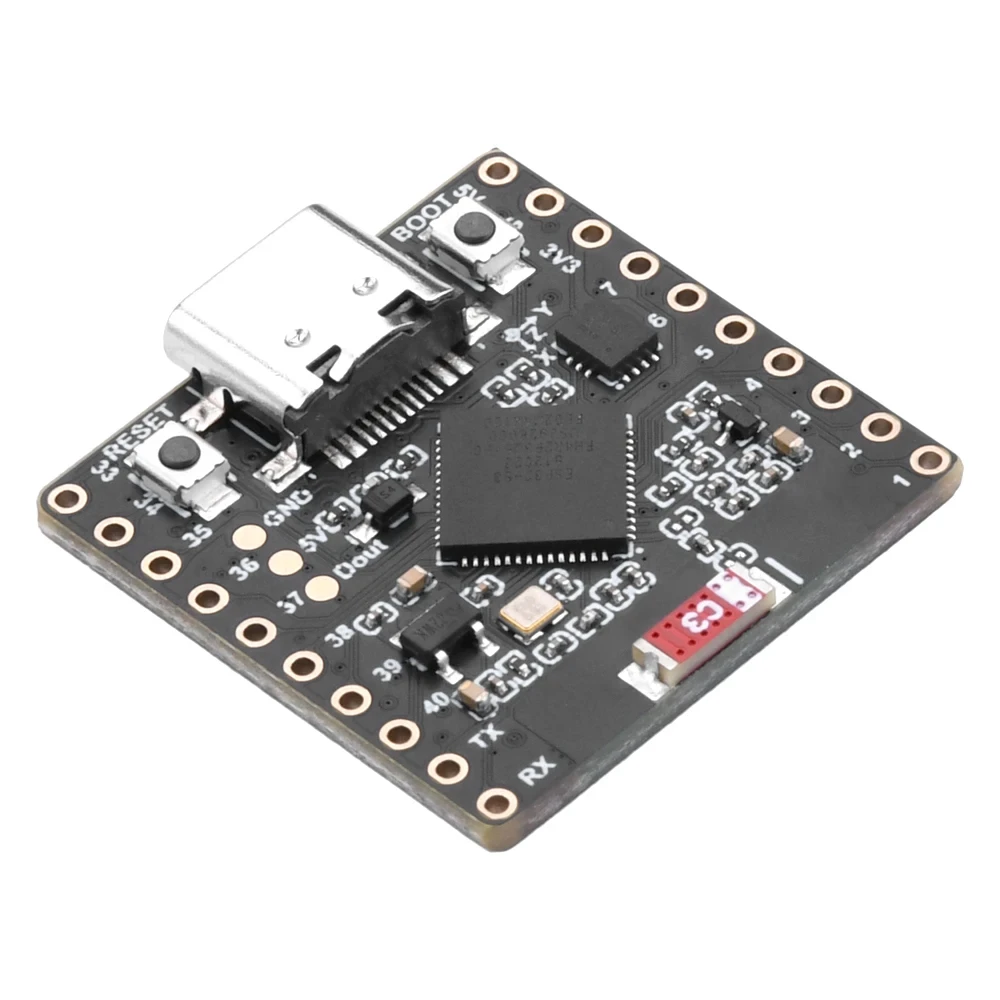
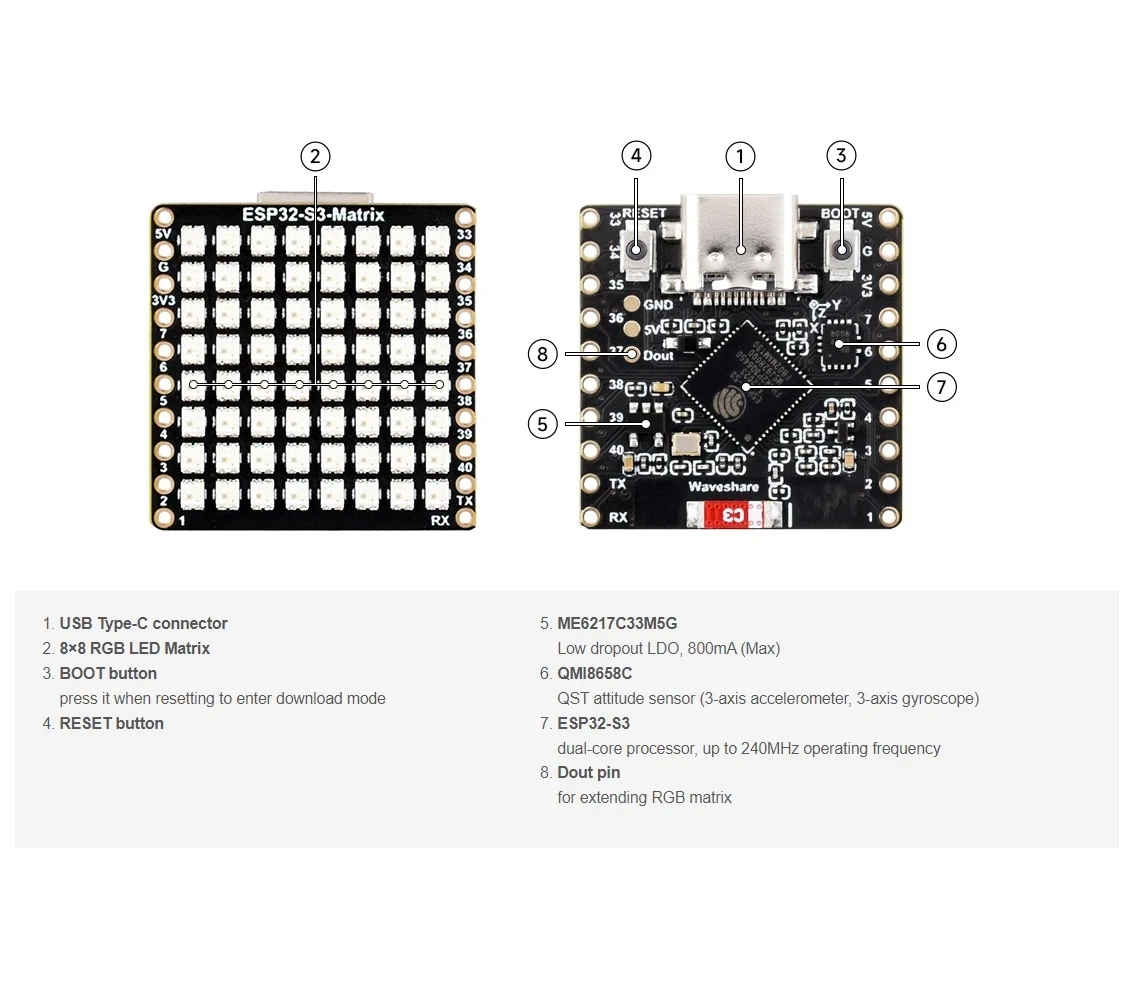
Een gaaf project om te maken voor de lol en voor praktische toepassingen met de ESP32-S3 RGB-matrixmodule. Links naar andere video's vind je onderaan dit artikel.
ESP32-S3 RGB LED-matrix internetklokproject - 2 klokken multi-kleur tijd- en datumweergave
ESP32-S3 RGB NeoMatrix internetklok met tijd- en datumweergave
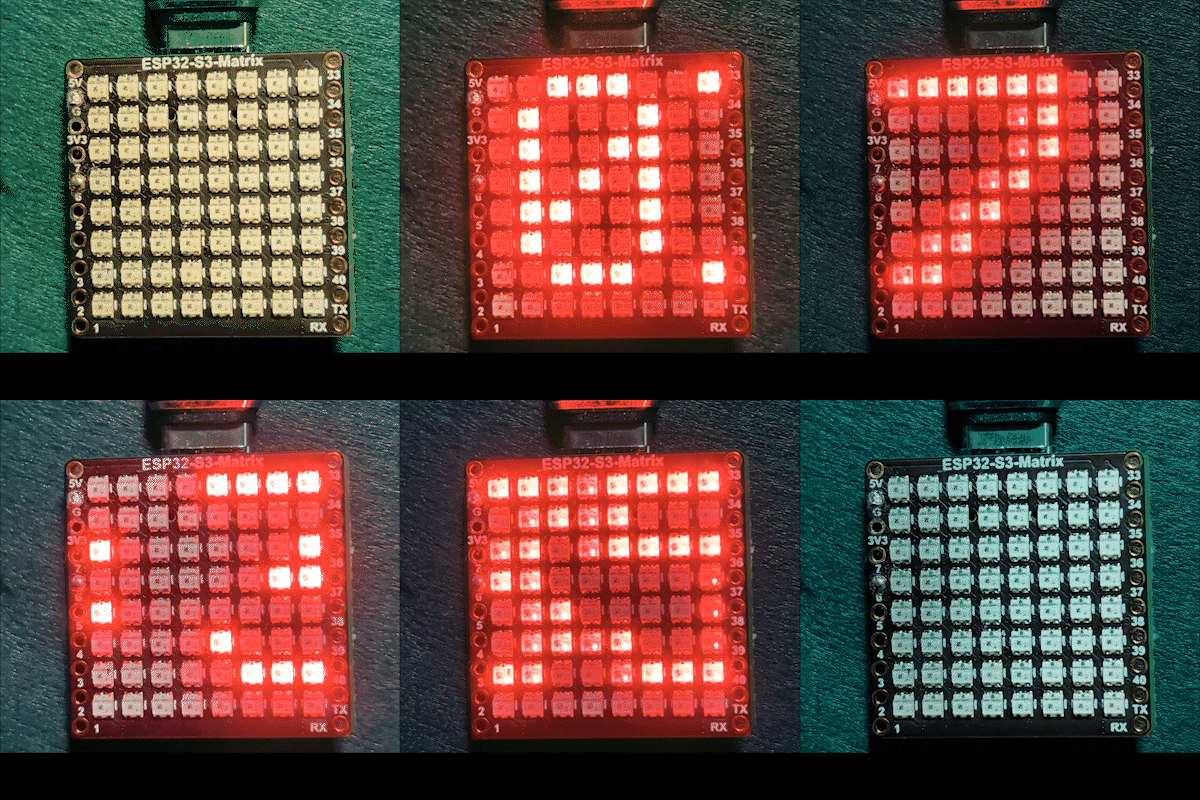
Dit project is een verbeterde ESP32-S3 RGB Matrix internetklok die niet alleen de huidige tijd toont, maar ook periodiek de datum weergeeft. De ESP32-S3 maakt verbinding met Wi-Fi, synchroniseert de tijd vanaf een NTP-server en scrollt ofwel HH:MM of de datum (bijvoorbeeld SEP 21) over een 8×8 RGB NeoMatrix. Het display ondersteunt automatische dag/nacht-helderheidsregeling en aanpasbare RGB-kleuren.

Wat deze klok doet
Na verbinding met uw Wi-Fi-netwerk haalt de ESP32-S3 de huidige lokale tijd van internet op. De klok scrollt normaal gesproken de tijd, maar schakelt op een vast interval over naar het tonen van de datum. Tekstkleur kan vast worden ingesteld op één kleur of automatisch door meerdere door de gebruiker gedefinieerde kleuren cyclen. De helderheid wordt 's nachts automatisch verminderd om het display prettiger voor de ogen te maken.
Gebruikte bibliotheken
Deze sketch is afhankelijk van de volgende bibliotheken:
#include <WiFi.h>
#include "time.h"
#include <Adafruit_GFX.h>
#include <Adafruit_NeoMatrix.h>
#include <Adafruit_NeoPixel.h>
Installeer Adafruit NeoMatrix via de Arduino Library Manager. Alle benodigde afhankelijkheden zoals Adafruit GFX Library en Adafruit NeoPixel worden automatisch geïnstalleerd.
Belangrijke gebruikersconfiguratie
Wi-Fi SSID en wachtwoord (hoofdlettergevoelig)
U moet de Wi-Fi-gegevens vervangen door uw eigen netwerkinformatie:

const char* WIFI_SSID     = "WiFi";
const char* WIFI_PASSWORD = "passW0rd";
Belangrijk: Wi-Fi SSID's zijn hoofdlettergevoelig. Een SSID genaamd "Book" is bijvoorbeeld niet hetzelfde als "book". Als de hoofdletters niet exact overeenkomen, zal de ESP32 geen verbinding kunnen maken.
NTP-server, tijdzone en zomertijd
De klok gebruikt een internettijdserver:
const char* ntpServer = "pool.ntp.org";Lokale tijd wordt berekend met deze offsets:
const long  gmtOffset_sec     = -5 * 3600;
const int daylightOffset_sec = 3600;gmtOffset_sec: Uw UTC-offset in seconden (voorbeeld: UTC-5 =-5 * 3600)daylightOffset_sec: Gebruik3600voor zomertijd of0als zomertijd niet wordt gebruikt
Deze instellingen worden toegepast met:
configTime(gmtOffset_sec, daylightOffset_sec, ntpServer);Helderheidsregeling (dag / nacht)
Dit project past automatisch de helderheid aan op basis van het uur van de dag:
const int DAY_BRIGHTNESS = 40;
const int NIGHT_BRIGHTNESS = 5;
const int NIGHT_START_HOUR = 22;
const int NIGHT_END_HOUR = 6;
Tussen 22:00 en 06:00 wordt de helderheid verminderd om het display minder storend te maken in donkere omgevingen. U kunt deze waarden aanpassen naar uw voorkeur.
RGB-kleurconfiguratie
De klok ondersteunt zowel een vaste kleurmodus als automatische kleurcycli. Door de gebruiker gedefinieerde RGB-kleuren worden opgeslagen in een array:
uint8_t userColors[][3] = {
  {17, 43, 171},  // Lichtblauw
  {255, 0, 0},    // Rood
  {0, 255, 0},    // Groen
  {255, 165, 0},  // Oranje
  {255, 0, 255}   // Magenta
};
Elke kleur gebruikt RGB-waarden (Rood, Groen, Blauw) variërend van 0 tot 255. Door deze getallen te wijzigen, kunt u vrijwel elke kleur voor het display creëren. Als useFixedColor is ingesteld op true, gebruikt de klok altijd één kleur. Als het is ingesteld op false, verandert de kleur automatisch na elke volledige scroll.
Om snel nauwkeurige RGB-waarden te vinden voor elke gewenste kleur, gebruikt u de RGB-kleurkiezer-tool Kleurkiezer .
Tijd- en datumnotatie
De tijd wordt opgemaakt als HH:MM en opgeslagen in een kleine karakterbuffer. De datum wordt opgemaakt als een hoofdletterreeks zoals SEP 21. Het display schakelt automatisch tussen tijd en datum op een vast interval.
Scrolllogica op een 8×8-display
Omdat een 8×8-matrix te klein is om de volledige tekst tegelijk te tonen, scrollt de sketch de tekst horizontaal. Zodra de tekst volledig van het display is verdwenen, wordt de kleur bijgewerkt en wisselt de inhoud tussen tijd en datum wanneer nodig.
Demonstratie
Na het uploaden van de sketch:
- Maakt de ESP32 verbinding met Wi-Fi
- Wordt de tijd gesynchroniseerd vanaf internet
- Scrollt de huidige tijd over de matrix
- Verschijnt de datum periodiek
- Past de helderheid automatisch aan voor dag en nacht
Downloads en links
De volledige broncode wordt onder dit artikel verstrekt. Links naar onderdelen, gereedschappen en datasheets zijn ook onder dit artikel beschikbaar.
Afbeeldingen
This tutorial is part of: ESP32-S3 RGB LED-matrix
- ESP32-S3 RGB LED-matrixproject 1- Basispunt
- ESP32-S3 RGB LED-matrixproject 2 - Scrollende tekst
- ESP32-S3 RGB LED-matrixproject 3 - Tekst vanaf mobiele telefoon
- ESP32-S3 RGB LED-matrixproject 4 - Kantelpunt
- ESP32-S3 RGB LED-matrixproject 5 - Pijl altijd omhoog
- ESP32-S3 RGB LED-matrixproject 6 - Cible-spel
- ESP32-S3 RGB LED-matrix Wi-Fi + NTP-tijdklokproject -1 Basisklok
- ESP32-S3 RGB LED-matrix internetklokproject - 3 nachtkleuren met datum
- ESP32-S3 RGB LED-matrix internetklokproject - 5 Regenboogkleur
- ESP32-S3 RGB LED-matrix internetklokproject - 4 willekeurige kleuren
- ESP32-S3 RGB LED Matrix test for RGB, GRB setting
/*
 * =====================================================================================
 * ESP32-S3 INTERNET RGB CLOCK (8x8 Matrix) - Project 2
 Multi color
 * =====================================================================================
 watch video https://youtube.com/shorts/4iWjLiD7fS8
 📚⬇️ Download and resource page https://robojax.com/RJT839
 * Author:  Ahmad Shamshiri (Robojax.com)
 * Date: 07 Jan 2026
 * * FEATURES:
 * 1. WiFi/NTP Time: Syncs automatically with internet time servers.
 * 2. Cycle-Based Color: Color changes ONLY when text finishes a full scroll.
 * 3. Auto-Brightness: Dims the LEDs during night hours (User-configurable).
 * 4. Periodic Date: Scrolls the date (e.g., "JAN 07") every 2 minutes.
 * * USER CONFIGURATION GUIDE:
 * -------------------------
 * - WiFi: Change 'WIFI_SSID' and 'WIFI_PASSWORD' to your local network.
 * - Colors: Add or remove {R, G, B} sets in the 'userColors' array.
 * - Night Mode: Adjust 'NIGHT_START_HOUR' and 'NIGHT_BRIGHTNESS'.
 * =====================================================================================
 */

#include <WiFi.h>
#include "time.h"
#include <Adafruit_GFX.h>
#include <Adafruit_NeoMatrix.h>
#include <Adafruit_NeoPixel.h>

#define MATRIX_PIN 14

// --- BRIGHTNESS CONFIGURATION ---
const int DAY_BRIGHTNESS = 40;
const int NIGHT_BRIGHTNESS = 5;
const int NIGHT_START_HOUR = 22;
const int NIGHT_END_HOUR = 6;

// --- COLOR CONFIGURATION ---
bool useFixedColor = false;
int fixedColorIndex = 0;
uint8_t userColors[][3] = {
  {17, 43, 171},  // Light Blue
  {255, 0, 0},    // Red
  {0, 255, 0},    // Green
  {255, 165, 0},  // Orange
  {255, 0, 255}   // Magenta
};

// 👇 REPLACE these with your real home WiFi name & password
const char* WIFI_SSID     = "WiFi";
const char* WIFI_PASSWORD = "passW0rd";


int currentColorIndex = 0;
int totalColors = sizeof(userColors) / sizeof(userColors[0]);

// --- DATE/TIME INTERVALS ---
unsigned long lastDateShowMs = 0;
const uint32_t dateIntervalMs = 30000; // 2 minutes
unsigned long lastTimeUpdateMs = 0;
const uint16_t timeUpdateIntervalMs = 1000;
unsigned long lastScrollMs = 0;
const uint16_t scrollIntervalMs = 100;

// --- GLOBAL VARIABLES ---
Adafruit_NeoMatrix matrix(8, 8, MATRIX_PIN,
  NEO_MATRIX_TOP    + NEO_MATRIX_LEFT +
  NEO_MATRIX_ROWS   + NEO_MATRIX_PROGRESSIVE,
  NEO_RGB           + NEO_KHZ800);

char timeText[6] = "00:00";
char dateText[10] = "";
char currentDisplayText[12] = "";
int16_t scrollX = 8;


const char* ntpServer = "pool.ntp.org";
const long  gmtOffset_sec     = -5 * 3600;
const int   daylightOffset_sec = 3600;

void updateTimeAndDate() {
  struct tm timeinfo;
  if (!getLocalTime(&timeinfo)) return;

  snprintf(timeText, sizeof(timeText), "%02d:%02d", timeinfo.tm_hour, timeinfo.tm_min);
  strftime(dateText, sizeof(dateText), "%b %d", &timeinfo);
  for (int i = 0; dateText[i]; i++) dateText[i] = toupper(dateText[i]);

  if (timeinfo.tm_hour >= NIGHT_START_HOUR || timeinfo.tm_hour < NIGHT_END_HOUR) {
    matrix.setBrightness(NIGHT_BRIGHTNESS);
  } else {
    matrix.setBrightness(DAY_BRIGHTNESS);
  }
}

void scrollDisplay() {
  matrix.fillScreen(0);

  // FIXED LOGIC: Uses currentColorIndex which only changes at the end of a scroll
  int idx = useFixedColor ? fixedColorIndex : currentColorIndex;
  matrix.setTextColor(matrix.Color(userColors[idx][0], userColors[idx][1], userColors[idx][2]));

  matrix.setCursor(scrollX, 0);
  matrix.print(currentDisplayText);
  matrix.show();

  scrollX--;

  int16_t textWidth = strlen(currentDisplayText) * 6;

  // THE TRIGGER POINT: This happens only when text is fully off-screen
  if (scrollX < -textWidth) {
    scrollX = matrix.width();

    // 1. Cycle the color now and only now
    if (!useFixedColor) {
      currentColorIndex = (currentColorIndex + 1) % totalColors;
    }

    // 2. Decide whether to switch between Time and Date
    if (millis() - lastDateShowMs > dateIntervalMs) {
      strcpy(currentDisplayText, dateText);
      lastDateShowMs = millis();
    } else {
      strcpy(currentDisplayText, timeText);
    }
  }
}

void setup() {
  Serial.begin(115200);
  WiFi.begin(WIFI_SSID, WIFI_PASSWORD);
  while (WiFi.status() != WL_CONNECTED) {
    delay(500);
    Serial.print(".");
  }

  configTime(gmtOffset_sec, daylightOffset_sec, ntpServer);
  matrix.begin();
  matrix.setTextWrap(false);
  matrix.setBrightness(DAY_BRIGHTNESS);

  updateTimeAndDate();
  strcpy(currentDisplayText, timeText);
}

void loop() {
  unsigned long now = millis();

  if (now - lastTimeUpdateMs >= timeUpdateIntervalMs) {
    lastTimeUpdateMs = now;
    updateTimeAndDate();
  }

  if (now - lastScrollMs >= scrollIntervalMs) {
    lastScrollMs = now;
    scrollDisplay();
  }
}
Dingen die je misschien nodig hebt
-
Amazon
-
eBay
-
AliExpressPurchase ESP32-S3 RGB Matrix from AliExpresss.click.aliexpress.com
-
AliExpressPurchase ESP32-S3 RGB Matrix from AliExpress (2)s.click.aliexpress.com
Hulpmiddelen en referenties
-
Video
Bestanden📁
Fritzing-bestand
-
esp32-S3-supermini-tht fritzing part
esp32-S3-supermini-tht.fzpz0.02 MB