Hierdie tutorialie is deel van: ESP32-S3 RGB LED-matriks
'n Koel projek om te skep vir prettige en praktiese toepassings met die ESP32-S3 RGB Matriksmodule. Skakels na ander video's is onder hierdie artikel.
ESP32-S3 RGB LED-matriks Internet-klokprojek - 2 Klok multi-kleur Tyd & Datum Vertoning
ESP32-S3 RGB NeoMatrix Internet Klok met Tyd & Datum Vertoning
Hierdie projek is 'n verbeterde ESP32-S3 RGB Matrix Internet Klok wat nie net die huidige tyd wys nie, maar ook periodiek die datum vertoon. Die ESP32-S3 verbind met Wi-Fi, sinkroniseer tyd vanaf 'n NTP-bediener, en rol óf HH:MM óf die datum (byvoorbeeld SEP 21) oor 'n 8×8 RGB NeoMatrix. Die vertoning ondersteun outomatiese dag/nag helderheidbeheer en aanpasbare RGB-kleure.
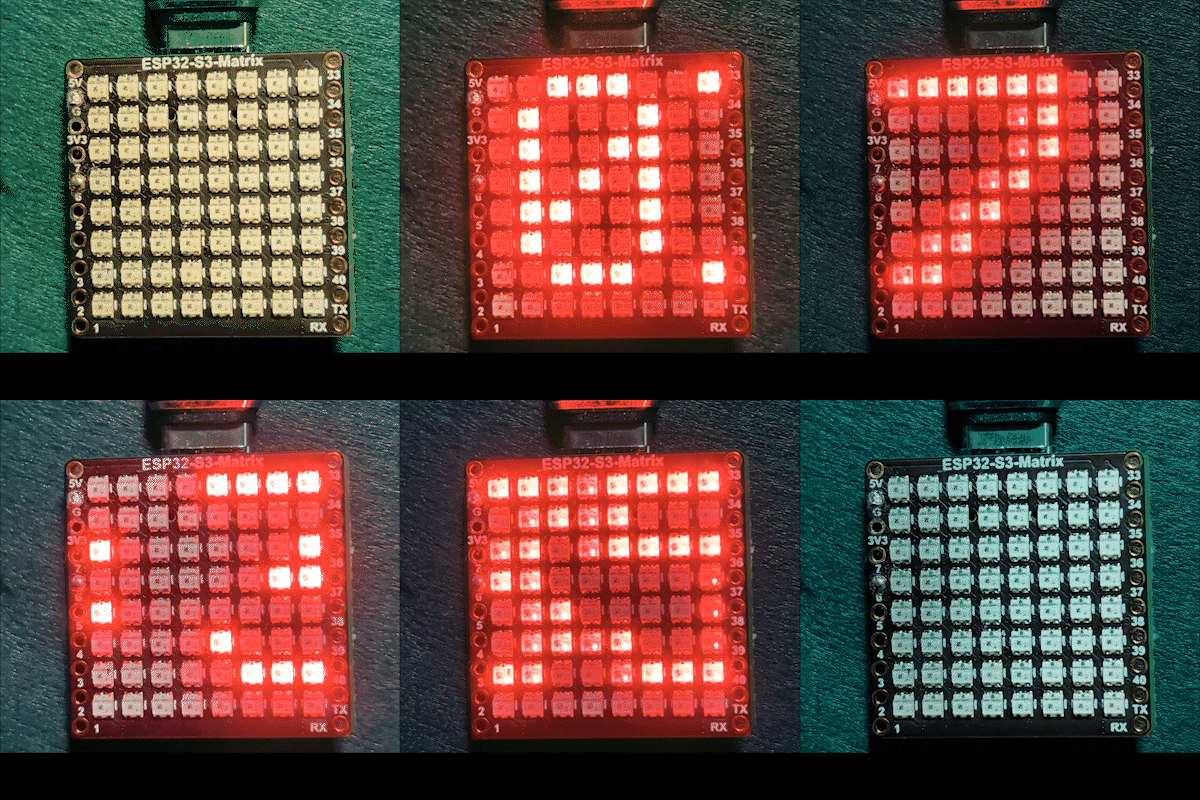

Wat hierdie klok doen
Na verbinding met jou Wi-Fi-netwerk, haal die ESP32-S3 die huidige plaaslike tyd van die internet af. Die klok rol normaalweg die tyd, maar teen 'n vaste interval skakel dit oor om die datum te wys. Tekskleur kan vasgestel word op een kleur of outomaties deur verskeie gebruikergedefinieerde kleure sirkuleer. Helderheid word outomaties snags verminder om die vertoning makliker op die oë te maak.
Biblioteke gebruik
Hierdie skets hang af van die volgende biblioteke:
#include <WiFi.h>
#include "time.h"
#include <Adafruit_GFX.h>
#include <Adafruit_NeoMatrix.h>
#include <Adafruit_NeoPixel.h>
Installeer Adafruit NeoMatrix vanaf die Arduino Library Manager. Alle vereiste afhanklikhede soos Adafruit GFX Library en Adafruit NeoPixel sal outomaties geïnstalleer word.
Belangrike gebruikerkonfigurasie
Wi-Fi SSID en wagwoord (hooflettergevoelig)
Jy moet die Wi-Fi-geloofsbriewe met jou eie netwerkinligting vervang:

const char* WIFI_SSID     = "WiFi";
const char* WIFI_PASSWORD = "passW0rd";
Belangrik: Wi-Fi SSIDs is hooflettergevoelig. Byvoorbeeld, 'n SSID genaamd "Book" is nie dieselfde as "book" nie. As die hoofletters nie presies ooreenstem nie, sal die ESP32 nie kan verbind nie.
NTP-bediener, tydsone, en somertyd
Die klok gebruik 'n internettydbediener:
const char* ntpServer = "pool.ntp.org";Plaaslike tyd word bereken met hierdie afwykings:
const long  gmtOffset_sec     = -5 * 3600;
const int daylightOffset_sec = 3600;gmtOffset_sec: Jou UTC-afwyking in sekondes (voorbeeld: UTC-5 =-5 * 3600)daylightOffset_sec: Gebruik3600vir somertyd of0as somertyd nie gebruik word nie
Hierdie instellings word toegepas met:
configTime(gmtOffset_sec, daylightOffset_sec, ntpServer);Helderheidbeheer (dag / nag)
Hierdie projek pas outomaties helderheid aan op grond van die uur van die dag:
const int DAY_BRIGHTNESS = 40;
const int NIGHT_BRIGHTNESS = 5;
const int NIGHT_START_HOUR = 22;
const int NIGHT_END_HOUR = 6;
Tussen 10 nm en 6 vm word helderheid verminder om die vertoning minder afleidend in donker omgewings te maak. Jy kan hierdie waardes aanpas na jou voorkeur.
RGB-kleurkonfigurasie
Die klok ondersteun beide vaste kleurmodus en outomatiese kleursirkulasie. Gebruikergedefinieerde RGB-kleure word in 'n skikking gestoor:
uint8_t userColors[][3] = {
  {17, 43, 171},  // Ligblou
  {255, 0, 0},    // Rooi
  {0, 255, 0},    // Groen
  {255, 165, 0},  // Oranje
  {255, 0, 255}   // Magenta
};
Elke kleur gebruik RGB (Rooi, Groen, Blou) waardes wat wissel van 0 tot 255. Deur hierdie nommers te verander, kan jy feitlik enige kleur vir die vertoning skep. As useFixedColor op true gestel is, gebruik die klok altyd een kleur. As dit op false gestel is, verander die kleur outomaties na elke volle rol.
Om vinnig akkurate RGB-waardes vir enige kleur wat jy wil hê te vind, gebruik die RGB-kleurkiesteerder Kleurkiesteerder .
Tyd- en datumformatering
Die tyd word geformateer as HH:MM en gestoor in 'n klein karakterbuffer. Die datum word geformateer as 'n hoofletterstring soos SEP 21. Die vertoning skakel outomaties tussen tyd en datum teen 'n vaste interval.
Rol-logika op 'n 8×8 vertoning
Omdat 'n 8×8 matriks te klein is om die volle teks gelyktydig te wys, rol die skets die teks horisontaal. Sodra die teks die vertoning heeltemal verlaat, word die kleur opgedateer en die inhoud skakel tussen tyd en datum wanneer nodig.
Demonstrasie
Na die oplaai van die skets:
- Die ESP32 verbind met Wi-Fi
- Tyd word vanaf die internet gesinkroniseer
- Die huidige tyd rol oor die matriks
- Die datum verskyn periodiek
- Helderheid pas outomaties aan vir dag en nag
Aflaaie en skakels
Die volledige bronkode word onder hierdie artikel verskaf. Skakels na onderdele, gereedskap, en datablaaie is ook onder hierdie artikel beskikbaar.
Beelde
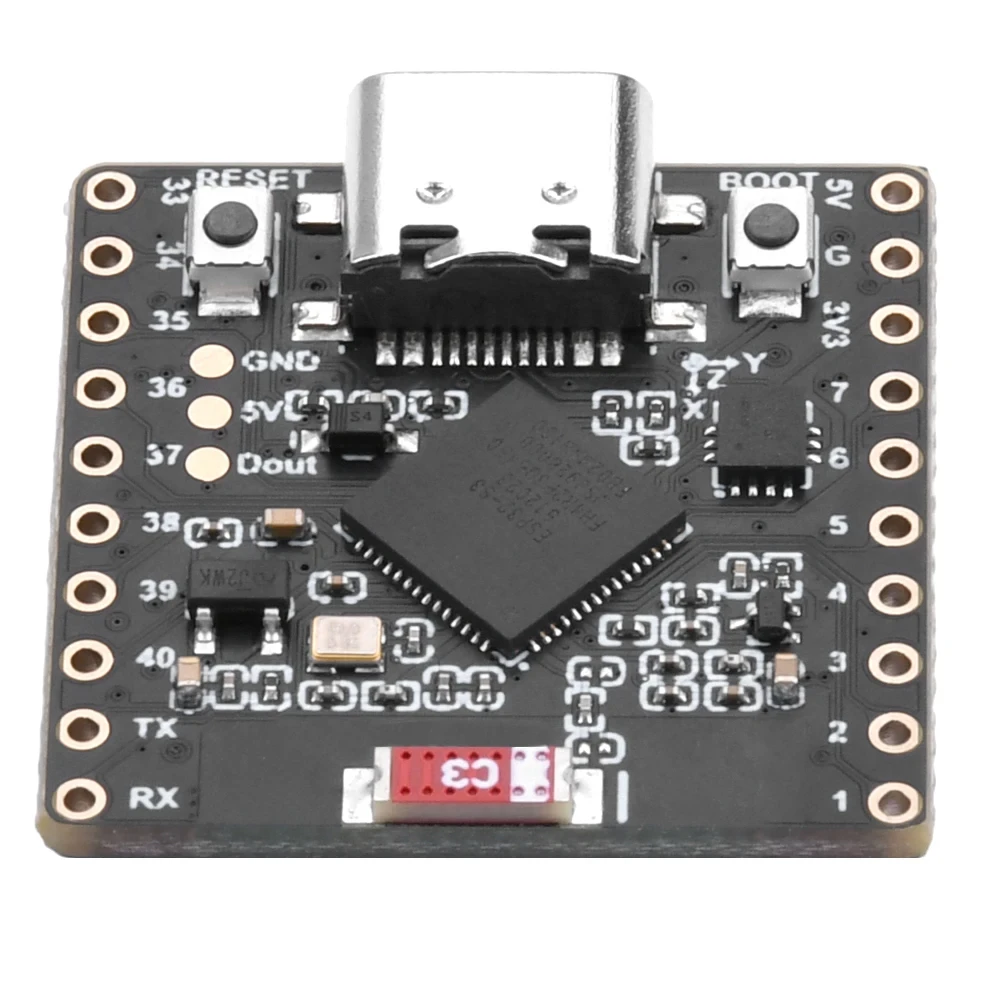
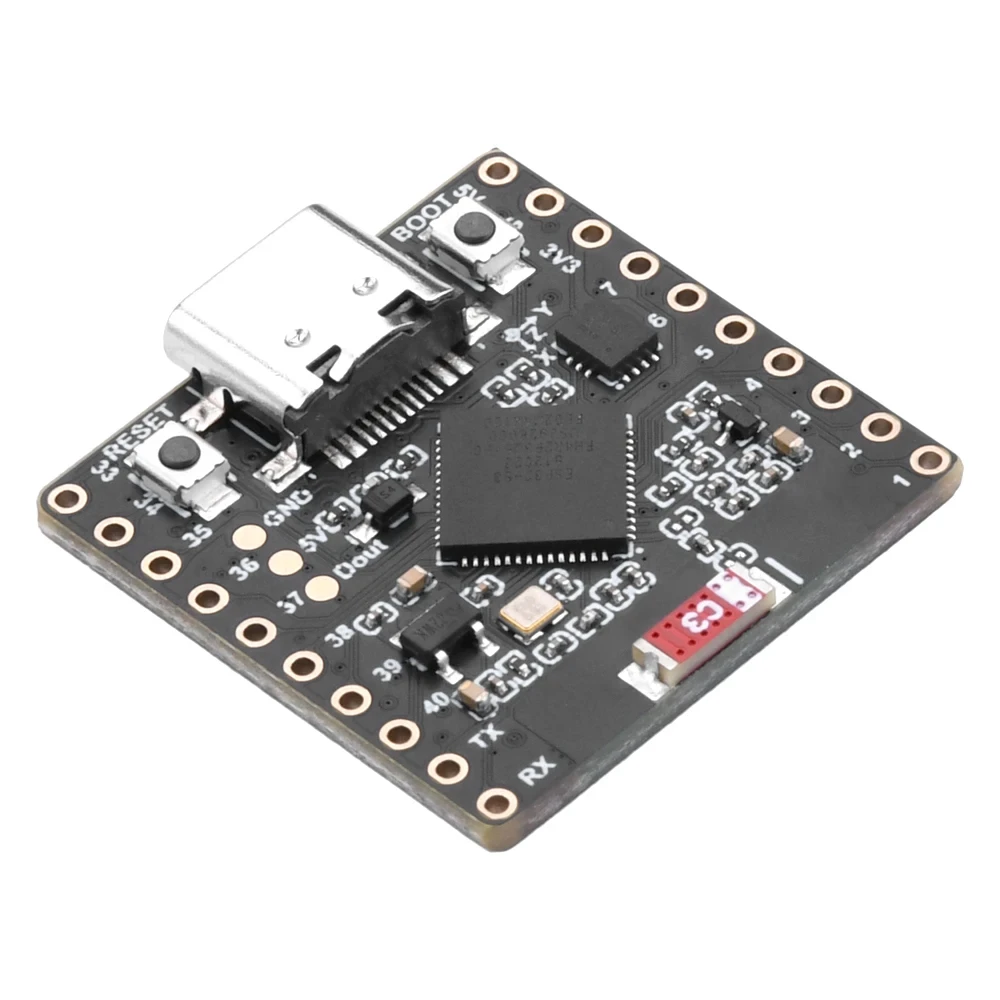
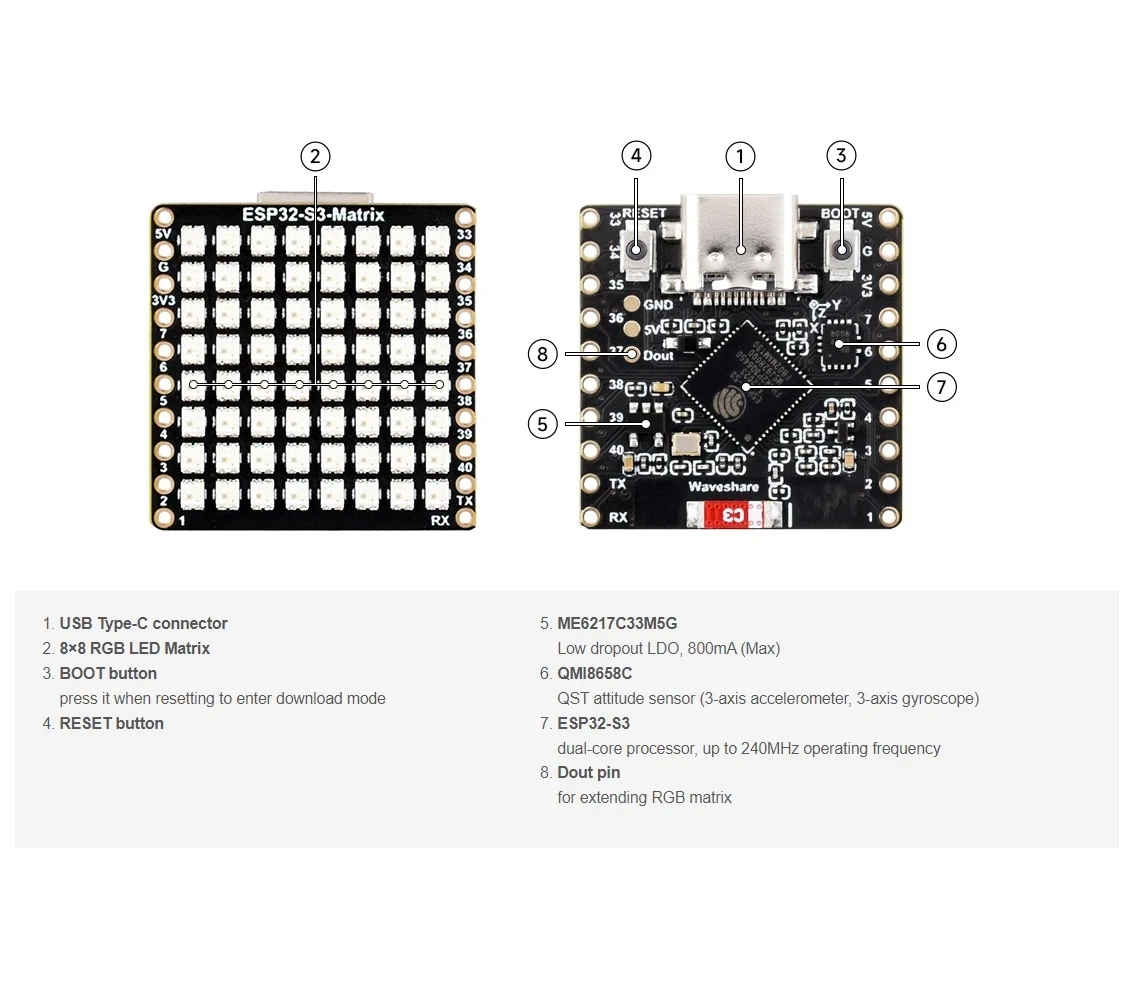
Hierdie handleiding is deel van: ESP32-S3 RGB LED-matriks
- ESP32-S3 RGB LED-matriksprojek 1- Basiese Punt
- ESP32-S3 RGB LED-matriksprojek 2 - Roltelende teks
- ESP32-S3 RGB LED-matriksprojek 3 - Teks vanaf selfoon
- ESP32-S3 RGB LED-matriksprojek 4 - Kantelkolletjie
- ESP32-S3 RGB LED-matriksprojek 5 - Pyl altyd op
- ESP32-S3 RGB LED-matriksprojek 6 - Cible-speletjie
- ESP32-S3 RGB LED-matriks Wi-Fi + NTP-tydklokprojek -1 Basiese klok
- ESP32-S3 RGB LED-matriks-internetklokprojek - 3 Nagkleure met Datum
- ESP32-S3 RGB LED-matriks-internetklokprojek - 5 Reënboogkleur
- ESP32-S3 RGB LED-matriks-internetklokprojek - 4 Ewekansige kleure
- ESP32-S3 RGB LED Matrix test for RGB, GRB setting
/*
 * =====================================================================================
 * ESP32-S3 INTERNET RGB CLOCK (8x8 Matrix) - Project 2
 Multi color
 * =====================================================================================
 watch video https://youtube.com/shorts/4iWjLiD7fS8
 📚⬇️ Download and resource page https://robojax.com/RJT839
 * Author:  Ahmad Shamshiri (Robojax.com)
 * Date: 07 Jan 2026
 * * FEATURES:
 * 1. WiFi/NTP Time: Syncs automatically with internet time servers.
 * 2. Cycle-Based Color: Color changes ONLY when text finishes a full scroll.
 * 3. Auto-Brightness: Dims the LEDs during night hours (User-configurable).
 * 4. Periodic Date: Scrolls the date (e.g., "JAN 07") every 2 minutes.
 * * USER CONFIGURATION GUIDE:
 * -------------------------
 * - WiFi: Change 'WIFI_SSID' and 'WIFI_PASSWORD' to your local network.
 * - Colors: Add or remove {R, G, B} sets in the 'userColors' array.
 * - Night Mode: Adjust 'NIGHT_START_HOUR' and 'NIGHT_BRIGHTNESS'.
 * =====================================================================================
 */

#include <WiFi.h>
#include "time.h"
#include <Adafruit_GFX.h>
#include <Adafruit_NeoMatrix.h>
#include <Adafruit_NeoPixel.h>

#define MATRIX_PIN 14

// --- BRIGHTNESS CONFIGURATION ---
const int DAY_BRIGHTNESS = 40;
const int NIGHT_BRIGHTNESS = 5;
const int NIGHT_START_HOUR = 22;
const int NIGHT_END_HOUR = 6;

// --- COLOR CONFIGURATION ---
bool useFixedColor = false;
int fixedColorIndex = 0;
uint8_t userColors[][3] = {
  {17, 43, 171},  // Light Blue
  {255, 0, 0},    // Red
  {0, 255, 0},    // Green
  {255, 165, 0},  // Orange
  {255, 0, 255}   // Magenta
};

// 👇 REPLACE these with your real home WiFi name & password
const char* WIFI_SSID     = "WiFi";
const char* WIFI_PASSWORD = "passW0rd";


int currentColorIndex = 0;
int totalColors = sizeof(userColors) / sizeof(userColors[0]);

// --- DATE/TIME INTERVALS ---
unsigned long lastDateShowMs = 0;
const uint32_t dateIntervalMs = 30000; // 2 minutes
unsigned long lastTimeUpdateMs = 0;
const uint16_t timeUpdateIntervalMs = 1000;
unsigned long lastScrollMs = 0;
const uint16_t scrollIntervalMs = 100;

// --- GLOBAL VARIABLES ---
Adafruit_NeoMatrix matrix(8, 8, MATRIX_PIN,
  NEO_MATRIX_TOP    + NEO_MATRIX_LEFT +
  NEO_MATRIX_ROWS   + NEO_MATRIX_PROGRESSIVE,
  NEO_RGB           + NEO_KHZ800);

char timeText[6] = "00:00";
char dateText[10] = "";
char currentDisplayText[12] = "";
int16_t scrollX = 8;


const char* ntpServer = "pool.ntp.org";
const long  gmtOffset_sec     = -5 * 3600;
const int   daylightOffset_sec = 3600;

void updateTimeAndDate() {
  struct tm timeinfo;
  if (!getLocalTime(&timeinfo)) return;

  snprintf(timeText, sizeof(timeText), "%02d:%02d", timeinfo.tm_hour, timeinfo.tm_min);
  strftime(dateText, sizeof(dateText), "%b %d", &timeinfo);
  for (int i = 0; dateText[i]; i++) dateText[i] = toupper(dateText[i]);

  if (timeinfo.tm_hour >= NIGHT_START_HOUR || timeinfo.tm_hour < NIGHT_END_HOUR) {
    matrix.setBrightness(NIGHT_BRIGHTNESS);
  } else {
    matrix.setBrightness(DAY_BRIGHTNESS);
  }
}

void scrollDisplay() {
  matrix.fillScreen(0);

  // FIXED LOGIC: Uses currentColorIndex which only changes at the end of a scroll
  int idx = useFixedColor ? fixedColorIndex : currentColorIndex;
  matrix.setTextColor(matrix.Color(userColors[idx][0], userColors[idx][1], userColors[idx][2]));

  matrix.setCursor(scrollX, 0);
  matrix.print(currentDisplayText);
  matrix.show();

  scrollX--;

  int16_t textWidth = strlen(currentDisplayText) * 6;

  // THE TRIGGER POINT: This happens only when text is fully off-screen
  if (scrollX < -textWidth) {
    scrollX = matrix.width();

    // 1. Cycle the color now and only now
    if (!useFixedColor) {
      currentColorIndex = (currentColorIndex + 1) % totalColors;
    }

    // 2. Decide whether to switch between Time and Date
    if (millis() - lastDateShowMs > dateIntervalMs) {
      strcpy(currentDisplayText, dateText);
      lastDateShowMs = millis();
    } else {
      strcpy(currentDisplayText, timeText);
    }
  }
}

void setup() {
  Serial.begin(115200);
  WiFi.begin(WIFI_SSID, WIFI_PASSWORD);
  while (WiFi.status() != WL_CONNECTED) {
    delay(500);
    Serial.print(".");
  }

  configTime(gmtOffset_sec, daylightOffset_sec, ntpServer);
  matrix.begin();
  matrix.setTextWrap(false);
  matrix.setBrightness(DAY_BRIGHTNESS);

  updateTimeAndDate();
  strcpy(currentDisplayText, timeText);
}

void loop() {
  unsigned long now = millis();

  if (now - lastTimeUpdateMs >= timeUpdateIntervalMs) {
    lastTimeUpdateMs = now;
    updateTimeAndDate();
  }

  if (now - lastScrollMs >= scrollIntervalMs) {
    lastScrollMs = now;
    scrollDisplay();
  }
}
Goedere wat jy dalk nodig het
-
Amazon
-
eBay
-
AliExpressPurchase ESP32-S3 RGB Matrix from AliExpresss.click.aliexpress.com
-
AliExpressPurchase ESP32-S3 RGB Matrix from AliExpress (2)s.click.aliexpress.com
Hulpbronne en verwysings
-
Video
Lêers📁
Fritzing-lêer
-
esp32-S3-supermini-tht fritzing part
esp32-S3-supermini-tht.fzpz0.02 MB