This tutorial is part of: ESP32-S3 RGB LED 点阵
这是一个很棒的项目,可以使用 ESP32-S3 RGB 矩阵模块进行创作,兼具趣味性和实用性。本文下方有其他相关视频的链接。
ESP32-S3 RGB LED矩陣 Wi-Fi + NTP時鐘項目 -1 基本時鐘
ESP32-S3 互聯網時鐘(8×8 NeoMatrix,Wi-Fi + NTP 時間)
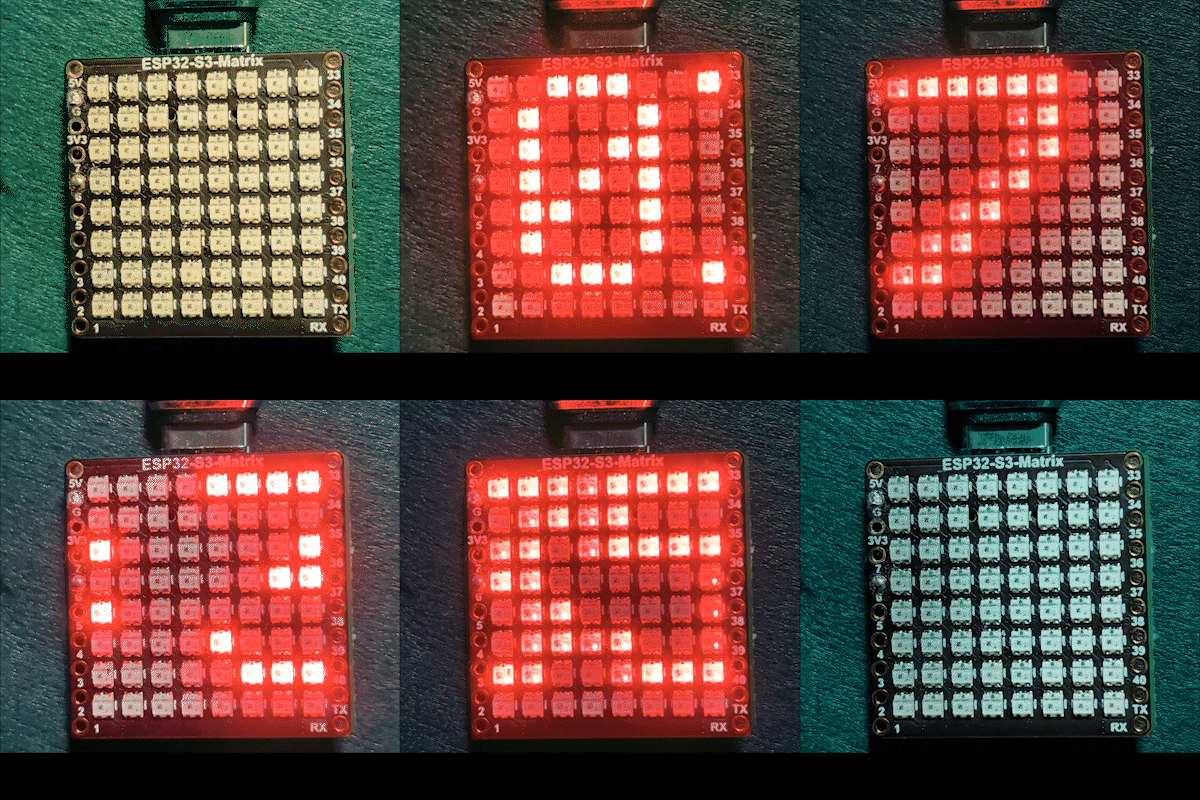
呢個項目將 ESP32-S3 同一個 8×8 RGB NeoMatrix(NeoPixel/WS2812)變成一個微型互聯網時鐘。ESP32 連接 Wi-Fi,從 NTP 伺服器同步本地時間,然後將時間以 HH:MM 格式滾動顯示喺 8×8 顯示屏上。

運作原理(高層次)
1) ESP32-S3 使用 <WiFi.h> 連接你嘅路由器。
2) 佢使用 "time.h" 同 configTime() 從 NTP 伺服器同步時間。
3) 時間格式化為 HH:MM 並存入一個小型文字緩衝區。
4) NeoMatrix 渲染文字並將佢滾動顯示喺 8×8 面板上。
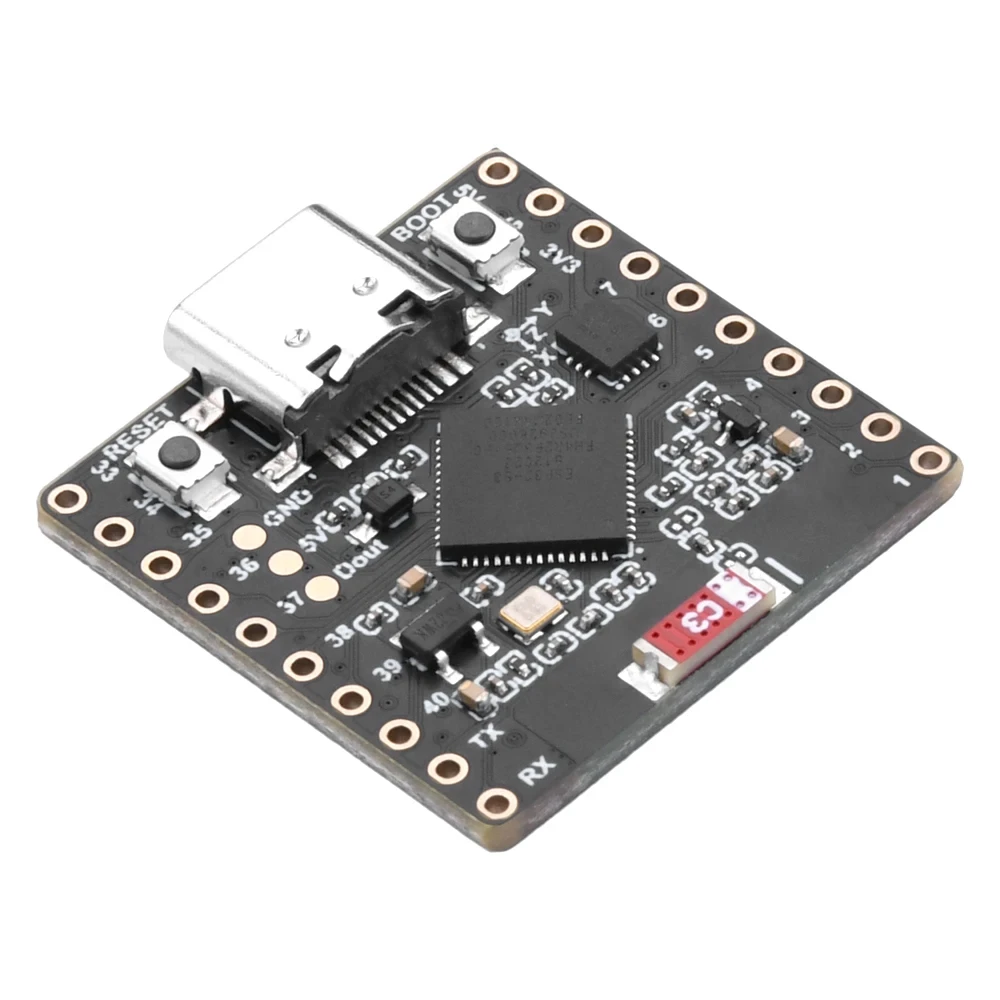
RGB 顏色
時鐘文字顏色使用 RGB(紅、綠、藍)值控制,每個顏色通道範圍由 0 到 255,唔同組合會喺 NeoMatrix 上產生唔同顏色。通過調整 color_RED、color_GREEN 同 color_BLUE 變數,你可以輕鬆將時鐘外觀自訂成任何你鍾意嘅顏色。想快速搵到特定顏色嘅確切 RGB 值,你可以使用線上 RGB 顏色選擇器 顏色選擇器。
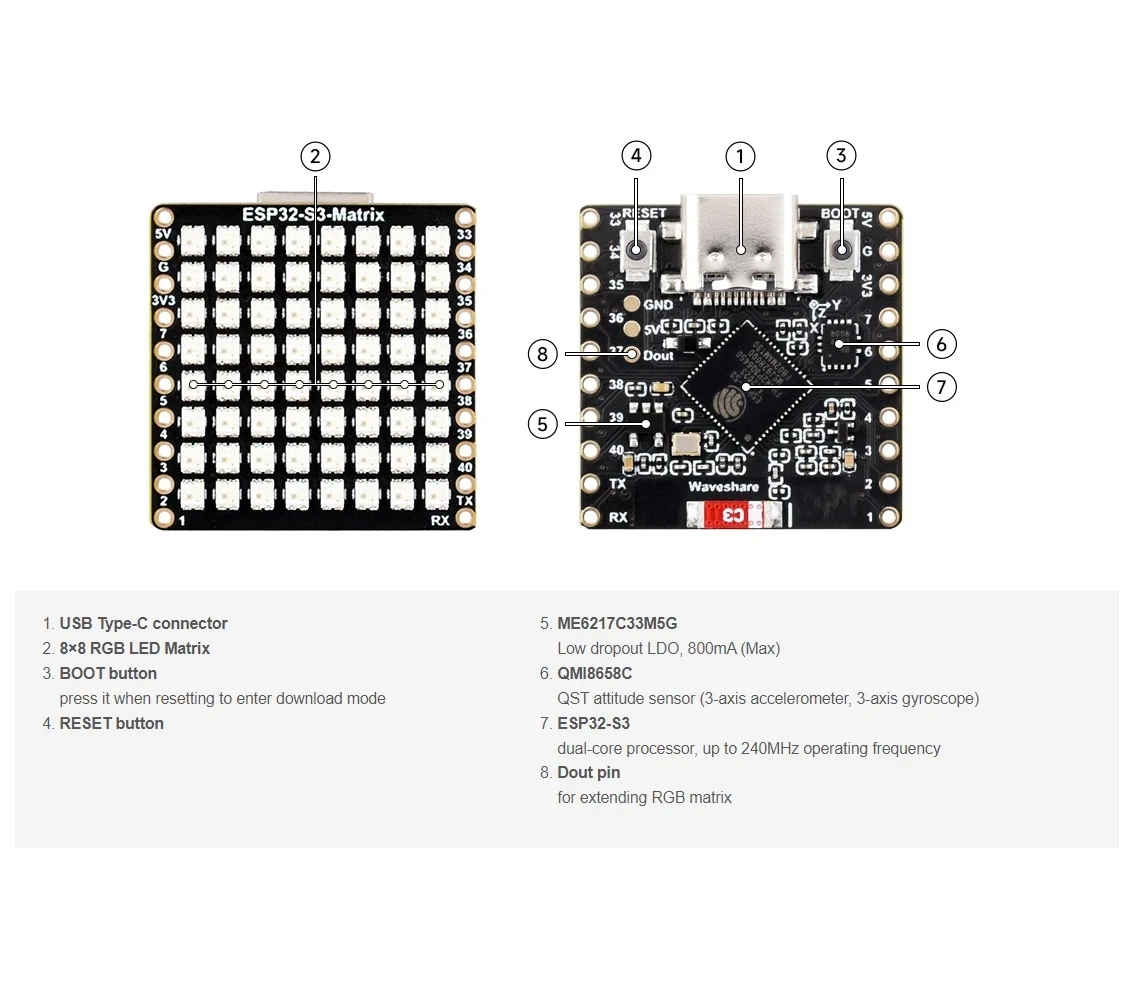
使用嘅程式庫
以下 include 語句清楚話俾你知呢個草稿依賴啲乜:

#include <WiFi.h>
#include "time.h"
#include <Adafruit_GFX.h>
#include <Adafruit_NeoMatrix.h>
#include <Adafruit_NeoPixel.h>
使用 Arduino Library Manager 安裝 Adafruit NeoMatrix。佢亦會自動拉入所需嘅依賴程式庫,例如 Adafruit GFX Library 同 Adafruit NeoPixel。
你一定要修改嘅重要用戶設定
1) 文字顏色(RGB)
使用 0–255 數值設定你嘅時鐘文字顏色:
//設定顯示顏色,由紅、綠、藍組成
unsigned int color_RED = 17;
unsigned int color_GREEN = 43;
unsigned int color_BLUE = 171;
呢啲數值喺呢度使用:
matrix.setTextColor(matrix.Color(color_RED, color_GREEN, color_BLUE));注意:如果你將所有顏色設為 0(黑色),文字會變成隱形。草稿包含一個安全檢查:
//如果用戶將所有顏色設為 0,顯示屏會關閉,所以設為綠色
if (color_RED == 0 && color_GREEN == 0 && color_BLUE == 0) {
  color_GREEN = 200;
}
咁樣確保矩陣唔會因為隱形顏色設定而睇落好似「死咗」。
2) Wi-Fi SSID 同密碼
將呢啲替換成你真正嘅 Wi-Fi 名稱同密碼:
const char* WIFI_SSID     = "WiFi";
const char* WIFI_PASSWORD = "passW0rd";
啟動期間,ESP32 會喺 Serial Monitor 打印連接進度,並喺大約 15 秒後超時(30 次重試 × 500ms)。
3) NTP 伺服器
預設 NTP 伺服器係:
const char* ntpServer = "pool.ntp.org";你可以保持原樣。如果你將來想用本地伺服器,將主機名替換成你偏好嘅 NTP 伺服器。
4) 時區偏移同夏令時間偏移
呢兩個設定控制本地時間:
//多倫多附近:UTC-5,加 1 小時夏令時間
const long  gmtOffset_sec      = -5 * 3600;  // -5 小時
const int   daylightOffset_sec = 3600;       // +1 小時夏令時間
點樣設定佢哋:
gmtOffset_sec= (UTC 偏移小時)× 3600。例如:UTC-5 →-5*3600,UTC+2 →2*3600。daylightOffset_sec= 如果你唔想調整夏令時間就設為0,或者如果你嘅地區目前實行夏令時間(+1 小時)就設為3600。
呢啲喺呢度應用:
configTime(gmtOffset_sec, daylightOffset_sec, ntpServer);顯示設定
矩陣數據引腳
數據引腳喺呢度定義:
#define MATRIX_PIN 14如果你嘅接線使用唔同嘅 GPIO,將呢個數字改為對應嘅引腳。
NeoMatrix 佈局 + 顏色順序
你嘅矩陣係咁初始化:
Adafruit_NeoMatrix matrix(8, 8, MATRIX_PIN,
  NEO_MATRIX_TOP    + NEO_MATRIX_LEFT +
  NEO_MATRIX_ROWS   + NEO_MATRIX_PROGRESSIVE,
  NEO_RGB           + NEO_KHZ800);
顯示睇落「唔啱」嘅兩個常見原因:
- 旋轉 / 接線方向:如果文字倒轉或者鏡像,調整
NEO_MATRIX_*旗標(TOP/BOTTOM、LEFT/RIGHT、ROWS/COLUMNS、PROGRESSIVE/ZIGZAG)。 - 顏色順序:呢個代碼使用
NEO_RGB。有啲面板係NEO_GRB。如果紅/綠/藍唔對應,將NEO_RGB改為正確嘅順序。
亮度
亮度喺 initMatrix() 入面設定:
matrix.setBrightness(40);調高可以令顯示更光,調低可以減少發熱同耗電。
時間點樣生成為 HH:MM
時鐘將格式化嘅時間存入一個 6 字符緩衝區:
char timeText[6] = "00:00";然後updateTimeText()會讀取NTP同步嘅本地時間,再寫入文字:
// 格式 HH:MM
snprintf(timeText, sizeof(timeText), "%02d:%02d",
         timeinfo.tm_hour,
         timeinfo.tm_min);
呢個喺主迴圈入面每秒更新一次。
喺8×8顯示屏上點樣捲動
一個8×8矩陣太窄,冇辦法一次過顯示HH:MM,所以程式會捲動文字。佢用一個不斷改變嘅X位置(scrollX)畫出時間,然後每次更新向左移一個像素。
int16_t scrollX = 8;
const uint16_t scrollIntervalMs = 120;
每一步捲動:
matrix.fillScreen(0);
matrix.setCursor(scrollX, 0);
matrix.print(timeText);
matrix.show();
scrollX--;
當文字完全離開左邊,程式會將佢重置,由右邊邊緣重新開始:
int16_t textWidth = 30;
if (scrollX < -textWidth) {
  scrollX = matrix.width();
}
序列監視器輸出(除錯)
呢個程式會印出有用嘅訊息:
- Wi-Fi連接進度同IP地址
- 時間同步係咪成功
- 格式化嘅時間字串(例如
Time text: 14:32)
如果顯示屏空白,序列監視器係第一個要檢查嘅地方,去確認Wi-Fi同NTP係咪正常運作。
項目示範
上傳同重置之後:
- ESP32連接Wi-Fi
- 由
pool.ntp.org同步時間 - 喺矩陣上短暫顯示
OK - 持續捲動顯示當前時間,格式係
HH:MM
下載同連結
完整程式碼喺呢篇文章下面提供。零件、工具同數據手冊亦都喺呢篇文章下面有連結。
圖片
This tutorial is part of: ESP32-S3 RGB LED 点阵
- ESP32-S3 RGB LED矩陣項目1-基本點
- ESP32-S3 RGB LED矩陣項目2 - 滾動文字
- ESP32-S3 RGB LED矩陣項目3 - 手機文字
- ESP32-S3 RGB LED矩陣項目 4 - 傾斜點
- ESP32-S3 RGB LED矩陣項目5 - 箭嘴永遠向上
- ESP32-S3 RGB LED矩陣項目6 - Cible遊戲
- ESP32-S3 RGB LED矩陣網絡時鐘項目 - 2個時鐘多色時間及日期顯示
- ESP32-S3 RGB LED矩陣互聯網時鐘項目 - 3種夜間顏色連日期
- ESP32-S3 RGB LED矩陣網絡時鐘項目 - 5 彩虹色
- ESP32-S3 RGB LED矩陣網絡時鐘項目 - 4種隨機顏色
- ESP32-S3 RGB LED Matrix test for RGB, GRB setting
/*
This is ESP32 sketch that connects to the internet, gets the time and displays it on the RGB matrix
you must set your WiFi correctly to make sure it gets connected.
 watch video https://youtube.com/shorts/4iWjLiD7fS8
 📚⬇️ Download and resource page https://robojax.com/RJT838
 * Author:  Ahmad Shamshiri (Robojax.com)
 * Date: 07 Jan 2026
www.Robojax.com
https://youTube.com/@robojax


*/
#include <WiFi.h>
#include "time.h"
#include <Adafruit_GFX.h>
#include <Adafruit_NeoMatrix.h>
#include <Adafruit_NeoPixel.h>

//set the color of diplay make of Red, Green and Blue
unsigned int color_RED = 17;
unsigned int color_GREEN = 43;
unsigned int color_BLUE = 171;

// 👇 REPLACE these with your real home WiFi name & password
const char* WIFI_SSID     = "WiFi";
const char* WIFI_PASSWORD = "passW0rd";


#define MATRIX_PIN 14

Adafruit_NeoMatrix matrix(8, 8, MATRIX_PIN,
  NEO_MATRIX_TOP    + NEO_MATRIX_LEFT +
  NEO_MATRIX_ROWS   + NEO_MATRIX_PROGRESSIVE,
  NEO_RGB           + NEO_KHZ800);

char timeText[6] = "00:00";
int16_t scrollX = 8;
unsigned long lastScrollMs = 0;
const uint16_t scrollIntervalMs = 120;

unsigned long lastTimeUpdateMs = 0;
const uint16_t timeUpdateIntervalMs = 1000;

//prototypes
bool updateTimeText();  // forward declaration
void scrollTime();      // forward declaration


// NTP (time) server
const char* ntpServer = "pool.ntp.org";

// Toronto-ish: UTC-5, plus 1 hour DST
const long  gmtOffset_sec     = -5 * 3600;  // -5 hours
const int   daylightOffset_sec = 3600;      // +1 hour for DST


bool updateTimeText() {
  struct tm timeinfo;
  if (!getLocalTime(&timeinfo)) {
    Serial.println("Failed to obtain time for display");
    return false;
  }

  // Format HH:MM
  snprintf(timeText, sizeof(timeText), "%02d:%02d",
           timeinfo.tm_hour,
           timeinfo.tm_min);

  Serial.print("Time text: ");
  Serial.println(timeText);
  return true;
}

void scrollTime() {
  matrix.fillScreen(0);
  matrix.setCursor(scrollX, 0);
  matrix.print(timeText);
  matrix.show();

  scrollX--;

  // Rough width: 5 characters ("HH:MM") × 6 pixels each ≈ 30 px
  int16_t textWidth = 30;
  if (scrollX < -textWidth) {
    scrollX = matrix.width();  // reset to right edge (8)
  }
}


void initMatrix() {
  matrix.begin();
  matrix.setBrightness(40);        // be careful with heat
  matrix.setTextWrap(false);
  matrix.setTextColor(matrix.Color(color_RED, color_GREEN, color_BLUE)); // color of text
}

void showMessage(const char* msg) {
  matrix.fillScreen(0);
  matrix.setCursor(0, 0);  // top-left
  matrix.print(msg);
  matrix.show();
}


void printLocalTime() {
  struct tm timeinfo;
  if (!getLocalTime(&timeinfo)) {
    Serial.println("Failed to obtain time");
    return;
  }
  // Format: 2025-11-18 14:35:12
  Serial.printf("%04d-%02d-%02d %02d:%02d:%02d\n",
                timeinfo.tm_year + 1900,
                timeinfo.tm_mon + 1,
                timeinfo.tm_mday,
                timeinfo.tm_hour,
                timeinfo.tm_min,
                timeinfo.tm_sec);
}

void setup() {
  Serial.begin(115200);
  delay(1000);
  Serial.println();
  Serial.println("ESP32-S3 Internet Clock - WiFi + NTP test");

  // Connect to WiFi
  Serial.print("Connecting to WiFi: ");
  Serial.println(WIFI_SSID);
  WiFi.mode(WIFI_STA);
  WiFi.begin(WIFI_SSID, WIFI_PASSWORD);

  int retries = 0;
  while (WiFi.status() != WL_CONNECTED && retries < 30) { // ~15s timeout
    delay(500);
    Serial.print(".");
    retries++;
  }
  Serial.println();

  if (WiFi.status() != WL_CONNECTED) {
    Serial.println("WiFi connection FAILED");
  } else {
    Serial.print("WiFi connected. IP: ");
    Serial.println(WiFi.localIP());
  }

// if user set all colors to 0, the dispaly will be turned off so set it green
  if(color_RED ==0 & color_GREEN ==0 && color_BLUE ==0)
  {
    color_GREEN = 200;
  }

  // Configure time via NTP
  configTime(gmtOffset_sec, daylightOffset_sec, ntpServer);
  Serial.println("Waiting for time...");
  delay(2000); // small wait for initial sync

  printLocalTime(); // print once at startup

    // NEW: init the LED matrix and show a test message
  initMatrix();
  showMessage("OK");
}

void loop() {
  unsigned long now = millis();

  // Update the time string "HH:MM" once per second
  if (now - lastTimeUpdateMs >= timeUpdateIntervalMs) {
    lastTimeUpdateMs = now;
    updateTimeText();  // fills timeText[], e.g. "14:32"
  }

  // Scroll the time across the 8×8 every scrollIntervalMs
  if (now - lastScrollMs >= scrollIntervalMs) {
    lastScrollMs = now;
    scrollTime();      // uses timeText and scrollX
  }
}
你可能需要嘅嘢
-
亞馬遜
-
易贝
-
阿里巴巴速卖通Purchase ESP32-S3 RGB Matrix from AliExpresss.click.aliexpress.com
-
阿里巴巴速卖通Purchase ESP32-S3 RGB Matrix from AliExpress (2)s.click.aliexpress.com
資源與參考資料
-
視頻
文件📁
Fritzing 文件
-
esp32-S3-supermini-tht fritzing part
esp32-S3-supermini-tht.fzpz0.02 MB