This tutorial is part of: ESP32-S3 Matrice ya LED RGB
Projet cool pona ko créer pona ba applications ya esengo pe ya pratique en utilisant module ESP32-S3 RGB Matrix. Ba liens ya ba vidéos misusu ezali na se ya article oyo.
Mokano ya ESP32-S3 RGB LED Matrix Wi-Fi + NTP Time Clock -1 Saa ya Liboso
Monganga ya Ngonga ya Internet ya ESP32-S3 na 8×8 NeoMatrix (Wi-Fi + NTP Time)
Projɛ́ oyo ebongoli ESP32-S3 mpe 8×8 RGB NeoMatrix (NeoPixel/WS2812) na monganga ya ngonga ya Internet moke. ESP32 akangami na Wi-Fi, asynchronise ngonga ya mboka longwa na serveur NTP, na nsima akotisa ngonga lokola HH:MM na kati ya display ya 8×8.
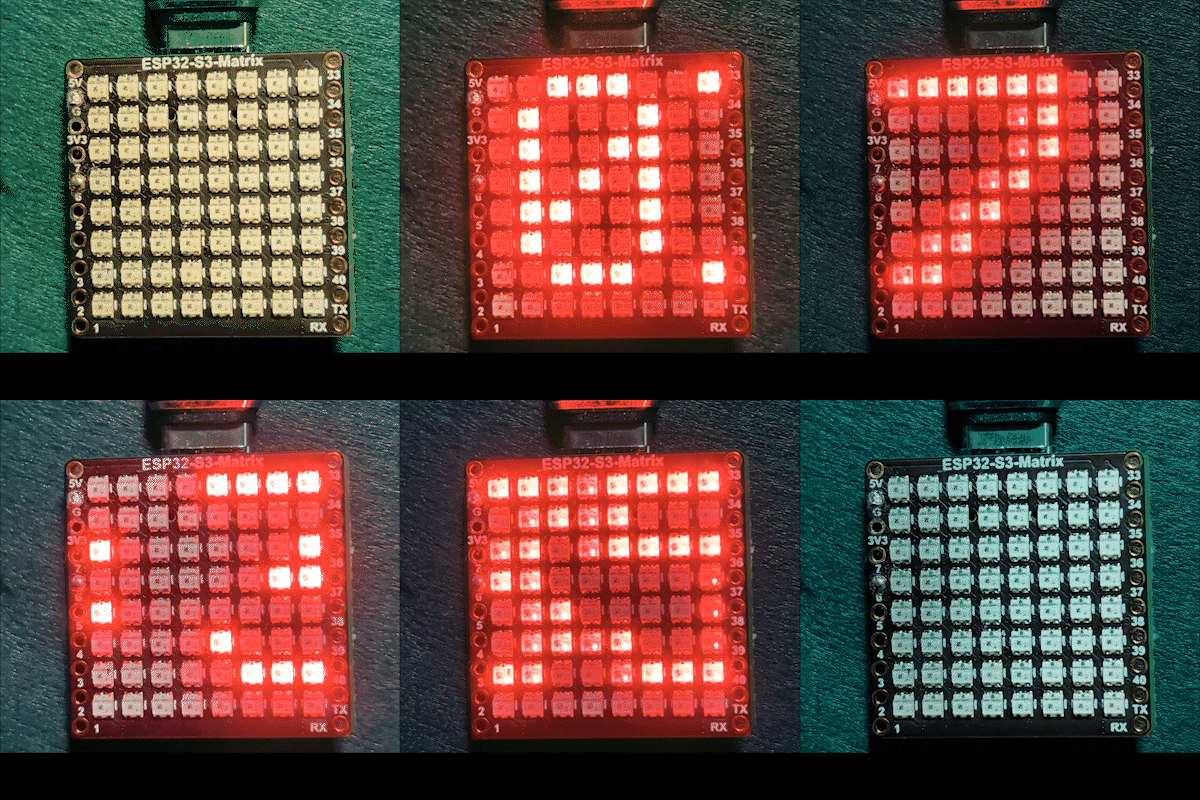

Ndenge esalaka (na likolo)
1) ESP32-S3 akangami na routeur na yo na kosalela <WiFi.h>.
2) Esynchronise ngonga longwa na serveur NTP na kosalela "time.h" mpe configTime().
3) Ngonga ebongisami lokola HH:MM mpe ebombami na kati ya tampon ya maloba moke.
4) NeoMatrix epesaka maloba mpe ekotisa yango na kati ya panneau ya 8×8.
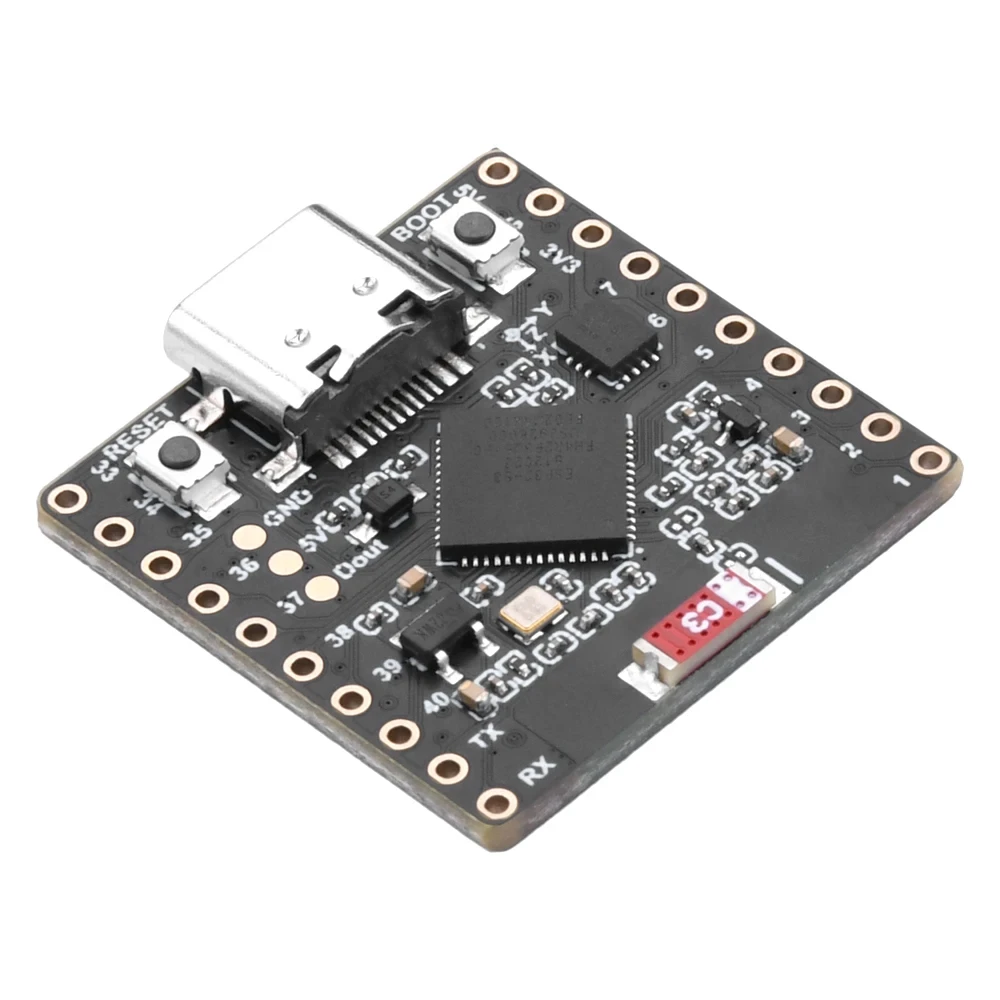
Langi ya RGB
Langi ya maloba ya monganga ya ngonga ezwamaka na kosalela mitindo ya RGB (Red, Green, Blue), epai nyonso ya langi ezali kowuta na 0 kino 255 mpe bosangani bwa ndenge na ndenge esalaka langi ndenge na ndenge na NeoMatrix. Na kobongola ba variables color_RED, color_GREEN, mpe color_BLUE, okoki kobongola mbala moko elongi ya monganga ya ngonga na langi nyonso oyo olingi. Mpo na kozwa mbala moko mitindo ya RGB ya solo mpo na langi moko, okoki kosalela Picker ya Langi ya RGB na Internet Color Picker .
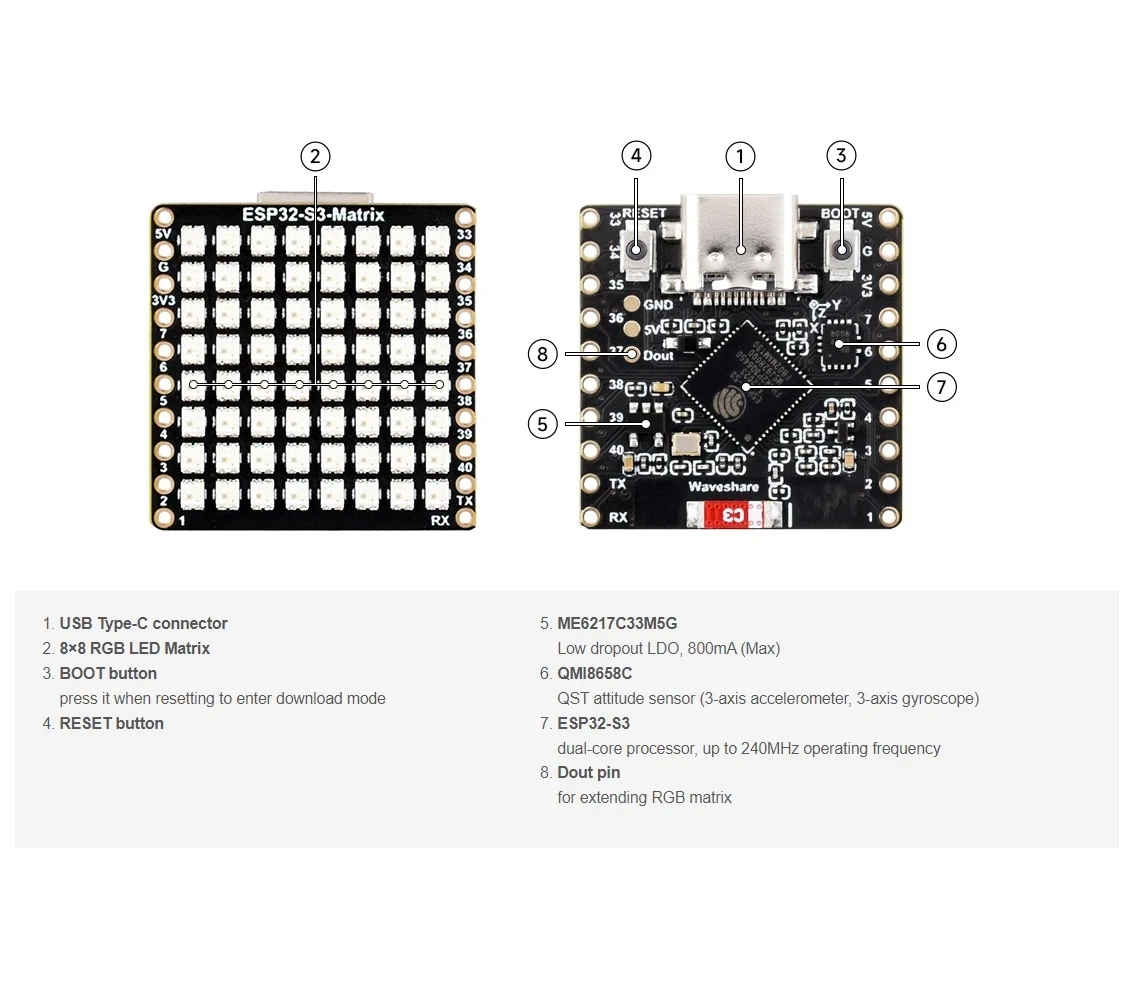
Ba bibliothèque oyo esalelami
Ba inclusions oyo elobaka malamu makambo nyonso oyo sketch esengaka:

#include <WiFi.h>
#include "time.h"
#include <Adafruit_GFX.h>
#include <Adafruit_NeoMatrix.h>
#include <Adafruit_NeoPixel.h>
Tiya Adafruit NeoMatrix na kosalela Arduino Library Manager. Ekobenda mpe ba dépendances oyo esengami lokola Adafruit GFX Library mpe Adafruit NeoPixel.
Ba réglages ya utilisateur ya ntina oyo OSENGI kobongola
1) Langi ya maloba (RGB)
Pona langi ya maloba ya monganga ya ngonga na yo na kosalela mitindo ya 0–255:
//pona langi ya display oyo esalemi na Red, Green mpe Blue
unsigned int color_RED = 17;
unsigned int color_GREEN = 43;
unsigned int color_BLUE = 171;
Ba valeurs oyo esalelami awa:
matrix.setTextColor(matrix.Color(color_RED, color_GREEN, color_BLUE));Ntoki: Soki otiaki ba langi nyonso na 0 (noir), maloba ekomi komonana te. Sketch ezali na vérification ya sécurité:
// soki utilisateur atiaki ba langi nyonso na 0, display ekobongolama mpe esengeli kozala vert
if (color_RED == 0 && color_GREEN == 0 && color_BLUE == 0) {
  color_GREEN = 200;
}
Oyo esalaka ete matrix ekotikala komonana te lokola “ekufi” mpo na réglage ya langi oyo emonanaka te.
2) Wi-Fi SSID mpe mot de passe
Bongola oyo na nkombo ya Wi-Fi na yo mpe mot de passe ya solo:
const char* WIFI_SSID     = "WiFi";
const char* WIFI_PASSWORD = "passW0rd";
Na ebandeli, ESP32 epesaka makambo ya kokangama na Serial Monitor mpe esilisaka nsima ya secondes 15 (ba essais 30 × 500ms).
3) Serveur NTP
Serveur NTP ya libela ezali:
const char* ntpServer = "pool.ntp.org";Okoki kotika yango ndenge ezali. Soki olingi kosalela serveur ya mboka, bongola hostname na serveur NTP oyo olingi.
4) Décalage ya zone ya ngonga mpe décalage ya ngonga ya moi
Ba réglages mibale oyo ekolaka ngonga ya mboka:
// Toronto-ish: UTC-5, plus 1 heure DST
const long  gmtOffset_sec      = -5 * 3600;  // -5 heures
const int   daylightOffset_sec = 3600;       // +1 heure mpo na DST
Ndenge ya kotia yango:
gmtOffset_sec= (ba heures ya décalage UTC) × 3600. Ndakisa: UTC-5 →-5*3600, UTC+2 →2*3600.daylightOffset_sec=0soki olingi te ete DST ebongola, to3600soki région na yo ezali sik’oyo na DST (+1 heure).
Oyo esalelami awa:
configTime(gmtOffset_sec, daylightOffset_sec, ntpServer);Configuration ya display
Pin ya ba données ya matrix
Pin ya ba données ezwami awa:
#define MATRIX_PIN 14Soki ba connexions na yo esaleli GPIO mosusu, bongola motango oyo mpo na kokokana.
Mokano ya NeoMatrix + ordre ya ba langi
Matrix na yo ebandisami boye:
Adafruit_NeoMatrix matrix(8, 8, MATRIX_PIN,
  NEO_MATRIX_TOP    + NEO_MATRIX_LEFT +
  NEO_MATRIX_ROWS   + NEO_MATRIX_PROGRESSIVE,
  NEO_RGB           + NEO_KHZ800);
Ba ntina mibale ya mbala na mbala oyo display emonanaka “mabe”:
- Rotation / direction ya ba connexions: Soki maloba emonanaka na likolo na nsé to emirroré, bongola ba flags
NEO_MATRIX_*(TOP/BOTTOM, LEFT/RIGHT, ROWS/COLUMNS, PROGRESSIVE/ZIGZAG). - Ordre ya ba langi: Code oyo esaleli
NEO_RGB. Ba panneaux mosusu ezaliNEO_GRB. Soki rouge/vert/bleu ekokani te, bongolaNEO_RGBna ordre ya solo.
Bongengi
Bongengi ezwami na initMatrix():
matrix.setBrightness(40);Matisa yango mpo na display oyo engengi mingi, kitisa mpo na kokitisa moto mpe ba watts oyo esalelami.
Ndenge ngonga esalemaka lokola HH:MM
Monganga ya ngonga ebombaka ngonga oyo ebongisami na tampon ya ba caractères 6:
mokanda ya ngonga[6] = "00:00";Na sima mokolo ya ngonga() etangaka ngonga ya libota oyo esangani na NTP mpe ekomaka mokanda:
// Format HH:MM
snprintf(mokanda ya ngonga, sizeof(mokanda ya ngonga), "%02d:%02d",
         timeinfo.tm_hour,
         timeinfo.tm_min);
Ekomisamaka mbala moko na seconde na boucle ya liboso.
Ndenge bokendele na elilingi ya 8×8
Matrice ya 8×8 ezali moke mingi mpo na kolakisa HH:MM na mbala moko, yango wana sketch engengisaka mokanda. Ekomaka ngonga na esika ya X oyo ebongwanaka (scrollX), na sima ememaka yango na loboko ya gauche na pixel moko na mbala na mbala ya mise à jour.
int16_t scrollX = 8;
const uint16_t scrollIntervalMs = 120;
Ntango nyonso ya bokendele:
matrix.fillScreen(0);
matrix.setCursor(scrollX, 0);
matrix.print(mokanda ya ngonga);
matrix.show();
scrollX--;
Ntango mokanda esili kobima na loboko ya gauche, code ezongisaka yango mpo na kobanda lisusu na loboko ya droite:
int16_t textWidth = 30;
if (scrollX < -textWidth) {
  scrollX = matrix.width();
}
Bilakisi ya Serial Monitor (kotalela mabe)
Sketch oyo ekomaka makambo ya ntina:
- Ndenge Wi-Fi ezali kokende mpe adresi ya IP
- Soki ngonga esangani malamu
- Mokanda ya ngonga oyo ebongisami (ndakisa,
Mokanda ya ngonga: 14:32)
Soki elilingi ezali polele, Serial Monitor nde esika ya liboso ya kotala mpo na kondima soki Wi-Fi mpe NTP ezali kosala.
Bilakisi ya projɛ
Na sima ya kotombola mpe kozongisa:
- ESP32 ekangami na Wi-Fi
- Esangisaka ngonga na
pool.ntp.org - Elakisaka
OKmwa moke na matrice - Engengisaka ngonga ya sika lokola
HH:MMna bokendele
Bokitisi mpe ba liens
Code mobimba ekomami na nse ya lisolo oyo. Baparti, bibundeli, mpe ba datasheets mpe bakangami na nse ya lisolo oyo.
Images
This tutorial is part of: ESP32-S3 Matrice ya LED RGB
- Projet ESP32-S3 Matrice LED RVB 1- Point de base
- Projet ESP32-S3 Matrice LED RVB 2 - Texte défilant
- Mokano ya ESP32-S3 RGB LED Matrix Projɛ́ 3 - Mokanda na phone ya mbɔ́kɔ
- ESP32-S3 RGB LED Matrix Project 4 - Tilt dot
- Projet ESP32-S3 Matrice LED RVB 5 - Flèche toujours vers le haut
- Projet ESP32-S3 Matrice LED RVB 6 - Jeu Cible
- Projet Horloge Internet à Matrice LED RGB ESP32-S3 - Affichage de l'Heure et de la Date en 2 Horloges Multicolores
- Projet ya Saa ya Intanɛti ya ESP32-S3 RGB LED Matrix - 3 Langi ya Butú elongo na Mokolo
- Projet ya Monganga ya Internet ya ESP32-S3 RGB LED Matrix - 5 Loni ya Rainbow
- Mosala ya ESP32-S3 RGB LED Matrix Internet Clock - Loni ya balabala ya 4
- ESP32-S3 RGB LED Matrix test for RGB, GRB setting
/*
This is ESP32 sketch that connects to the internet, gets the time and displays it on the RGB matrix
you must set your WiFi correctly to make sure it gets connected.
 watch video https://youtube.com/shorts/4iWjLiD7fS8
 📚⬇️ Download and resource page https://robojax.com/RJT838
 * Author:  Ahmad Shamshiri (Robojax.com)
 * Date: 07 Jan 2026
www.Robojax.com
https://youTube.com/@robojax


*/
#include <WiFi.h>
#include "time.h"
#include <Adafruit_GFX.h>
#include <Adafruit_NeoMatrix.h>
#include <Adafruit_NeoPixel.h>

//set the color of diplay make of Red, Green and Blue
unsigned int color_RED = 17;
unsigned int color_GREEN = 43;
unsigned int color_BLUE = 171;

// 👇 REPLACE these with your real home WiFi name & password
const char* WIFI_SSID     = "WiFi";
const char* WIFI_PASSWORD = "passW0rd";


#define MATRIX_PIN 14

Adafruit_NeoMatrix matrix(8, 8, MATRIX_PIN,
  NEO_MATRIX_TOP    + NEO_MATRIX_LEFT +
  NEO_MATRIX_ROWS   + NEO_MATRIX_PROGRESSIVE,
  NEO_RGB           + NEO_KHZ800);

char timeText[6] = "00:00";
int16_t scrollX = 8;
unsigned long lastScrollMs = 0;
const uint16_t scrollIntervalMs = 120;

unsigned long lastTimeUpdateMs = 0;
const uint16_t timeUpdateIntervalMs = 1000;

//prototypes
bool updateTimeText();  // forward declaration
void scrollTime();      // forward declaration


// NTP (time) server
const char* ntpServer = "pool.ntp.org";

// Toronto-ish: UTC-5, plus 1 hour DST
const long  gmtOffset_sec     = -5 * 3600;  // -5 hours
const int   daylightOffset_sec = 3600;      // +1 hour for DST


bool updateTimeText() {
  struct tm timeinfo;
  if (!getLocalTime(&timeinfo)) {
    Serial.println("Failed to obtain time for display");
    return false;
  }

  // Format HH:MM
  snprintf(timeText, sizeof(timeText), "%02d:%02d",
           timeinfo.tm_hour,
           timeinfo.tm_min);

  Serial.print("Time text: ");
  Serial.println(timeText);
  return true;
}

void scrollTime() {
  matrix.fillScreen(0);
  matrix.setCursor(scrollX, 0);
  matrix.print(timeText);
  matrix.show();

  scrollX--;

  // Rough width: 5 characters ("HH:MM") × 6 pixels each ≈ 30 px
  int16_t textWidth = 30;
  if (scrollX < -textWidth) {
    scrollX = matrix.width();  // reset to right edge (8)
  }
}


void initMatrix() {
  matrix.begin();
  matrix.setBrightness(40);        // be careful with heat
  matrix.setTextWrap(false);
  matrix.setTextColor(matrix.Color(color_RED, color_GREEN, color_BLUE)); // color of text
}

void showMessage(const char* msg) {
  matrix.fillScreen(0);
  matrix.setCursor(0, 0);  // top-left
  matrix.print(msg);
  matrix.show();
}


void printLocalTime() {
  struct tm timeinfo;
  if (!getLocalTime(&timeinfo)) {
    Serial.println("Failed to obtain time");
    return;
  }
  // Format: 2025-11-18 14:35:12
  Serial.printf("%04d-%02d-%02d %02d:%02d:%02d\n",
                timeinfo.tm_year + 1900,
                timeinfo.tm_mon + 1,
                timeinfo.tm_mday,
                timeinfo.tm_hour,
                timeinfo.tm_min,
                timeinfo.tm_sec);
}

void setup() {
  Serial.begin(115200);
  delay(1000);
  Serial.println();
  Serial.println("ESP32-S3 Internet Clock - WiFi + NTP test");

  // Connect to WiFi
  Serial.print("Connecting to WiFi: ");
  Serial.println(WIFI_SSID);
  WiFi.mode(WIFI_STA);
  WiFi.begin(WIFI_SSID, WIFI_PASSWORD);

  int retries = 0;
  while (WiFi.status() != WL_CONNECTED && retries < 30) { // ~15s timeout
    delay(500);
    Serial.print(".");
    retries++;
  }
  Serial.println();

  if (WiFi.status() != WL_CONNECTED) {
    Serial.println("WiFi connection FAILED");
  } else {
    Serial.print("WiFi connected. IP: ");
    Serial.println(WiFi.localIP());
  }

// if user set all colors to 0, the dispaly will be turned off so set it green
  if(color_RED ==0 & color_GREEN ==0 && color_BLUE ==0)
  {
    color_GREEN = 200;
  }

  // Configure time via NTP
  configTime(gmtOffset_sec, daylightOffset_sec, ntpServer);
  Serial.println("Waiting for time...");
  delay(2000); // small wait for initial sync

  printLocalTime(); // print once at startup

    // NEW: init the LED matrix and show a test message
  initMatrix();
  showMessage("OK");
}

void loop() {
  unsigned long now = millis();

  // Update the time string "HH:MM" once per second
  if (now - lastTimeUpdateMs >= timeUpdateIntervalMs) {
    lastTimeUpdateMs = now;
    updateTimeText();  // fills timeText[], e.g. "14:32"
  }

  // Scroll the time across the 8×8 every scrollIntervalMs
  if (now - lastScrollMs >= scrollIntervalMs) {
    lastScrollMs = now;
    scrollTime();      // uses timeText and scrollX
  }
}
Nko o na nki.
-
Amazon
-
eBay
-
AliExpressPurchase ESP32-S3 RGB Matrix from AliExpresss.click.aliexpress.com
-
AliExpressPurchase ESP32-S3 RGB Matrix from AliExpress (2)s.click.aliexpress.com
Mokili na bisika
-
Vidéo
Fichiers📁
Fritzing File
-
esp32-S3-supermini-tht fritzing part
esp32-S3-supermini-tht.fzpz0.02 MB