このチュートリアルはの一部です: ESP32-S3 RGB LEDマトリックス
ESP32-S3 RGBマトリックスモジュールを使って、楽しく実用的なアプリケーションを作成するためのクールなプロジェクトです。他のビデオへのリンクはこの記事の下にあります。
ESP32-S3 RGB LEDマトリックス Wi-Fi + NTP時計プロジェクト -1 基本時計
ESP32-S3 インターネットクロック 8×8 NeoMatrix(Wi-Fi + NTP時間)
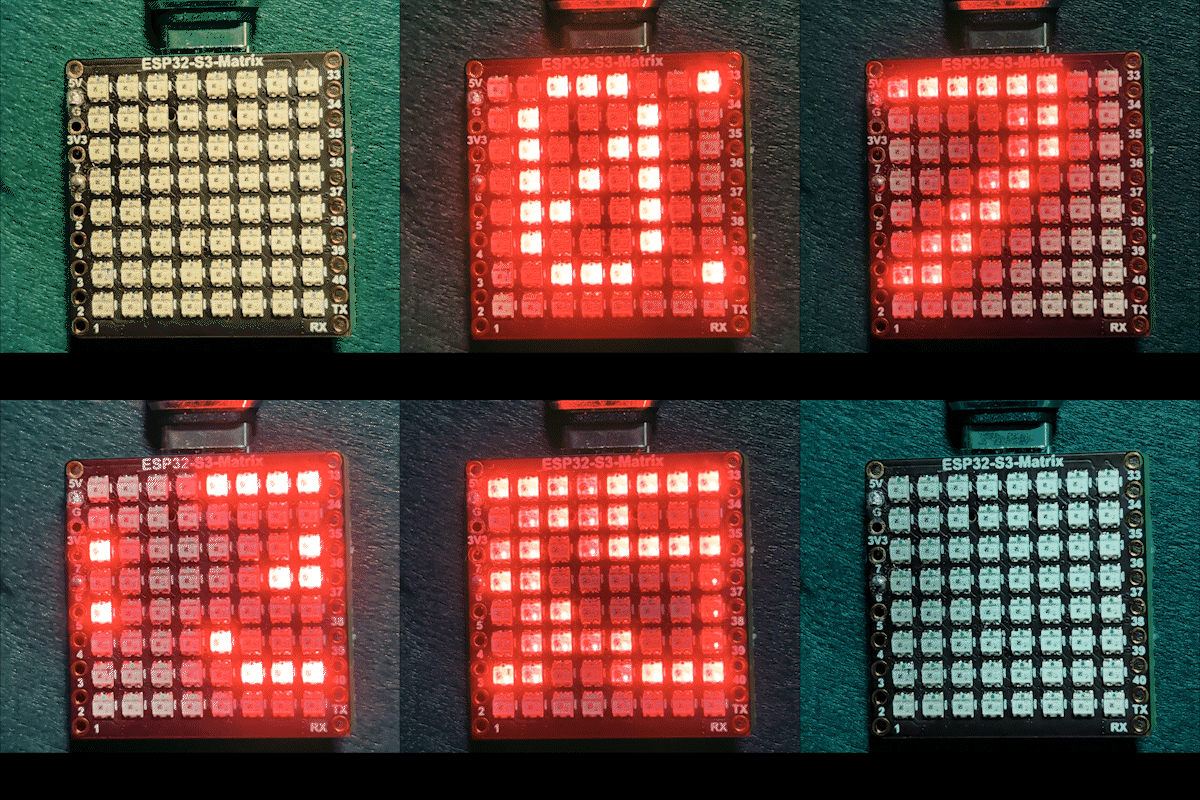
このプロジェクトは、ESP32-S3と8×8 RGB NeoMatrix(NeoPixel/WS2812)を使って、小さなインターネット時計を作ります。ESP32はWi-Fiに接続し、NTPサーバーからローカル時間を同期し、その後時間をスクロール表示します。HH:MM8×8ディスプレイ全体に。

仕組み(高レベル)
1) ESP32-S3はルーターに接続します。<WiFi.h>.
NTPサーバーから時間を同期します。"time.h"とconfigTime().
3) 時刻は次のようにフォーマットされていますHH:MM小さなテキストバッファに保存されました。
ネオマトリックスはテキストを表示し、8×8パネルを横切ってスクロールします。
RGBカラー
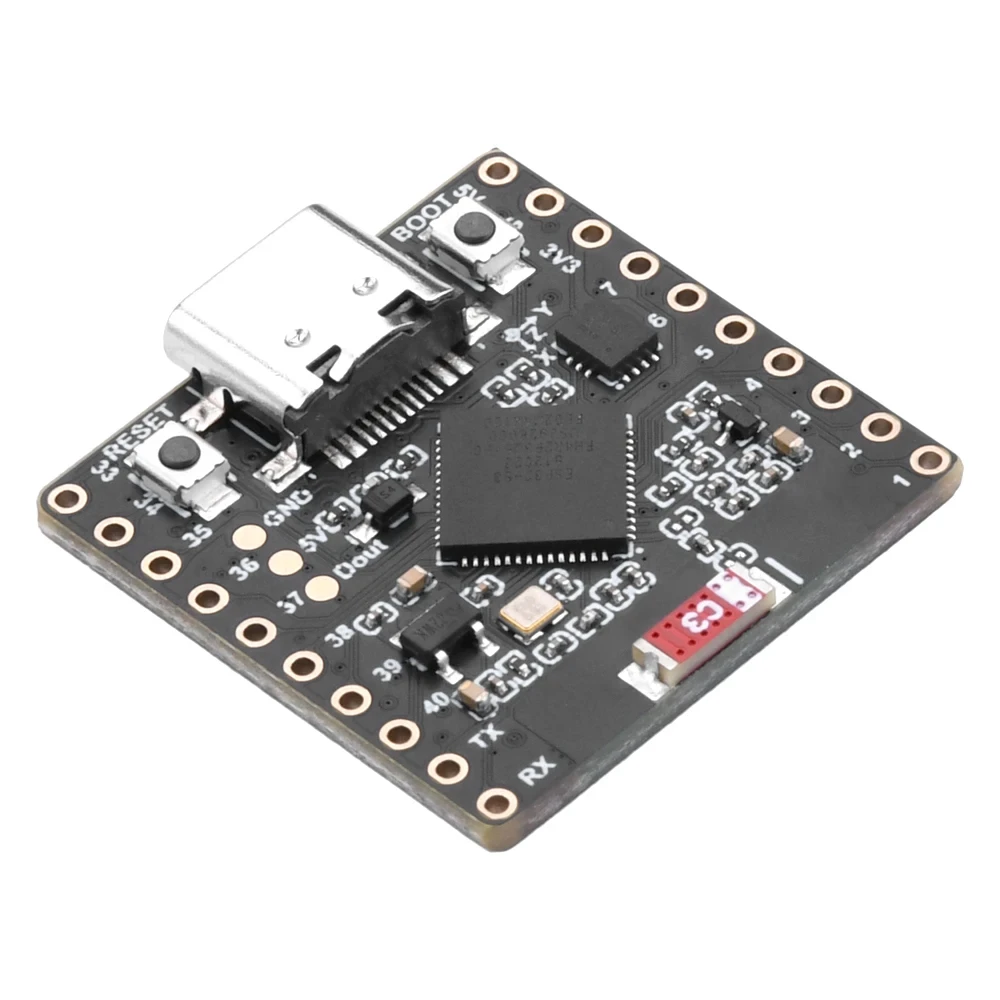
時計のテキストの色は、RGB(赤、緑、青)値を使用して制御されており、各色チャネルは0から255の範囲で、異なる組み合わせがNeoMatrix上で異なる色を作成します。調整することによってcolor_RED,color_GREEN, とcolor_BLUE変数を使用すると、時計の外観をお好みの色に簡単にカスタマイズできます。特定の色の正確なRGB値をすぐに見つけるには、オンラインのRGBカラーピッカーを利用できます。カラー ピッカー.
使用されたライブラリ
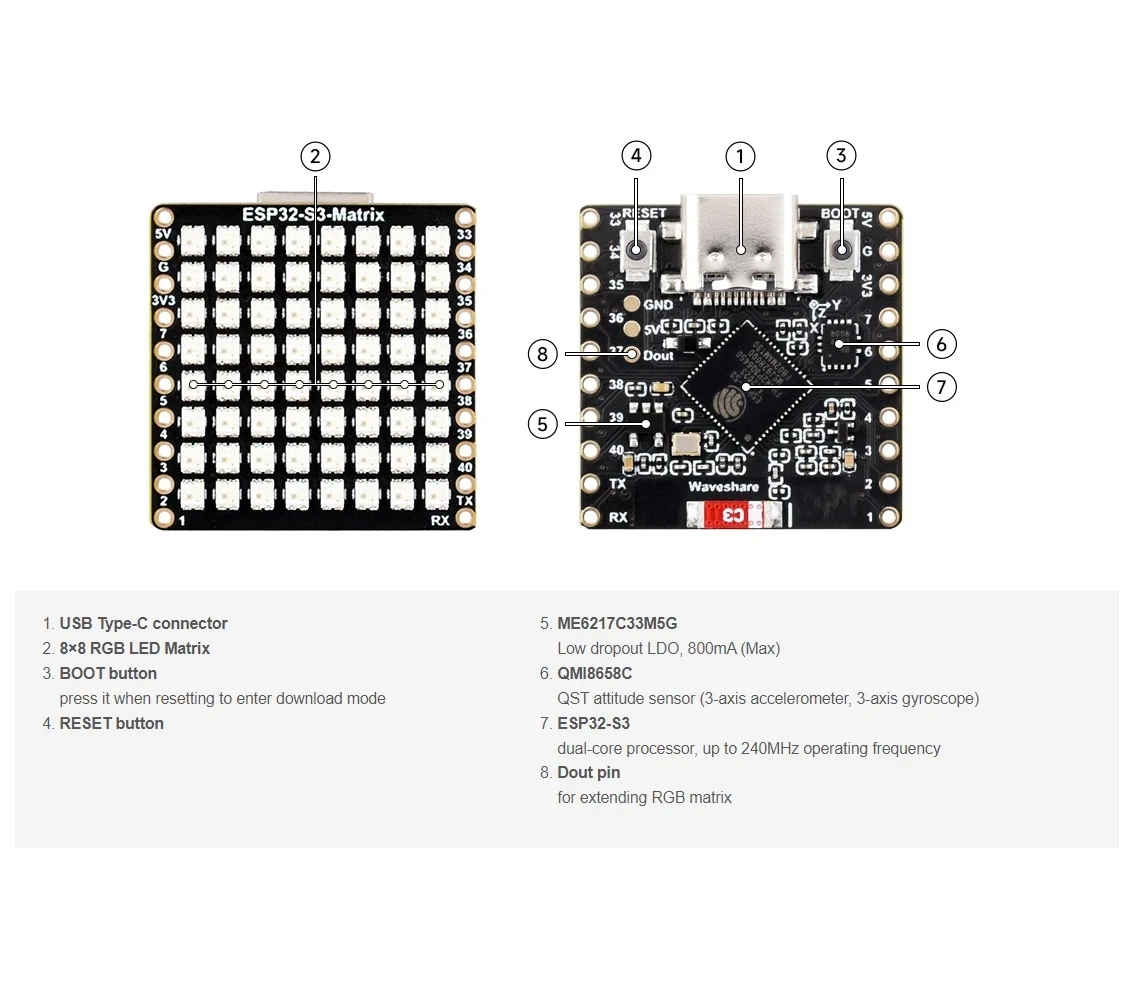
これらは、スケッチが何に依存しているのかを正確に示しています。

#include <WiFi.h>
#include "time.h"
#include <Adafruit_GFX.h>
#include <Adafruit_NeoMatrix.h>
#include <Adafruit_NeoPixel.h>インストールAdafruit ネオマトリックスArduinoライブラリマネージャーを使用します。また、必要な依存関係も引き込まれます。Adafruit GFX LibraryそしてAdafruit NeoPixel.
重要なユーザー設定を必ず編集してください
1) テキストカラー (RGB)
時計のテキストカラーを0-255の値で設定します:
//set the color of display made of Red, Green and Blue
unsigned int color_RED = 17;
unsigned int color_GREEN = 43;
unsigned int color_BLUE = 171;
これらの値はここで使用されます。
matrix.setTextColor(matrix.Color(color_RED, color_GREEN, color_BLUE));ノート:すべての色を0(黒)に設定すると、テキストは見えなくなります。スケッチには安全チェックが含まれています。
// if user set all colors to 0, the display will be turned off so set it green
if (color_RED == 0 && color_GREEN == 0 && color_BLUE == 0) {
  color_GREEN = 200;
}
これにより、見えない色設定によってマトリックスが「死んでいる」ように見えることはありません。
2) Wi-Fi SSIDとパスワード
これを実際のWi-Fi名とパスワードに置き換えてください:
const char* WIFI_SSID     = "WiFi";
const char* WIFI_PASSWORD = "passW0rd";
起動中、ESP32はシリアルモニターに接続進行状況を出力し、約15秒後(30回のリトライ × 500ms)にタイムアウトします。
3) NTPサーバー
デフォルトのNTPサーバーは:
const char* ntpServer = "pool.ntp.org";そのままにしておいても構いません。ローカルサーバーを使用したい場合は、お好みのNTPサーバーにホスト名を置き換えてください。
4) タイムゾーンオフセットと夏時間オフセット
これらの2つの設定はローカル時間を制御します:
// Toronto-ish: UTC-5, plus 1 hour DST
const long  gmtOffset_sec      = -5 * 3600;  // -5 hours
const int   daylightOffset_sec = 3600;       // +1 hour for DST
それらを設定する方法:
gmtOffset_sec= (UTCオフセット時間) × 3600。例: UTC-5 →-5*3600, UTC+2 →2*3600.daylightOffset_sec=0DST調整を希望しない場合、または3600あなたの地域が現在夏時間を適用している場合(+1時間)。
ここに適用されます:
configTime(gmtOffset_sec, daylightOffset_sec, ntpServer);表示設定
マトリックスデータピン
データピンはここで定義されています:
#define MATRIX_PIN 14もしあなたの配線が異なるGPIOを使用している場合は、この番号を一致するように変更してください。
NeoMatrixレイアウト + カラーオーダー
あなたの行列はこのように初期化されます:
Adafruit_NeoMatrix matrix(8, 8, MATRIX_PIN,
  NEO_MATRIX_TOP    + NEO_MATRIX_LEFT +
  NEO_MATRIX_ROWS   + NEO_MATRIX_PROGRESSIVE,
  NEO_RGB           + NEO_KHZ800);
ディスプレイが「間違っている」ように見える一般的な理由は2つあります:
- 回転 / 配線方向:テキストが上下逆さままたは鏡写しに表示される場合は、調整してください。
NEO_MATRIX_*フラッグ(上下、左右、行/列、順次/ジグザグ)。 - 色の順序:このコードは使用します
NEO_RGB. 一部のパネルはNEO_GRB赤/緑/青が一致しない場合、変更してくださいNEO_RGB正しい順序に。
明るさ
明るさは設定されていますinitMatrix():
matrix.setBrightness(40);明るい表示を得るために増加させ、熱と電力消費を下げるために減少させます。
時間がどのように生成されるかHH:MM
時計は、フォーマットされた時間を6文字のバッファに格納します。
char timeText[6] = "00:00";その後updateTimeText()NTP同期のローカル時間を読み取り、テキストを書き込みます:
// Format HH:MM
snprintf(timeText, sizeof(timeText), "%02d:%02d",
         timeinfo.tm_hour,
         timeinfo.tm_min);
これはメインループで1秒ごとに更新されます。
8×8ディスプレイでのスクロールの仕組み
8×8の行列は表示するには狭すぎます。HH:MM一度に、スケッチはテキストをスクロールします。それは変化するX位置で時間を描きます。scrollX), それを各更新ごとに1ピクセル左に移動します。
int16_t scrollX = 8;
const uint16_t scrollIntervalMs = 120;
各スクロールステップ:
matrix.fillScreen(0);
matrix.setCursor(scrollX, 0);
matrix.print(timeText);
matrix.show();
scrollX--;
テキストが左側から完全に出ると、コードは右端から再び開始するようにリセットされます。
int16_t textWidth = 30;
if (scrollX < -textWidth) {
  scrollX = matrix.width();
}
シリアルモニター出力(デバッグ)
このスケッチは便利なメッセージを印刷します:
- Wi-Fi接続の進行状況とIPアドレス
- 時刻同期が成功したかどうか
- フォーマットされた時間文字列(例:
Time text: 14:32)
ディスプレイが空白の場合、Wi-FiとNTPが動作していることを確認するためには、最初にシリアルモニターをチェックする必要があります。
プロジェクトデモンストレーション
アップロードとリセット後:
- ESP32はWi-Fiに接続します。
- 同期しています時間をから
pool.ntp.org - ショー
OK行列について簡潔に - 現在の時間を継続的にスクロールします。
HH:MM
ダウンロードとリンク
この記事の下に完全なコードが提供されています。部品、工具、データシートもこの記事の下にリンクされています。
画像
このチュートリアルはの一部です: ESP32-S3 RGB LEDマトリックス
- ESP32-S3 RGB LEDマトリックスプロジェクト(傾斜ゲーム、テキスト表示、矢印表示、WiFiデモ)
- ESP32-S3 RGB LEDマトリックスプロジェクト 2 - スクロールテキスト
- ESP32-S3 RGB LEDマトリックスプロジェクト3 - 携帯電話からのテキスト
- ESP32-S3 RGB LEDマトリックスプロジェクト4 - 傾斜ドット
- ESP32-S3 RGB LEDマトリックスプロジェクト5 - 矢印は常に上向き
- ESP32-S3 RGB LEDマトリックスプロジェクト6 - Cibleゲーム
- ESP32-S3 RGB LEDマトリックスインターネット時計プロジェクト - 2つの時計の多色時間と日付の表示
- ESP32-S3 RGB LEDマトリックスインターネット時計プロジェクト - 3つの夜間カラーと日付
- ESP32-S3 RGB LEDマトリックスインターネット時計プロジェクト - 5つの虹色
- ESP32-S3 RGB LEDマトリックスインターネット時計プロジェクト - 4つのランダムカラー
- ESP32-S3 RGB LEDマトリックステスト RGB、GRB設定用
/*
This is ESP32 sketch that connects to the internet, gets the time and displays it on the RGB matrix
you must set your WiFi correctly to make sure it gets connected.
 watch video https://youtube.com/shorts/4iWjLiD7fS8
 📚⬇️ Download and resource page https://robojax.com/RJT838
 * Author:  Ahmad Shamshiri (Robojax.com)
 * Date: 07 Jan 2026
www.Robojax.com
https://youTube.com/@robojax


*/
#include <WiFi.h>
#include "time.h"
#include <Adafruit_GFX.h>
#include <Adafruit_NeoMatrix.h>
#include <Adafruit_NeoPixel.h>

//set the color of diplay make of Red, Green and Blue
unsigned int color_RED = 17;
unsigned int color_GREEN = 43;
unsigned int color_BLUE = 171;

// 👇 REPLACE these with your real home WiFi name & password
const char* WIFI_SSID     = "WiFi";
const char* WIFI_PASSWORD = "passW0rd";


#define MATRIX_PIN 14

Adafruit_NeoMatrix matrix(8, 8, MATRIX_PIN,
  NEO_MATRIX_TOP    + NEO_MATRIX_LEFT +
  NEO_MATRIX_ROWS   + NEO_MATRIX_PROGRESSIVE,
  NEO_RGB           + NEO_KHZ800);

char timeText[6] = "00:00";
int16_t scrollX = 8;
unsigned long lastScrollMs = 0;
const uint16_t scrollIntervalMs = 120;

unsigned long lastTimeUpdateMs = 0;
const uint16_t timeUpdateIntervalMs = 1000;

//prototypes
bool updateTimeText();  // forward declaration
void scrollTime();      // forward declaration


// NTP (time) server
const char* ntpServer = "pool.ntp.org";

// Toronto-ish: UTC-5, plus 1 hour DST
const long  gmtOffset_sec     = -5 * 3600;  // -5 hours
const int   daylightOffset_sec = 3600;      // +1 hour for DST


bool updateTimeText() {
  struct tm timeinfo;
  if (!getLocalTime(&timeinfo)) {
    Serial.println("Failed to obtain time for display");
    return false;
  }

  // Format HH:MM
  snprintf(timeText, sizeof(timeText), "%02d:%02d",
           timeinfo.tm_hour,
           timeinfo.tm_min);

  Serial.print("Time text: ");
  Serial.println(timeText);
  return true;
}

void scrollTime() {
  matrix.fillScreen(0);
  matrix.setCursor(scrollX, 0);
  matrix.print(timeText);
  matrix.show();

  scrollX--;

  // Rough width: 5 characters ("HH:MM") × 6 pixels each ≈ 30 px
  int16_t textWidth = 30;
  if (scrollX < -textWidth) {
    scrollX = matrix.width();  // reset to right edge (8)
  }
}


void initMatrix() {
  matrix.begin();
  matrix.setBrightness(40);        // be careful with heat
  matrix.setTextWrap(false);
  matrix.setTextColor(matrix.Color(color_RED, color_GREEN, color_BLUE)); // color of text
}

void showMessage(const char* msg) {
  matrix.fillScreen(0);
  matrix.setCursor(0, 0);  // top-left
  matrix.print(msg);
  matrix.show();
}


void printLocalTime() {
  struct tm timeinfo;
  if (!getLocalTime(&timeinfo)) {
    Serial.println("Failed to obtain time");
    return;
  }
  // Format: 2025-11-18 14:35:12
  Serial.printf("%04d-%02d-%02d %02d:%02d:%02d\n",
                timeinfo.tm_year + 1900,
                timeinfo.tm_mon + 1,
                timeinfo.tm_mday,
                timeinfo.tm_hour,
                timeinfo.tm_min,
                timeinfo.tm_sec);
}

void setup() {
  Serial.begin(115200);
  delay(1000);
  Serial.println();
  Serial.println("ESP32-S3 Internet Clock - WiFi + NTP test");

  // Connect to WiFi
  Serial.print("Connecting to WiFi: ");
  Serial.println(WIFI_SSID);
  WiFi.mode(WIFI_STA);
  WiFi.begin(WIFI_SSID, WIFI_PASSWORD);

  int retries = 0;
  while (WiFi.status() != WL_CONNECTED && retries < 30) { // ~15s timeout
    delay(500);
    Serial.print(".");
    retries++;
  }
  Serial.println();

  if (WiFi.status() != WL_CONNECTED) {
    Serial.println("WiFi connection FAILED");
  } else {
    Serial.print("WiFi connected. IP: ");
    Serial.println(WiFi.localIP());
  }

// if user set all colors to 0, the dispaly will be turned off so set it green
  if(color_RED ==0 & color_GREEN ==0 && color_BLUE ==0)
  {
    color_GREEN = 200;
  }

  // Configure time via NTP
  configTime(gmtOffset_sec, daylightOffset_sec, ntpServer);
  Serial.println("Waiting for time...");
  delay(2000); // small wait for initial sync

  printLocalTime(); // print once at startup

    // NEW: init the LED matrix and show a test message
  initMatrix();
  showMessage("OK");
}

void loop() {
  unsigned long now = millis();

  // Update the time string "HH:MM" once per second
  if (now - lastTimeUpdateMs >= timeUpdateIntervalMs) {
    lastTimeUpdateMs = now;
    updateTimeText();  // fills timeText[], e.g. "14:32"
  }

  // Scroll the time across the 8×8 every scrollIntervalMs
  if (now - lastScrollMs >= scrollIntervalMs) {
    lastScrollMs = now;
    scrollTime();      // uses timeText and scrollX
  }
}
必要かもしれないもの
-
アマゾンAmazonからESP32-S3 RGBマトリックスを購入するamzn.to
-
イーベイeBayからESP32-S3 RGBマトリックスを購入するebay.us
-
アリエクスプレスAliExpressからESP32-S3 RGBマトリックスを購入するs.click.aliexpress.com
-
アリエクスプレスAliExpressからESP32-S3 RGBマトリックスを購入する (2)s.click.aliexpress.com
リソースと参考文献
-
ビデオESP32-S3 RGB LEDマトリックスインターネット時計プロジェクト短編動画youtube.com
ファイル📁
フリッツィングファイル
-
esp32-S3-supermini-tht フリッツィングパーツ
esp32-S3-supermini-tht.fzpz0.02 MB