Este tutorial es parte de: Matriz de LED RGB ESP32-S3
Proyecto genial para crear aplicaciones prácticas y divertidas con el módulo de matriz RGB ESP32-S3. Encontrará enlaces a otros videos debajo de este artículo.
Proyecto de reloj básico con matriz LED RGB ESP32-S3 Wi-Fi + hora NTP -1
Reloj de Internet ESP32-S3 con NeoMatrix 8×8 (Wi-Fi + Hora NTP)
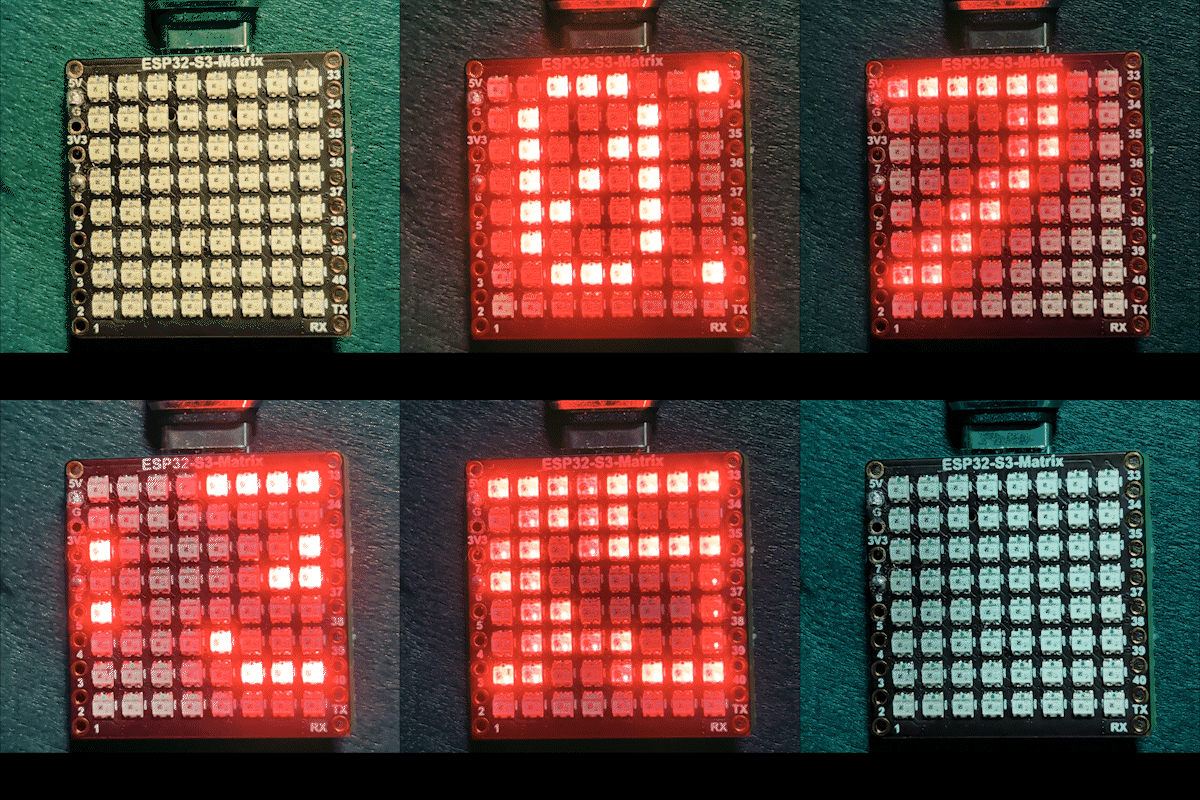
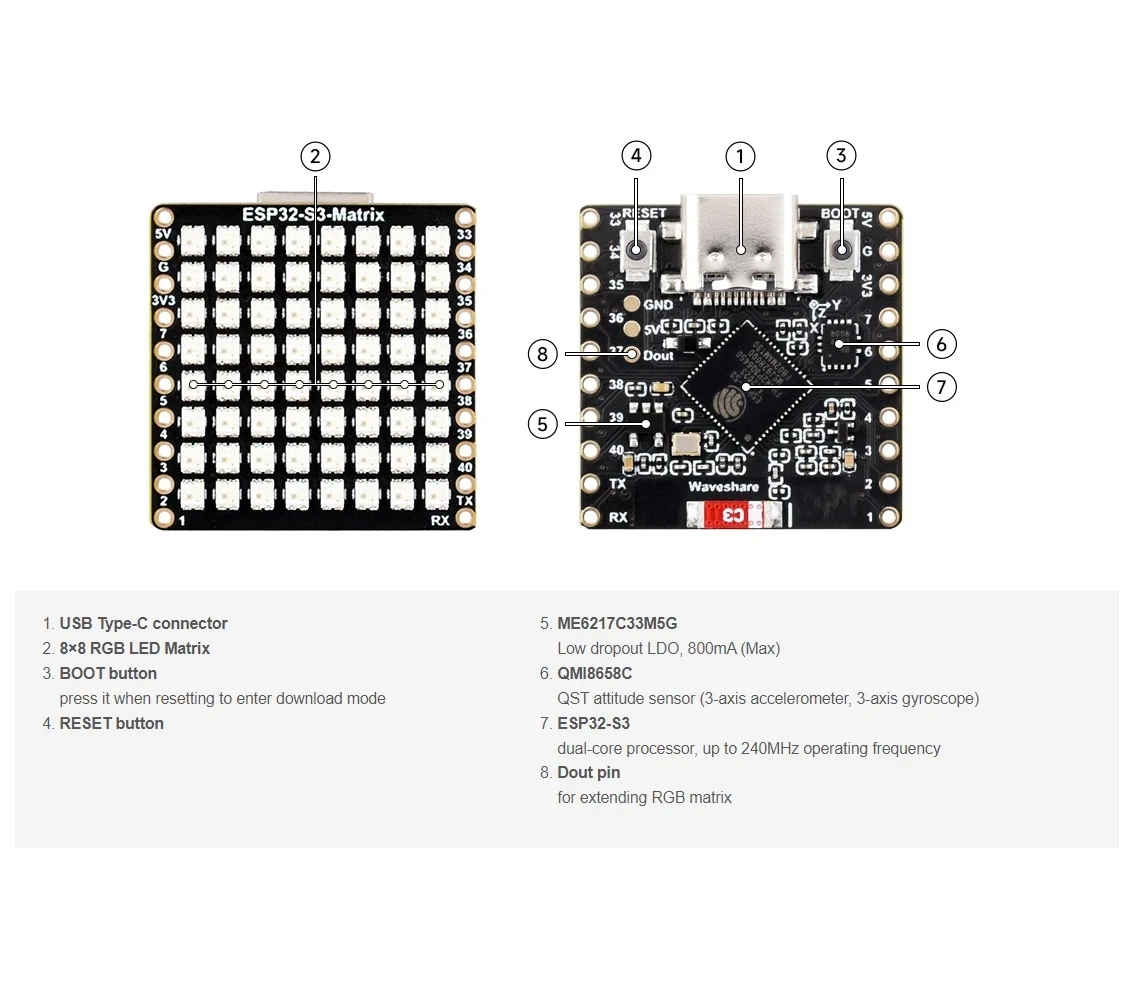
Este proyecto convierte un ESP32-S3 y una matriz NeoMatrix RGB de 8×8 (NeoPixel/WS2812) en un pequeño reloj de Internet. El ESP32 se conecta a Wi-Fi, sincroniza la hora local desde un servidor NTP y luego desplaza la hora comoHH:MMa través de la pantalla de 8×8.

Cómo funciona (a alto nivel)
1) El ESP32-S3 se conecta a tu enrutador usando<WiFi.h>.
2) Sincroniza la hora desde un servidor NTP utilizando"time.h"yconfigTime().
3) La hora está formateada comoHH:MMy guardado en un pequeño búfer de texto.
4) El NeoMatrix renderiza el texto y lo desplaza a través del panel de 8×8.
Color RGB
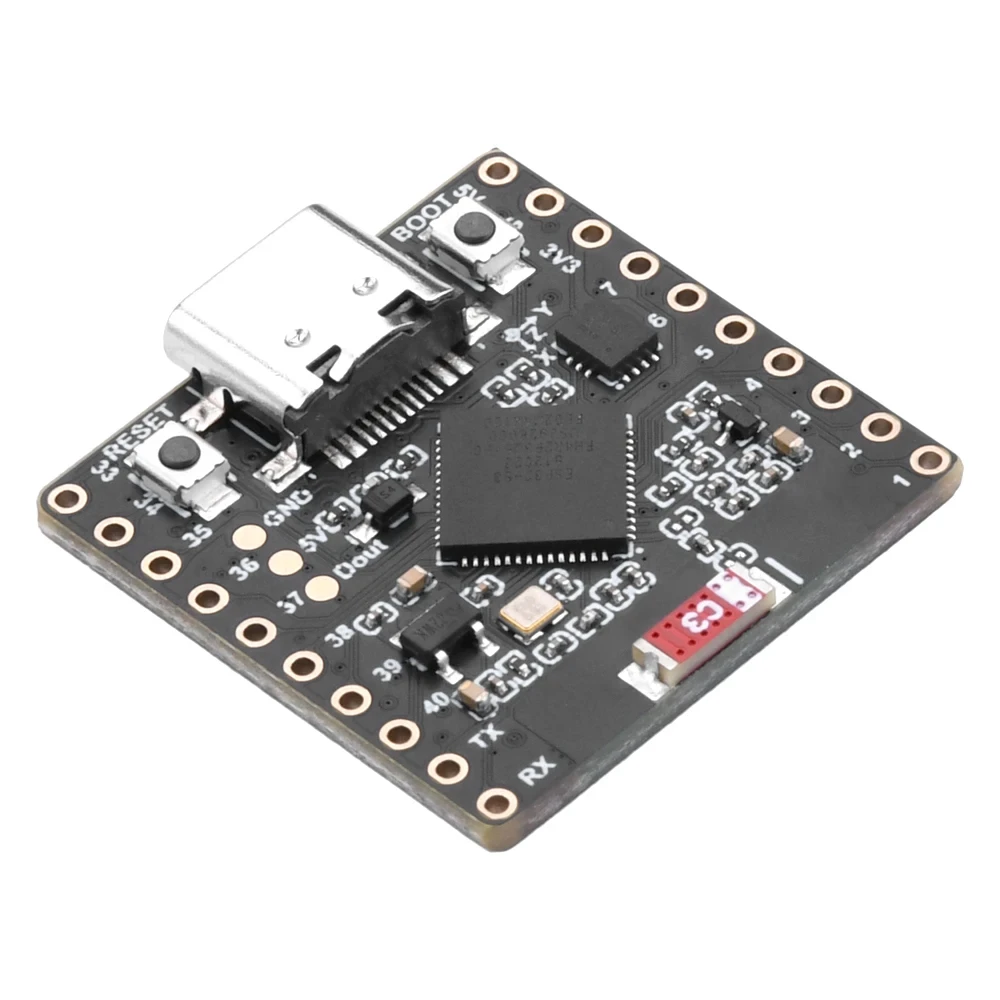
El color del texto del reloj se controla utilizando valores RGB (Rojo, Verde, Azul), donde cada canal de color oscila entre 0 y 255 y diferentes combinaciones crean diferentes colores en el NeoMatrix. Al ajustar elcolor_RED,color_GREEN, andcolor_BLUEvariables, puedes personalizar fácilmente la apariencia del reloj a cualquier color que desees. Para encontrar rápidamente los valores RGB exactos de un color específico, puedes usar el selector de color RGB en línea.Selector de color.
Bibliotecas utilizadas
Estos incluyen te dicen exactamente de qué depende el boceto:

#include <WiFi.h>
#include "time.h"
#include <Adafruit_GFX.h>
#include <Adafruit_NeoMatrix.h>
#include <Adafruit_NeoPixel.h>InstalarAdafruit NeoMatrixusando el Administrador de bibliotecas de Arduino. También descargará las dependencias requeridas comoAdafruit GFX LibraryyAdafruit NeoPixel.
Configuraciones de usuario importantes que DEBES editar
1) Color de texto (RGB)
Establece el color del texto del reloj utilizando valores de 0 a 255:
//set the color of display made of Red, Green and Blue
unsigned int color_RED = 17;
unsigned int color_GREEN = 43;
unsigned int color_BLUE = 171;
Estos valores se utilizan aquí:
matrix.setTextColor(matrix.Color(color_RED, color_GREEN, color_BLUE));Nota:Si estableces todos los colores en 0 (negro), el texto se vuelve invisible. El boceto incluye una verificación de seguridad:
// if user set all colors to 0, the display will be turned off so set it green
if (color_RED == 0 && color_GREEN == 0 && color_BLUE == 0) {
  color_GREEN = 200;
}
Esto asegura que la matriz nunca parezca "muerta" debido a una configuración de color invisible.
2) SSID de Wi-Fi y contraseña
Reemplaza esto con tu nombre y contraseña de Wi-Fi reales:
const char* WIFI_SSID     = "WiFi";
const char* WIFI_PASSWORD = "passW0rd";
Durante el inicio, el ESP32 imprime el progreso de conexión en el Monitor Serial y se agota después de unos 15 segundos (30 intentos × 500ms).
3) Servidor NTP
El servidor NTP predeterminado es:
const char* ntpServer = "pool.ntp.org";Puedes mantenerlo tal cual. Si alguna vez quieres usar un servidor local, reemplaza el nombre de host con tu servidor NTP preferido.
4) Diferencia horaria y horario de verano
Estos dos ajustes controlan la hora local:
// Toronto-ish: UTC-5, plus 1 hour DST
const long  gmtOffset_sec      = -5 * 3600;  // -5 hours
const int   daylightOffset_sec = 3600;       // +1 hour for DST
Cómo configurarlos:
gmtOffset_sec= (horas de diferencia horaria UTC) × 3600. Ejemplo: UTC-5 →-5*3600, UTC+2 →2*3600.daylightOffset_sec=0si no deseas el ajuste de horario de verano, o3600si su región está actualmente en horario de verano (+1 hora).
Estos se aplican aquí:
configTime(gmtOffset_sec, daylightOffset_sec, ntpServer);Configuración de visualización
Pin de datos de la matriz
El pin de datos se define aquí:
#define MATRIX_PIN 14Si tu cableado utiliza un GPIO diferente, cambia este número para que coincida.
Diseño y orden de colores de NeoMatrix
Tu matriz se inicializa así:
Adafruit_NeoMatrix matrix(8, 8, MATRIX_PIN,
  NEO_MATRIX_TOP    + NEO_MATRIX_LEFT +
  NEO_MATRIX_ROWS   + NEO_MATRIX_PROGRESSIVE,
  NEO_RGB           + NEO_KHZ800);
Dos razones comunes por las que la pantalla parece "incorrecta":
- Rotación / dirección del cableado:Si el texto aparece al revés o reflejado, ajusta el
NEO_MATRIX_*banderas (SUPERIOR/INFERIOR, IZQUIERDA/DERECHA, FILAS/ COLUMNAS, PROGRESIVO/ZIGZAG). - Orden de colores:Este código utiliza
NEO_RGB. Algunos paneles sonNEO_GRB. Si el rojo/verde/azul no coinciden, cambiaNEO_RGBal orden correcto.
Brillo
El brillo está configurado eninitMatrix():
matrix.setBrightness(40);Aumente para una pantalla más brillante, reduzca para disminuir el calor y el consumo de energía.
Cómo se genera el tiempo comoHH:MM
El reloj almacena la hora formateada en un búfer de 6 caracteres:
char timeText[6] = "00:00";EntoncesupdateTimeText()lee la hora local sincronizada con NTP y escribe el texto:
// Format HH:MM
snprintf(timeText, sizeof(timeText), "%02d:%02d",
         timeinfo.tm_hour,
         timeinfo.tm_min);
Esto se actualiza una vez por segundo en el bucle principal.
Cómo funciona el desplazamiento en una pantalla de 8×8
Una matriz de 8×8 es demasiado estrecha para mostrar.HH:MMde inmediato, por lo que el boceto desplaza el texto. Dibuja el tiempo en una posición X cambiantescrollX), luego lo mueve a la izquierda un pixel en cada actualización.
int16_t scrollX = 8;
const uint16_t scrollIntervalMs = 120;
Cada paso de desplazamiento:
matrix.fillScreen(0);
matrix.setCursor(scrollX, 0);
matrix.print(timeText);
matrix.show();
scrollX--;
Cuando el texto sale completamente del lado izquierdo, el código lo restablece para comenzar de nuevo desde el borde derecho:
int16_t textWidth = 30;
if (scrollX < -textWidth) {
  scrollX = matrix.width();
}
Salida del Monitor Serial (depuración)
Este boceto imprime mensajes útiles:
- Progreso de conexión Wi-Fi y dirección IP
- Si la sincronización de tiempo tuvo éxito
- La cadena de tiempo formateada (p. ej.,
Time text: 14:32)
Si la pantalla está en blanco, el Monitor Serial es el primer lugar que debe comprobarse para confirmar que Wi-Fi y NTP están funcionando.
Demostración del proyecto
Después de la carga y el restablecimiento:
- ESP32 se conecta a Wi-Fi
- Sincroniza la hora desde
pool.ntp.org - Espectáculos
OKbrevemente sobre la matriz - Desplaza continuamente la hora actual como
HH:MM
Descargas y enlaces
El código completo se proporciona a continuación de este artículo. Las piezas, herramientas y hojas de datos también están vinculadas a continuación de este artículo.
Imágenes
Este tutorial es parte de: Matriz de LED RGB ESP32-S3
- Proyectos con Matriz LED RGB para ESP32-S3 (Juego de Inclinación, Texto, Flecha, Demostración WiFi)
- Proyecto 2 de matriz de LED RGB ESP32-S3 - Texto en desplazamiento
- Proyecto de matriz LED RGB ESP32-S3 3 - Texto desde teléfono móvil
- Proyecto de matriz de LED RGB ESP32-S3 4 - Punto inclinado
- Proyecto de Matriz LED RGB ESP32-S3 5 - Flecha siempre arriba
- Proyecto de Matriz LED RGB ESP32-S3 6 - Juego de Cible
- Proyecto de Reloj por Internet con Matriz LED RGB ESP32-S3 - Pantalla de Hora y Fecha multicolor de 2 Relojes
- Proyecto de Reloj de Internet con Matriz de LED RGB ESP32-S3 - 3 Colores Nocturnos con Fecha
- Proyecto de reloj de internet con matriz de LED RGB ESP32-S3 - 5 colores del arcoíris
- Proyecto de reloj en Internet con matriz de LED RGB ESP32-S3 - 4 colores aleatorios
- Prueba de matriz LED RGB ESP32-S3 para configuración RGB, GRB
/*
This is ESP32 sketch that connects to the internet, gets the time and displays it on the RGB matrix
you must set your WiFi correctly to make sure it gets connected.
 watch video https://youtube.com/shorts/4iWjLiD7fS8
 📚⬇️ Download and resource page https://robojax.com/RJT838
 * Author:  Ahmad Shamshiri (Robojax.com)
 * Date: 07 Jan 2026
www.Robojax.com
https://youTube.com/@robojax


*/
#include <WiFi.h>
#include "time.h"
#include <Adafruit_GFX.h>
#include <Adafruit_NeoMatrix.h>
#include <Adafruit_NeoPixel.h>

//set the color of diplay make of Red, Green and Blue
unsigned int color_RED = 17;
unsigned int color_GREEN = 43;
unsigned int color_BLUE = 171;

// 👇 REPLACE these with your real home WiFi name & password
const char* WIFI_SSID     = "WiFi";
const char* WIFI_PASSWORD = "passW0rd";


#define MATRIX_PIN 14

Adafruit_NeoMatrix matrix(8, 8, MATRIX_PIN,
  NEO_MATRIX_TOP    + NEO_MATRIX_LEFT +
  NEO_MATRIX_ROWS   + NEO_MATRIX_PROGRESSIVE,
  NEO_RGB           + NEO_KHZ800);

char timeText[6] = "00:00";
int16_t scrollX = 8;
unsigned long lastScrollMs = 0;
const uint16_t scrollIntervalMs = 120;

unsigned long lastTimeUpdateMs = 0;
const uint16_t timeUpdateIntervalMs = 1000;

//prototypes
bool updateTimeText();  // forward declaration
void scrollTime();      // forward declaration


// NTP (time) server
const char* ntpServer = "pool.ntp.org";

// Toronto-ish: UTC-5, plus 1 hour DST
const long  gmtOffset_sec     = -5 * 3600;  // -5 hours
const int   daylightOffset_sec = 3600;      // +1 hour for DST


bool updateTimeText() {
  struct tm timeinfo;
  if (!getLocalTime(&timeinfo)) {
    Serial.println("Failed to obtain time for display");
    return false;
  }

  // Format HH:MM
  snprintf(timeText, sizeof(timeText), "%02d:%02d",
           timeinfo.tm_hour,
           timeinfo.tm_min);

  Serial.print("Time text: ");
  Serial.println(timeText);
  return true;
}

void scrollTime() {
  matrix.fillScreen(0);
  matrix.setCursor(scrollX, 0);
  matrix.print(timeText);
  matrix.show();

  scrollX--;

  // Rough width: 5 characters ("HH:MM") × 6 pixels each ≈ 30 px
  int16_t textWidth = 30;
  if (scrollX < -textWidth) {
    scrollX = matrix.width();  // reset to right edge (8)
  }
}


void initMatrix() {
  matrix.begin();
  matrix.setBrightness(40);        // be careful with heat
  matrix.setTextWrap(false);
  matrix.setTextColor(matrix.Color(color_RED, color_GREEN, color_BLUE)); // color of text
}

void showMessage(const char* msg) {
  matrix.fillScreen(0);
  matrix.setCursor(0, 0);  // top-left
  matrix.print(msg);
  matrix.show();
}


void printLocalTime() {
  struct tm timeinfo;
  if (!getLocalTime(&timeinfo)) {
    Serial.println("Failed to obtain time");
    return;
  }
  // Format: 2025-11-18 14:35:12
  Serial.printf("%04d-%02d-%02d %02d:%02d:%02d\n",
                timeinfo.tm_year + 1900,
                timeinfo.tm_mon + 1,
                timeinfo.tm_mday,
                timeinfo.tm_hour,
                timeinfo.tm_min,
                timeinfo.tm_sec);
}

void setup() {
  Serial.begin(115200);
  delay(1000);
  Serial.println();
  Serial.println("ESP32-S3 Internet Clock - WiFi + NTP test");

  // Connect to WiFi
  Serial.print("Connecting to WiFi: ");
  Serial.println(WIFI_SSID);
  WiFi.mode(WIFI_STA);
  WiFi.begin(WIFI_SSID, WIFI_PASSWORD);

  int retries = 0;
  while (WiFi.status() != WL_CONNECTED && retries < 30) { // ~15s timeout
    delay(500);
    Serial.print(".");
    retries++;
  }
  Serial.println();

  if (WiFi.status() != WL_CONNECTED) {
    Serial.println("WiFi connection FAILED");
  } else {
    Serial.print("WiFi connected. IP: ");
    Serial.println(WiFi.localIP());
  }

// if user set all colors to 0, the dispaly will be turned off so set it green
  if(color_RED ==0 & color_GREEN ==0 && color_BLUE ==0)
  {
    color_GREEN = 200;
  }

  // Configure time via NTP
  configTime(gmtOffset_sec, daylightOffset_sec, ntpServer);
  Serial.println("Waiting for time...");
  delay(2000); // small wait for initial sync

  printLocalTime(); // print once at startup

    // NEW: init the LED matrix and show a test message
  initMatrix();
  showMessage("OK");
}

void loop() {
  unsigned long now = millis();

  // Update the time string "HH:MM" once per second
  if (now - lastTimeUpdateMs >= timeUpdateIntervalMs) {
    lastTimeUpdateMs = now;
    updateTimeText();  // fills timeText[], e.g. "14:32"
  }

  // Scroll the time across the 8×8 every scrollIntervalMs
  if (now - lastScrollMs >= scrollIntervalMs) {
    lastScrollMs = now;
    scrollTime();      // uses timeText and scrollX
  }
}
Cosas que podrías necesitar
-
Amazonas
-
eBay
-
AliExpressCompra ESP32-S3 Matriz RGB en AliExpress (2)s.click.aliexpress.com
-
AliExpressCompra la matriz RGB ESP32-S3 en AliExpress.s.click.aliexpress.com
Recursos y referencias
-
Vídeo
Archivos📁
Archivo de Fritzing
-
parte fritzing esp32-S3-supermini-tht
esp32-S3-supermini-tht.fzpz0.02 MB