هذا الدليل جزء من: مصفوفة مصابيح LED RGB من نوع ESP32-S3
مشروع رائع يمكنك تنفيذه لأغراض ترفيهية وعملية باستخدام وحدة ESP32-S3 RGB Matrix. تجد روابط لفيديوهات أخرى أسفل هذه المقالة.
مشروع ساعة بتوقيت NTP + Wi-Fi لمصفوفة LED RGB ESP32-S3 -1 ساعة أساسية
ساعة إنترنت ESP32-S3 مع مصفوفة نيون 8×8 (واي فاي + وقت NTP)
هذا المشروع يحول ESP32-S3 و8×8 RGB NeoMatrix (NeoPixel/WS2812) إلى ساعة إنترنت صغيرة. يتصل ESP32 بشبكة واي فاي، ويزامن الوقت المحلي من خادم NTP، ثم يقوم بتمرير الوقت كماHH:MMعبر شاشة 8×8.
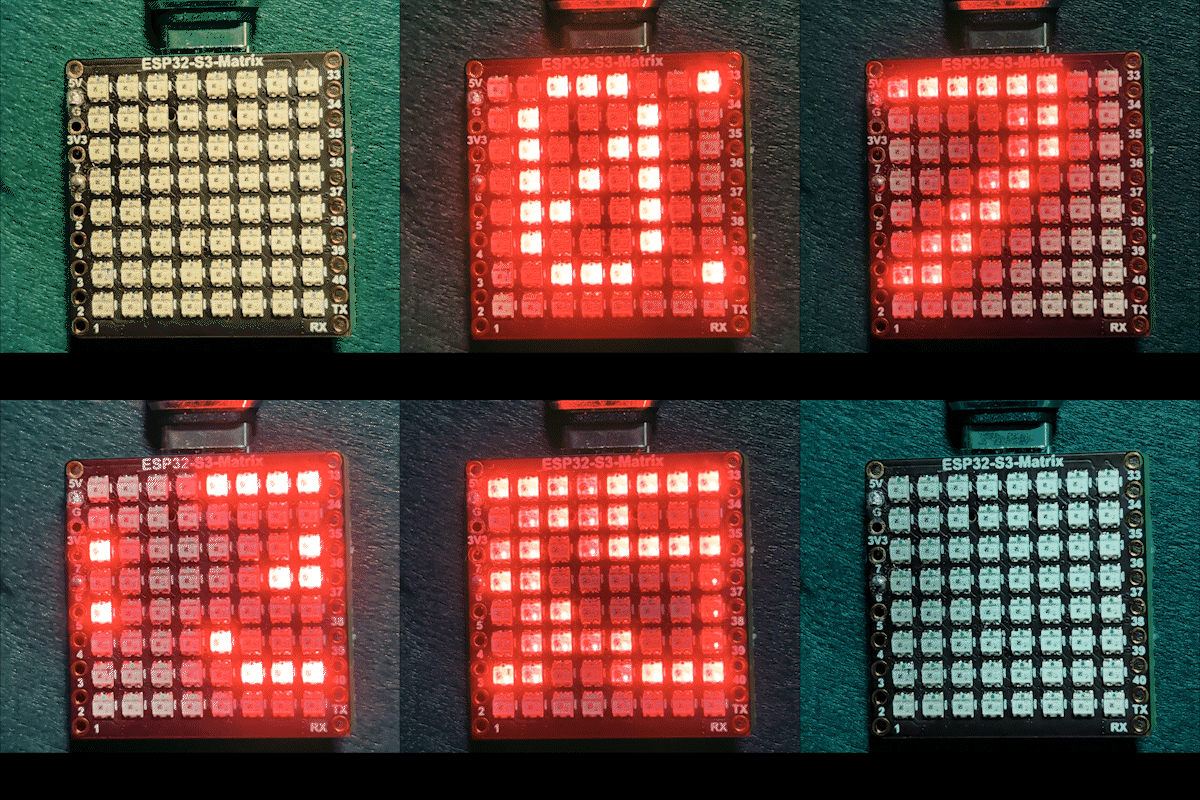

كيف يعمل (على مستوى عالٍ)
1) يتصل ESP32-S3 بجهاز التوجيه الخاص بك باستخدام<WiFi.h>.
يتم مزامنة الوقت من خادم NTP باستخدام"time.h"وconfigTime().
3) يتم تنسيق الوقت على أنهHH:MMوتم حفظه في ذاكرة نصية صغيرة.
4) تقوم NeoMatrix بعرض النص وتمريره عبر اللوحة 8×8.
لون RGB
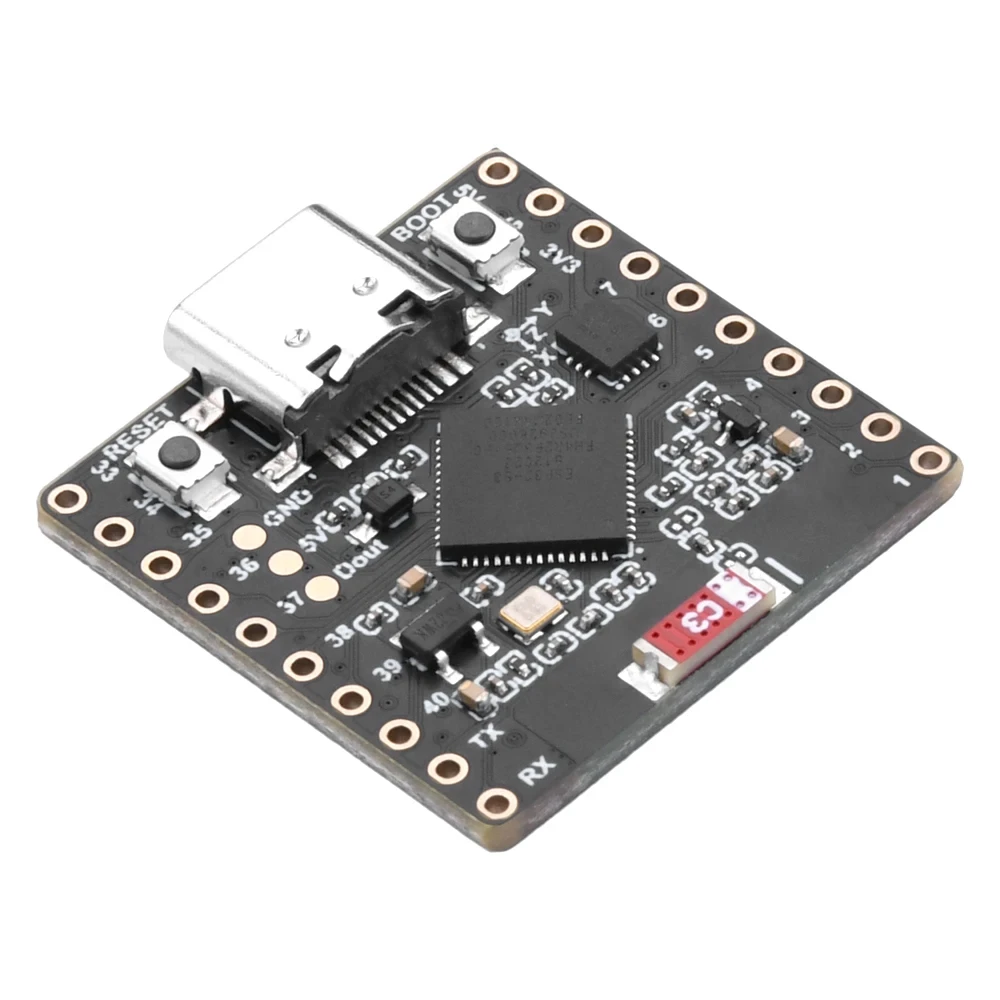
لون نص الساعة يتم التحكم فيه باستخدام قيم RGB (أحمر، أخضر، أزرق)، حيث يتراوح كل قناة لونية من 0 إلى 255 وتخلق تركيبات مختلفة ألوانًا مختلفة على NeoMatrix. من خلال ضبطcolor_RED,color_GREEN, وcolor_BLUEيمكنك بسهولة تخصيص مظهر الساعة لأي لون تريده باستخدام المتغيرات. للعثور بسرعة على قيم RGB الدقيقة للون معين، يمكنك استخدام أداة اختيار لون RGB على الإنترنت.اختيار اللون.
المكتبات المستخدمة
تشمل هذه بالضبط ما يعتمد عليه الرسم التخطيطي:

#include <WiFi.h>
#include "time.h"
#include <Adafruit_GFX.h>
#include <Adafruit_NeoMatrix.h>
#include <Adafruit_NeoPixel.h>تنصيبادافروت نيو ماتريكساستخدام مدير مكتبة أردوينو. سيقوم أيضًا بجلب التبعيات المطلوبة مثلAdafruit GFX LibraryوAdafruit NeoPixel.
إعدادات المستخدم المهمة التي يجب عليك تعديلها
1) لون النص (RGB)
حدد لون نص الساعة باستخدام قيم من 0 إلى 255:
//set the color of display made of Red, Green and Blue
unsigned int color_RED = 17;
unsigned int color_GREEN = 43;
unsigned int color_BLUE = 171;
تُستخدم هذه القيم هنا:
matrix.setTextColor(matrix.Color(color_RED, color_GREEN, color_BLUE));ملاحظة:إذا قمت بضبط جميع الألوان على 0 (أسود)، سيصبح النص غير مرئي. يتضمن الرسم تخطيطاً لفحص الأمان:
// if user set all colors to 0, the display will be turned off so set it green
if (color_RED == 0 && color_GREEN == 0 && color_BLUE == 0) {
  color_GREEN = 200;
}
هذا يضمن أن المصفوفة لا تبدو "ميتة" بسبب إعداد لون غير مرئي.
2) اسم الشبكة وكلمة المرور للواي فاي
استبدل هذه باسم شبكة الواي فاي وكلمة المرور الحقيقية الخاصة بك:
const char* WIFI_SSID     = "WiFi";
const char* WIFI_PASSWORD = "passW0rd";
أثناء بدء التشغيل، يقوم ESP32 بطباعة تقدم الاتصال في شاشة السيريال وينتهي المهلة بعد حوالي 15 ثانية (30 محاولة × 500 مللي ثانية).
3) خادم NTP
خادم NTP الافتراضي هو:
const char* ntpServer = "pool.ntp.org";يمكنك الاحتفاظ به كما هو. إذا أردت في أي وقت استخدام خادم محلي، استبدل اسم المضيف بخادم NTP الذي تفضله.
4) فرق التوقيت وفرق التوقيت الصيفي
تتحكم هذان الإعدادان في الوقت المحلي:
// Toronto-ish: UTC-5, plus 1 hour DST
const long  gmtOffset_sec      = -5 * 3600;  // -5 hours
const int   daylightOffset_sec = 3600;       // +1 hour for DST
كيفية إعدادها:
gmtOffset_sec= (فرق التوقيت بالساعات) × 3600. مثال: UTC-5 →-5*3600, UTC+2 →2*3600.daylightOffset_sec=0إذا كنت لا ترغب في تعديل التوقيت الصيفي، أو3600إذا كانت منطقتك تراقب حاليًا التوقيت الصيفي (+1 ساعة).
تُطبق هذه هنا:
configTime(gmtOffset_sec, daylightOffset_sec, ntpServer);تكوين العرض
بيانات دبابيس المصفوفة
يتم تعريف دبوس البيانات هنا:
#define MATRIX_PIN 14إذا كانت التوصيلات الخاصة بك تستخدم GPIO مختلف، قم بتغيير هذا الرقم ليتطابق.
ترتيب الألوان وتصميم NeoMatrix
تم تهيئة مصفوفتك على النحو التالي:
Adafruit_NeoMatrix matrix(8, 8, MATRIX_PIN,
  NEO_MATRIX_TOP    + NEO_MATRIX_LEFT +
  NEO_MATRIX_ROWS   + NEO_MATRIX_PROGRESSIVE,
  NEO_RGB           + NEO_KHZ800);
سببين شائعين لجعل العرض يبدو "خاطئاً":
- اتجاه الدوران / التوصيل:إذا كان النص يظهر مقلوبًا أو معكوسًا، قم بضبط الـ
NEO_MATRIX_*علم (أعلى/أسفل، يسار/يمين، صفوف/أعمدة، متدرج/متعرج). - ترتيب الألوان:هذا الرمز يستخدم
NEO_RGB. بعض الألواح هيNEO_GRBإذا لم تتطابق الأحمر/الأخضر/الأزرق، قم بالتغييرNEO_RGBإلى الترتيب الصحيح.
سطوع
تم ضبط السطوع فيinitMatrix():
matrix.setBrightness(40);زيادة للحصول على عرض أكثر سطوعًا، التقليل لتقليل الحرارة واستهلاك الطاقة.
كيف يتم توليد الوقت كـHH:MM
يخزن الساعة الوقت المنسق في ذاكرة مؤقتة مكونة من 6 أحرف:
char timeText[6] = "00:00";ثمupdateTimeText()يقرأ الوقت المحلي المتزامن مع NTP ويكتب النص:
// Format HH:MM
snprintf(timeText, sizeof(timeText), "%02d:%02d",
         timeinfo.tm_hour,
         timeinfo.tm_min);
يتم تحديث هذا مرة واحدة في الثانية في الحلقة الرئيسية.
كيف يعمل التمرير على شاشة 8×8
مصفوفة 8×8 ضيقة جداً للإظهارHH:MMعلى الفور، بحيث يقوم الرسم التوضيحي بتمرير النص. إنه يرسم الوقت عند موضع X متغير.scrollX)، ثم يحركه إلى اليسار بمقدار بكسل واحد في كل تحديث.
int16_t scrollX = 8;
const uint16_t scrollIntervalMs = 120;
كل خطوة تمرير:
matrix.fillScreen(0);
matrix.setCursor(scrollX, 0);
matrix.print(timeText);
matrix.show();
scrollX--;
عندما يغادر النص الجانب الأيسر بالكامل، يعيد الكود ضبطه ليبدأ من الحافة اليمنى:
int16_t textWidth = 30;
if (scrollX < -textWidth) {
  scrollX = matrix.width();
}
إخراج شاشة التسلسل (التصحيح)
تطبع هذه الرسمة رسائل مفيدة:
- تقدم اتصال Wi-Fi وعنوان IP
- سواء كانت مزامنة الوقت ناجحة
- سلسلة الوقت المنسقة (على سبيل المثال،
Time text: 14:32)
إذا كان العرض فارغًا، فإن نموذج السيريال هو المكان الأول الذي يجب التحقق منه لتأكيد عمل الواي فاي وNTP.
عرض المشروع
بعد التحميل وإعادة التعيين:
- ESP32 يتصل بشبكة الواي فاي
- يزامن الوقت من
pool.ntp.org - عروض
OKباختصار عن المصفوفة - تقوم بالتمرير المستمر للوقت الحالي كما
HH:MM
التحميلات والروابط
الشفرة الكاملة متاحة أدناه في هذه المقالة. الأجزاء والأدوات وبيانات التقنية مرتبطة أيضًا أدناه في هذه المقالة.
الصور
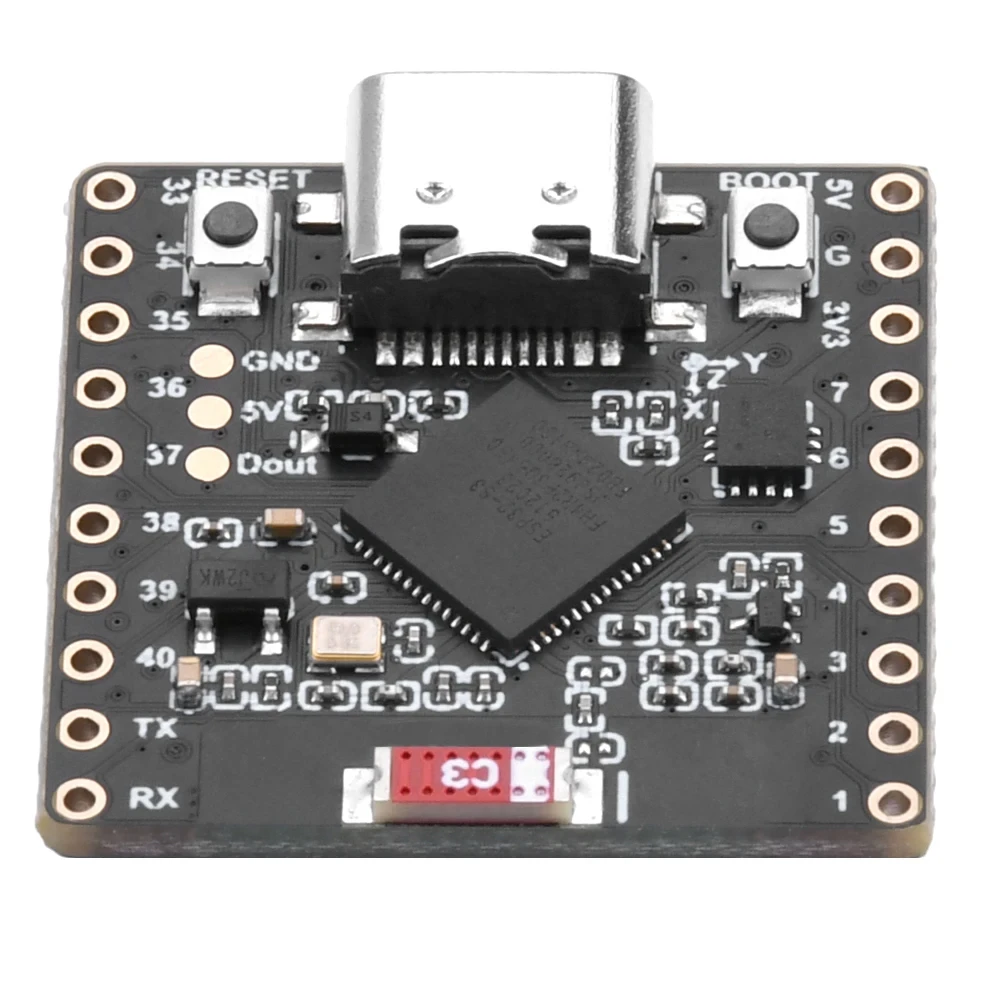
هذا الدليل هو جزء من: مصفوفة مصابيح LED RGB من نوع ESP32-S3
- مشاريع مصفوفة LED الملونة ESP32-S3 (لعبة الميل، النص، السهم، عرض الواي فاي)
- مشروع مصفوفة LED RGB ESP32-S3 2 - نص متحرك
- مشروع مصفوفة LED RGB ESP32-S3 3 - نص من الهاتف المحمول
- مشروع مصفوفة LED RGB ESP32-S3 4 - نقطة مائلة
- مشروع مصفوفة LED RGB ESP32-S3 5 - السهم دائما لأعلى
- مشروع مصفوفة LEDs RGB ESP32-S3 6 - لعبة Cible
- مشروع ساعة الإنترنت لشاشة مصفوفة LED RGB ESP32-S3 - عرض الوقت والتاريخ متعدد الألوان 2 ساعة
- مشروع ساعة الإنترنت لمصفوفة LED RGB ESP32-S3 - 3 ألوان ليلية مع التاريخ
- مشروع ساعة إنترنت مصفوفة LED RGB ESP32-S3 - 5 ألوان قوس قزح
- مشروع ساعة الإنترنت لشبكة مصفوفة LEDs RGB ESP32-S3 - 4 ألوان عشوائية
- اختبار مصفوفة LED RGB ESP32-S3 لإعداد RGB و GRB
/*
This is ESP32 sketch that connects to the internet, gets the time and displays it on the RGB matrix
you must set your WiFi correctly to make sure it gets connected.
 watch video https://youtube.com/shorts/4iWjLiD7fS8
 📚⬇️ Download and resource page https://robojax.com/RJT838
 * Author:  Ahmad Shamshiri (Robojax.com)
 * Date: 07 Jan 2026
www.Robojax.com
https://youTube.com/@robojax


*/
#include <WiFi.h>
#include "time.h"
#include <Adafruit_GFX.h>
#include <Adafruit_NeoMatrix.h>
#include <Adafruit_NeoPixel.h>

//set the color of diplay make of Red, Green and Blue
unsigned int color_RED = 17;
unsigned int color_GREEN = 43;
unsigned int color_BLUE = 171;

// 👇 REPLACE these with your real home WiFi name & password
const char* WIFI_SSID     = "WiFi";
const char* WIFI_PASSWORD = "passW0rd";


#define MATRIX_PIN 14

Adafruit_NeoMatrix matrix(8, 8, MATRIX_PIN,
  NEO_MATRIX_TOP    + NEO_MATRIX_LEFT +
  NEO_MATRIX_ROWS   + NEO_MATRIX_PROGRESSIVE,
  NEO_RGB           + NEO_KHZ800);

char timeText[6] = "00:00";
int16_t scrollX = 8;
unsigned long lastScrollMs = 0;
const uint16_t scrollIntervalMs = 120;

unsigned long lastTimeUpdateMs = 0;
const uint16_t timeUpdateIntervalMs = 1000;

//prototypes
bool updateTimeText();  // forward declaration
void scrollTime();      // forward declaration


// NTP (time) server
const char* ntpServer = "pool.ntp.org";

// Toronto-ish: UTC-5, plus 1 hour DST
const long  gmtOffset_sec     = -5 * 3600;  // -5 hours
const int   daylightOffset_sec = 3600;      // +1 hour for DST


bool updateTimeText() {
  struct tm timeinfo;
  if (!getLocalTime(&timeinfo)) {
    Serial.println("Failed to obtain time for display");
    return false;
  }

  // Format HH:MM
  snprintf(timeText, sizeof(timeText), "%02d:%02d",
           timeinfo.tm_hour,
           timeinfo.tm_min);

  Serial.print("Time text: ");
  Serial.println(timeText);
  return true;
}

void scrollTime() {
  matrix.fillScreen(0);
  matrix.setCursor(scrollX, 0);
  matrix.print(timeText);
  matrix.show();

  scrollX--;

  // Rough width: 5 characters ("HH:MM") × 6 pixels each ≈ 30 px
  int16_t textWidth = 30;
  if (scrollX < -textWidth) {
    scrollX = matrix.width();  // reset to right edge (8)
  }
}


void initMatrix() {
  matrix.begin();
  matrix.setBrightness(40);        // be careful with heat
  matrix.setTextWrap(false);
  matrix.setTextColor(matrix.Color(color_RED, color_GREEN, color_BLUE)); // color of text
}

void showMessage(const char* msg) {
  matrix.fillScreen(0);
  matrix.setCursor(0, 0);  // top-left
  matrix.print(msg);
  matrix.show();
}


void printLocalTime() {
  struct tm timeinfo;
  if (!getLocalTime(&timeinfo)) {
    Serial.println("Failed to obtain time");
    return;
  }
  // Format: 2025-11-18 14:35:12
  Serial.printf("%04d-%02d-%02d %02d:%02d:%02d\n",
                timeinfo.tm_year + 1900,
                timeinfo.tm_mon + 1,
                timeinfo.tm_mday,
                timeinfo.tm_hour,
                timeinfo.tm_min,
                timeinfo.tm_sec);
}

void setup() {
  Serial.begin(115200);
  delay(1000);
  Serial.println();
  Serial.println("ESP32-S3 Internet Clock - WiFi + NTP test");

  // Connect to WiFi
  Serial.print("Connecting to WiFi: ");
  Serial.println(WIFI_SSID);
  WiFi.mode(WIFI_STA);
  WiFi.begin(WIFI_SSID, WIFI_PASSWORD);

  int retries = 0;
  while (WiFi.status() != WL_CONNECTED && retries < 30) { // ~15s timeout
    delay(500);
    Serial.print(".");
    retries++;
  }
  Serial.println();

  if (WiFi.status() != WL_CONNECTED) {
    Serial.println("WiFi connection FAILED");
  } else {
    Serial.print("WiFi connected. IP: ");
    Serial.println(WiFi.localIP());
  }

// if user set all colors to 0, the dispaly will be turned off so set it green
  if(color_RED ==0 & color_GREEN ==0 && color_BLUE ==0)
  {
    color_GREEN = 200;
  }

  // Configure time via NTP
  configTime(gmtOffset_sec, daylightOffset_sec, ntpServer);
  Serial.println("Waiting for time...");
  delay(2000); // small wait for initial sync

  printLocalTime(); // print once at startup

    // NEW: init the LED matrix and show a test message
  initMatrix();
  showMessage("OK");
}

void loop() {
  unsigned long now = millis();

  // Update the time string "HH:MM" once per second
  if (now - lastTimeUpdateMs >= timeUpdateIntervalMs) {
    lastTimeUpdateMs = now;
    updateTimeText();  // fills timeText[], e.g. "14:32"
  }

  // Scroll the time across the 8×8 every scrollIntervalMs
  if (now - lastScrollMs >= scrollIntervalMs) {
    lastScrollMs = now;
    scrollTime();      // uses timeText and scrollX
  }
}
الأشياء التي قد تحتاجها
-
أمازون
-
إي باي
-
علي إكسبريساشترِ مصفوفة RGB ESP32-S3 من علي إكسبريسs.click.aliexpress.com
-
علي إكسبريسشراء مصفوفة RGB ESP32-S3 من علي إكسبريس (2)s.click.aliexpress.com
الموارد والمراجع
-
فيديو
ملفات📁
Fritzing File
-
جزء فريتزنج esp32-S3-supermini-tht
esp32-S3-supermini-tht.fzpz0.02 MB