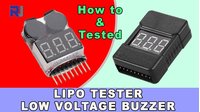
How to use LiPo Li-ion Li-Fe Lithium Battery Tester with Low Voltage buzzer alarm
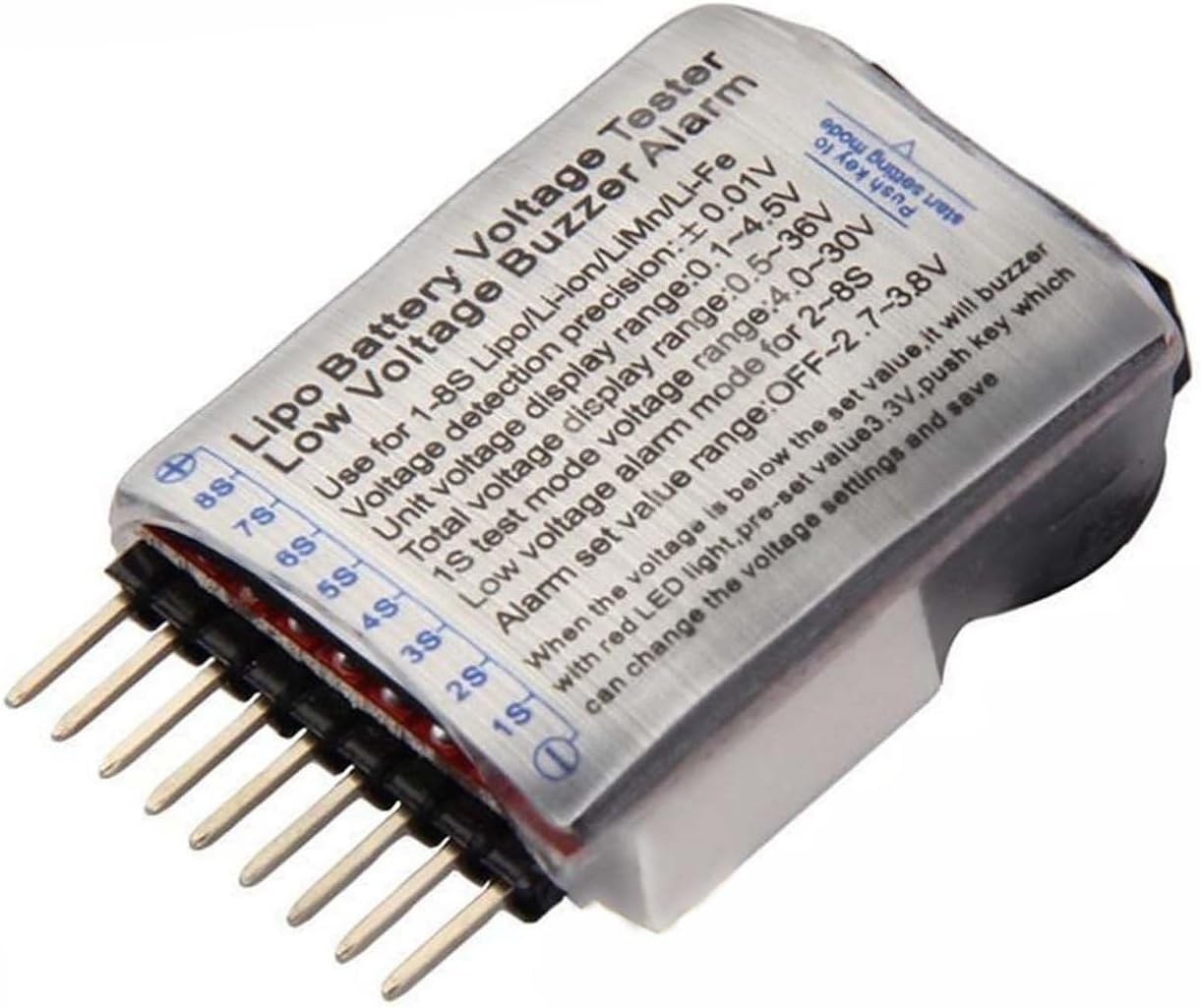
This guide explores the practical use of a LiPo/Li-ion/Li-Fe battery tester with a low-voltage buzzer alarm, specifically comparing the newer BBX model with its predecessor. These compact devices are essential for anyone using multi-cell lithium batteries, as they provide real-time voltage monitoring for each cell and sound an audible alarm when voltages drop to potentially damaging levels. This is crucial because lithium batteries have sensitive characteristics; discharging them below a certain voltage can cause permanent damage. The tester acts as a safeguard, helping you protect your battery investment in various applications.
Here are some practical applications for this battery tester:
- Drone Flying: Monitor the battery of your FPV or camera drone to know when to land safely before the battery is over-discharged.
- RC Cars and Boats: Keep track of your RC vehicle's battery level during a run, ensuring you stop before the cells drop below a safe threshold.
- DIY Electronics Projects: Monitor the battery status in any custom project that uses multi-cell lithium packs, such as portable speakers or robotic platforms.
- Battery Health Checks: Quickly test the individual cell voltages of your battery collection to identify weak or failing cells.
Hardware Overview
The core function of this device is to measure the voltage of each cell in a lithium battery pack (from 1 to 8 cells) and display them on a screen. The key feature is its user-adjustable low-voltage alarm. You can set a specific voltage threshold, and when any cell in the battery drops to or below that value, the device emits a loud, audible beep. This allows you to focus on flying or driving without constantly watching the display.
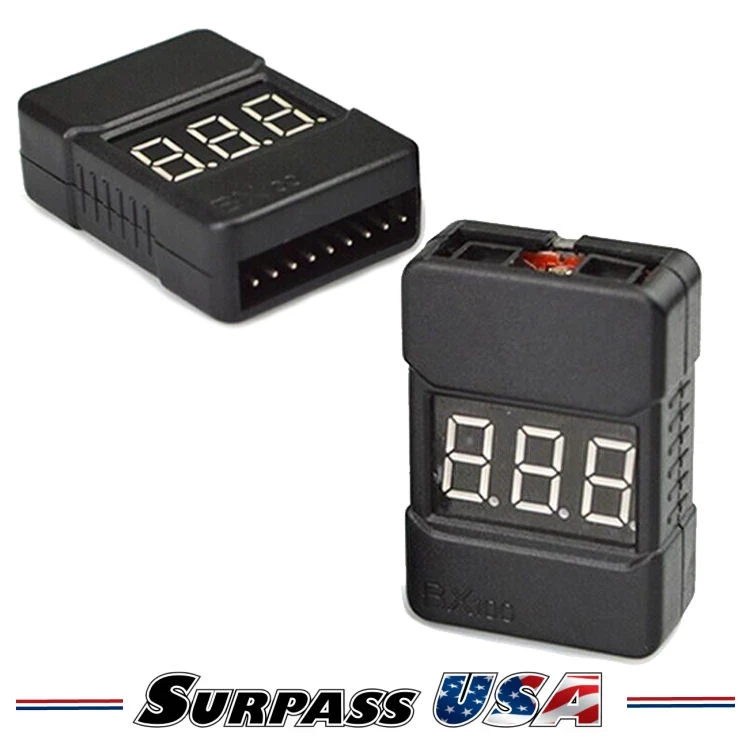
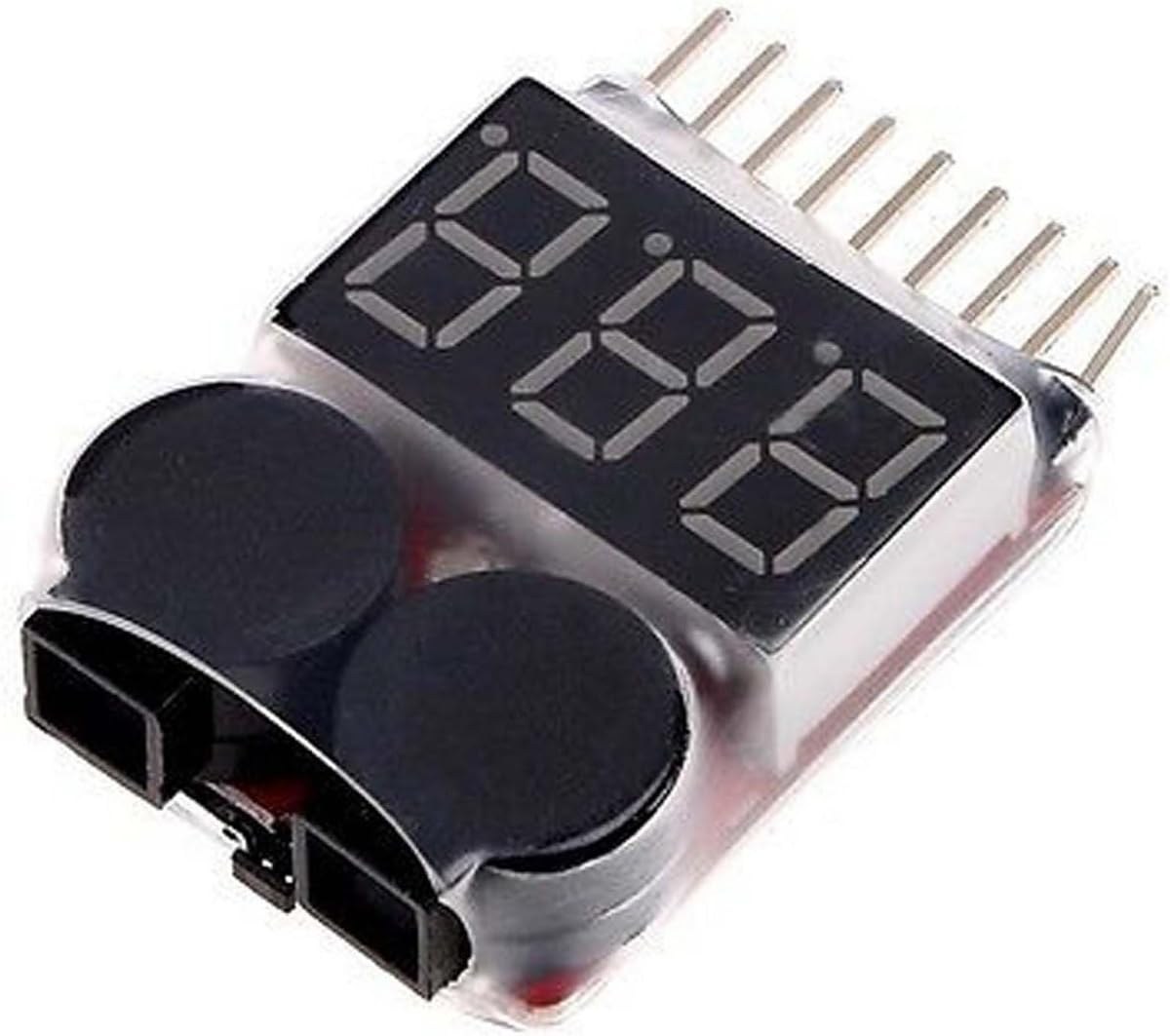
The video compares two versions of the tester. The older model has a small, recessed button that is a bit difficult to press, while the newer BBX model features a larger, more accessible button. Both models operate in the same way, but the newer one is slightly easier to configure in the field. The newer model also includes a plastic casing, which offers a small degree of physical protection for the circuit board.
Hardware/Components
- LiPo/Li-ion/Li-Fe Battery Tester with Low Voltage Alarm (e.g., BBX model)
- Multi-cell Lithium Battery Pack (e.g., 2S, 3S, 4S, or 6S) with a JST-XH balance connector
Wiring Guide
Wiring this tester is straightforward as it connects directly to the battery's balance lead. The balance connector (often JST-XH) on your battery has multiple pins. The tester has a corresponding set of pins on its side.
To connect it, you must ensure proper orientation. The video demonstrates that the connector has a flat side and a side with small bumps or ridges. You must align the connector correctly with the tester's pins. For a 3-cell battery, the ground wire is on one side, followed by the wires for cell 1, cell 2, and cell 3. You should insert the connector so the ground wire is on the left side of the tester (as shown in the video). For the newer BBX model, it is emphasized that the flat side of the connector should face up and be inserted on the left side of the device. Inserting it on the right side would connect to the pins for cell 8, which would result in incorrect readings.
How to Use and Set the Alarm
Using the tester is simple. Once connected to the battery's balance lead, the device powers on and immediately displays the voltage of each cell. For example, a healthy 3S battery might show "4.09", "4.07", and "4.09" for cells 1, 2, and 3, respectively, along with the total pack voltage (e.g., 12.2V).
To set the alarm threshold, press the button on the device. The display will show a voltage value (e.g., 3.3V). Pressing the button again cycles through different preset values or allows you to turn the alarm off. You can set it to a value like 2.8V or 3.5V, depending on your battery's specifications and your safety preference. Once set, the device will save the value and return to the normal voltage display. When any cell's voltage drops to this threshold, the buzzer will sound a loud, continuous beep. The video shows that when a low cell is detected, the tester will also beep immediately upon connection, alerting you to a battery that is already in a low state.
Live Project/Demonstration
In the video, the author tests several batteries of different cell counts (3S, 4S, and 6S) to demonstrate the tester's functionality. The device correctly identified the number of cells in each pack and displayed the individual cell voltages. The tests highlighted a few key points:
- Cell Voltage Checking: The tester provides a quick and accurate way to check the health of each cell in a pack. For instance, one 4S battery showed a low cell at 2.9V, which triggered the alarm, indicating that the battery was over-discharged and potentially damaged.
- Alarm Functionality: By setting the alarm threshold, the tester will sound an alarm if any cell is below the set voltage. This was demonstrated by setting the alarm to 3.5V on a battery with cells around 3.4V, which immediately caused the buzzer to sound.
- Accuracy: The newer BBX model was shown to give readings identical to the older model, confirming its accuracy. The video also demonstrates that the tester can be used to verify a charger's work, as it showed fully charged batteries at around 4.1V to 4.2V per cell.
The demonstration concludes that while the newer model's casing offers a bit more protection, both testers perform the same essential function reliably. The author prefers the newer model for its easier-to-press button and the added, albeit minimal, physical protection.
Chapters
- [00:00] Introduction and Overview of the Battery Tester
- [00:20] Comparing the Old and New (BBX) Models
- [01:21] Connecting the Tester to a 3-Cell Battery
- [02:23] How to Set the Low Voltage Alarm
- [03:12] Testing the New BBX Model and its Button
- [04:20] Testing a Collection of Different Batteries
- [06:23] Testing a 6-Cell Battery Pack
- [08:35] Verifying Charger Accuracy and Final Thoughts
Bilder
Dinge, die Sie vielleicht brauchen
-
Amazon
-
AliExpressBuy LiPo Tester voltage monitor buzzer from AliExpresss.click.aliexpress.com
-
AliExpressBuy LiPo Tester voltage monitor buzzer from AliExpress-2s.click.aliexpress.com
-
AliExpressBuy silicone soldering mat from AliExpresss.click.aliexpress.com
Ressourcen & Referenzen
Noch keine Ressourcen vorhanden.
Dateien📁
Keine Dateien verfügbar.