Lesson 47: Using K-Type MAX6675 as thermostat with relay | Arduino Step By Step Course
This project guides you through building a temperature control system using an Arduino, a MAX6675 K-type thermocouple, and a relay. This system can maintain a desired temperature range, making it suitable for various applications. You can use this to build:
- A temperature-controlled incubator for delicate experiments or seedlings.
- An automated brewing system for maintaining consistent wort temperatures.
- A climate-controlled enclosure for reptiles or other temperature-sensitive animals.
- A simple heating or cooling system for a small space.
The system uses the MAX6675 to read temperatures from a K-type thermocouple, providing accurate temperature readings over a wide range (depending on the thermocouple type, up to 1000°C or more). The Arduino processes these readings and controls a relay to switch a heating or cooling element on or off, maintaining the temperature within a user-defined range. (in video at 00:32)
Hardware/Components
To build this project, you will need the following components:
- Arduino board (Uno, Nano, etc.)
- MAX6675 thermocouple amplifier
- K-type thermocouple
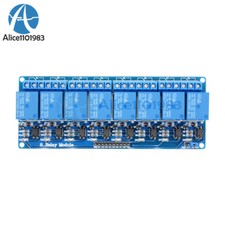
- Relay module
- AC bulb (or other load, such as a fan or heater)
- Jumper wires
- Breadboard (optional, but recommended)
Wiring Guide
The wiring is explained in detail in the video. (in video at 03:28) Refer to the video for a visual guide. The key connections include connecting the MAX6675 to the Arduino (pins 2-6), the relay module to the Arduino (pin 8 and power), and the relay module to the AC load. A critical aspect is correctly identifying the live and neutral wires of your AC load before connecting them to the relay. Incorrect wiring can lead to dangerous situations.

Code Explanation
The Arduino code (shown in snippets below) utilizes the MAX6675 library to read temperature values from the thermocouple. The user-configurable parts of the code are:
relayPin: The Arduino pin connected to the relay module (default: 8). (in video at 07:35)relayONandrelayOFF: These constants define the logic levels to turn the relay on and off, respectively. These are usually LOW and HIGH, but might need to be adjusted depending on your relay module. (in video at 07:35)TEMPERATURE_UNIT: Sets the unit for temperature readings (1 for Celsius, 2 for Fahrenheit, 3 for Kelvin). (in video at 08:21)START_TEMPERATUREandSTOP_TEMPERATURE: These variables define the temperature range for the control system. The system will turn on the relay when the temperature falls belowSTART_TEMPERATUREand turn it off when the temperature reachesSTOP_TEMPERATURE(or vice-versa, depending on whether you're controlling a heater or cooler). (in video at 08:31)CONTROL_TYPE: A variable that determines whether the system acts as a heater (1) or cooler (2). (in video at 08:36)
The code includes functions like readTemperature(), printTemperature(), loadControl(), and relayControl() to handle temperature reading, display, and relay operation. These functions are clearly defined and explained in the video. (in video at 09:37, 10:00, 10:43, 11:30)
const int relayPin =8;
const int relayON = LOW;// do not change
const int relayOFF = HIGH; //do not change
int relayState = relayOFF;//initial state of relay

const int TEMPERATURE_UNIT =1;//1=Celsius, 2=Fahrenheit, 3=Kelvin
const float START_TEMPERATURE = 80.0;//unit above
const float STOP_TEMPERATURE = 100.0;//unit above
const int CONTROL_TYPE = 1;// 1= heater, 2=cooler
Live Project/Demonstration
The video demonstrates the functioning of the temperature control system for both heating and cooling scenarios. (in video at 13:15 and 15:28) The demonstration clearly shows how the system maintains the temperature within the set range by turning the relay on and off as needed.
Chapters
- [00:00] Introduction
- [00:55] Heater/Cooler Control Explanation
- [03:28] Wiring Diagram
- [06:26] Code Explanation
- [13:15] Heater Control Demonstration
- [15:28] Cooler Control Demonstration
- [17:29] Conclusion
/*
 * Voici le code Arduino pour le thermocouple K-Type MAX6675 avec relais et affichage. La broche de sortie 10 est connectée au relais. Lorsque la température atteint la valeur souhaitée, la broche 10 active le relais.
 *
 * Ce code a été expliqué dans notre vidéo à l'adresse https://youtu.be/cD5oOu4N_AE
 *
 * Écrit par Ahmad Nejrabi pour Robojax Video
 * Date : 9 décembre 2017, à Ajax, Ontario, Canada
 * Autorisation accordée pour partager ce code à condition que cette note soit conservée avec le code.
 * Avertissement : ce code est "EN L'ÉTAT" et uniquement à des fins éducatives.
 *
 * /
 *
 * // Cet exemple est dans le domaine public. Profitez-en !
 * // www.ladyada.net/learn/sensors/thermocouple
 */
#include "max6675.h"


int thermoDO = 4;
int thermoCS = 5;
int thermoCLK = 6;


MAX6675 thermocouple(thermoCLK, thermoCS, thermoDO);
int vccPin = 3;
int gndPin = 2;

void setup() {
  Serial.begin(9600);
 // Utilisez les broches Arduino
  pinMode(vccPin, OUTPUT); digitalWrite(vccPin, HIGH);
  pinMode(gndPin, OUTPUT); digitalWrite(gndPin, LOW);
    pinMode(10, OUTPUT); // définir la broche 10 comme sortie

  Serial.println("Robojax: MAX6675 test");
 // attendre que la puce MAX se stabilise
  delay(500);
}

void loop() {
 // test de lecture basique, il suffit d'afficher la température actuelle


   Serial.print("C = ");
   Serial.println(thermocouple.readCelsius());
   Serial.print("F = ");
   Serial.println(thermocouple.readFahrenheit());

 // Si la température dépasse 80,0°C, mettez le relais en marche.
   if(thermocouple.readCelsius() > 80.00){
    digitalWrite(10, LOW); // mettre la broche 10 à l'état bas
   }else{
    digitalWrite(10, HIGH); // mettre la broche 10 à HIGH
   }


   delay(1000);
}
++
/*
 * Library from: // www.ladyada.net/learn/sensors/thermocouple
 *
 * This is Arduino code to measure MAX6675 Thermocouple K-Type sensor
 * and control relay as heater or cooler
 *
 * Watch Video instruction for this code: https://youtu.be/dVh77wT-4Ao
 *
 * Written by Ahmad Shamshiri on May 20, 2020 in Ajax, Ontario, Canada
 * www.robojax.com
 *
 * Get this code and other Arduino codes from Robojax.com.
 * Learn Arduino step by step in a structured course with all material, wiring diagrams, and libraries
 * all in one place. Purchase My course on Udemy.com http://robojax.com/L/?id=62
 *
 * If you found this tutorial helpful, please support me so I can continue creating
 * content like this.
 *
 * or make a donation using PayPal http://robojax.com/L/?id=64
 * Related videos:
 * Introduction to MAX6675 K-Type: https://youtu.be/VGqONmUinqA
 * Using MAX6675 K-Type thermocouple with LED display: https://youtu.be/cD5oOu4N_AE
 * Using MAX6675 K-Type thermocouple with LCD1602-I2C: https://youtu.be/BlhpktgPdKs
 * Using 2 or more MAX6675 K-Type thermocouples: https://youtu.be/c90NszbNG8c
 * Using MAX6675 K-Type thermocouple as heater or cooler controller: [this video]
 *  * This code is "AS IS" without warranty or liability. Free to be used as long as you keep this note intact.*
 * This code has been downloaded from Robojax.com
 *     This program is free software: you can redistribute it and/or modify
 *     it under the terms of the GNU General Public License as published by
 *     the Free Software Foundation, either version 3 of the License, or
 *     (at your option) any later version.
 *
 *     This program is distributed in the hope that it will be useful,
 *     but WITHOUT ANY WARRANTY; without even the implied warranty of
 *     MERCHANTABILITY or FITNESS FOR A PARTICULAR PURPOSE.  See the
 *     GNU General Public License for more details.
 *
 *     You should have received a copy of the GNU General Public License
 *     along with this program.  If not, see <https://www.gnu.org/licenses/>.
 */


#include "max6675.h"
 // Robojax.com heater/cooler with MAX6675 Thermocoupler
int GNDpin = 2;
int VCCpin =3;
int thermoCLK = 4;
int thermoCS = 5;
int thermoDO = 6;
MAX6675 thermocouple(thermoCLK, thermoCS, thermoDO);


const int relayPin =8;
const int relayON = LOW; // do not change
const int relayOFF = HIGH; // do not change
int relayState = relayOFF; // initial state of relay

const int TEMPERATURE_UNIT =1; // 1=Celsius, 2=Fahrenheit, 3=Kelvin
const float START_TEMPERATURE = 80.0; // unit above
const float STOP_TEMPERATURE = 100.0; // unit above
const int CONTROL_TYPE = 1; // 1= heater, 2=cooler
float temperature;

void setup() {
 // Robojax.com heater/cooler with MAX6675 Thermocoupler
  Serial.begin(9600);
  Serial.println("MAX6675 test with relay");
 // use Arduino pins
  pinMode(relayPin, OUTPUT); // pin for relay
  digitalWrite(relayPin, relayState);

  pinMode(VCCpin, OUTPUT);
  digitalWrite(VCCpin, HIGH);

  pinMode(GNDpin, OUTPUT);
  digitalWrite(GNDpin, LOW);

 // wait for MAX chip to stabilize
  delay(500);
 // Robojax.com heater/cooler with MAX6675 Thermocoupler
}

void loop() {
 // Robojax.com heater/cooler with MAX6675 Thermocoupler
   readTemperature();
   printTemperature();
   loadControl();
   if(temperature >=89.5)
   {
 // /
   }
   delay(1000);
 // Robojax.com heater/cooler with MAX6675 Thermocoupler
} // loop


/*
 * loadControl()
 * @brief controls the load based
 * @param state can be either : relayON or relayOFF
 * @return returns none
 * Written by Ahmad Shamshiri for robojax.com
 * on May 20, 2020 at 15:23 in Ajax, Ontario, Canada
 */
void loadControl()
{
 // Robojax.com heater/cooler with MAX6675 Thermocoupler
 // Serial.print("Start: ");
 // Serial.print(START_TEMPERATURE);
 // Serial.print(" Stop: ");
 // Serial.println(STOP_TEMPERATURE);
  if(CONTROL_TYPE ==1)
  {
    if(START_TEMPERATURE >= temperature && STOP_TEMPERATURE >=temperature)
    {
      relayControl(relayON);
    }
    if(STOP_TEMPERATURE <=temperature)
    {
      relayControl(relayOFF);
    }
  }else{
    if(START_TEMPERATURE >= temperature && STOP_TEMPERATURE >=temperature)
    {
      relayControl(relayOFF);
    }
    if(STOP_TEMPERATURE <=temperature)
    {
      relayControl(relayON);
    }
  }

 // Robojax.com heater/cooler with MAX6675 Thermocoupler
} // loadControl()


/*
 * relayControl(int state))
 * @brief turns the relay ON or OFF
 * @param state is "relayON" or "relayOFF" defined at the top of code
 * @return returns none
 * Written by Ahmad Shamshiri for robojax.com
 * on May 20, 2020 at 15:23 in Ajax, Ontario, Canada
 */
void relayControl(int state)
{
 // Robojax.com heater/cooler with MAX6675 Thermocoupler
  if(state ==relayON)
  {
    digitalWrite(relayPin, relayON);
    Serial.println("Relay ON");
  }else{
   digitalWrite(relayPin, relayOFF);
    Serial.println("Relay OFF");
  }
 // Robojax.com heater/cooler with MAX6675 Thermocoupler

} // relayControl()


/*
 * readTemperature()
 * @brief reads the temperature based on the TEMPERATURE_UNIT
 * @param average temperature
 * @return returns one of the values above
 * Written by Ahmad Shamshiri for robojax.com
 * on May 20, 2020 at 15:23 in Ajax, Ontario, Canada
 */
void readTemperature()
{
 // Robojax.com heater/cooler with MAX6675 Thermocoupler

  if(TEMPERATURE_UNIT ==2)
   {
   temperature = thermocouple.readFahrenheit(); // convert to Fahrenheit
   }else if(TEMPERATURE_UNIT ==3)
   {
    temperature = thermocouple.readCelsius() + 273.15; // convert to Kelvin
   }else{
    temperature = thermocouple.readCelsius(); // return Celsius
   }
 // Robojax.com heater/cooler with MAX6675 Thermocoupler
} // readTemperature()

/*
 * printTemperature()
 * @brief prints  temperature on serial monitor
 * @param charact type
 * @param "type" is character
 *     C = Celsius
 *     K = Kelvin
 *     F = Fahrenheit
 * @return none
 * Written by Ahmad Shamshiri for robojax.com
 * on May 08, 2020 at 02:45 in Ajax, Ontario, Canada
 */
void printTemperature()
{
 // Robojax.com heater/cooler with MAX6675 Thermocoupler
   Serial.print(temperature);
    printDegree();
  if(TEMPERATURE_UNIT ==2)
   {
     Serial.print("F");
    }else if(TEMPERATURE_UNIT ==3)
   {
     Serial.print("K");
   }else{
     Serial.print("C");
   }
  Serial.println();
 // Robojax.com heater/cooler with MAX6675 Thermocoupler
} // printTemperature()

/*
 * @brief prints degree symbol on serial monitor
 * @param none
 * @return returns nothing
 * Written by Ahmad Shamshiri on July 13, 2019
 * for Robojax Tutorial Robojax.com
 */
void printDegree()
{
    Serial.print("\\xC2");
    Serial.print("\\xB0");
}
Ce dont vous pourriez avoir besoin
-
eBay
-
AliExpressAchetez 1 relais KY-019 5V à canal sur AliExpresss.click.aliexpress.com
-
BanggoodAchetez le MAX6675 de type K sur Banggood.banggood.com
Ressources et références
-
ExterneFiche technique MAX6675 (PDF)datasheets.maximintegrated.com
Fichiers📁
Aucun fichier disponible.