APDS9960 Gesture, RGB ati Proximity sensor fun Arduino
Nínú ẹ̀kọ́ yìí, a óò ṣàwárí bí a ṣe lè lo ẹ̀rọ̀ APDS9960 sensor module, èyí tí ó darapọ̀ mọ́ gesture detection, RGB color sensing, àti proximity sensing capabilities. Sensor tí ó wúlò yìí lè ṣàwárí ìṣísẹ̀ ní ọ̀pọ̀lọpọ̀ ìtọ́nà, ó sì lè ṣepọ̀ nínú àwọn iṣẹ́ fún kíkó motor, iná, tàbí àwọn ẹ̀rọ̀ mìíràn nípa lílo ìṣísẹ̀ ọwọ́. Nígbà tí o bá parí ẹ̀kọ́ yìí, o óò lóye bí a ṣe lè so sensor náà pọ̀ àti bí a ṣe lè ṣe àmúlò gesture detection nínú àwọn iṣẹ́ Arduino rẹ.

APDS9960 module kéré, ó sì nílò ìsopọ̀ tí kò pọ̀, tí ó mú un di yíyan àìlówùú fún àwọn iṣẹ́ tí ń báni ṣeré. A óò lo Arduino IDE láti ṣe ètò sensor náà, a ó sì fi àwọn gesture tí a rí hàn lórí serial monitor. Fún ìtọ́sọ́nà ojú, wo fídíò náà ní (nínú fídíò ní 00:00).
Hardware Alàyé
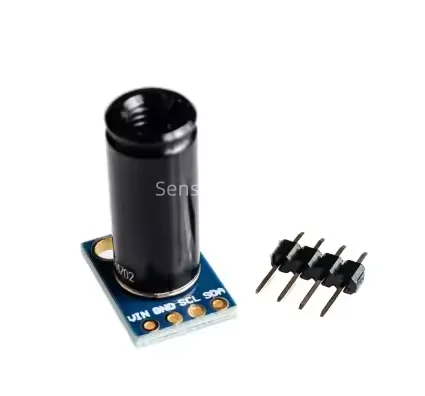
Ẹ̀yà pàtàkì ti iṣẹ́ yìí ni APDS9960 sensor module. Module yìí lè ṣàwárí àwọn gesture bíi swipe left, swipe right, swipe up, àti swipe down. Ó tún wọn àwọn iye àwọ̀ RGB àti ìsúnmọ́ sí àwọn ohun tí ó wà ní àyíká. Sensor náà ń bá Arduino sọ̀rọ̀ nípa lílo I2C, èyí tí ó rọrùn fún ìsopọ̀ àti kíkọ kóòdù.
APDS9960 ní ọ̀pọ̀lọpọ̀ sensor inú: gesture sensor, RGB color sensor, àti ambient light sensor. Gesture sensor ń lo infrared LED àti photodetector láti ṣàwárí ìṣísẹ̀ ọwọ́, nígbà tí RGB sensor ń wọn ìmọ́lẹ̀ pupa, alawọ̀ ewe, àti bulu láti dá àwọ̀ mọ̀. Proximity sensor ń pinnu bí ohun kan ti súnmọ́ sensor náà tó, èyí tí ó lè wúlò nínú àwọn ààyè àmúlò púpọ̀.
Datasheet Àwọn Àlàyé
| Olùṣe | Avago Technologies |
|---|---|
| Nọ́mbà apá | APDS-9960 |
| Logic/IO folti | 1.8 V sí 3.6 V |
| Folti ìpèsè | 3.3 V |
| Ìjàde lọ́wọ́lọ́wọ́ (fún ikanni) | 20 mA tó pọ̀ jù |
| Peak lọ́wọ́lọ́wọ́ (fún ikanni) | 100 mA |
| PWM ìgbohùnsá ìtọ́sọ́nà | Kò wúlò |
| Ìwọ̀n àwọn ìpele ìfisílẹ̀ | 0.3 V (rẹ̀lẹ̀), 0.7 V (ga) |
| Ìdìndì folti / RDS(on) / saturation | 0.5 V tó pọ̀ jù |
| Àwọn ìwọ̀n ooru | -40 sí 85 °C |
| Àpò | 6-pin LGA |
| Àwọn àkíyèsí / àwọn ìyàtọ̀ | Kò sí |
- Máa fi 3.3V nígbà gbogbo fún APDS9960; àwọn folti tí ó ga jù lè ba sensor náà jẹ́.
- Rí i dájú pé àwọn pull-up resistors wà lórí àwọn ìlà I2C bí o bá ń so ọ̀pọ̀lọpọ̀ ẹ̀rọ̀ pọ̀.
- Jẹ́ kí sensor náà jìnnà sí ìmọ́lẹ̀ oòrùn tààrà láti yẹra fún ìdàrúdàpọ̀.
- Lo decoupling capacitor nítòsí àwọn pin agbára fún ìdúróṣinṣin.
- Mọ ibi tí sensor lè rí ohun tí ó súnmọ́ (ní gbogbogbòò, ní àyíká 20 cm).
Àwọn Ìtọ́sọ́nà Ìsopọ̀

Láti so APDS9960 sensor module pọ̀ sí Arduino rẹ, tẹ̀lé àwọn ìgbésẹ̀ wọ̀nyí:
- So pin
VCCti APDS9960 pọ̀ sí pin 3.3V lórí Arduino. - So pin
GNDpọ̀ sí ọ̀kan lára àwọn pin GND lórí Arduino. - So pin
SDApọ̀ sí pinA4ti Arduino (ìlà data I2C). - So pin
SCLpọ̀ sí pinA5ti Arduino (ìlà aago I2C). - So pin
INTpọ̀ sí pin onímọ̀2lórí Arduino fún interrupt handling.
Kíyèsi pé bí o bá ń lo irú Arduino mìíràn, àwọn pin SDA àti SCL lè yàtọ̀ (fún àpẹẹrẹ, lórí Arduino Mega, lo SDA lórí pin 20 àti SCL lórí pin 21). Rí i dájú pé o ṣàyẹ̀wò àwọn ìtọ́sọ́nà pin pàtó fún board rẹ. Fún àwọn ìtòlẹ́sẹẹsẹ mìíràn, wo fídíò náà ní (nínú fídíò ní 02:30).
Àwọn Àpẹẹrẹ Kóòdù & Ìṣàlàyé
Nínú iṣẹ́ setup, a bẹ̀rẹ̀ serial communication àti APDS9960 sensor. A ṣètò interrupt pin láti gbọ́ àwọn ìṣẹ̀lẹ̀ gesture. Èyí ni àpẹẹrẹ kóòdù setup:
void setup() {
  pinMode(APDS9960_INT, INPUT);
  Serial.begin(9600);
  Serial.println(F("APDS-9960 initialization..."));
  if (apds.init()) {
    Serial.println(F("Initialization complete"));
  } else {
    Serial.println(F("Initialization failed"));
  }
}
Kóòdù yìí ṣètò àwọn ìtòlẹ́sẹẹsẹ tí a nílò láti rí i dájú pé sensor náà ti ṣetán fún lílò, ó sì ń pèsè ìdáhùn nínú serial monitor.
Nígbà tí ó tẹ̀ síwájú, a ṣàlàyé bí a ṣe lè ṣe àmúlò àwọn gesture tí sensor rí. Iṣẹ́ handleGesture ń lo switch statement láti pinnu ìtọ́nà gesture náà. Èyí ni àpẹẹrẹ kóòdù:
void handleGesture() {
  if (apds.isGestureAvailable()) {
    switch (apds.readGesture()) {
      case DIR_UP:
        Serial.println("UP");
        break;
      case DIR_DOWN:
        Serial.println("DOWN");
        break;
      // Àwọn ìpè mìíràn fún left, right, near, àti far
    }
  }
}
Iṣẹ́ yìí ṣàyẹ̀wò bí gesture bá wà, ó sì ka ìtọ́nà rẹ̀, tí ó ń tẹ àbájáde sí serial monitor fún ìdáhùn. Rí i dájú pé o wo kóòdù kíkún tí a gbé sí ìsàlẹ̀ àpilẹ̀kọ fún àwọn àlàyé àmúlò pípé.
Ìṣàfihàn / Ohun Tí O Lè Retí
Nígbà tí o bá ṣiṣẹ́ ètò náà, o yẹ kí o rí àwọn gesture tí a rí tí a tẹ̀ sí serial monitor bí o ṣe ń gbé ọwọ́ rẹ lọ ní àwọn ìtọ́nà oríṣiríṣi. Fún àpẹẹrẹ, gbígbé ọwọ́ sí òkè yóò fi "UP" hàn, nígbà tí gbígbé ọwọ́ sí ìsàlẹ̀ yóò fi "DOWN" hàn. Rí i dájú pé o di ọwọ́ rẹ mú dúró fún ìṣẹ́jú kan nígbà tí o ń ṣe àwọn gesture near àti far (nínú fídíò ní 10:00).
Ṣọ́ra pẹ̀lú ìwọ̀n ìsúnmọ́ ti sensor náà; bí o bá gbé ọwọ́ rẹ yára jù tàbí jìnnà sí sensor náà, ó lè má ṣe àkọsílẹ̀ gesture náà dáradára. Èyí jẹ́ ìṣòro tí ó wọ́pọ̀ tí ó lè nípa lórí iṣẹ́ rẹ.
Àwọn Àkókò Fídíò
- 00:00 - Ifihan si sensa APDS9960
- 02:30 - Awọn ilana asopọ okun
- 05:15 - Awọn alaye koodu
- 10:00 - Ifihan ti idanimọ afarajuwe
Aworan

++
/*
This is code for an APDS9960 Gesture, RGB, Proximity sensor module (6 pin).
 * Watch the video on how to use APDS9960: https://youtu.be/jjXx0V13rNs

 */
/*
 *  This code has been modified from the Arduino library.
 *  Explained by Ahmad S. on March 25, 2018 at 21:19
 *  in Ajax, Ontario, Canada
 *  for Robojax.com
 *
 */

 /****************************************************************
GestureTest.ino
APDS-9960 RGB and Gesture Sensor
Shawn Hymel @ SparkFun Electronics
May 30, 2014
https://github.com/sparkfun/APDS-9960_RGB_and_Gesture_Sensor

Tests the gesture sensing abilities of the APDS-9960. Configures
APDS-9960 over I2C and waits for gesture events. Calculates the
direction of the swipe (up, down, left, right) and displays it
on a serial console.

To perform a NEAR gesture, hold your hand
far above the sensor and move it close to the sensor (within 2
inches). Hold your hand there for at least 1 second and move it
away.

To perform a FAR gesture, hold your hand within 2 inches of the
sensor for at least 1 second and then move it above (out of
range) of the sensor.

Hardware Connections:

IMPORTANT: The APDS-9960 can only accept 3.3V!

 Arduino Pin  APDS-9960 Board  Function

 3.3V         VCC              Power
 GND          GND              Ground
 A4           SDA              I2C Data
 A5           SCL              I2C Clock
 2            INT              Interrupt

Resources:
Include Wire.h and SparkFun_APDS-9960.h

Development environment specifics:
Written in Arduino 1.0.5
Tested with SparkFun Arduino Pro Mini 3.3V

This code is beerware; if you see me (or any other SparkFun
employee) at the local, and you've found our code helpful, please
buy us a round!

Distributed as-is; no warranty is given.
****************************************************************/

#include <Wire.h>
#include <SparkFun_APDS9960.h>

// Pins
#define APDS9960_INT    2 // Needs to be an interrupt pin

// Constants

// Global Variables
SparkFun_APDS9960 apds = SparkFun_APDS9960();
int isr_flag = 0;

void setup() {

  // Set interrupt pin as input
  // Robojax Video Tutorial
  pinMode(APDS9960_INT, INPUT);

  // Initialize Serial port
  Serial.begin(9600);
  Serial.println();
  Serial.println(F("--------------------------------"));
  Serial.println(F("SparkFun APDS-9960 - GestureTest"));
  Serial.println(F("--------------------------------"));

  // Initialize interrupt service routine
  attachInterrupt(0, interruptRoutine, FALLING);

  // Initialize APDS-9960 (configure I2C and initial values)
  if ( apds.init() ) {
    Serial.println(F("APDS-9960 initialization complete"));
  } else {
    Serial.println(F("Something went wrong during APDS-9960 init!"));
  }

  // Robojax Video Tutorial
  // Start running the APDS-9960 gesture sensor engine
  if ( apds.enableGestureSensor(true) ) {
    Serial.println(F("Gesture sensor is now running"));
  } else {
    Serial.println(F("Something went wrong during gesture sensor init!"));
  }
}

void loop() {
  if( isr_flag == 1 ) {
    detachInterrupt(0);
    handleGesture();
    isr_flag = 0;
    attachInterrupt(0, interruptRoutine, FALLING);
    // Robojax Video Tutorial
  }
}

void interruptRoutine() {
  isr_flag = 1;
}

void handleGesture() {
    if ( apds.isGestureAvailable() ) {
      // Robojax Video Tutorial
    switch ( apds.readGesture() ) {
      case DIR_UP:
        Serial.println("UP");
        break;
      case DIR_DOWN:
        Serial.println("DOWN");
        break;
      case DIR_LEFT:
        Serial.println("LEFT");
        // Robojax Video Tutorial
        break;
      case DIR_RIGHT:
        Serial.println("RIGHT");
        break;
      case DIR_NEAR:
        Serial.println("NEAR");
        break;
      case DIR_FAR:
        Serial.println("FAR");
        break;
      default:
        Serial.println("NONE");
        // Robojax Video Tutorial
    }
  }
}
Ohun ti o le nilo
-
Amazon
-
AliExpressPurchase AM2302, DHT11, or DHT22 sensor from AliExpresss.click.aliexpress.com
Orisun & itọkasi
-
Ita gbangbaAdafruit APDS9960 library (from GitHub)github.com
Fáìlìs📁
Fayile Fritzing
-
APDS 9960 sensọ rgb ati iṣipopada
apds_9960_rgb_and_gesture_sensor.fzpz0.01 MB
Awọn faili miiran
-
APDS9960 Iwe Iṣẹ́ Iṣọkan lati RobojaxIle-ika yii ni a lo fun Sensọ Iwa APDS9960 lati ṣe awari gbigbe ọwọ rẹ ati lati ṣe awari awọ ti o wa.
robojax-gesture-APDS9960-Library.zip0.30 MB -
APDS9960 Iwe alayeeleyi ni iwe alaye fun APDS9960 chip. wo iwe yi lati kẹkọọ diẹ sii nipa rẹ.
robojax-gesture-APDS9960_datasheet.pdf0.89 MB -
APDS9960 Gesture LibraryArduino library fun APDS9960 gesture, proximity, ati awọ sensor. O pese awọn iṣẹ lati pilẹ sensor, ka data gesture, ati ṣeto awọn iye idanimọ. O ṣe atilẹyin I2C interface ati o nṣiṣẹ ni 3.3V.
robojax-APDS9960-gesture-library.zip0.30 MB -
APDS9960 Gesture DatasheetDatasheet fun APDS9960 digital proximity, ambient light, RGB ati gesture sensor. O ni ẹya I2C interface, gesture detection pẹlu directional output, ati o nṣiṣẹ ni 2.4-3.6V.
robojax-APDS9960-gesture-datasheet.pdf0.89 MB