Aosong AM2320 デジタル温湿度センサー用の Arduino コードとビデオ
このチュートリアルでは、Aosong AM2320 デジタル温度・湿度センサーを Arduino で使用する方法を紹介します。このセンサーは I2C で通信し、温度を摂氏または華氏で、湿度をパーセント(%)で読み取ることができます。チュートリアルの最後には、これらの測定値をシリアルモニタに表示する簡単なプロジェクトを作成できるようになります。

AM2320センサーはコンパクトで、温度と湿度の両方に関して信頼できるデータを提供します。温度の分解能は0.1°Cで、湿度の範囲は0-99%です。セットアップ手順は、センサーをArduinoに配線し、センサーの値を読み取って表示するために数行のコードを書くことを含みます。このビデオチュートリアルは、配線とコーディングの例を含むステップバイステップのガイドを提供します(ビデオで00:00)。
ハードウェアの解説
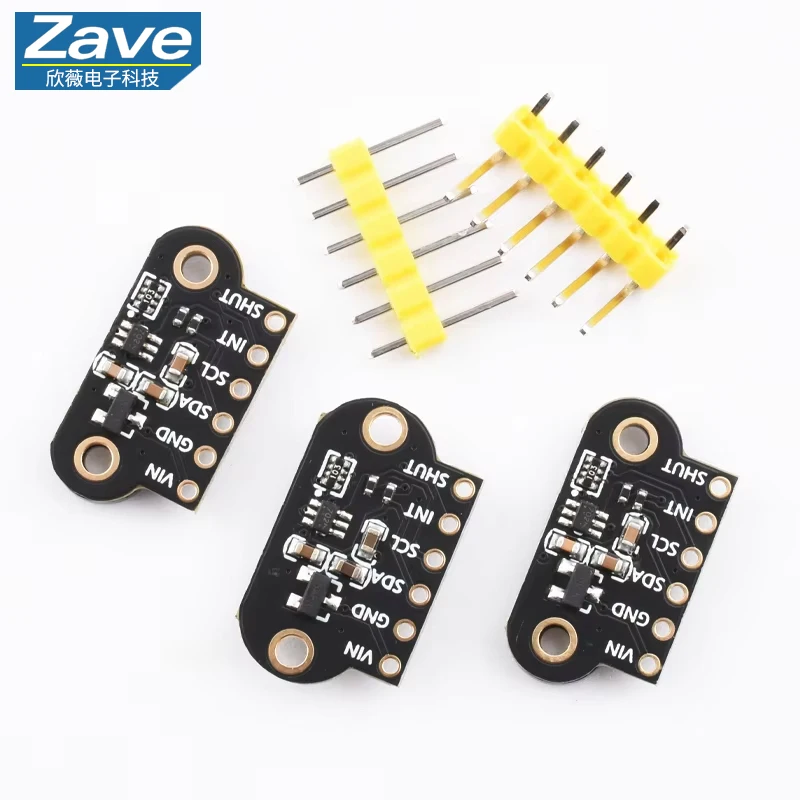
このプロジェクトの主要構成要素はAosong AM2320センサーです。I2C通信で動作するため、電源とGNDに加えてデータ線はSDAとSCLの2本のみで済み、接続が簡素化されます。センサーは温度を-40°C〜+80°Cの範囲で測定し、精度は±0.5°C、湿度は0%〜99%で同様の精度を持ちます。非常に低消費電力に設計されており、電池駆動の機器に適しています。
さらに、AM2320モジュールにはI2C通信に必要なプルアップ抵抗が含まれており、SDAおよびSCLラインの信号を安定させます。この機能により外付けのプルアップ抵抗を追加する必要がなく、配線が簡素化されます。
データシートの詳細
| 製造元 | アオソング |
|---|---|
| 部品番号 | AM2320 |
| ロジック/入出力電圧 | 3.1〜5.5 V |
| 供給電圧 | 3.1〜5.5 V |
| 温度範囲 | -40〜+80 °C |
| 湿度範囲 | 0〜99% |
| 分解能(温度) | 0.1℃ |
| 分解能(湿度) | 0.1% |
| 精度(温度) | ±0.5℃ |
| 精度(湿度) | ±3% |
| パッケージ | モジュール |
- 正しい電源電圧(3.1~5.5 V)を確保してください。
- SDAおよびSCLラインにはプルアップ抵抗(通常は4.7 kΩ)を使用してください。
- 破損を避けるため、温度を-40°C〜+80°Cの範囲内に保ってください。
- 湿度の測定値は0%から99%の範囲で正確です。
- 測定中にエラーコードを監視する(例:センサーがオフライン)。
配線手順

AM2320センサーをArduinoに配線するには、以下の手順を注意して行ってください。まず、電源ピンを接続します:AM2320の一番左のピンをArduinoの5V(またはVCC)に接続し、グラウンドピンをArduinoのGNDに接続します。左から2番目のピン(SDA)は、Arduino UnoではアナログピンA4、Arduino MegaではA20に接続します。3番目のピン(SCL)はArduino UnoではA5、Arduino MegaではA21に接続します。
さらに、SDAピンから5Vラインへ4.7 kΩの抵抗を、SCLピンから5Vラインへ別の4.7 kΩの抵抗を接続する必要があります。これにより適切なI2C通信が確保されます。Leonardoのような他のArduinoモデルを使用する場合、SDAとSCLのピンはそれぞれA4とA5になります。
コード例と解説
このプロジェクトで使用したArduinoコードの主要な部分をいくつか見てみましょう。まず、センサーを初期化し、シリアル通信を設定します:
#include
AM2320 sensor;

void setup() {
  Serial.begin(9600);
  sensor.begin();
} このスニペットでは、必要なライブラリをインクルードします#include <AM2320.h>そしてセンサーのインスタンスを作成します。そのsetup()関数はシリアル通信を9600ボーレートで初期化し、センサーを起動します。
次に、温度と湿度を読み取るメインループを見ていきます:
if (sensor.measure()) {
    Serial.print("Temperature: ");
    Serial.print(temp('C'));
    Serial.print(" C, Humidity: ");
    Serial.print(sensor.getHumidity());
    Serial.println("%");
}このコードはセンサーの測定が成功したかどうかを確認します。成功していれば、シリアルモニタに摂氏温度と湿度(%)を出力します。そのtemp('C')摂氏の温度を取得するために関数が呼び出されます。華氏で取得したい場合は、別の関数を呼び出すことができます。temp('F').
デモ/何を期待できるか
プログラムを実行すると、シリアルモニタで温度と湿度の読み取りが0.5秒ごとに更新されるのが確認できるはずです。たとえば、出力は "Temperature: 23.5 C, Humidity: 50%" のようになるかもしれません。センサーに熱を加えると、温度が上昇し湿度が低下するのが観察でき、その応答性が示されます(ビデオの11:15で)。
動画のタイムスタンプ
- 00:00- AM2320センサーの紹介
- 01:30- 配線手順
- 午前03:45- コードのウォークスルー
- 05:15- 測定値のデモンストレーション
画像


++
/**
    This is Arduino code for Aosong Digital Temperature and Humidity Sensor.
	This code is presented as part of a Robojax tutorial.

    This program is free software: you can redistribute it and/or modify
    it under the terms of the GNU General Public License as published by
    the Free Software Foundation, either version 3 of the License, or
    (at your option) any later version.

    This program is distributed in the hope that it will be useful,
    but WITHOUT ANY WARRANTY; without even the implied warranty of
    MERCHANTABILITY or FITNESS FOR A PARTICULAR PURPOSE.  See the
    GNU General Public License for more details.

    You should have received a copy of the GNU General Public License
    along with this program.  If not, see <http://www.gnu.org/licenses/>.

    Copyright 2016 Ratthanan Nalintasnai
    Modified for Robojax.com video by
    Ahmad S. on March 22, 2018 at 22:45 in Ajax, Ontario, Canada
    This code, with library and other codes, is available at
    https://robojax.com
    Watch the video instruction for this code: https://youtu.be/3ifN0FhLB5E
**/

// Include library into the sketch
#include <AM2320.h>

// Create an instance of sensor
AM2320 sensor;

void setup() {
  // enable serial communication
  Serial.begin(9600);
  Serial.print("Robojax AM2320 Demo ");
  // call sensor.begin() to initialize the library
  sensor.begin();
}

void loop() {

  // sensor.measure() returns a boolean value
  // - true indicates measurement is completed successfully
  // - false indicates that either the sensor is not ready or CRC validation failed
  //   use getErrorCode() to check for the cause of the error.
  if (sensor.measure()) {
    Serial.print("Temperature: ");
    Serial.print(temp('C'));
    Serial.print(" C, Humidity: ");
    Serial.print(sensor.getHumidity());
    Serial.println("%");
  }
  else {  // error has occurred
    int errorCode = sensor.getErrorCode();
    switch (errorCode) {
      case 1: Serial.println("ERR: Sensor is offline"); break;
      case 2: Serial.println("ERR: CRC validation failed."); break;
    }
  }

  delay(500);
}

/*
 * temp()
 * returns temperature based on the parameter T
 * if T == 'F', will convert Celsius to Fahrenheit
 * if T is anything else or empty, will return Celsius
 * how to use:
 *  to get Fahrenheit, use temp('F')
 *  to get Celsius, use temp('C') or temp('')
 *  the temp('') uses an empty single quote
 *
 */
float temp(char T)
{
  if (sensor.measure()) {
    if(T =='F')
    {
      // convert to FAHRENHEIT and return
      // Robojax video tutorial
      return sensor.getTemperature()* 1.8 + 32;
    }else{
      return sensor.getTemperature();// return CELSIUS
    }

  }// if sensor.measure
}
リソースと参考文献
まだリソースはありません。
ファイル📁
データシート(pdf)
-
Adafruit AM2320 温湿度 I2C センサー ユーザーマニュアル
adafruit-am2320-temperature-humidity-i2c-sensor.pdf1.27 MB
フリッツィングファイル
-
AM2320湿度および温度センサー
AM2320 Humidity and Temperature Sensor.fzpz0.01 MB