Come usare un display a 7 segmenti
In questo tutorial esploreremo come utilizzare efficacemente un display a 7 segmenti, concentrandoci sulle differenze tra le configurazioni a catodo comune e ad anodo comune. Questa guida ti aiuterà a capire come cablare il display, calcolare i resistori necessari e controllare i segmenti per visualizzare le cifre in modo accurato.
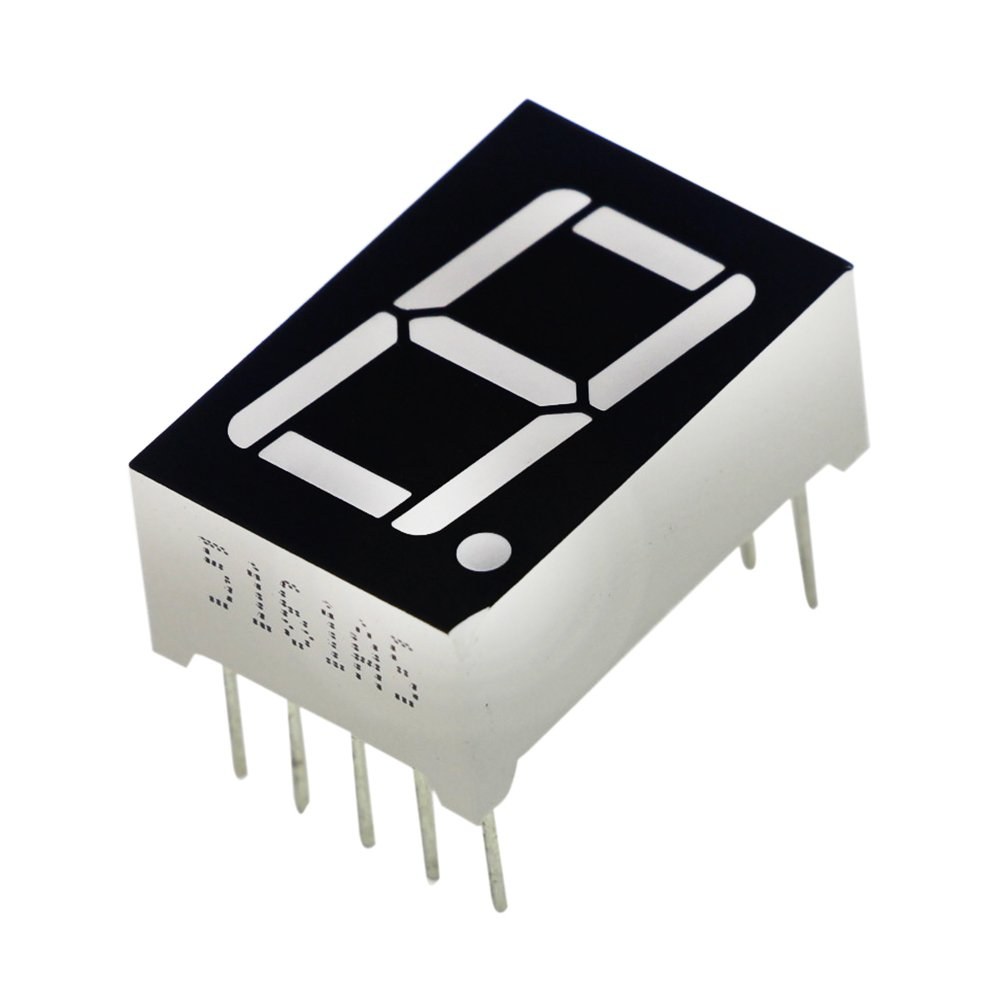
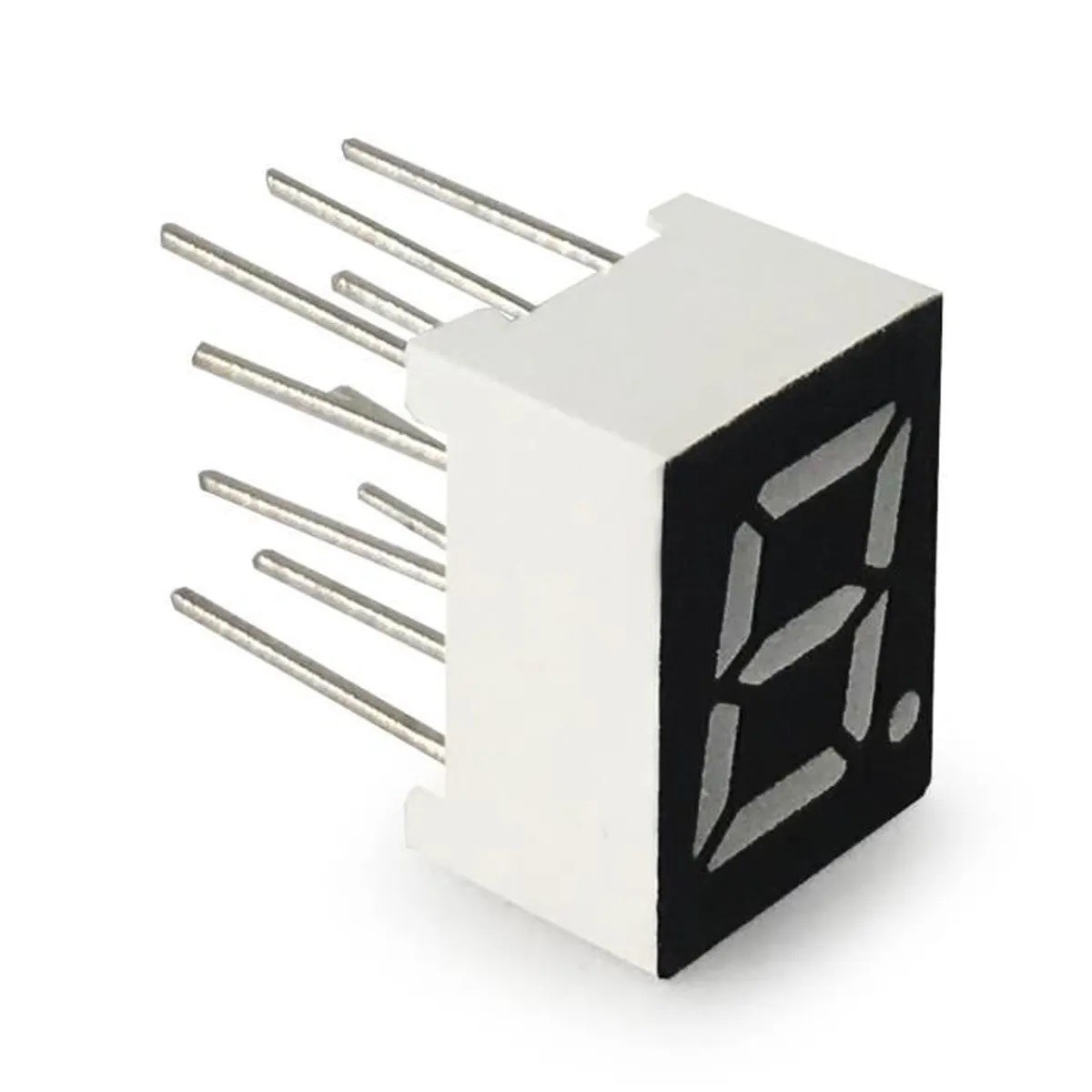
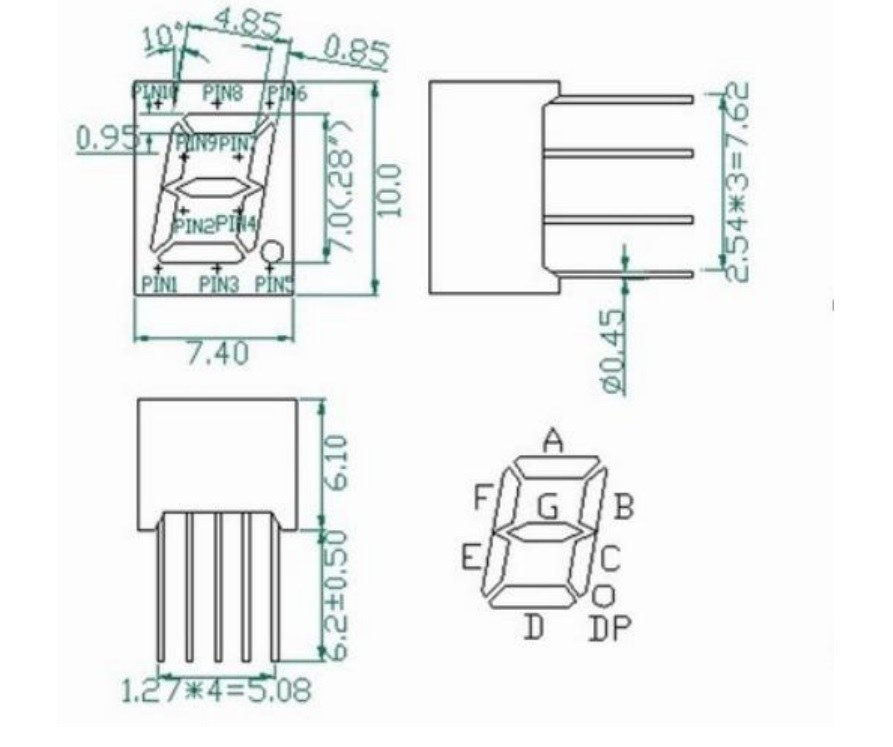
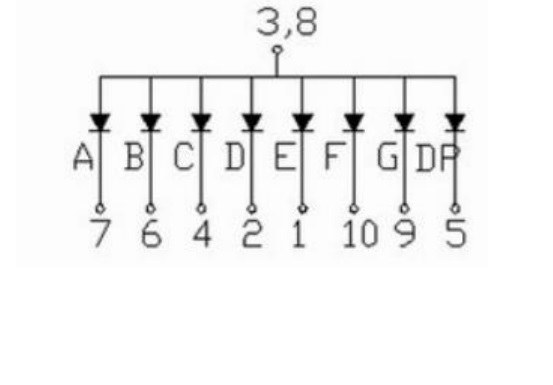
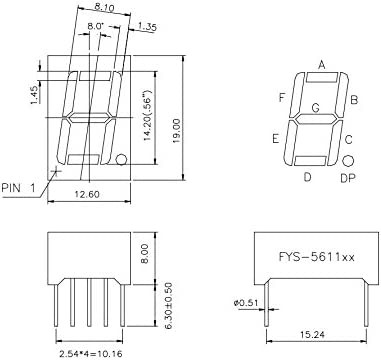
I display a 7 segmenti sono composti da otto LED, disposti per formare numeri e simboli illuminando segmenti specifici. I segmenti sono etichettati da A a G, con un segmento aggiuntivo per il punto decimale (DP). A seconda che tu stia utilizzando un display a catodo comune o ad anodo comune, il cablaggio e la logica di controllo differiranno in modo significativo.
Per una comprensione più approfondita di questo progetto, assicurati di guardare il video di accompagnamento per spiegazioni visive (nel video a 0:00).
Hardware Spiegato
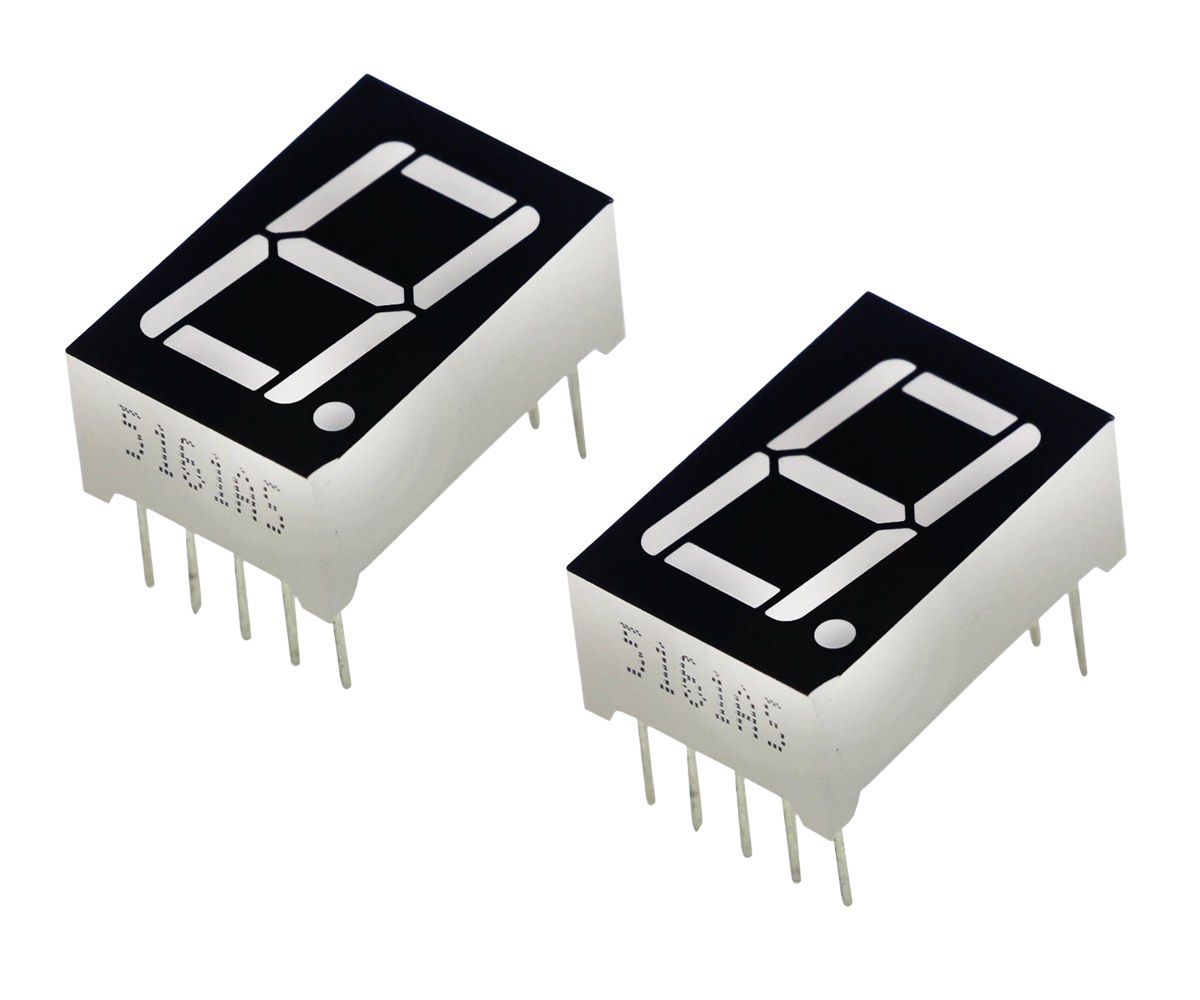
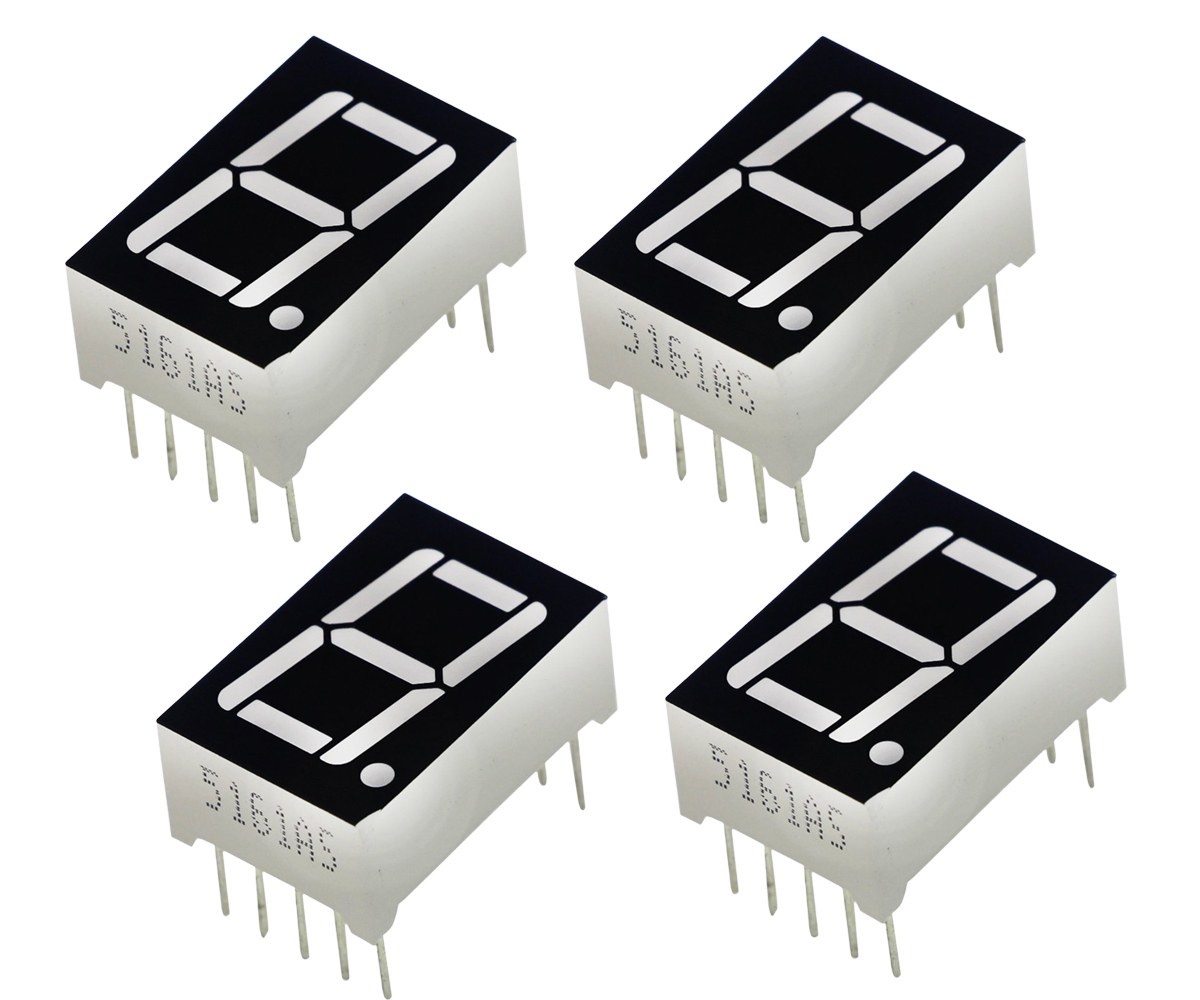
I componenti principali di questo progetto includono il display a 7 segmenti, i resistori e un microcontrollore come un Arduino. Il display a 7 segmenti è il dispositivo di output principale che mostra i numeri accendendo i segmenti appropriati.
I resistori sono essenziali per limitare la corrente attraverso ogni segmento LED per prevenire danni. Il microcontrollore invia segnali ai pin del display per controllare quali segmenti sono accesi, permettendo di rappresentare diversi numeri. Comprendere la configurazione del tuo specifico tipo di display (catodo comune vs. anodo comune) è fondamentale per un cablaggio corretto.
Dettagli dal Datasheet
| Produttore | Generico |
|---|---|
| Numero parte | Display a 7 segmenti |
| Tensione diretta (VF) | 2,2 V (tip.) |
| Corrente diretta (IF) | 20 mA (tip.) |
| Tipi comuni | Catodo comune, Anodo comune |
| Temperatura operativa | da -20 a 75 °C |
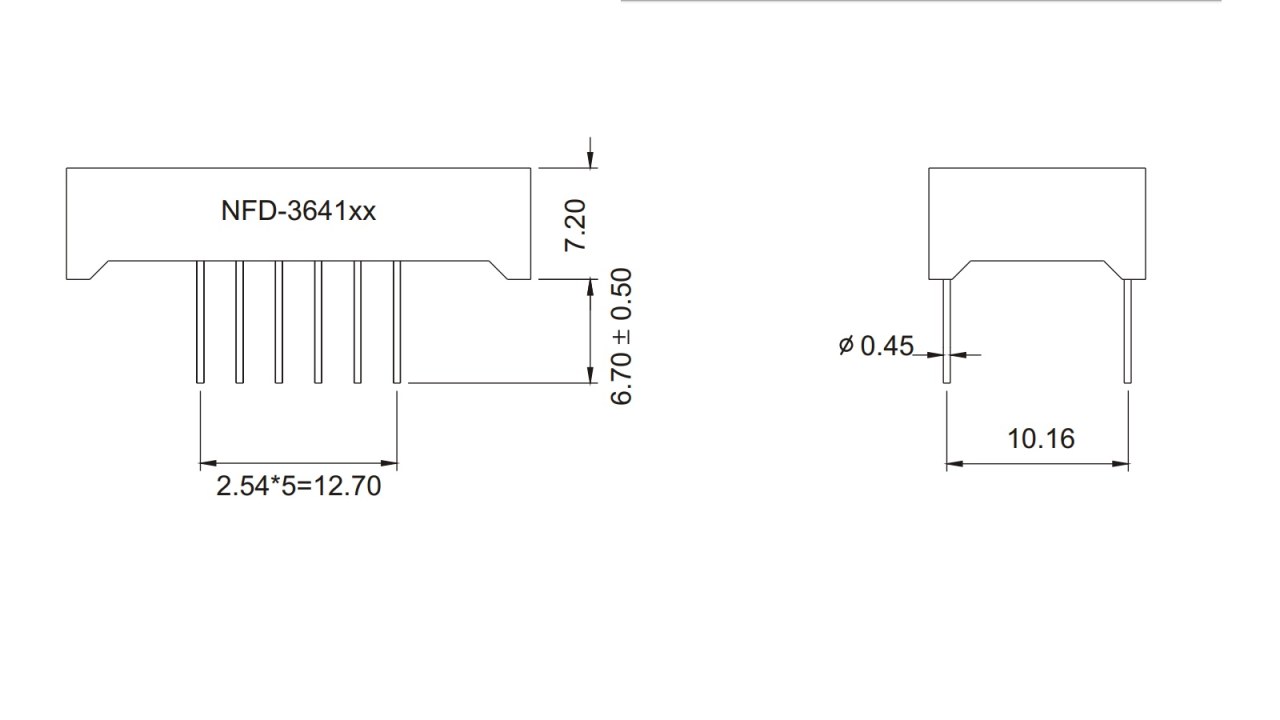
| Package | DIP-10 |
- Usa un resistore per ogni segmento per controllare la corrente.
- Valore tipico del resistore: 140 ohm per alimentazione a 5 V.
- Assicurati di eseguire un cablaggio corretto in base al tipo di display.
- Testa ogni segmento individualmente per verificarne il funzionamento.
- Controlla le valutazioni della tensione diretta per evitare danni.
Istruzioni di Cablaggio
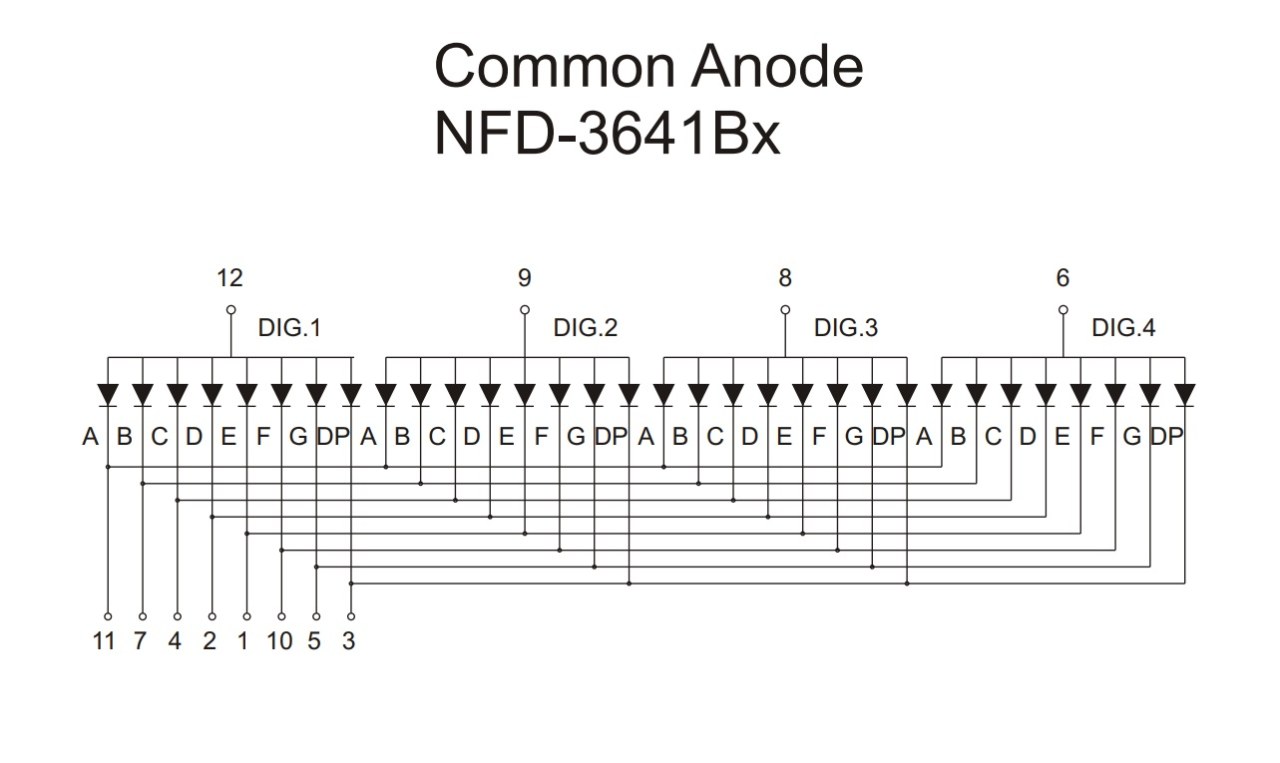
Per cablare il display a 7 segmenti, inizia collegando il pin comune (sia anodo comune che catodo comune) all'alimentazione appropriata. Per un display a catodo comune, collega il pin comune a terra. Per un display ad anodo comune, collegalo all'alimentazione positiva.
Dimostrazione / Cosa Aspettarsi
Quando cablato e programmato correttamente, il tuo display a 7 segmenti dovrebbe accendere i segmenti corretti per rappresentare i numeri desiderati. Ad esempio, per visualizzare il numero 1, solo i segmenti B e C dovrebbero essere accesi. Assicurati di controllare la polarità delle tue connessioni, poiché invertire la connessione comune può portare a un comportamento errato o a danni al display.
Timestamp del Video
- 00:00 Inizio
- 3:39 anodo comune e catodo
- 05:30 test di ogni segmento
- 6:24 identificazione dei pin del display a due cifre
- 09:18 calcolo del resistore
Immagini
Cose di cui potresti avere bisogno
-
Amazon
-
Amazon
-
AliExpressPurchase seven segment display from AliExpresss.click.aliexpress.com
Risorse e riferimenti
Nessuna risorsa ancora.
File📁
Nessun file disponibile.