Arduino Code and Video: L293D DC Motor Controller (without speed control)
This tutorial covers how to use the L293D motor controller with an Arduino to control a DC motor. The L293D allows you to rotate the motor in both clockwise and counter-clockwise directions. By following this guide, you'll learn how to wire the components and program the Arduino to achieve the desired motor control.
In this project, we will utilize the L293D motor driver to control a single DC motor. The motor will be able to switch directions based on the commands given in the Arduino code. For a clearer understanding of the setup and code, it's beneficial to watch the associated video (in video at 00:00).
Hardware Explained
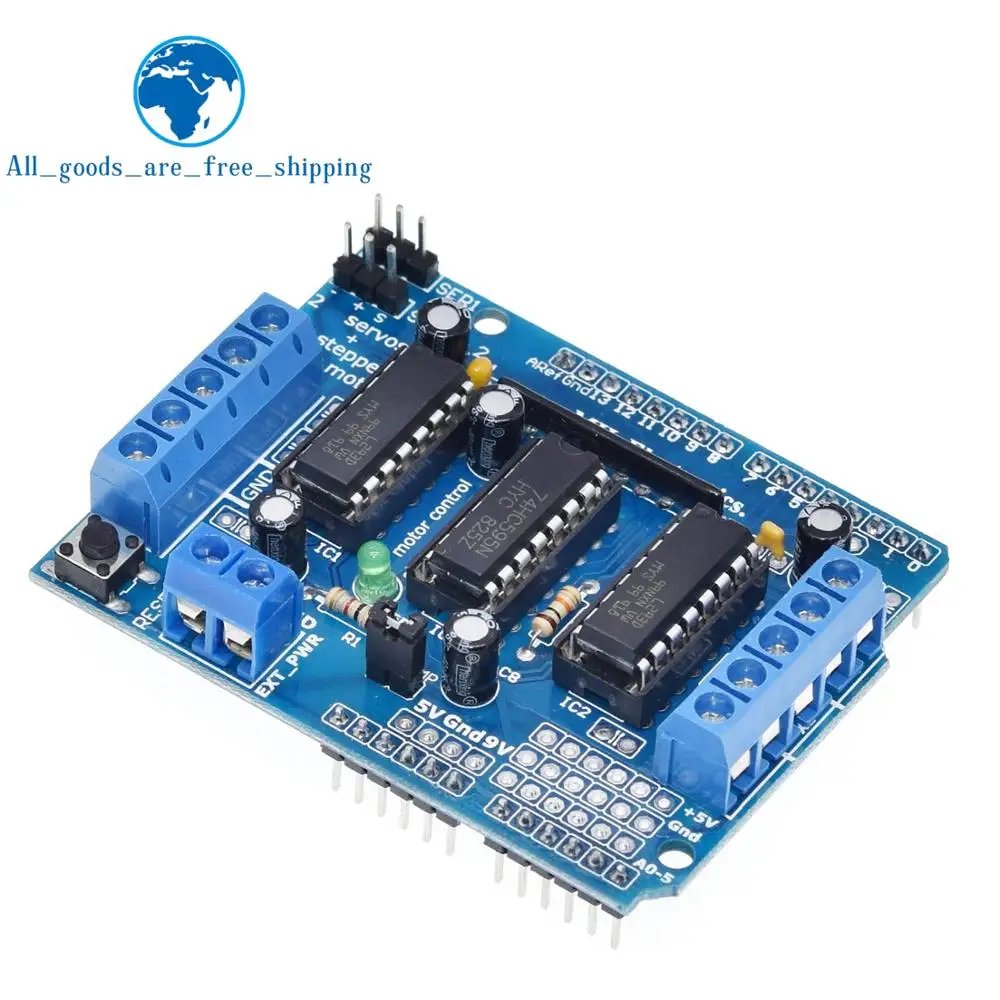
The L293D is an integrated circuit designed for driving motors. It can control two DC motors simultaneously or one stepper motor. The chip uses an H-bridge configuration to allow for direction control by switching the polarity of the voltage applied to the motor. This flexibility makes it an excellent choice for robotics and automation projects.
In addition to the L293D, we will be using an Arduino board to send control signals to the motor driver. The Arduino will generate the necessary logic levels to enable the motor and determine its rotation direction. The setup will also require a DC motor and a power supply compatible with the motor's voltage requirements.
Datasheet Details
| Manufacturer | Texas Instruments |
|---|---|
| Part number | L293D |
| Logic/IO voltage | 5 V |
| Supply voltage | 4.5 - 36 V |
| Output current (per channel) | 600 mA |
| Peak current (per channel) | 1.2 A |
| PWM frequency guidance | 20 kHz |
| Input logic thresholds | 2.5 V (typ.) |
| Voltage drop / RDS(on) / saturation | 1.5 V (max) |
| Thermal limits | 150 °C (max) |
| Package | 16-DIP |
| Notes / variants | Can control two motors |
- Ensure the supply voltage does not exceed 36 V.
- Use appropriate heat-sinking when operating near maximum current.
- Always connect the ground of the Arduino and the motor driver.
- Check the wiring to avoid reversed polarity connections.
- Use PWM signals to control speed if required in future projects.
Wiring Instructions


To wire the L293D motor controller to the Arduino, start by connecting the power and ground. Connect the L293D's pin 4 and pin 5 to the ground. Then, connect pin 1 (Vcc1) to the 5 V output of the Arduino. For Vcc2 (pin 8), connect it to an external power supply, ensuring it matches the motor voltage specification.
Next, connect the enable pin (pin 1) to pin 8 on the Arduino to control the motor's power. For the motor control inputs, connect pin 2 (1A) of the L293D to pin 2 on the Arduino and pin 7 (2A) to pin 7 on the Arduino. Finally, connect the motor terminals to pin 3 (1Y) and pin 6 (2Y) on the L293D.


Code Examples & Walkthrough
The following code initializes the pins and sets up the motor control. The identifiers used include P1A for the first motor control pin and EN12 for the enable pin. The setup function configures the pins as outputs.
void setup() {
  Serial.begin(9600); // setup Serial Monitor to display information
  pinMode(P1A, OUTPUT); // define pin as OUTPUT for P1A
  pinMode(P2A, OUTPUT); // define pin as OUTPUT for P2A
  pinMode(EN12, OUTPUT); // define pin as OUTPUT for 1,2EN enable
}
In the loop, the motor is commanded to rotate in both directions with delays in between. The state of the motor is printed to the serial monitor using Serial.println.
void loop() {
  Serial.println("Rotating CW");
  digitalWrite(EN12, HIGH); // Enable 1A and 2A
  digitalWrite(P1A, HIGH); // send HIGH signal to P1A
  digitalWrite(P2A, LOW); // send LOW signal to P2A
  delay(3000); // motor runs for 3 seconds
  digitalWrite(EN12, LOW); // Disable 1A and 2A
}
This excerpt shows how to control the motor's rotation direction by changing the logic levels sent to P1A and P2A. The motor runs for 3 seconds before stopping and switching directions.
Here is how L293D half bridge drivers used:


Demonstration / What to Expect
When the setup is complete and the code is uploaded, you should observe the motor rotating in one direction for 3 seconds, stopping for 2 seconds, and then rotating in the opposite direction for another 3 seconds. The state of the motor will be printed on the serial monitor, confirming the actions (in video at 12:00).
Common pitfalls include ensuring the correct voltage is supplied to the motor and verifying that the motor connections are correct. If the motor does not respond, double-check the wiring and the power supply connections.
Video Timestamps
- 00:00 - Introduction
- 02:30 - Wiring explanation
- 05:00 - Code walkthrough
- 10:00 - Demonstration of motor control
图像
++
/*
 * This is the Arduino code L293 DC motor driver (Advanced).
 Using this code you can control a motor to rotate in both directions: clockwise (CW)
 and counter-clockwise (CCW).

 *  *
 // Written by Ahmad S. for Robojax.com on
// February 25, 2018 at 18:30 in Ajax, Ontario, Canada
 * Permission granted to share this code given that this
 * note is kept with the code.
 * Disclaimer: this code is "AS IS" and for educational purposes only.
 *

 * watch L293 video for details https://youtu.be/jAmDliHcTJ0
 * Code is available at http://robojax.com/learn/arduino

 *

*/
// DC motor 1 control
#define P1A 2 // define pin 2 as for P1A
#define P2A 7 // define pin 7 as for P2A
#define EN12 8 // define pin 8 as for 1,2EN enable


// DC motor 2 control
#define P3A 10 // define pin 10 as for P3A
#define P4A 13 // define pin 13 as for P4A
#define EN34 9 // define pin 9 as for EN3 and EN4 enable

/*
 * Permission granted to share this code given that this
 * note is kept with the code.
 * Disclaimer: this code is "AS IS" and for educational purposes only.
 *
 */

void setup() {
  // L293 Motor Control Code by Robojax.com 2018025
  Serial.begin(9600);// setup Serial Monitor to display information
  pinMode(P1A, OUTPUT);// define pin as OUTPUT for P1A
  pinMode(P2A, OUTPUT);// define pin as OUTPUT for P2A
  pinMode(EN12, OUTPUT);// define pin as OUTPUT for 1,2EN

  pinMode(P3A, OUTPUT);// define pin as OUTPUT for P3A
  pinMode(P4A, OUTPUT);// define pin as OUTPUT for P4A
  pinMode(EN34, OUTPUT);// define pin as OUTPUT for 3,4EN
  // L293 Motor Control Code by Robojax.com 2018025
}

void loop() {
  // L293 Motor Control Code by Robojax.com 2018025


    Serial.println("Rotating CW");
    digitalWrite(EN12 ,HIGH);// Enable 1A and 2A
    digitalWrite(P1A,HIGH);// send + or HIGH signal to P1A
    digitalWrite(P2A,LOW);// send - or LOW signal to P2A
    delay(3000);// motor runs for 3 seconds
    digitalWrite(EN12 ,LOW);// Disable 1A and 2A
    delay(2000);// motor stop for 3 seconds
    Serial.println("Motor Stopped");

  // L293 Motor Control Code by Robojax.com 2018025
    // now changing the direction of rotation of motor
    Serial.println("Rotating CCW");
    digitalWrite(EN12 ,HIGH);// Enable 1A and 2A
    digitalWrite(P1A,LOW);// send + or HIGH signal to P1A
    digitalWrite(P2A,HIGH);// send - or LOW signal to P2A
    delay(3000);// motor runs for 3 seconds
    digitalWrite(EN12 ,LOW);// Disable 1A and 2A
    delay(2000);// motor stop for 3 seconds
    Serial.println("Motor Stopped");


  Serial.println("=========== Loop done");
  delay(500);
  // L293 Motor Control Code by Robojax.com 2018025
}/*
* This is the Arduino code L293 DC motor driver (Advanced).
Using this code you can control a motor to rotate in both directions: clockwise (CW)
and counter-clockwise (CCW).
* *
// Written by Ahmad S. for Robojax.com on
// February 25, 2018 at 18:30 in Ajax, Ontario, Canada
* Permission granted to share this code given that this
* note is kept with the code.
* Disclaimer: this code is "AS IS" and for educational purposes only.
*
* Watch L293 video for details: https://youtu.be/jAmDliHcTJ0
* Code is available at: http://robojax.com/learn/arduino
*
*/
// DC motor 1 control
#define P1A 2 // define pin 2 as for P1A
#define P2A 7 // define pin 7 as for P2A
#define EN12 8 // define pin 8 as for 1,2EN enable
// DC motor 2 control
#define P3A 10 // define pin 10 as for P3A
#define P4A 13 // define pin 13 as for P4A
#define EN34 9 // define pin 9 as for EN3 and EN4 enable
/*
* Permission granted to share this code given that this
* note is kept with the code.
* Disclaimer: this code is "AS IS" and for educational purposes only.
*
*/
void setup() {
// L293 Motor Contro Code by Robojax.com 2018025
Serial.begin(9600);// setup Serial Monitor to display information
pinMode(P1A, OUTPUT);// define pin as OUTPUT for P1A
pinMode(P2A, OUTPUT);// define pin as OUTPUT for P2A
pinMode(EN12, OUTPUT);// define pin as OUTPUT for 1,2EN
pinMode(P3A, OUTPUT);// define pin as OUTPUT for P3A
pinMode(P4A, OUTPUT);// define pin as OUTPUT for P4A
pinMode(EN34, OUTPUT);// define pin as OUTPUT for 3,4EN
// L293 Motor Contro Code by Robojax.com 2018025
}
void loop() {
if(value == 45){
rotateMA("CW",HIGH); // start motor in CW
}
delay(3000);
rotateMA("CW",LOW); // stop motor
delay(2000);
rotateMA("CCW",HIGH); // start motor in CCW
delay(3000);
rotateMA("CW",LOW); /// stop motor
delay(2000);
// L293 Motor Contro Code by Robojax.com 2018025
}// loop ends
/**
* function: rotateMA(String di,int action)
* Sends power to motor A
* di is a string and can be "CW" or "CCW"
* to use:
* rotateMA("CW",HIGH);// to rotate motor CW
* rotateMA("CCW",HIGH);// to rotate motor CCW
* to stop the motor:
* rotateMA("CW",LOW);// to stop motor
*/
void rotateMA(String di,int endis)
{
// L293 Motor Contro Code by Robojax.com 2018025
if(di =="CW"){
Serial.println(" Rotating CW");
digitalWrite(EN12 ,endis);// Enable 1A and 2A
digitalWrite(P1A,HIGH);// send + or HIGH signal to P1A
digitalWrite(P2A,LOW);// send - or LOW signal to P2A
}else{
// L293 Motor Contro Code by Robojax.com 2018025
// now changing the direction of rotation of motor
Serial.println(" Rotating CCW");
digitalWrite(EN12 ,endis);// Enable 1A and 2A
digitalWrite(P1A,LOW);// send + or HIGH signal to P1A
digitalWrite(P2A,HIGH);// send - or LOW signal to P2A
}
// L293 Motor Contro Code by Robojax.com 2018025
}//rotateMA ends here|||您可能需要的东西
-
亚马逊购买 L293D 电机驱动 ICamzn.to
-
全球速卖通从AliExpress购买L293D电机驱动ICs.click.aliexpress.com
资源与参考
尚无可用资源。
文件📁
没有可用的文件。