ይህ ትምህርት አካል ነው: የዋይፋይ ሎራ 32 አጋዥ ስልጠናዎች
ከሄልቴክ ዋይፋይ ሎራ 32 ጋር የተያያዙ ሁሉም ቪዲዮዎች ከዚህ ቡድን ጋር የተያያዙ ናቸው። ወደ ሌሎች ቪዲዮዎች የሚወስዱ አገናኞች ከዚህ ጽሑፍ በታች ይገኛሉ።
የሰርቮ ሞተርን ከሩቅ ቦታ ይቆጣጠሩ! Heltec WiFi LoRa 32 V3 Arduino ትምህርት (TX)
በዚህ መመሪያ ውስጥ፣ ከሄልቴክ ESP32 LoRa V3 ሰርቮ ፕሮጀክታችን የተወሰዱትን ትክክለኛ ንድፎችን እየተመለከትን እንዴት እንደሚሰሩ እየተዳሰስን ነው—ምንም ተጨማሪ ኮድ ሳንጨምር። አስተላላፊው የማሽከርከሪያ ኢንኮደርን እንዴት እንደሚያነብ፣ ያንን አንግል በLoRa እንዴት እንደሚጠብቅ እና እንደሚልክ፣ እና ተቀባዩ እንዴት ምስጢሩን እንደሚፈታ እና ማይክሮ-ሰርቮን እንደሚያንቀሳቅስ ይማራሉ። ሁሉም የክፍል እና የኮድ አገናኞች ከታች አሉ፣ እና በአጋርነት አገናኞቻችን በኩል ቢያዙዋቸው እነዚህን ትምህርቶች እንድንቀጥል ይረዱናል።
የሄልቴክ ESP32 ቦርዶችን መጫን
ይህን መንገድ በቪዲዮው ላይ እንደሚታየው ወደ አርዱኖ IDE ምርጫዎች ያክሉ፡https://resource.heltec.cn/download/package_heltec_esp32_index.json
1. አስተላላፊ (TX) ሃርድዌር እና ውቅር
በTX በኩል የሚከተሉትን ያስፈልግዎታል፡
-
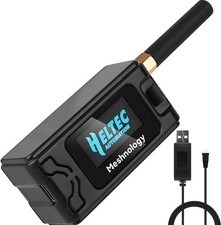
ሄልቴክ WiFi LoRa 32 V3 ቦርድ (በMeshnology N33 መያዣ ውስጥ፣ በ3000 mAh ባትሪ የሚሰራ)
-
የማሽከርከሪያ ኢንኮደር ከGPIO 6 (CLK)፣ GPIO 5 (DT)፣ GPIO 4 (SW) ጋር የተገናኘ
-
OLED ማሳያ በI²C (SDA= 4፣ SCL= 15)
ንድፉ የሚጀምረው ሁሉንም ነገር በማካተት እና በማስጀመር ነው፣ ልክ እንደ Heltec_ESP32_LoRa_V3_Sevo_TX_AiRotaryEncoder.ino፡
cppCopyEdit#include "AiEsp32RotaryEncoder.h"
#include "HT_SSD1306Wire.h"
#include "LoRaWan_APP.h"
#include "mbedtls/aes.h"
// …
static SSD1306Wire display(0x3c, 500000, SDA_OLED, SCL_OLED, GEOMETRY, RST_OLED);
AiEsp32RotaryEncoder rotaryEncoder = AiEsp32RotaryEncoder(
    PIN_A, PIN_B, SW_PIN, ROTARY_ENCODER_VCC_PIN, false, true, true);
const int homePosition = 90;
const int MAX_ANGLE    = 180;
int servoAngel = homePosition;
በsetup() ውስጥ፣ ኮዱ፡
-
ማሳያውን ያብራል፣ ቅርጸ-ቁምፊ ያዘጋጃል
-
rotaryEncoder.begin()፣rotaryEncoder.setup(readEncoderISR)፣rotaryEncoder.setBoundaries(0, MAX_ANGLE, true)እናrotaryEncoder.setAcceleration(20)ይጠራል -
ኢንኮደሩን ወደ
homePositionይመልሳል -
LoRa ን በ
Mcu.begin(HELTEC_BOARD, SLOW_CLK_TPYE)ያስጀምራል እናRadioEvents፣ ቻናል እና መለኪያዎችን ልክ እንደ በቀረበው ንድፍ ያዘጋጃል።
2. አንግሉን በደህንነት መላክ
እያንዳንዱ የሉፕ ዑደት rotary_loop() ያሂዳል፣ እሱም፡
-
ኢንኮደሩን በISR ውስጥ ያነባል
-
servoAngelሲቀየር፣ ወደ 16-ባይት ቋት ያሸጋግረዋል፣ በAES-128 (encryptAES()ከንድፉ) ያመስጥረዋል፣ እና ይጠራልcppCopyEditRadio.Send(data, sizeof(data)); -
lora_idle = falseያደርጋልOnTxDone()እስኪተኩስ እና እስኪመልሰው ድረስ።
3. ተቀባይ (RX) ሃርድዌር እና ውቅር
በRX በኩል የሚከተሉትን ያስፈልግዎታል፡
-
ሄልቴክ WiFi LoRa 32 V3 ቦርድ (ተመሳሳይ መያዣ/ባትሪ)
-
ማይክሮ-ሰርቮ (ለምሳሌ SG90) በGPIO 6 (ወይም በማንኛውም የተሞከረ PWM ፒን)
-
OLED ማሳያ
በHeltec_ESP32_LoRa_V3_Sevo_RX.ino ውስጥ ያለው ንድፍ የሚጀምረው በ፡
cppCopyEdit#include <ESP32Servo.h>
#include "HT_SSD1306Wire.h"
#include "LoRaWan_APP.h"
#include "mbedtls/aes.h"
// …
const int servoPin       = 6;
const int SERVO_DUTY_MIN = 400;  // us
const int SERVO_DUTY_MAX = 2400; // us
Servo    myservo;
int      servoAngel     = homePosition;
በsetup() ውስጥ፣ እሱ፡
-
ለማሳያ/LoRa ሞጁል Vext ያብራል (
VextON()) -
Radio.Init(&RadioEvents)ይጠራል እና RX ን በተመሳሳይ LoRa መለኪያዎች ያዋቅራል -
ሰርቮውን በ
myservo.attach(servoPin, SERVO_DUTY_MIN, SERVO_DUTY_MAX)ያያይዛል እና በhomePositionመሃል ላይ ያስቀምጠዋል።
4. መቀበል፣ ምስጢሩን መፍታት እና ሰርቮውን ማንቀሳቀስ
ዋናው ነገር የOnRxDone(uint8_t *payload, …) ጥሪ ተግባር ነው፡
cppCopyEditdecryptAES((uint8_t*)rxpacket, userKey);
if (isNumber(rxpacket)) {
  servoAngel = atoi(rxpacket);
  myservo.write(servoAngel);
  delay(15);
}
Serial.println("Angle: " + String(servoAngel));
lora_idle = true;
የ16-ባይት ብሎክን ምስጢር ይፈታል፣ ወደ ኢንቲጀር ይቀይረዋል፣ እና ወዲያውኑ ሰርቮውን ያዘምናል።
5. የPWM ፒን ድጋፍ እና የሰርቮ ማስተካከያ
እነዚህን ESP32 ፒኖች ለPWM ውፅዓት ሞክረናል እና ሁሉም ማይክሮ-ሰርቮን ለማንቀሳቀስ ይሰራሉ፡
CopyEdit1, 2, 3, 4, 5, 6, 19, 35, 36, 38, 39, 40, 41, 42, 45, 47, 48
ለመደበኛ SG90፣ ኮዳችን ከ400 µs (0°) እስከ 2400 µs (180°) የ pulse ክልል ይጠቀማል፣ ይህም ያለ መንቀጥቀጥ ለስላሳ እና ሙሉ እንቅስቃሴ ይሰጣል።
6. የሽቦ አያያዥ ሥዕላዊ መግለጫ
ከታች የTX እና RX ንድፎችዎን የሚያስገቡባቸው ቦታዎች አሉ፡


ኮድ እና አጋር ሊንኮች
ከላይ ያሉት ሁሉም ስኬቾች ከዚህ በታች ባለው የ"ኮድ እና ሀብቶች" ክፍል ውስጥ ለማውረድ ይገኛሉ። ይህንን እራስዎ መገንባት ከፈለጉ፣ እባክዎን የHeltec LoRa32 V3 ሞጁልዎን፣ የMeshnology N33 መያዣዎን፣ የ rotary encoder እና የSG90 servo በአጋር ሊንኮቻችን በኩል መግዛት ያስቡበት። ይህ ምንም ተጨማሪ ወጪ አያስጠይቅዎትም እና እንደዚህ ያሉ ነፃ ትምህርቶችን መስራታችንን እንድንቀጥል ይረዳናል!
ለማጣቀሻ የቪዲዮ ምዕራፎች
-
00:00 መግቢያ እና አጠቃላይ እይታ
-
00:05 የርቀት መቆጣጠሪያ ፅንሰ-ሀሳቦች
-
00:19 የLoRa ግንኙነት መሰረታዊ ነገሮች
-
00:23 የሃርድዌር ቅድመ-እይታ
-
00:28 የመያዣ እና የባትሪ ማሳያ
-
01:03 የሞጁል ባህሪያት
-
01:42 ዝርዝሮች እና ግንኙነት
-
02:54 ለServo ኃይል መስጠት
-
03:05 የሽቦ አያያዝ እና የፒን አቀማመጥ
-
09:35 የአንቴና አቀማመጥ
-
11:04 የመያዣ መገጣጠም
-
29:26 ስኬቾችን መጫን
-
35:09 የክልል ሙከራ 1.2 ኪ.ሜ
-
36:38 የክልል ሙከራ 1.4 ኪ.ሜ
-
38:41 የአፈጻጸም ማጠቃለያ
-
43:04 መደምደሚያ እና ድጋፍ
ይህ ትምህርት አካል ነው: የዋይፋይ ሎራ 32 አጋዥ ስልጠናዎች
- የሄልቴክ WiFi LoRa 32 V3 በመጠቀም የሙቀት መጠንን በDHT22 ወደ 1.4 ኪሎ ሜትር ለማስተላለፍ
- 13 ማይል 20ኪሜ ያለ WiFi? LoRa ቮልቴጅን በእንደዚህ አይነት እጅግ ሩቅ ርቀት እንዴት ላከ! (Heltec WiFi LoRa 32 V3)
- መሣሪያን ከ13 ማይል (21ኪሜ) ርቀት ላይ አብራ – ከWiFi LoRa 32 ጋር የሆነ የመጨረሻው ከግሪድ ውጭ የሆነ የLoRa ፕሮጀክት!
- የርቀት በር ማንቂያ ስርዓት ከ13 ማይል 21 ኪሜ ርቀት ላይ በLoRa – ከግሪድ ውጭ! (Heltec WiFi LoRa 32 V3)
- የDIY ርቀት መቆጣጠሪያ ፕሮጀክት፡ 13 ማይል ያለ Wi-Fi/ያለ SIM Heltec LoRa 32 ሞጁል
- How to Use the Heltec LoRa CubeCell Development Board HTCC-AB01
/*
File: Heltec_ESP32_LoRa_V3_Sevo_TX_AiRotaryEncoder.ino
written on 24 Jun, 2025 by Ahmad Shamshiri

 * =====================================================================
 * ARDUINO CODE DESCRIPTION: SECURE LoRa SERVO CONTROL SYSTEM (TX)
 * =====================================================================
 *
 * HARDWARE COMPONENTS:
 * -------------------
 *  - Main Controller: Heltec WiFi LoRa 32 V3
 *  - Enclosure: Meshnology N33 case with 3000mAh battery
 *  - Input: Rotary encoder with push-button
 *  - Feedback: Built-in OLED display
 *  - Output: Servo motor + LoRa wireless transmission
 *
 * SYSTEM FUNCTIONALITY:
 * -------------------
 * [1] ROTARY ENCODER CONTROL:
 *     - Clockwise/Counter-clockwise rotation adjusts target angle (0°-180°)
 *     - Real-time angle display on OLED screen
 *     - Push-button returns servo to Home position (default: 90°)
 *
 * [2] SECURE WIRELESS TRANSMISSION:
 *     - All angle values encrypted before LoRa transmission
 *     - Home position command transmitted as special secure packet
 *     - Uses 433MHz LoRa band for reliable communication
 *
 * [3] POWER MANAGEMENT:
 *     - Optimized for battery operation (3000mAh)
 *     - Low-power modes between transmissions
 *
 * FOR COMPLETE SETUP INSTRUCTIONS:
 * Please watch the tutorial video at: https://youtu.be/EPynuJ7sasY
 * =====================================================================

Watch full video explaination:  https://youtu.be/EPynuJ7sasY
Resources page: https://robojax.com/T635


 * DISCLAIMER:
 * This code is provided "AS IS" without warranty of any kind. The author
 * shall not be held liable for any damages arising from the use of this code.
 *
 * LICENSE:
 * This work is licensed under the GNU General Public License v3.0
 * Permissions beyond the scope of this license may be available at Robojax.com
 *
 * SHARING TERMS:
 * You are free to share, copy and modify this code for non-commercial purposes
 * PROVIDED you:
 * 1. Keep this entire comment block intact with the original code
 * 2. Include the original Robojax.com link
 * 3. Keep the YouTube tutorial link (if applicable)
 * 4. Clearly indicate any modifications made
 *
 * Original tutorial at: https://robojax.com/T635
 * YouTube Video: https://youtu.be/EPynuJ7sasY
 *
 * ********************************************************************
 */

#include <Wire.h>
#include "HT_SSD1306Wire.h"
#include "WiFi.h"
static SSD1306Wire  display(0x3c, 500000, SDA_OLED, SCL_OLED, GEOMETRY_128_64, RST_OLED); // addr , freq , i2c group , resolution , rst


const int TX_POWER = 2;//dBm from 2 to 20. when powered via battery 2 to 14dBm is the best option
const int MAX_ANGLE = 180;//the most common is 180, but you can set it as needed

String labelAngle = "Angle";
const int homePosition = 90; //initial position


//endcoder
const int SW_PIN = 4;//define a pin for rotary encode switch
const int PIN_A  = 6;
const int PIN_B  = 5;//
const int ANGLE_STEP  = 6;//
const bool debug= false;//to print debug data in serial moinitor set it to true, else false

int servoAngel = homePosition;
int oldAngleValue = servoAngel;
#include "mbedtls/aes.h"//for securing data
#include <cstring>  // For memset, memcpy
mbedtls_aes_context aes;
const char *userKey = "hyhT676#h~_1a"; //Security key.


#include "LoRaWan_APP.h"
#include "AiEsp32RotaryEncoder.h"
#include "Arduino.h"
#define ROTARY_ENCODER_VCC_PIN -1

//instead of changing here, rather change numbers above
AiEsp32RotaryEncoder rotaryEncoder = AiEsp32RotaryEncoder(
            PIN_A,
            PIN_B,
            SW_PIN,
            ROTARY_ENCODER_VCC_PIN,
            ANGLE_STEP);


#define RF_FREQUENCY                                915432000 // Hz

#define TX_OUTPUT_POWER                             TX_POWER        // dBm from 2 to 20. when powered via battery 2 to 14dBm

#define LORA_BANDWIDTH                              0         // [0: 125 kHz,
                                                              //  1: 250 kHz,
                                                              //  2: 500 kHz,
                                                              //  3: Reserved]
#define LORA_SPREADING_FACTOR                       7         // [SF7..SF12]
#define LORA_CODINGRATE                             1         // [1: 4/5,
                                                              //  2: 4/6,
                                                              //  3: 4/7,
                                                              //  4: 4/8]
#define LORA_PREAMBLE_LENGTH                        8         // Same for Tx and Rx
#define LORA_SYMBOL_TIMEOUT                         0         // Symbols
#define LORA_FIX_LENGTH_PAYLOAD_ON                  false
#define LORA_IQ_INVERSION_ON                        false


#define RX_TIMEOUT_VALUE                            1000
#define BUFFER_SIZE                                 64 // Define the payload size here

char txpacket[BUFFER_SIZE];
char rxpacket[BUFFER_SIZE];

double txNumber;

bool lora_idle=true;

static RadioEvents_t RadioEvents;
unsigned long lastTxTime = 0;
void OnTxDone( void );
void OnTxTimeout( void );
void decryptAES(uint8_t *data, const char *key);
void encryptAES(uint8_t *data, const char *key);
void processKey(const char *userKey, uint8_t *processedKey, size_t keySize);
void VextON(void);

void rotary_loop();//prototyp function: rotary encoder
void IRAM_ATTR readEncoderISR();//prototyp function: rotary encoder
void rotary_onButtonClick();//prototyp function: rotary encoder

void setup() {
  Serial.begin(115200);
  Serial.println();

  VextON();
  delay(100);

	//we must initialize rotary encoder
	rotaryEncoder.begin();
	rotaryEncoder.setup(readEncoderISR);
	bool circleValues = false;
	rotaryEncoder.setBoundaries(0, MAX_ANGLE, circleValues); //minValue, maxValue, circleValues true|false (when max go to min and vice versa)
	/*Rotary acceleration introduced 25.2.2021.
   * in case range to select is huge, for example - select a value between 0 and 1000 and we want 785
   * without accelerateion you need long time to get to that number
   * Using acceleration, faster you turn, faster will the value raise.
   * For fine tuning slow down.
   */
	//rotaryEncoder.disableAcceleration(); //acceleration is now enabled by default - disable if you dont need it
	rotaryEncoder.setAcceleration(20); //or set the value - larger number = more accelearation; 0 or 1 means disabled acceleration
  rotaryEncoder.reset(homePosition); //set home position

  // Initialising the UI will init the display too.
  display.init();
  display.setFont(ArialMT_Plain_10);
  //LoRa stuff
  Mcu.begin(HELTEC_BOARD,SLOW_CLK_TPYE);

    txNumber=0;

    RadioEvents.TxDone = OnTxDone;
    RadioEvents.TxTimeout = OnTxTimeout;

    Radio.Init( &RadioEvents );
    Radio.SetChannel( RF_FREQUENCY );
    Radio.SetTxConfig( MODEM_LORA, TX_OUTPUT_POWER, 0, LORA_BANDWIDTH,
                                   LORA_SPREADING_FACTOR, LORA_CODINGRATE,
                                   LORA_PREAMBLE_LENGTH, LORA_FIX_LENGTH_PAYLOAD_ON,
                                   true, 0, 0, LORA_IQ_INVERSION_ON, 3000 );

}


void displayAngle() {
    display.clear();  // Clear display before new content

    // Line 1: Text: Angle
    display.setTextAlignment(TEXT_ALIGN_LEFT);

    // Line 2: Temperature value in 24pt font
    display.setFont(ArialMT_Plain_24);

    // Format
    String angleString = String(servoAngel) + "°"; //

    display.setFont(ArialMT_Plain_16);
    display.drawString(0, 0, labelAngle);
    display.setFont(ArialMT_Plain_24);
    display.drawString(0, 15, angleString);

    display.display();  // Update OLED
}


void VextON(void)
{
  pinMode(Vext,OUTPUT);
  digitalWrite(Vext, LOW);
}

void VextOFF(void) //Vext default OFF
{
  pinMode(Vext,OUTPUT);
  digitalWrite(Vext, HIGH);
}

void sendData()
{

  String txData = String(servoAngel) ;

  uint8_t data[BUFFER_SIZE];
  memset(data, 0, sizeof(data));  // Zero-padding
  strncpy((char*)data, txData.c_str(), sizeof(data) - 1); // Copy string safely

  encryptAES(data, userKey);  // Encrypt before sending
  if(lora_idle == true)
    {
      //delay(1000);
      Radio.Send(data,  sizeof(data));
      if(debug){
      Serial.print("Sending: ");
      Serial.println((char *)data);
      }
      lora_idle = false;
      oldAngleValue =servoAngel;//keep record of angle change
    }
    Radio.IrqProcess( );
}


void loop() {
  rotary_loop();
  // clear the display
  display.clear();

  displayAngle(); //

  if(oldAngleValue != servoAngel)
  {
	  sendData();
  }
  //delay(100);

}


void OnTxDone( void )
{
        if(debug){
	        Serial.println("TX done......");
        }
	lora_idle = true;
}

void OnTxTimeout( void )
{
    Radio.Sleep( );
        if(debug){
	        Serial.println("TX Timeout......");
        }
    lora_idle = true;
}


/**
 * Converts a user-provided plaintext key into a fixed-length 16-byte (128-bit)
 * or 32-byte (256-bit) key.
 */
void processKey(const char *userKey, uint8_t *processedKey, size_t keySize) {
    memset(processedKey, 0, keySize); // Fill with zeros
    size_t len = strlen(userKey);
    if (len > keySize) len = keySize; // Truncate if too long
    memcpy(processedKey, userKey, len); // Copy valid key part
}

/**
 * Encrypts a 16-byte (one block) message using AES-128.
 */
void encryptAES(uint8_t *data, const char *key) {
    uint8_t processedKey[16]; // 128-bit key
    processKey(key, processedKey, 16);

    mbedtls_aes_init(&aes);
    mbedtls_aes_setkey_enc(&aes, processedKey, 128);
    mbedtls_aes_crypt_ecb(&aes, MBEDTLS_AES_ENCRYPT, data, data);
    mbedtls_aes_free(&aes);
}

/**
 * Decrypts a 16-byte (one block) message using AES-128.
 */
void decryptAES(uint8_t *data, const char *key) {
    uint8_t processedKey[16]; // 128-bit key
    processKey(key, processedKey, 16);

    mbedtls_aes_init(&aes);
    mbedtls_aes_setkey_dec(&aes, processedKey, 128);
    mbedtls_aes_crypt_ecb(&aes, MBEDTLS_AES_DECRYPT, data, data);
    mbedtls_aes_free(&aes);
}


void rotary_onButtonClick()
{
	static unsigned long lastTimePressed = 0;
	//ignore multiple press in that time milliseconds
	if (millis() - lastTimePressed < 500)
	{
		return;
	}
	lastTimePressed = millis();

	        if(debug){
	          Serial.print("button pressed ");
	          Serial.print(millis());
	          Serial.println(" milliseconds after restart");
          }
}

void rotary_loop()
{
	//dont print anything unless value changed
	if (rotaryEncoder.encoderChanged())
	{
		        if(debug){
	            Serial.print("Value: ");
		          Serial.println(rotaryEncoder.readEncoder());
            }
    servoAngel = rotaryEncoder.readEncoder();

	}
	if (rotaryEncoder.isEncoderButtonClicked())
	{
    rotaryEncoder.reset(homePosition);
    servoAngel = homePosition;
		rotary_onButtonClick();
	}
}

void IRAM_ATTR readEncoderISR()
{
	rotaryEncoder.readEncoder_ISR();
}
Common Course Links
Common Course Files
ምንጮች እና ምንጮች
-
ውስጥHeltec WiFi Kit 32 website linkheltec.org
-
ውስጥ
-
ውስጥPurchase a WiFi LoRa 32 V3 from AliExpresss.click.aliexpress.com
-
ውስጥPurchase a WiFi LoRa 32 V3 from AliExpress-2s.click.aliexpress.com
-
ውስጥ
ፋይሎች📁
Arduino ቤተ መዝገቦች (zip)
-
Robojax_HeltecLoRa32V3
Robojax_HeltecLoRa32V3.zip0.09 MB