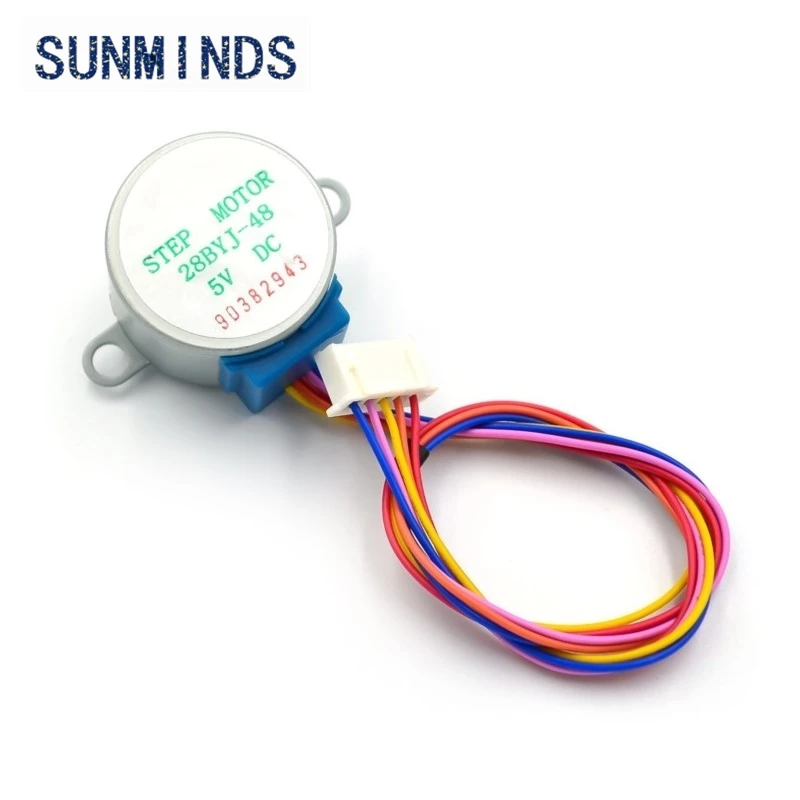
Control 28BYJ-48 Stepper motor with hand gesture using Arduino
This video shows you how to control stepper motor with the gesture of your hand. Rotate it clockwise, counterclockwise, or stop it.
This video shows you how to control stepper motor with the gesture of your hand. Rotate it clockwise, counterclockwise, or stop it. Must watch this two videos 1-Stepper motor Watch Stepper motor 2-Gesture sensor Watch Gesture Control You will need to download the Gesture sensor library from GetHub
774-Controlling 28BYJ-48 Stepper Motor using hand gesture
语言: C++
/*
 * //原始来源:http://www.geeetech.com/wiki/index.php/Stepper_Motor_5V_4-Phase_5-Wire_%26_ULN2003_Driver_Board_for_Arduino
 * //APDS-9960 RGB和手势传感器
 * //Shawn Hymel @ SparkFun电子
 * //2014年5月30日
 * //https://github.com/sparkfun/APDS-9960_RGB_and_Gesture_Sensor
 * // 此代码与RoboJax.com的视频教程一起使用
 * // 于2017年5月11日在加拿大安大略省Aajx发布.
 * /*
 * 必须观看这两个视频
 * 1-步进电机
 * https://www.youtube.com/watch?v=Sl2mzXfTwCs
 *
 * 2-手势传感器
 * https://www.youtube.com/watch?v=qzSgZV_fbxI
 *
 * 从以下地址下载代码:
 * http://roboJax.com/learn/arduino
 */
#include <Wire.h>
#include <SparkFun_APDS9960.h>


int Pin1 = 10; // motor control pin 1
int Pin2 = 11; // motor control pin 2
int Pin3 = 12; // motor control pin 3
int Pin4 = 13; // motor control pin 4
int _step = 0;
boolean dir = false; // false=clockwise, true=counter clockwise
int count=0;
int action; // stop=1, CCW =2, CW=3

 // Pins
#define APDS9960_INT    2 // Needs to be an interrupt pin
 // Global Variables
SparkFun_APDS9960 apds = SparkFun_APDS9960();
int isr_flag = 0;

void setup()
{
 // *************** stepper motor setup
 pinMode(Pin1, OUTPUT);
 pinMode(Pin1, OUTPUT);
 pinMode(Pin2, OUTPUT);
 pinMode(Pin4, OUTPUT);
 // / ************* stepper motor setup end
 // Set interrupt pin as input
  pinMode(APDS9960_INT, INPUT);


 // Initialize Serial port
  Serial.begin(9600);
  Serial.println();
  Serial.println(F("--------------------------------"));
  Serial.println(F("SparkFun APDS-9960 - GestureTest"));
  Serial.println(F("--------------------------------"));

 // Initialize interrupt service routine
  attachInterrupt(0, interruptRoutine, FALLING);

 // Initialize APDS-9960 (configure I2C and initial values)
  if ( apds.init() ) {
    Serial.println(F("APDS-9960 initialization complete"));
  } else {
    Serial.println(F("Something went wrong during APDS-9960 init!"));
  }

 // Start running the APDS-9960 gesture sensor engine
  if ( apds.enableGestureSensor(true) ) {
    Serial.println(F("Gesture sensor is now running"));
  } else {
    Serial.println(F("Something went wrong during gesture sensor init!"));
  }
}
 void loop()
{

  if( isr_flag == 1 ) {
 // detachInterrupt(0);
   action = handleGesture();
    isr_flag = 0;
 // attachInterrupt(0, interruptRoutine, FALLING);
  }

  if(action ==1){
    _step =9; // stop the motor
  }else if(action ==2){
 // _step =0;
    dir = true; // CCW direction of rotation
  }else if(action ==3){
 // _step =0;//CW dirction of rotation
    dir = false;
  }

 switch(_step){
   case 0:
     digitalWrite(Pin1, LOW);
     digitalWrite(Pin2, LOW);
     digitalWrite(Pin3, LOW);
     digitalWrite(Pin4, HIGH);
   break;
   case 1:
     digitalWrite(Pin1, LOW);
     digitalWrite(Pin2, LOW);
     digitalWrite(Pin3, HIGH);
     digitalWrite(Pin4, HIGH);
   break;
   case 2:
     digitalWrite(Pin1, LOW);
     digitalWrite(Pin2, LOW);
     digitalWrite(Pin3, HIGH);
     digitalWrite(Pin4, LOW);
   break;
   case 3:
     digitalWrite(Pin1, LOW);
     digitalWrite(Pin2, HIGH);
     digitalWrite(Pin3, HIGH);
     digitalWrite(Pin4, LOW);
   break;
   case 4:
     digitalWrite(Pin1, LOW);
     digitalWrite(Pin2, HIGH);
     digitalWrite(Pin3, LOW);
     digitalWrite(Pin4, LOW);
   break;
   case 5:
     digitalWrite(Pin1, HIGH);
     digitalWrite(Pin2, HIGH);
     digitalWrite(Pin3, LOW);
     digitalWrite(Pin4, LOW);
   break;
     case 6:
     digitalWrite(Pin1, HIGH);
     digitalWrite(Pin2, LOW);
     digitalWrite(Pin3, LOW);
     digitalWrite(Pin4, LOW);
   break;
   case 7:
     digitalWrite(Pin1, HIGH);
     digitalWrite(Pin2, LOW);
     digitalWrite(Pin3, LOW);
     digitalWrite(Pin4, HIGH);
   break;
   default:
     digitalWrite(Pin1, LOW);
     digitalWrite(Pin2, LOW);
     digitalWrite(Pin3, LOW);
     digitalWrite(Pin4, LOW);
   break;
 }
 if(dir){
   _step++;
 }else{
   _step--;
 }
 if(_step>7){
   _step=0;
 }
 if(_step<0){
   _step=7;
 }
 delay(1);

} // loop

void interruptRoutine() {
  isr_flag = 1;
}


int handleGesture() {
    if ( apds.isGestureAvailable() ) {
    switch ( apds.readGesture() ) {

      case DIR_DOWN:
        Serial.println("DOWN--Stop");
        return 1;
        break;
      case DIR_LEFT:
        Serial.println("LEFT-- Counterclockwise");
        return 2;
        break;
      case DIR_RIGHT:
        Serial.println("RIGHT--Clockwise");
        return 3;
        break;

      default:
      return 1; // turn off
        Serial.println("NONE Stopped");
    }
  }
}
资源与参考
尚无可用资源。
文件📁
没有可用的文件。