Gbe si:
Lesson 1/1: What is Arduino? Types of Arduino Boards and SunFounder Kit Lesson 2/31: Getting Arduino Software and using Documentation for SunFounder Arduino Kit Ẹkọ 3/31: Iṣẹ́ LED Blink, Kí ni Breadboard, LED àti Resistor Nípa Lílo SunFounder Kit Lesson 4/31: What are Binary, Decimal, Hexadecimal and Octal Number, Arduino Serial Monitor Lesson 5/31: Introduction to Arduino Data Types SunFounder Learning Kit Lesson 6/31: Buzzer, Driver Wheel and mini Water Pump using Arduino SunFounder Kit | Robojax Lesson 7/31: Digital Read Push button, detecting magnetic field SunFounder Kit | Robojax Lesson 8/31 : AnalogWrite LED Fade, for loop, while loop and do while loops | SunFounder Robojax Lesson 9/31: Reading Voltage Using Arduino, Potentiometer AnalogRead SunFounder Kit | Robojax Lesson 10/31: Conditional Statement in Arduino and Using Array | SunFounder Robojax Lesson 11/31: What is Arduino library and How to use DHT11 Temperature and Humidity Sensor | SunFounder Lesson 12/31: Using Arduino Programming function and switch | SunFounder Robojax Lesson 13/31: Using XY Joystick with Arduino and turning a buzzer with joystick Motion | Robojax Lesson 14/31: Arduino Millis (no delay) and map functions | SunFounder Robojax Lesson 15/31: Using Soil Moisture Sensor with Arduino SunFounder Kit | Robojax Lesson 16/31: Detecting Obstacle Using Infrared Obstacle Avoidance Sensor using SunFounder Kit Lesson 17/31: How to interrupt a delay in Arduino and Light Dependant Resistor LDR | Robojax Lesson 18/31: Using Servo Motor with Arduino SunFounder's Arduino Kit Lesson 19/31: Measure Distance Using Ultrasonic Sensor with Arduino | SunFounder Robojax Lesson 20/31: Using LCD1602 with Arduino display temperature, voltage and distance | Robojax Ẹkọ 21/31: Lilo Infrared Remote Control pẹlu Arduino | SunFounder Robojax Ẹkọ 22/31: Lilo Ifihan Apa Mẹ́tàdínlógún pẹ̀lú Arduino àti Dáísì Ílẹ̀kọ̀ọ̀ | SunFounder Robojax Ẹkọ 23/31: Ọkọ̀ Ọlọ́gbọ́n Apá Kìíní: Ìpéjọ Ọkọ̀ Ọlọ́gbọ́n SunFounder àti Àlàyé Afárá Kíkún Mọ́tò DC Ẹkọ 24/31: Ọkọ̀ Ọlọ́gbọ́n Apá 2: Gbígbé Síwájú, Yíyìpadà, Òsì àti Ọ̀tún àti Ìṣàkóso Ìyára Ọkọ̀ Ẹkọ 25/31: Ọkọ̀-ayọ́kẹ́lẹ́ 3 Ọkọ̀-ayọ́kẹ́lẹ́ Ọlọ́gbọ́n Yẹra fún Ìdíwọ́ Nípa Lílò Àwọn Sẹ́ńsà Infuraredi | SunFounder Robojax Ẹkọ 26/31: Ọkọ̀ Ọlọ́gbọ́n Apá 4: Yíyẹra fún Ìdíwọ́ Nípa Lílò Sensọ Ultrasonic | SunFounder Robojax Ẹkọ 27/31: Ọkọ̀-ayọ́kẹ́lẹ́ 5 SunFounder Smart Car Tẹ̀lé Ọwọ́ Rẹ nípa lílo Arduino | Robojax Ẹkọ 28/31: Ọkọ̀-6 SunFounder ọkọ̀ Arduino tí ń wakọ̀ fúnra rẹ̀ ní lílo | Robojax Ẹkọ 29/31: Ọkọ̀-7 Ṣiṣakoso Ọkọ̀ Smart SunFounder nipa lilo Oludari Latọna jijin | Robojax Ẹkọ 30/31: Ọkọ̀-8 Líne Títọ̀pasẹ̀ Ọkọ̀ Ọlọ́gbọ́n láti SunFounder Arduino Kit | Robojax Ẹkọ 31/31: Wọn Iwọn Otutu ati Ọrinrin Lori Wi-Fi nipa lilo DHT11 ati ESP01 SunFounder Kit
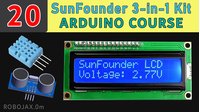
Lesson 20/31: Using LCD1602 with Arduino display temperature, voltage and distance | Robojax
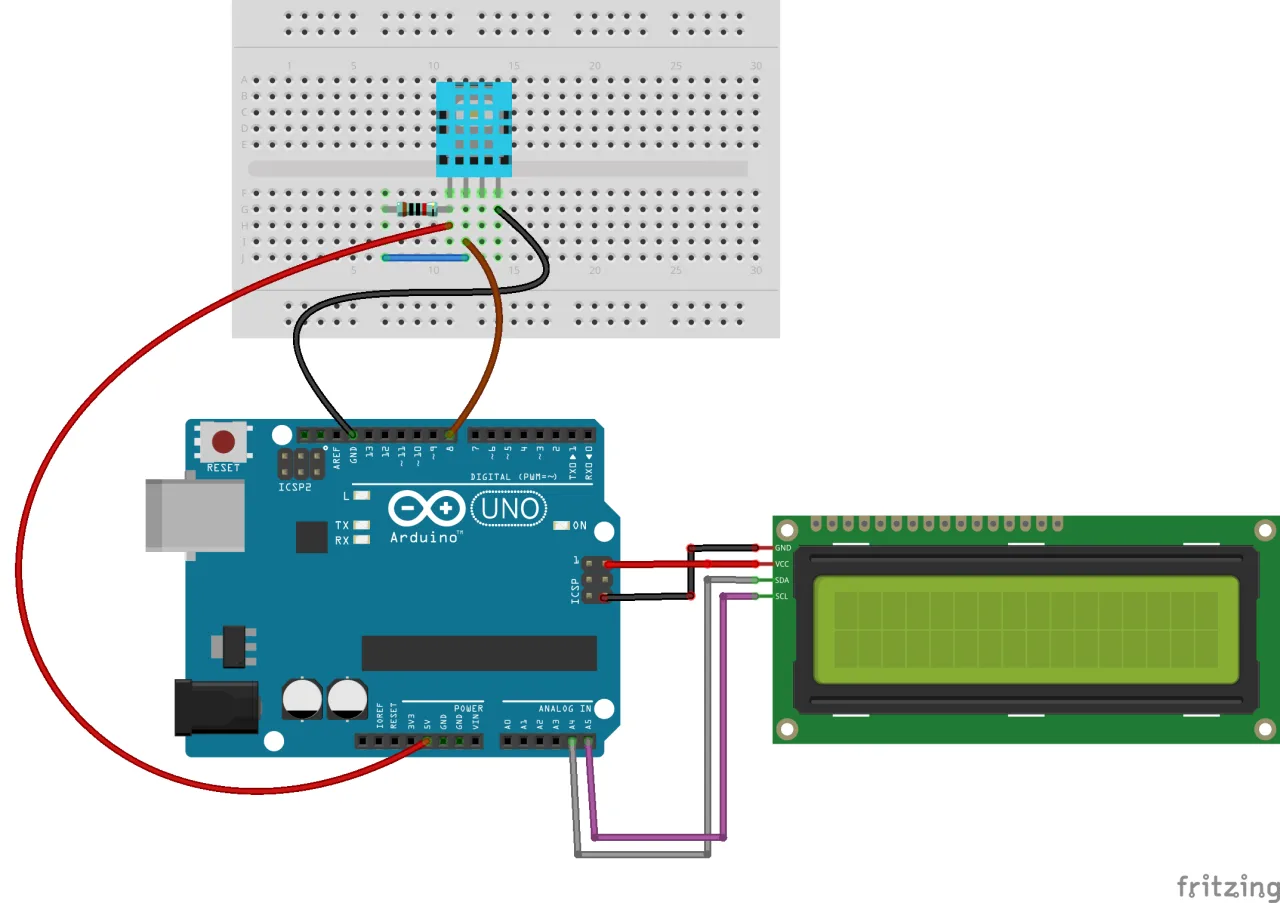
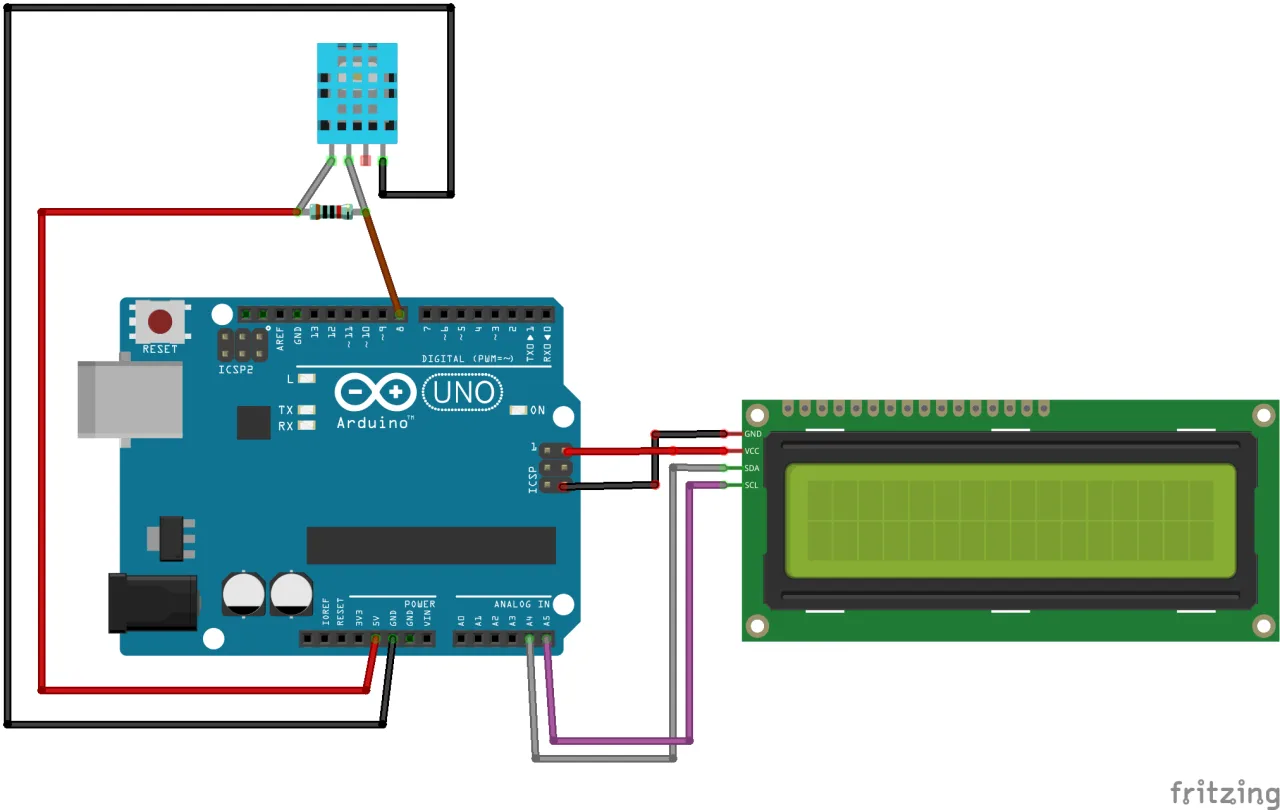
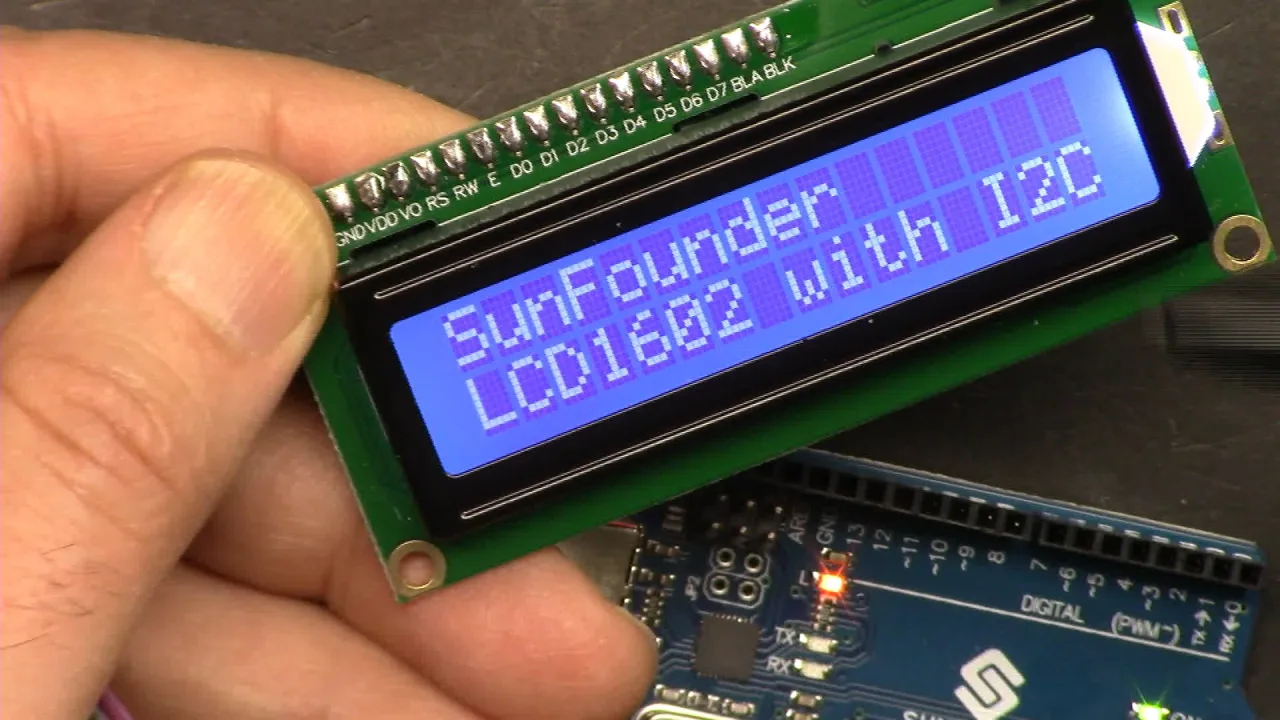
In this lesson, we learn how to use the LCD1602 and LCD2004 modules with Arduino. We begin by introducing the LCD modules and exploring the types of characters that can be displayed. Next, we learn how to create custom characters for personalized outputs. Following this, we build a simple counter and use the DHT11 sensor to display temperature and humidity readings on the LCD. Additionally, we measure DC voltage using a potentiometer and display the value on the screen. Lastly, we integrate the HC-SR04 Ultrasonic Sensor to measure distance and show the results on the LCD. This tutorial includes detailed instructions for library installation, complete code explanations, and wiring diagrams for each project, ensuring a comprehensive understanding of the setup and functionality.
Aworan
LCD1602_wiring_DHT11_bb
LCD1602_wiring_DHT11_nopcb_bb
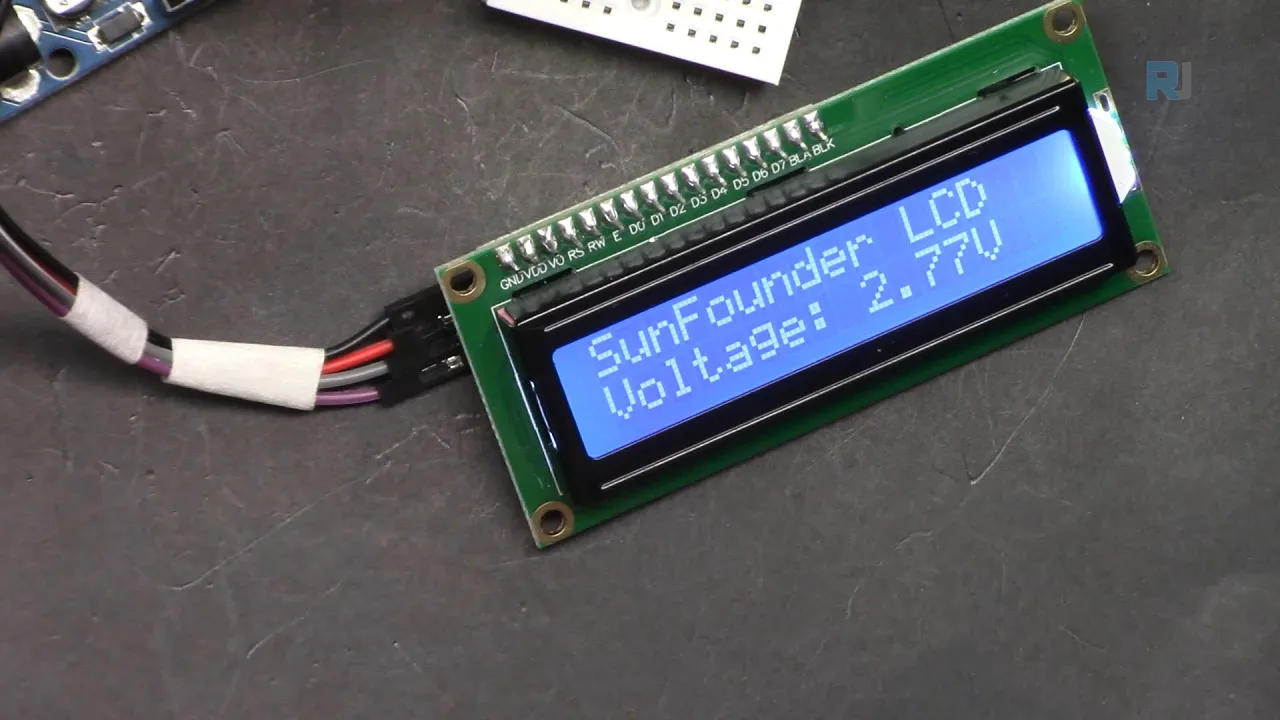
LCD1602 displaying voltage and title
screenshot-2
LCD1602_wiring_DHT11_nopcb_bb
LCD1602 displaying voltage and title
Koodu (1)
910-Lesson 20/31: Displaying simple text on LCD1602
Ede: C++
Wo koodu (1)
This code has not been parsed yet. Please return to the admin panel to parse it.
Koodu (2)
911-Lesson 20/31: Displaying Temperature and humidity from DHT11 on LCD screen
Ede: C++
Wo koodu (2)
This code has not been parsed yet. Please return to the admin panel to parse it.
Koodu (3)
912-Lesson 20/31: Displaying voltage on LCD1602
Ede: C++
Wo koodu (3)
This code has not been parsed yet. Please return to the admin panel to parse it.
Fáìlìs📁
Awọn ile-ikawe Arduino (zip)