Darasi na 18: RoboJax Arduino Kwas Kafada-Kafada: Yin Amfani da Na'urar Auna Karkata SCA60C SCA60C1
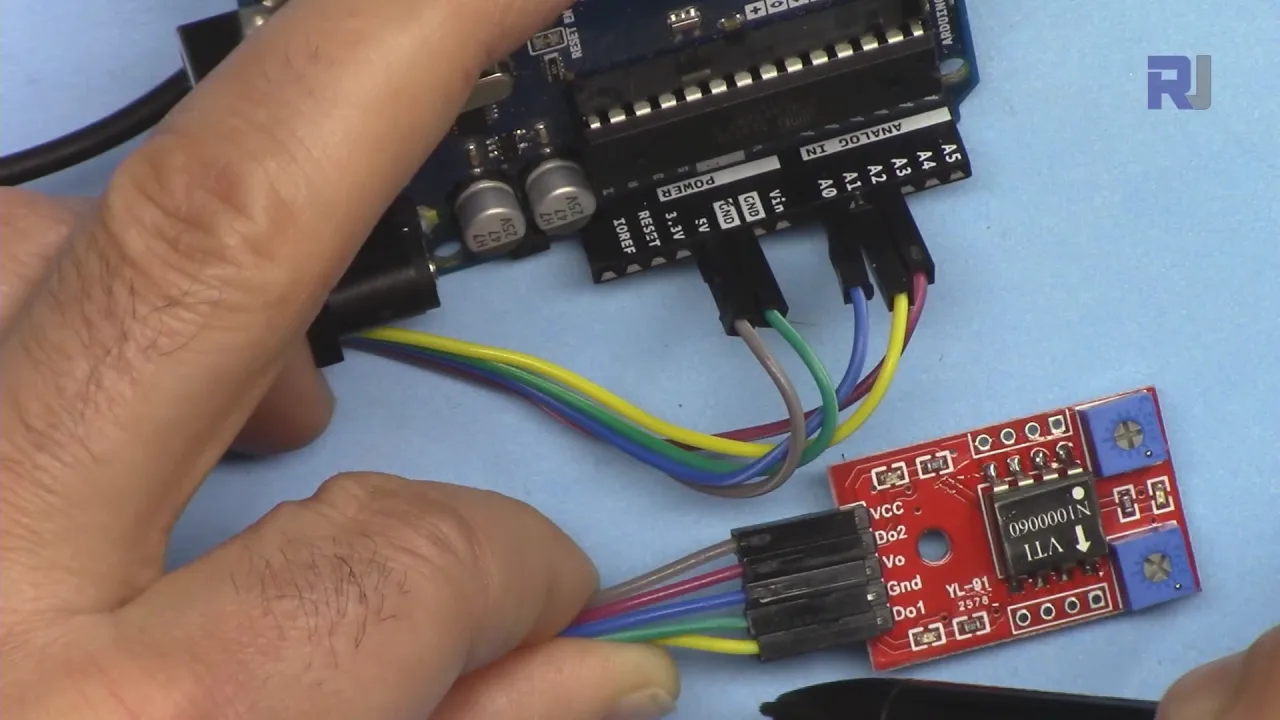
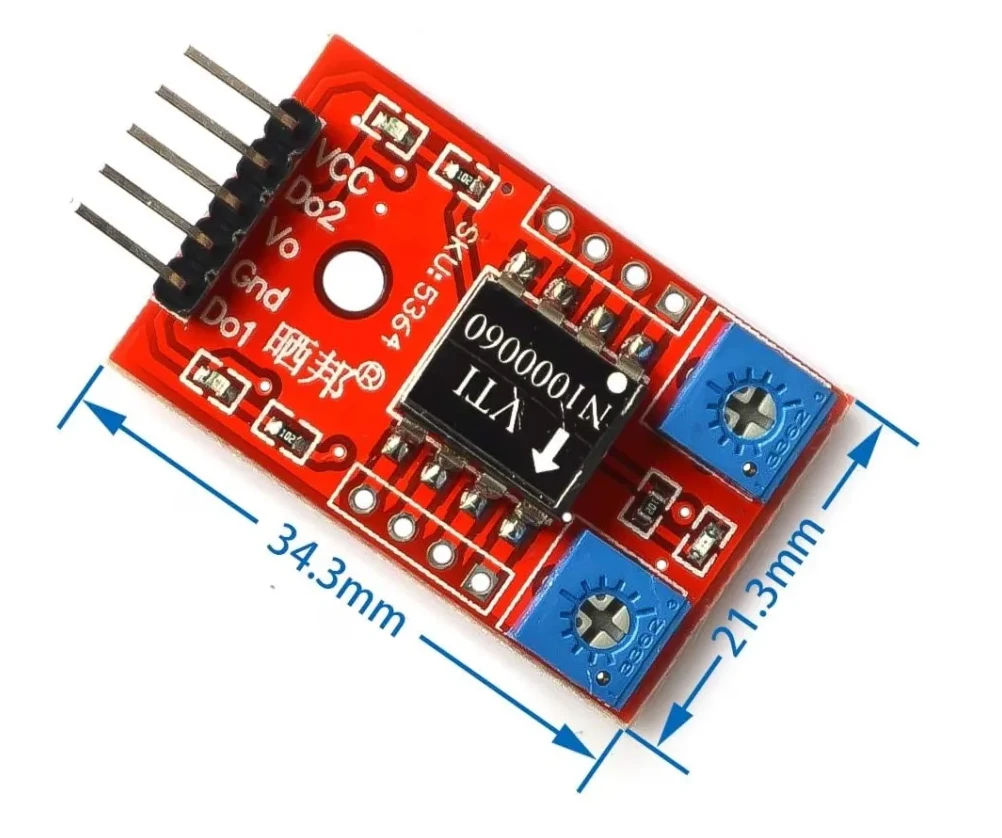
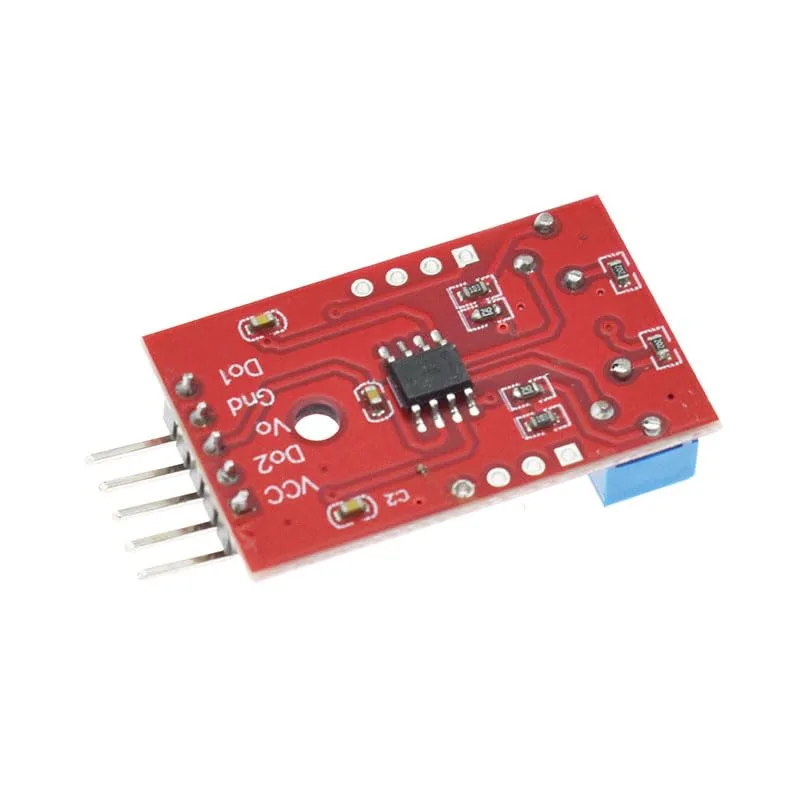
Barka da zuwa wannan koyawa ta hannu daga Robojax. A cikin wannan darasi, muna gabatar da SCA60C angle sensor daga VTI Technologies kuma muna nuna yadda za a iya amfani da shi tare da Arduino don gano da auna matsayin kusurwa a cikin ayyukan robotics ko automation daban-daban.
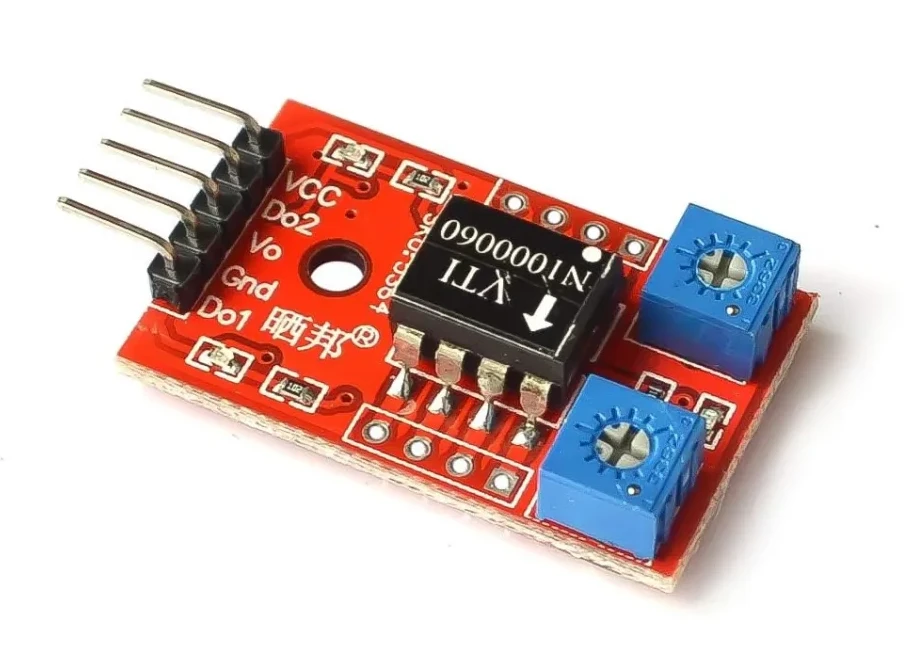
Menene SCA60C1?
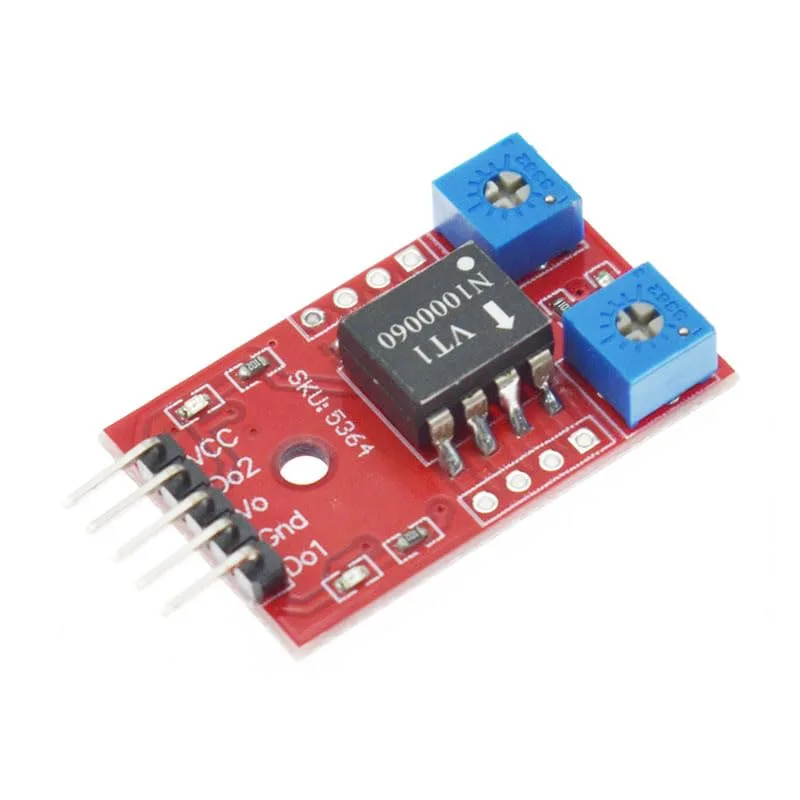
SCA60C1 shine na'urar auna kusurwa mai inganci wanda ke iya gano motsin kusurwa a cikin kewayon kusan -180° zuwa +90°. Yana ba da bayanai na ainihin lokaci waɗanda za a iya amfani da su don tantance karkata ko juyawa na sassan injina, hannaye, ko dandamali. Wannan ya sa ya zama da amfani musamman ga:
-
Haɗin gwiwar robotic
-
Dandamali masu juyawa
-
Motsin hannu da amsawar matsayi
Dalilin Da Yake Auna Kusurwa Yake da Muhimmanci
Auna kusurwoyi daidai yana da mahimmanci a robotics da mechatronics. Ko kuna gina hannun robotic ko tsarin gimbal, sanin kusurwar ainihin lokaci yana tabbatar da ingantaccen sarrafawa, aminci, da automation. Wannan koyawa tana jagorantar ku ta hanyar amfani da SCA60C1 tare da allon Arduino don ƙirƙirar tsarin auna kusurwa mai dogaro.
Takaitaccen Bayanin Nunin
A cikin bidiyon:
-
An haɗa na'urar zuwa Arduino.
-
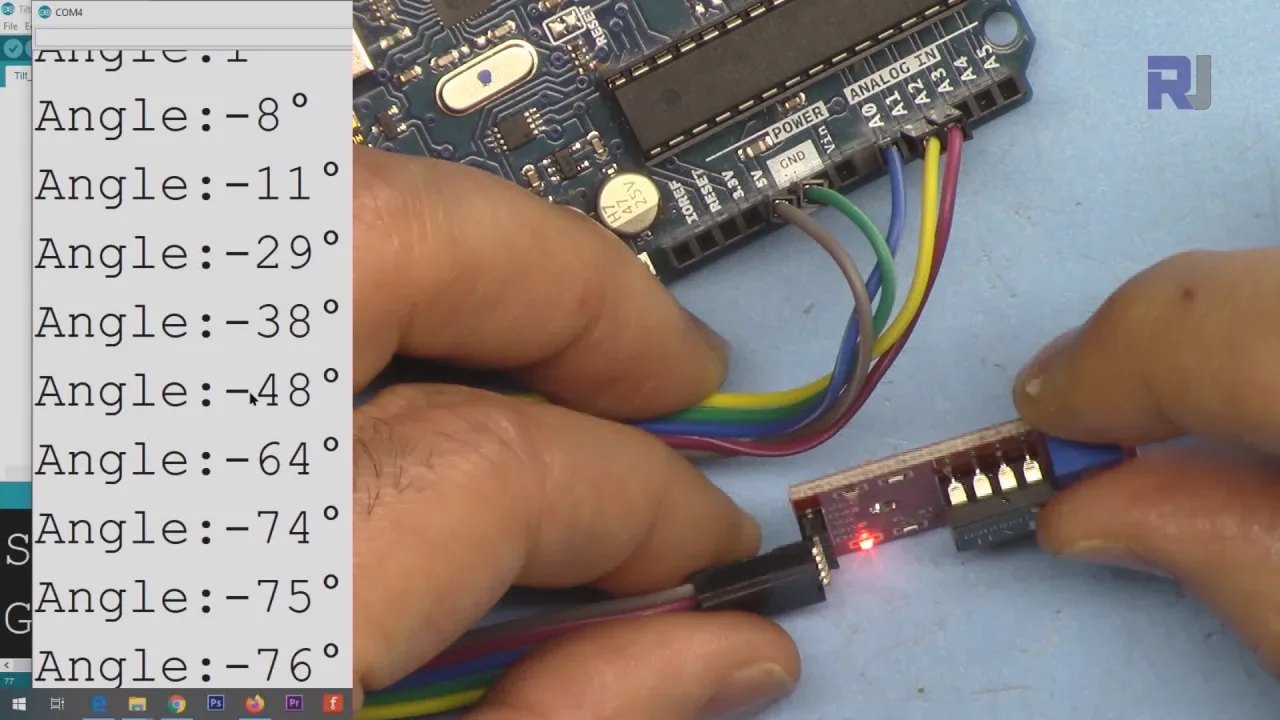
An buga kusurwar zuwa Serial Monitor a cikin digiri.
-
Malamin yana nuna yadda karatun kusurwa ke canzawa yayin da ake juya na'urar.
- Duba bayanan da aka bayar don ƙarin cikakkun bayanai
Za ku ga fitarwa yana tafiya daga +90°, zuwa 0°, zuwa -90°, har zuwa -180°, dangane da yanayin da aka ajiye shi. Wannan yana taimakawa wajen ganin yadda na'urar ke amsa motsi na ainihin duniya.
Haɗin Waya da Saitawa
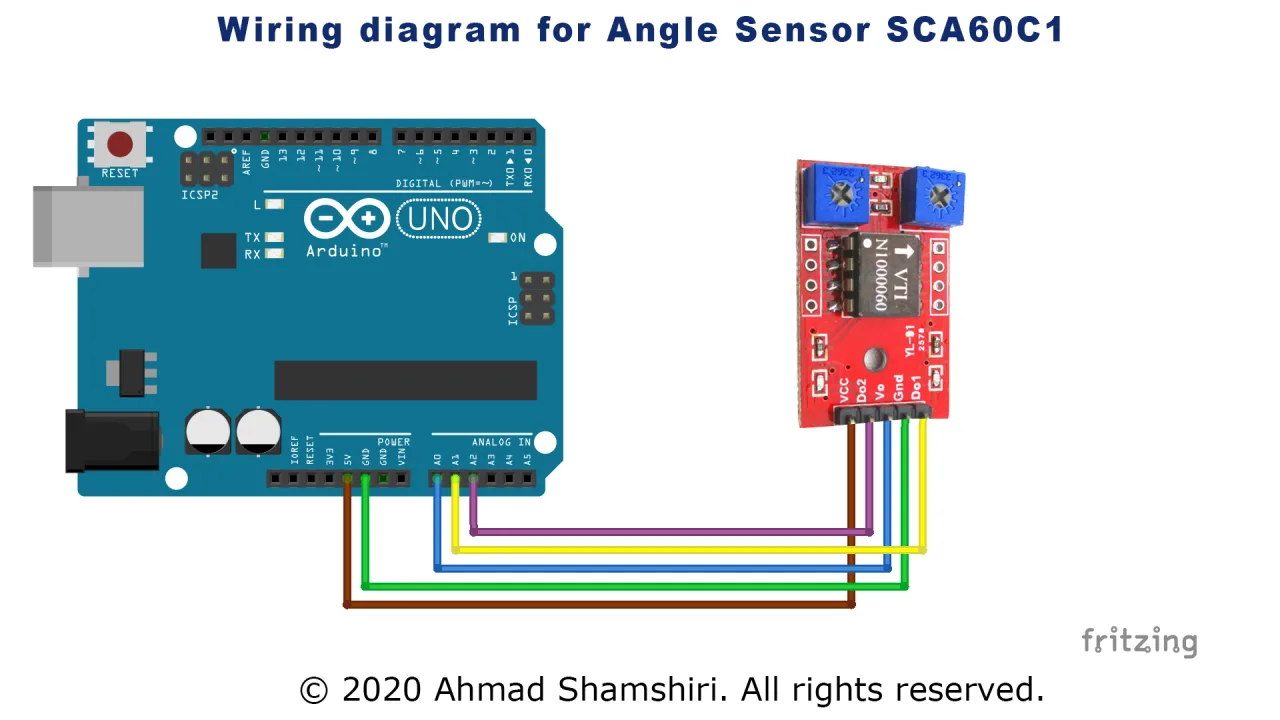
An ɗora na'urar amintacciya kuma an haɗa ta zuwa Arduino don karanta fitarwa na analog ko dijital (dangane da nau'in samfurin). Bidiyon yana nuna wannan matakin haɗin waya a sarari.
📷 Rubutun Hoto: Tsarin haɗin waya yana nuna SCA60C1 angle sensor da aka haɗa zuwa Arduino tare da ingantattun fil ɗin wutar lantarki, ƙasa, da sigina.
Wannan na'urar tana da kyau don koyon yadda ake auna karkata da juyawa. Kalli bidiyon don ganin yadda take aiki a ainihin lokaci, kuma ku biyo ni don haɗa auna kusurwa cikin ayyukan robotics naku.
Hotuna
/*
 *  Robojax Arduino Step By Step Course
 * Tilt Angle Sensor SCA60C1 SCA60C N1000060
 * It displays the angle from 0 to 180 degrees.
 *
  Please watch video instruction here https://youtu.be/hkhepVzWyWE
Download and resource page https://robojax.com/RJT874
Download and resource page https://robojax.com/RJT18


 *
Written by Ahmad Shamshiri on Mar 17, 2020 at 20:20

 * in Ajax, Ontario, Canada. www.robojax.com


If you found this tutorial helpful, please support me so I can continue creating
content like this.

 *  * This code is "AS IS" without warranty or liability. Free to be used as long as you keep this note intact.*
 * This code has been downloaded from Robojax.com
    This program is free software: you can redistribute it and/or modify
    it under the terms of the GNU General Public License as published by
    the Free Software Foundation, either version 3 of the License, or
    (at your option) any later version.

    This program is distributed in the hope that it will be useful,
    but WITHOUT ANY WARRANTY; without even the implied warranty of
    MERCHANTABILITY or FITNESS FOR A PARTICULAR PURPOSE.  See the
    GNU General Public License for more details.

    You should have received a copy of the GNU General Public License
    along with this program.  If not, see <https://www.gnu.org/licenses/>.
 */

const int anglePin =A0;
int angle =0;
const int angleCompensate =0;

const int d1Pin =A1;
int d1State =LOW;
int d1Delay =0;//watch

const int d2Pin =A2;
int d2State =LOW;
int d2Delay =0;

char *lables[]={"Angle","Alarm D1","Alarm D2"};

void setup()

{

  Serial.begin(9600);          //  setup serial
  Serial.println("Robojax SCA60C Angle Sensor");

}


void loop(){
  //Robojax Tilt Angle Sensor
  	//Robojax Arduino Step By Step Course http://robojax.com/L/?id=338
  getAngle();
  d1Alarm();
  d2Alarm();


  // print out the value you read:
  Serial.print(lables[0]);//
  Serial.print(":");
  Serial.print(angle);
  Serial.println("\xC2\xB0");//degree symbol
//  Serial.print("\t");
//  Serial.print(lables[1]);
//  Serial.print(":");
//  Serial.print(d1State);
//  Serial.print("\t");
//  Serial.print(lables[2]);
//  Serial.print(":");
//  Serial.println(d2State);
//  Serial.println("======");
  delay(100);
//Robojax Tilt Angle Sensor
}

void getAngle()
{

   angle =map(analogRead(A0), 96, 927, -90, 90) + angleCompensate;

}

/**************************************/
/*!
    @brief  Get the state of the D1 alarm. HIGH if triggered.
    @param  no parameter
    @returns returns nothing
    Written by Ahmad Shamshiri on Mar 17, 2020 at 20:20 in Ajax, Ontario, Canada.
*/
/**************************************/
void d1Alarm()
{
  	//Robojax Arduino Step By Step Course http://robojax.com/L/?id=338
  //
  float vo = analogRead(d1Pin) * (5.0 / 1023.0);
  if(vo < 3.5)
  {
    d1State =HIGH;
    delay(d1Delay);
  }else{
    d1State =LOW;
  }

}//d1Alarm() end


/**************************************/
/*!
    @brief  Get the state of the D1 alarm. HIGH if triggered.
    @param  no parameter
    @returns returns nothing
    Written by Ahmad Shamshiri on Mar 17, 2020 at 20:20 in Ajax, Ontario, Canada.
*/
/**************************************/
void d2Alarm()
{
  	//Robojax Arduino Step By Step Course http://robojax.com/L/?id=338
  //
  float vo = analogRead(d2Pin) * (5.0 / 1023.0);

  if(vo < 3.5)
  {
    d2State =HIGH;
    delay(d2Delay);
  }else{
    d2State =LOW;
  }

}//d1Alarm() end
Abin da zaka iya bukata
-
AmazonBuy breadboard from Amazonamzn.to
-
AmazonSCA60C tilt sensor on Amazonamzn.to
-
eBaySCA60C tilt sensor on eBayebay.us
-
AliExpressBuy breadboard from 1 pcs to 20pcs from AliExpresss.click.aliexpress.com
Albarkatun da kuma shafukan da za a duba
Babu kayan aiki tukuna.
Fayiloli📁
Sauran fayiloli
-
SCA60C Tilt Angle Sensor DatasheetThe SCA60C is a single-axis tilt angle sensor from VTI Technologies (now Murata) that outputs an analog voltage proportional to the tilt angle. It operates from a 5V supply and provides a 0.5V to 4.5V output for a ±90° measurement range. This datasheet includes specifications, characteristics, and application informati
robojax_tilt_angle_sensor_SCA60C_datasheet.pdf