使用LCD1602与I2C接口 - Arduino教程
本教程演示了如何进行接口连接。1602 LCD 显示屏使用Arduino与一个I2C模块与传统的并联接线相比,这使得连接变得更简单、更清晰。只需四个连接(VCC、GND、SDA、SCL),您就可以完全控制显示并在Arduino项目中显示文本或传感器数据。

本文下方提供了所有必需的代码、电路图和库下载链接。
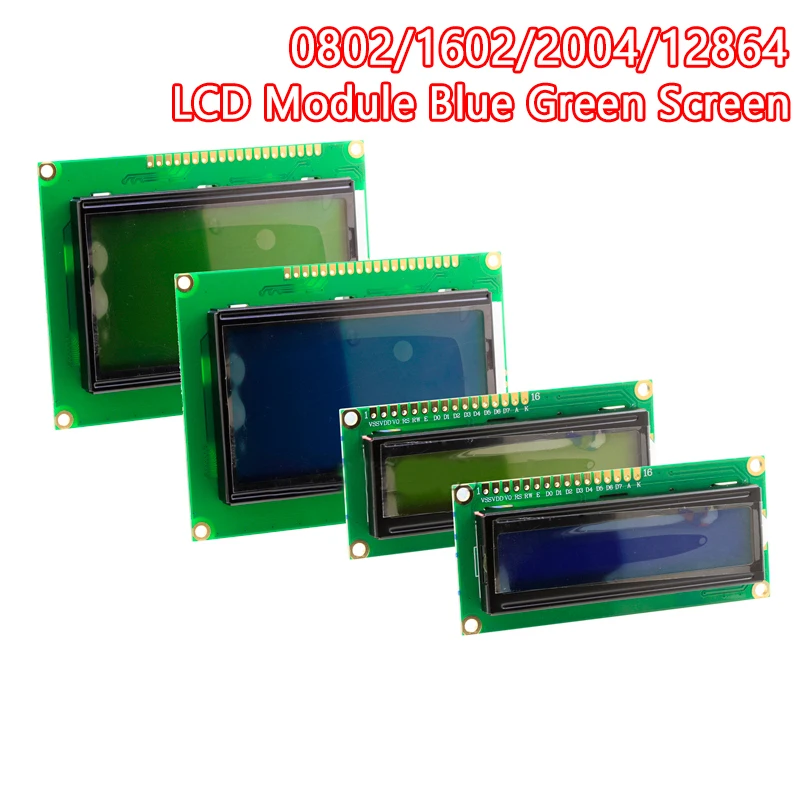
什么是带有I2C的LCD1602?
theLCD1602是一个16字符、2行的显示器,通常用于嵌入式系统。通常情况下,它需要6到10个引脚操作,但通过添加一个I2C模块, 只有两条数据线路(SDA 和 SCL) 是通信所需的。这大大简化了接线,并为 Arduino 的其他组件留出了更多的引脚。
将LCD1602连接到Arduino

将LCD1602与I2C模块连接到Arduino Uno的方法如下:
-
VCC-5V
-
地面接地-GND
-
SDA-A4
-
SCL-A5
标题:LCD1602通过I2C仅使用4根线连接到Arduino。
- 代码说明 在LCD上显示文本
下面的代码初始化LCD,启用背光,并在循环中打印文本。
cppCopyEdit#include <Wire.h>
#include <LiquidCrystal_I2C.h>

// Set the LCD address to 0x27 for a 16 chars and 2 line display
LiquidCrystal_I2C lcd(0x27, 16, 2);
-
Wire.h用于I2C通信。 -
LiquidCrystal_I2C.h用于通过I2C控制LCD的库。 -
lcd(0x27, 16, 2)在地址处初始化LCD0x27包含16列和2行。
cppCopyEditvoid setup()
{
  lcd.begin();       // Initialize LCD
  lcd.backlight();   // Turn on backlight
}
-
lcd.begin()准备LCD以供使用。 -
lcd.backlight()打开显示器的背光。
cppCopyEditvoid loop()
{
  lcd.clear();                 // Clear previous content
  lcd.print("Robojax");        // Print on first line
  lcd.setCursor(0,1);          // Move cursor to beginning of second line
  lcd.print("Hello World!");   // Print on second line
  delay(500);                  // Wait for 0.5 seconds
}
-
屏幕每半秒刷新一次。
-
您还可以显示其他数据,例如时间或传感器值。
安装所需库
您必须安装该液晶_I2C图书馆:
-
打开 Arduino IDE
-
去草图 > 包含库 > 管理库
-
搜索
LiquidCrystal_I2C -
点击安装
安装完成后,您就可以编译并上传代码了。
视频章节
-
00:00- 开始
-
00:35-LCD1602和I2C模块的讲解
-
04:37-电路解析
-
05:35-下载LCD1602-I2C库
-
07:13LCD1602的代码解释
图像
Arduino wirng for LCD1602 with I2C

LCD1602-I2C display module with 4 wires
LCD1602-I2C display module with 4 wires

LCD1602-I2C display module with 4 wires

LCD1602-I2C display module with 4 wires

LCD1602-I2C display module with 4 wires

LCD1602-I2C display module with 4 wires
63-This is code for an LCD1602 display with an I2C module.
语言: C++
/*
This is code for LCD1602 Display with I2C module
 * Watch the video for this code https://youtu.be/q9YC_GVHy5A

 * Permission granted to share this code given that this
 * note is kept with the code.
 * Disclaimer: this code is "AS IS" and for educational purposes only.
 * This library is based on work done by DFROBOT (www.dfrobot.com).
 */
/*
 *  This code has been modified from the Arduino library
 *  Updated by Ahmad Nejrabi on Jan 20, 2018 at 11:09
 *  in Ajax, Ontario, Canada
 *  for Robojax.com
 *
 *  This is code for LCD1602 Display with I2C module
 *  which can display text on the screen.
 */
#include <Wire.h>
#include <LiquidCrystal_I2C.h>

// Set the LCD address to 0x27 for a 16 chars and 2 line display
LiquidCrystal_I2C lcd(0x27, 16, 2);

void setup()
{
  // Robojax code for LCD with I2C
	// initialize the LCD,
	lcd.begin();

	// Turn on the backlight and print a message.
	lcd.backlight();
  // Robojax code for LCD with I2C


}

void loop()
{

  //start of loop Robojax code for LCD with I2C
  lcd.clear();
  lcd.print("Robojax");
  lcd.setCursor (0,1); // go to start of 2nd line
 lcd.print("Hello World!");
  //lcd.print(millis() / 1000);
  delay(500);
 //end of loop Robojax code for LCD with I2C
}
|||您可能需要的东西
-
易趣从eBay购买Arduino入门套件ebay.us
-
全球速卖通从AliExpress购买Arduino入门套件s.click.aliexpress.com
-
BanggoodPurchase LCD1602 display from Banggoodbanggood.com
资源与参考
-
外部
-
外部
-
外部
-
外部Purchase LCD1602 display from Banggoodbanggood.com
文件📁
Arduino 库(zip 格式)
-
LCD1602 LCD Arduino library from Robojax
robojax-LCD1602-I2C-library-master.zip0.01 MB
Fritzing 文件
-
LCD LCD1602-I2C module with 4 wires
LCD1602-I2C.fzpz0.01 MB


![Arduino Uno REV3 [A000066] - ATmega328P Microcontroller, 16MHz, 14 Digital I/O Pins, 6 Analog Inputs, 32KB Flash, USB Connectivity, Compatible with Arduino IDE for DIY Projects and Prototyping](https://m.media-amazon.com/images/I/515P6aYSP4L._SL75_.jpg)