Lilo ọna LCD1602 pẹlu I2C Interface - Ẹkọ Arduino
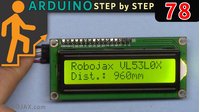
Ẹkọ yii ṣe afihan bi a ṣe le sopọ ifihan LCD 1602 pẹlu Arduino nipa lilo modulu I2C, ti o jẹ ki asopọ rọrun ati mimọ ju asopọ afiwera ti aṣa lọ. Pẹlu awọn asopọ mẹrin nikan (VCC, GND, SDA, SCL), o le ṣakoso ifihan naa ni kikun ati ṣafihan ọrọ tabi data sensori ninu awọn iṣẹ akanṣe Arduino rẹ.

Gbogbo koodu ti a beere, awọn aworan asopọ, ati awọn ọna asopọ igbasilẹ ile-ikawe ni a pese ni isalẹ nkan yii.
Kini LCD1602 pẹlu I2C?
LCD1602 jẹ ifihan kikọ 16, ila meji ti a lo nigbagbogbo ninu awọn ọna ṣiṣe ifisinu. Ni deede, o nilo awọn pinni 6 si 10 lati ṣiṣẹ, ṣugbọn nipa fifi modulu I2C kun, o nilo awọn laini data meji nikan (SDA ati SCL) fun ibaraẹnisọrọ. Eyi dín awọn asopọ kuro ni pataki ati fi awọn pinni diẹ sii silẹ lori Arduino fun awọn ẹya miiran.
Asopọ LCD1602 si Arduino

Eyi ni bi o ṣe le sopọ LCD1602 rẹ pẹlu modulu I2C si Arduino Uno:
-
VCC- 5V
-
GND - GND
-
SDA - A4
-
SCL -A5
Apejuwe: LCD1602 ti a sopọ si Arduino nipasẹ I2C nipa lilo awọn okun mẹrin nikan.
- Alaye Koodu Ṣiṣafihan Ọrọ lori LCD
Koodu ti o wa ni isalẹ ṣe ipilẹṣẹ LCD, mu ina ẹhin ṣiṣẹ, ati tẹ ọrọ jade ninu lupu.
cppCopyEdit#include <Wire.h>
#include <LiquidCrystal_I2C.h>

// Ṣeto adirẹsi LCD si 0x27 fun ifihan kikọ 16 ati ila meji
LiquidCrystal_I2C lcd(0x27, 16, 2);
-
Wire.h: Ti a beere fun ibaraẹnisọrọ I2C. -
LiquidCrystal_I2C.h: Ile-ikawe lati ṣakoso LCD nipa lilo I2C. -
lcd(0x27, 16, 2): Ṣe ipilẹṣẹ LCD ni adirẹsi0x27pẹlu awọn ọwọn 16 ati awọn ila 2.
cppCopyEditvoid setup()
{
  lcd.begin();       // Ṣe ipilẹṣẹ LCD
  lcd.backlight();   // Tan ina ẹhin
}
-
lcd.begin()ṣe imurasilẹ LCD fun lilo. -
lcd.backlight()tan ina ẹhin ifihan naa.
cppCopyEditvoid loop()
{
  lcd.clear();                 // Nu akoonu ti tẹlẹ
  lcd.print("Robojax");        // Tẹ lori ila akọkọ
  lcd.setCursor(0,1);          // Gbe kọsọ si ibẹrẹ ila keji
  lcd.print("Hello World!");   // Tẹ lori ila keji
  delay(500);                  // Duro fun iṣẹju-aaya 0.5
}
-
A ṣe imura iboju naa ni gbogbo idaji iṣẹju-aaya.
-
O tun le ṣafihan data miiran, bii akoko tabi awọn iye sensori.
Fifi Sori Ile-ikawe Ti a Beere
O gbọdọ fi sori LiquidCrystal_I2C ile-ikawe:
-
Ṣii Arduino IDE
-
Lọ si Sketch > Include Library > Manage Libraries
-
Wa
LiquidCrystal_I2C -
Tẹ Install
Ni kete ti o ba ti fi sori, o ti ṣetan lati ṣajọ ati gbe koodu naa soke.
Awọn ipin Lati Fidio naa
-
00:00 - Ibẹrẹ
-
00:35 -LCD1602 ati I2C Module Alaye
-
04:37 -Asopọ Alaye
-
05:35 -Gbigba LCD1602-I2C Library
-
07:13 -Koodu Alaye fun LCD1602
Aworan


/*
This is code for LCD1602 Display with I2C module
 * Watch the video for this code https://youtu.be/q9YC_GVHy5A

 * Permission granted to share this code given that this
 * note is kept with the code.
 * Disclaimer: this code is "AS IS" and for educational purposes only.
 * This library is based on work done by DFROBOT (www.dfrobot.com).
 */
/*
 *  This code has been modified from the Arduino library
 *  Updated by Ahmad Nejrabi on Jan 20, 2018 at 11:09
 *  in Ajax, Ontario, Canada
 *  for Robojax.com
 *
 *  This is code for LCD1602 Display with I2C module
 *  which can display text on the screen.
 */
#include <Wire.h>
#include <LiquidCrystal_I2C.h>

// Set the LCD address to 0x27 for a 16 chars and 2 line display
LiquidCrystal_I2C lcd(0x27, 16, 2);

void setup()
{
  // Robojax code for LCD with I2C
	// initialize the LCD,
	lcd.begin();

	// Turn on the backlight and print a message.
	lcd.backlight();
  // Robojax code for LCD with I2C


}

void loop()
{

  //start of loop Robojax code for LCD with I2C
  lcd.clear();
  lcd.print("Robojax");
  lcd.setCursor (0,1); // go to start of 2nd line
 lcd.print("Hello World!");
  //lcd.print(millis() / 1000);
  delay(500);
 //end of loop Robojax code for LCD with I2C
}
Ohun ti o le nilo
-
eBay
-
AliExpressPurchase Arduino Start Kit from AliExpresss.click.aliexpress.com
-
BanggoodPurchase LCD1602 display from Banggoodbanggood.com
Orisun & itọkasi
-
Ita gbangba
-
Ita gbangba
-
Ita gbangba
-
Ita gbangbaPurchase LCD1602 display from Banggoodbanggood.com
Fáìlìs📁
Awọn ile-ikawe Arduino (zip)
-
LCD1602 LCD Arduino library from Robojax
robojax-LCD1602-I2C-library-master.zip0.01 MB
Fayile Fritzing
-
LCD LCD1602-I2C module with 4 wires
LCD1602-I2C.fzpz0.01 MB


![Arduino Uno REV3 [A000066] - ATmega328P Microcontroller, 16MHz, 14 Digital I/O Pins, 6 Analog Inputs, 32KB Flash, USB Connectivity, Compatible with Arduino IDE for DIY Projects and Prototyping](https://m.media-amazon.com/images/I/515P6aYSP4L._SL75_.jpg)
![Arduino UNO R4 WiFi [ABX00087] - Renesas RA4M1 + ESP32-S3, Wi-Fi, Bluetooth, USB-C, CAN, 12-bit DAC, OP AMP, Qwiic Connector, 12x8 LED Matrix for Advanced IoT & Embedded Projects](https://m.media-amazon.com/images/I/416S910MpBL._SL75_.jpg)