የLCD1602 ከI2C በይነገጽ ጋር መጠቀም - የአርዱኖ ትምህርት
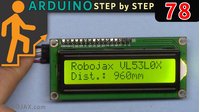
ይህ አጋዥ ስልጠና የ1602 LCD ማሳያን ከአርዱኖ ጋር በI2C ሞጁል እንዴት ማገናኘት እንደሚቻል ያሳያል፣ ይህም ከባህላዊ ትይዩ ሽቦ አያያዝ ይልቅ ቀላል እና ንጹህ ያደርገዋል። በአራት ግንኙነቶች ብቻ (VCC፣ GND፣ SDA፣ SCL) ማሳያውን ሙሉ በሙሉ መቆጣጠር እና በአርዱኖ ፕሮጀክቶችዎ ውስጥ ጽሑፍ ወይም ዳሳሽ መረጃ ማሳየት ይችላሉ።

ሁሉም አስፈላጊ ኮዶች፣ የሽቦ ንድፎች እና የቤተ-መጻሕፍት ማውረጃ አገናኞች ከዚህ ጽሑፍ በታች ቀርበዋል።
LCD1602 ከI2C ጋር ምንድን ነው?
LCD1602 በተከተቱ ሲስተሞች ውስጥ በብዛት የሚሰራ 16-ቁምፊ፣ 2-ረድፍ ማሳያ ነው። በተለምዶ፣ ለመስራት ከ6 እስከ 10 ፒን ይፈልጋል፣ ነገር ግን I2C ሞጁል በመጨመር፣ ለግንኙነት ሁለት የውሂብ መስመሮች ብቻ (SDA እና SCL) ያስፈልጋሉ። ይህ ሽቦ አያያዝን በእጅጉ ያቃልላል እና በአርዱኖ ላይ ለሌሎች ክፍሎች ብዙ ፒኖችን ነጻ ያደርጋል።
LCD1602ን ከአርዱኖ ጋር ማገናኘት

LCD1602ን ከI2C ሞጁል ጋር ወደ አርዱኖ ኡኖ እንዴት እንደሚያገናኙ እነሆ፡-
-
VCC- 5V
-
GND - GND
-
SDA - A4
-
SCL -A5
መግለጫ፡ LCD1602 በ4 ሽቦዎች ብቻ በI2C በኩል ከአርዱኖ ጋር ተገናኝቷል።
- በLCD ላይ ጽሑፍ ለማሳየት የኮድ ማብራሪያ
ከታች ያለው ኮድ LCDን ያስነሳል፣ የጀርባ መብራትን ያነቃል፣ እና በዙሪያ ውስጥ ጽሑፍ ያትማል።
cppCopyEdit#include <Wire.h>
#include <LiquidCrystal_I2C.h>

// የLCD አድራሻን ለ16 ቁምፊዎች እና 2 መስመር ማሳያ ወደ 0x27 ያዘጋጁ
LiquidCrystal_I2C lcd(0x27, 16, 2);
-
Wire.h: ለI2C ግንኙነት ያስፈልጋል። -
LiquidCrystal_I2C.h: LCDን በI2C ለመቆጣጠር የሚያስችል ቤተ-መጻሕፍት። -
lcd(0x27, 16, 2): LCDን በአድራሻ0x27በ16 አምዶች እና 2 ረድፎች ያስነሳል።
cppCopyEditvoid setup()
{
  lcd.begin();       // LCD አስነሳ
  lcd.backlight();   // የጀርባ መብራት አብራ
}
-
lcd.begin()LCDን ለአገልግሎት ያዘጋጃል። -
lcd.backlight()የማሳያውን የጀርባ መብራት ያበራል።
cppCopyEditvoid loop()
{
  lcd.clear();                 // የቀድሞ ይዘትን አጽዳ
  lcd.print("Robojax");        // በመጀመሪያ መስመር ላይ አትም
  lcd.setCursor(0,1);          // ጠቋሚውን ወደ ሁለተኛው መስመር መጀመሪያ አንቀሳቅስ
  lcd.print("Hello World!");   // በሁለተኛው መስመር ላይ አትም
  delay(500);                  // ለ0.5 ሰከንድ ቆይ
}
-
ማያ ገጹ በየግማሽ ሰከንድ ይታደሳል።
-
እንደ ሰዓት ወይም ዳሳሽ እሴቶች ያሉ ሌሎች መረጃዎችንም ማሳየት ይችላሉ።
አስፈላጊውን ቤተ-መጻሕፍት መጫን
LiquidCrystal_I2C ቤተ-መጻሕፍትን መጫን አለብዎት፡-
-
Arduino IDE ን ይክፈቱ
-
ወደ Sketch > Include Library > Manage Libraries ይሂዱ
-
LiquidCrystal_I2Cን ይፈልጉ -
Install ን ጠቅ ያድርጉ
አንዴ ከተጫነ በኋላ፣ ኮዱን ለማጠናቀር እና ለመጫን ዝግጁ ነዎት።
ከቪዲዮው ምዕራፎች
-
00:00 - መጀመሪያ
-
00:35 -LCD1602 እና I2C ሞጁል ተብራርተዋል
-
04:37 -ሽቦ አያያዝ ተብራርቷል
-
05:35 -LCD1602-I2C ቤተ-መጻሕፍትን ማውረድ
-
07:13 -ለLCD1602 ኮድ ተብራርቷል
ምስሎች


/*
This is code for LCD1602 Display with I2C module
 * Watch the video for this code https://youtu.be/q9YC_GVHy5A

 * Permission granted to share this code given that this
 * note is kept with the code.
 * Disclaimer: this code is "AS IS" and for educational purposes only.
 * This library is based on work done by DFROBOT (www.dfrobot.com).
 */
/*
 *  This code has been modified from the Arduino library
 *  Updated by Ahmad Nejrabi on Jan 20, 2018 at 11:09
 *  in Ajax, Ontario, Canada
 *  for Robojax.com
 *
 *  This is code for LCD1602 Display with I2C module
 *  which can display text on the screen.
 */
#include <Wire.h>
#include <LiquidCrystal_I2C.h>

// Set the LCD address to 0x27 for a 16 chars and 2 line display
LiquidCrystal_I2C lcd(0x27, 16, 2);

void setup()
{
  // Robojax code for LCD with I2C
	// initialize the LCD,
	lcd.begin();

	// Turn on the backlight and print a message.
	lcd.backlight();
  // Robojax code for LCD with I2C


}

void loop()
{

  //start of loop Robojax code for LCD with I2C
  lcd.clear();
  lcd.print("Robojax");
  lcd.setCursor (0,1); // go to start of 2nd line
 lcd.print("Hello World!");
  //lcd.print(millis() / 1000);
  delay(500);
 //end of loop Robojax code for LCD with I2C
}
እንደሚያስፈልግዎት ይችላል
-
ኢቤይ
-
አሊኤክስፕሬስPurchase Arduino Start Kit from AliExpresss.click.aliexpress.com
-
ባንጉድPurchase LCD1602 display from Banggoodbanggood.com
ምንጮች እና ምንጮች
-
ውስጥ
-
ውስጥ
-
ውስጥ
-
ውስጥPurchase LCD1602 display from Banggoodbanggood.com
ፋይሎች📁
Arduino ቤተ መዝገቦች (zip)
-
LCD1602 LCD Arduino library from Robojax
robojax-LCD1602-I2C-library-master.zip0.01 MB
ፍሪትዚንግ ፋይል
-
LCD LCD1602-I2C module with 4 wires
LCD1602-I2C.fzpz0.01 MB


![Arduino Uno REV3 [A000066] - ATmega328P Microcontroller, 16MHz, 14 Digital I/O Pins, 6 Analog Inputs, 32KB Flash, USB Connectivity, Compatible with Arduino IDE for DIY Projects and Prototyping](https://m.media-amazon.com/images/I/515P6aYSP4L._SL75_.jpg)
![Arduino UNO R4 WiFi [ABX00087] - Renesas RA4M1 + ESP32-S3, Wi-Fi, Bluetooth, USB-C, CAN, 12-bit DAC, OP AMP, Qwiic Connector, 12x8 LED Matrix for Advanced IoT & Embedded Projects](https://m.media-amazon.com/images/I/416S910MpBL._SL75_.jpg)