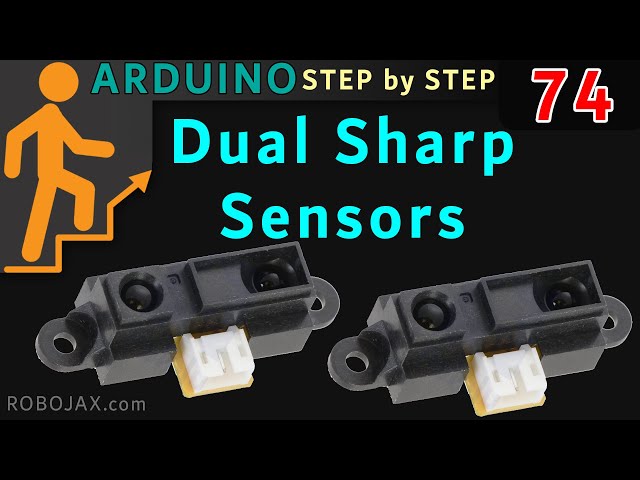
Lesson 74: Using Two Sharp Infrared Sensors with Arduino
452-Lesson 74: Using Two Sharp Infrared Sensors with Arduino
زبان: C++
++
/*
  * Lesson 74: Using two or more Sharp IR distance sensors
 * Sharp IR (infrared) distance measurement module for Arduino
 * Measures the distance in cm.
 * Written by Ahmad Shamshiri for Robojax.com
 * on February 25, 2019 at 21:38 in Ajax, Ontario, Canada


 * Original library: https://github.com/guillaume-rico/SharpIR

 * Watch video instructions for this code: https://youtu.be/WQ3oFyF5qeY
 *
 * Full explanation of this code and wiring diagram is available at
 * my Arduino Course at Udemy.com here: http://robojax.com/L/?id=62

 * Written by Ahmad Shamshiri on February 3, 2018 at 07:34
 * in Ajax, Ontario, Canada. www.robojax.com
 *


If you found this tutorial helpful, please support me so I can continue creating
content like this.

or make a donation using PayPal http://robojax.com/L/?id=64


 *  * This code is "AS IS" without warranty or liability. Free to be used as long as you keep this note intact.*
 * This code has been downloaded from Robojax.com
    This program is free software: you can redistribute it and/or modify
    it under the terms of the GNU General Public License as published by
    the Free Software Foundation, either version 3 of the License, or
    (at your option) any later version.

    This program is distributed in the hope that it will be useful,
    but WITHOUT ANY WARRANTY; without even the implied warranty of
    MERCHANTABILITY or FITNESS FOR A PARTICULAR PURPOSE.  See the
    GNU General Public License for more details.

    You should have received a copy of the GNU General Public License
    along with this program.  If not, see <https://www.gnu.org/licenses/>.

*/


 */
  // Sharp IR code for Robojax.com
#include

#define IR A0 // define signal pin
#define model 1080 // used 1080 because model GP2Y0A21YK0F is used
// Sharp IR code for Robojax.com
// ir: the pin where your sensor is attached
// model: an int that determines your sensor:  1080 for GP2Y0A21Y
//                                            20150 for GP2Y0A02Y
//                                            430 for GP2Y0A41SK
/*
2 to 15 cm GP2Y0A51SK0F	use 1080
4 to 30 cm GP2Y0A41SK0F / GP2Y0AF30 series	use 430
10 to 80 cm GP2Y0A21YK0F	use 1080
10 to 150 cm GP2Y0A60SZLF	use 10150
20 to 150 cm GP2Y0A02YK0F	use 20150
100 to 550 cm GP2Y0A710K0F	use 100550

*/
#include <SharpIR.h>

#define IR1 A1 // define signal pin
#define IR2 A2 // define signal pin

#define model1 1080 // for GP2Y0A21YK0F  used 1080
#define model2 1080 // for GP2Y0A21YK0F  used 1080

// Sharp IR code for Robojax.com
// ir: the pin where your sensor is attached
/*
2 to 15 cm GP2Y0A51SK0F  use 215
4 to 30 cm GP2Y0A41SK0F / GP2Y0AF30 series  use 430
10 to 80 cm GP2Y0A21YK0F  use 1080
10 to 150 cm GP2Y0A60SZLF use 10150
20 to 150 cm GP2Y0A02YK0F use 20150
100 to 550 cm GP2Y0A710K0F  use 100550
*/
SharpIR SharpIR1(IR1, model1);
SharpIR SharpIR2(IR2, model2);

void setup() {
    // Multiple Sharp IR Distance meter code for Robojax.com
 Serial.begin(9600);
 Serial.println("Robojax Sharp IR  ");

 // extra pin for 5V if needed
 pinMode(2,OUTPUT);// define pin 2 as output
 digitalWrite(2, HIGH);// set pin 2 HIGH so it always have 5V
  // Robojax.com 20181201
}

void loop() {
    // Sharp IR code for Robojax.com 20181201
    delay(500);

  unsigned long startTime=millis();  // takes the time before the loop on the library begins

  int dis1=SharpIR1.distance();  // this returns the distance for sensor 1
  int dis2=SharpIR2.distance();  // this returns the distance for sensor 2
  // Sharp IR code for Robojax.com 20181201

  Serial.print("Distance (1): ");
  Serial.print(dis1);
  Serial.println("cm");

  Serial.print("Distance (2): ");
  Serial.print(dis2);
  Serial.println("cm");
     // Sharp IR code for Robojax.com

}
منابع و مراجع
-
خارجیکتابخانه شفاف از RoboJob.comrobojax.com
فایلها📁
هیچ فایلی موجود نیست.