Nhiệt độ và độ ẩm DHT22 trên màn hình 7 đoạn với Arduino RJT43
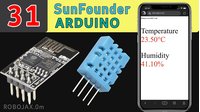
Dự án này minh họa cách xây dựng một hệ thống đơn giản nhưng hiệu quả để hiển thị chỉ số nhiệt độ và độ ẩm trên màn hình 7 đoạn sử dụng Arduino. Thiết lập này hữu ích cho nhiều ứng dụng khác nhau khi việc giám sát điều kiện môi trường là rất quan trọng. Dự án kết hợp cảm biến nhiệt độ và độ ẩm DHT22 với màn hình 7 đoạn TM1637, cung cấp đầu ra rõ ràng và dễ đọc.


Ý tưởng dự án:
- Giám sát môi trường gia đình để có sự thoải mái tối ưu.
- Theo dõi điều kiện trong nhà kính hoặc hồ cạn.
- Xây dựng một trạm thời tiết cơ bản.
- Hiển thị nhiệt độ và độ ẩm trong dự án ghi dữ liệu.
Phần cứng/Linh kiện
Để xây dựng dự án này, bạn sẽ cần các linh kiện sau:
- Arduino Uno (hoặc bo mạch tương thích)
- Cảm biến nhiệt độ và độ ẩm DHT22
- Màn hình 7 đoạn TM1637
- Dây kết nối
- Breadboard (không bắt buộc, nhưng được khuyến nghị)
Hướng dẫn đấu dây


Việc đấu dây khá đơn giản. Tham khảo video (trong video tại 01:51) để có hướng dẫn trực quan. Các kết nối chính là:
- Màn hình TM1637: VCC đến 5V, GND đến GND, CLK đến chân 2 của Arduino, DIO đến chân 3 của Arduino (trong video tại 02:00).
- Cảm biến DHT22: VCC đến 5V, GND đến GND, DATA đến chân 9 của Arduino (trong video tại 02:20). Lưu ý rằng video sử dụng chân 8 của Arduino để cấp 5V cho cảm biến (trong video tại 02:41).
Giải thích mã code
Mã Arduino sử dụng hai thư viện: TM1637Display cho màn hình 7 đoạn và DHT cho cảm biến DHT22. Các tham số có thể cấu hình của mã chủ yếu nằm ở phần đầu:
// Chân kết nối mô-đun (Chân kỹ thuật số)
#define CLK 2
#define DIO 3
#define DHTPIN 9     // Chân dữ liệu DHT22
#define DHTTYPE DHT22   // Loại cảm biến DHT
Các dòng này xác định các chân Arduino kết nối với màn hình và cảm biến DHT22. Bạn có thể cần điều chỉnh nếu sử dụng các chân khác. Hàm getTemp() (trong video tại 07:03) rất quan trọng. Nó cho phép bạn lấy các giá trị khác nhau từ cảm biến DHT22 bằng cách truyền một đối số chuỗi:
float getTemp(String req) {
  // ... (Mã đọc cảm biến) ...
  if(req =="c"){ return t; } // Độ C
  else if(req =="f"){ return f; } // Độ F
  // ... (Các tùy chọn khác cho Kelvin, độ ẩm, chỉ số nhiệt) ...
}
Hàm này đơn giản hóa việc đọc các dữ liệu khác nhau từ cảm biến (Độ C, Độ F, độ ẩm, chỉ số nhiệt). Vòng lặp chính sử dụng hàm này để lấy dữ liệu và hiển thị trên màn hình 7 đoạn, làm tròn các giá trị dấu phẩy động thành số nguyên để hiển thị (trong video tại 07:14).
Dự án/Demo trực tiếp
Video (trong video tại 00:32) cho thấy một bản demo trực tiếp của dự án. Màn hình 7 đoạn hiển thị rõ ràng nhiệt độ theo độ F. Video cũng minh họa cách mã có thể được sửa đổi để hiển thị giá trị độ C, Kelvin, độ ẩm và chỉ số nhiệt (trong video tại 08:21).
Chương mục
- [00:06] Giới thiệu và Tổng quan dự án
- [00:53] Bắt đầu và Tổng quan linh kiện
- [01:51] Đấu dây màn hình TM1637
- [02:20] Đấu dây cảm biến DHT22
- [03:14] Giải thích mã: Thiết lập TM1637
- [04:00] Giải thích mã: Thiết lập DHT22
- [05:54] Giải thích mã: Vòng lặp chính và chức năng hiển thị
- [07:03] Giải thích mã: Hàm getTemp()
- [08:21] Demo và các tùy chọn đầu ra khác nhau
Hình ảnh


/*
 * Original code from TM1637 https://github.com/avishorp/TM1637
 * Original code and library for DHT22 https://github.com/adafruit/DHT-sensor-library
 * Modified for Robojax video on January 7, 2018
 * by Ahmad Shamshiri, in Ajax, Ontario, Canada
 * Watch the video for this code https://youtu.be/z_FvRm6Te78
 * Other Arduino library and videos https://robojax.com
 * Get this code and other Arduino codes from Robojax.com
Learn Arduino step by step in a structured course with all material, wiring diagrams, and libraries
all in one place.

If you found this tutorial helpful, please support me so I can continue creating
content like this.

or make a donation using PayPal http://robojax.com/L/?id=64

 *  * This code is "AS IS" without warranty or liability. Free to be used as long as you keep this note intact.*
 * This code has been downloaded from Robojax.com
    This program is free software: you can redistribute it and/or modify
    it under the terms of the GNU General Public License as published by
    the Free Software Foundation, either version 3 of the License, or
    (at your option) any later version.

    This program is distributed in the hope that it will be useful,
    but WITHOUT ANY WARRANTY; without even the implied warranty of
    MERCHANTABILITY or FITNESS FOR A PARTICULAR PURPOSE.  See the
    GNU General Public License for more details.

    You should have received a copy of the GNU General Public License
    along with this program.  If not, see <https://www.gnu.org/licenses/>.
 */

// ****** Start of TM1637 Display code
#include <Arduino.h>
#include <TM1637Display.h>
// Module connection pins (Digital Pins)
#define CLK 2
#define DIO 3
// The amount of time (in milliseconds) between tests
#define TEST_DELAY   1000
TM1637Display display(CLK, DIO);
// ****** end of TM1637 Display code

// Example testing sketch for various DHT humidity/temperature sensors
// Written by ladyada, public domain


// ****** Start of DHT code
#include "DHT.h"
#define DHTPIN 9     // what digital pin we're connected to
// Uncomment whatever type you're using!
//#define DHTTYPE DHT11   // DHT 11
#define DHTTYPE DHT22   // DHT 22  (AM2302), AM2321
//#define DHTTYPE DHT21   // DHT 21 (AM2301)
DHT dht(DHTPIN, DHTTYPE);
// ********** end of DHT22 code

void setup()
{
  Serial.begin(9600);
  Serial.println("DHT22 Robojax Test with Display");
  pinMode(8,OUTPUT);
  digitalWrite(8,HIGH);// gives 5v for DHT22
  dht.begin();
}

void loop()
{
  delay(TEST_DELAY);// wait
  // **** TM1637 code start
  display.setBrightness(0x0f);// set brightness
  uint8_t data[] = { 0x0, 0x0, 0x0, 0x0 };// clear display values
  display.setSegments(data);//clear display
  // **** TM1637 code end


  // Robojax.com test video
  Serial.println(getTemp("h"));

  int temp = round(getTemp("h"));

  display.showNumberDec(temp, false, 3,1);


}// loop end


/*
 * getTemp(String req)
 * returns the temperature related parameters
 * req is string request
 * This code can display temperature in:
 * getTemp("c") is used to get Celsius
 * getTemp("f") is used to get Fahrenheit
 * getTemp("k") is used for Kelvin
 * getTemp("hif") is used to get Fahrenheit
 * getTemp("hic") is used to get Celsius
 * getTemp("h") is used to get humidity
 * written by Ahmad Shamshiri for Robojax.com on January 7, 2018
 * in Ajax, Ontario, Canada
 */
float getTemp(String req)
{

  // Reading temperature or humidity takes about 250 milliseconds!
  // Sensor readings may also be up to 2 seconds 'old' (it's a very slow sensor)
  float h = dht.readHumidity();
  // Read temperature as Celsius (the default)
  float t = dht.readTemperature();
  // Read temperature as Fahrenheit (isFahrenheit = true)
  float f = dht.readTemperature(true);

  // Compute heat index in Fahrenheit (the default)
  float hif = dht.computeHeatIndex(f, h);
  // Compute heat index in Celsius (isFahreheit = false)
  float hic = dht.computeHeatIndex(t, h, false);

  // Check if any reads failed and exit early (to try again).
  if (isnan(h) || isnan(t) || isnan(f)) {
    Serial.println("Failed to read from DHT sensor!");
    return 0.0; //return 0.0 instead of nothing.
  }
  // Compute heat index in Kelvin
  float k = t + 273.15;
  if(req =="c"){
    return t;//return Celsius
  }else if(req =="f"){
    return f;// return Fahrenheit
  }else if(req =="h"){
    return h;// return humidity
  }else if(req =="hif"){
    return hif;// return heat index in Fahrenheit
  }else if(req =="hic"){
    return hic;// return heat index in Celsius
  }else if(req =="k"){
    return k;// return temperature in Kelvin
  }else{
    return 0.000;// if no request found, return 0.000
  }

}
Tài nguyên & tài liệu tham khảo
Chưa có tài nguyên nào.
Tập tin📁
Thư viện Arduino (tệp nén)
-
DHT22 PCB module red
DHT22-module-red.fzpz0.01 MB
Tập tin Fritzing
-
DHT22 Humidity and Temperature Sensor
DHT22 Humidity and Temperature Sensor.fzpz0.01 MB -
DHT22 PCB module red
DHT22-module-red.fzpz0.01 MB -
DHT22 module white
DHT22-module-white.fzpz0.01 MB -
TM1637 Seven Segment module
TM1637.fzpz0.01 MB -
DHT11 Humitidy and Temperature Sensor (3 pins)
DHT11 Humitidy and Temperature Sensor (3 pins).fzpz0.20 MB
Hướng dẫn Sử dụng
-
DHT22 Temperature and Humidity sensor user's manual
robojax-DHT22_manual.pdf0.36 MB