DHT22 Temperature and Humidity on a 7-Segment Display with Arduino RJT43
This project demonstrates how to build a simple, yet effective, system for displaying temperature and humidity readings on a 7-segment display using an Arduino. This setup is useful for various applications where monitoring environmental conditions is crucial. The project combines the DHT22 temperature and humidity sensor with a TM1637 7-segment display, providing a clear and easily readable output.


Project Ideas:
- Monitoring a home environment for optimal comfort.
- Tracking conditions in a greenhouse or terrarium.
- Building a basic weather station.
- Displaying temperature and humidity in a data-logging project.
Hardware/Components
To build this project, you will need the following components:
- Arduino Uno (or compatible board)
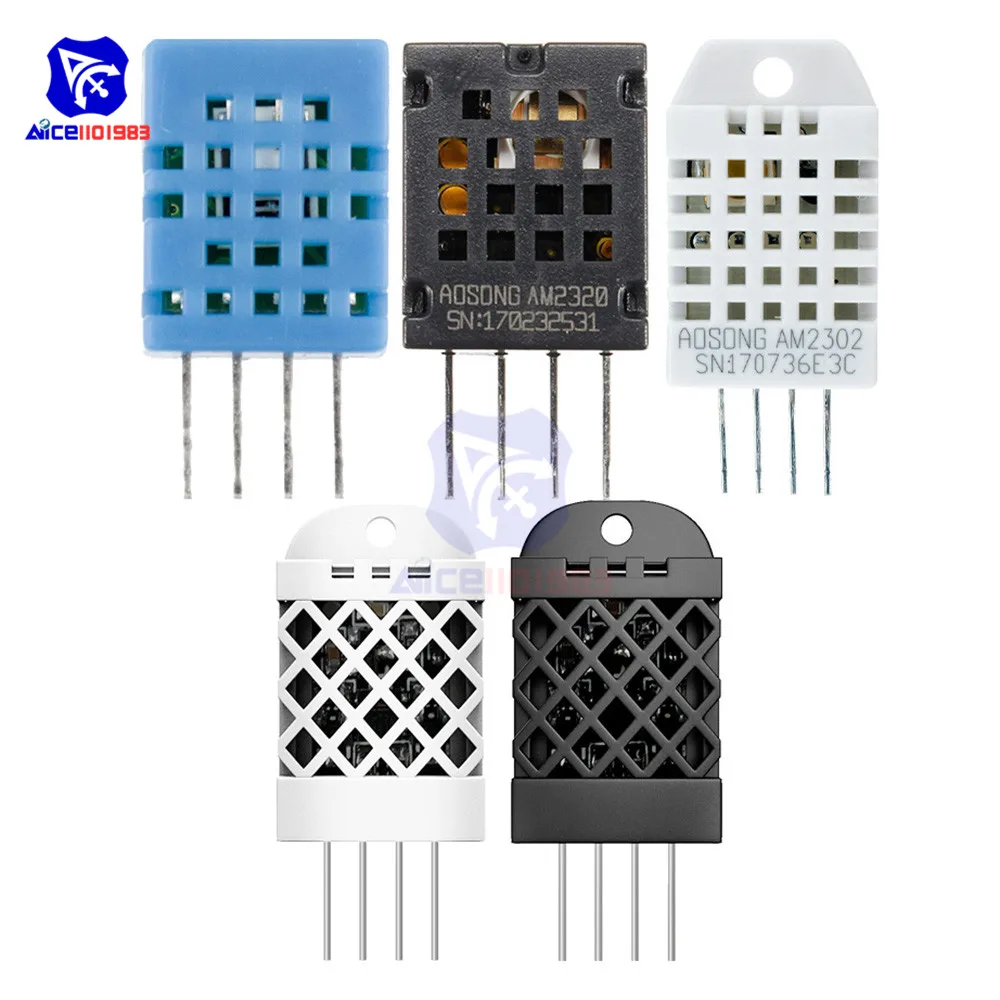
- DHT22 Temperature and Humidity Sensor
- TM1637 7-Segment Display
- Connecting wires
- Breadboard (optional, but recommended)
Wiring Guide


The wiring is straightforward. Refer to the video (in video at 01:51) for a visual guide. The key connections are:
- TM1637 Display: VCC to 5V, GND to GND, CLK to Arduino pin 2, DIO to Arduino pin 3 (in video at 02:00).
- DHT22 Sensor: VCC to 5V, GND to GND, DATA to Arduino pin 9 (in video at 02:20). Note that the video uses Arduino pin 8 to provide 5V to the sensor (in video at 02:41).
Code Explanation
The Arduino code utilizes two libraries: TM1637Display for the 7-segment display and DHT for the DHT22 sensor. The code's configurable parameters are primarily located at the beginning:
// Module connection pins (Digital Pins)
#define CLK 2
#define DIO 3
#define DHTPIN 9     // DHT22 data pin
#define DHTTYPE DHT22   // DHT sensor type
These lines define the Arduino pins connected to the display and the DHT22 sensor. You may need to adjust these if you use different pins. The getTemp() function (in video at 07:03) is crucial. It allows you to retrieve different values from the DHT22 sensor by passing a string argument:
float getTemp(String req) {
  // ... (Sensor reading code) ...
  if(req =="c"){ return t; } // Celsius
  else if(req =="f"){ return f; } // Fahrenheit
  // ... (Other options for Kelvin, humidity, heat index) ...
}
This function simplifies reading different data from the sensor (Celsius, Fahrenheit, humidity, heat index). The main loop uses this function to fetch the data and display it on the 7-segment display, rounding floating-point values to integers for display purposes (in video at 07:14).
Live Project/Demonstration
The video (in video at 00:32) shows a live demonstration of the project. The 7-segment display clearly shows the temperature in Fahrenheit. The video also demonstrates how the code can be modified to display Celsius, Kelvin, humidity, and heat index values (in video at 08:21).
Chapters
- [00:06] Introduction and Project Overview
- [00:53] Getting Started and Component Overview
- [01:51] Wiring the TM1637 Display
- [02:20] Wiring the DHT22 Sensor
- [03:14] Code Explanation: TM1637 Setup
- [04:00] Code Explanation: DHT22 Setup
- [05:54] Code Explanation: Main Loop and Display Function
- [07:03] Code Explanation: getTemp() Function
- [08:21] Demonstration and Different Output Options
Images


/*
 * Original code from TM1637 https://github.com/avishorp/TM1637
 * Original code and library for DHT22 https://github.com/adafruit/DHT-sensor-library
 * Modified for Robojax video on January 7, 2018
 * by Ahmad Shamshiri, in Ajax, Ontario, Canada
 * Watch the video for this code https://youtu.be/z_FvRm6Te78
 * Other Arduino library and videos https://robojax.com
 * Get this code and other Arduino codes from Robojax.com
Learn Arduino step by step in a structured course with all material, wiring diagrams, and libraries
all in one place.

If you found this tutorial helpful, please support me so I can continue creating
content like this.

or make a donation using PayPal http://robojax.com/L/?id=64

 *  * This code is "AS IS" without warranty or liability. Free to be used as long as you keep this note intact.*
 * This code has been downloaded from Robojax.com
    This program is free software: you can redistribute it and/or modify
    it under the terms of the GNU General Public License as published by
    the Free Software Foundation, either version 3 of the License, or
    (at your option) any later version.

    This program is distributed in the hope that it will be useful,
    but WITHOUT ANY WARRANTY; without even the implied warranty of
    MERCHANTABILITY or FITNESS FOR A PARTICULAR PURPOSE.  See the
    GNU General Public License for more details.

    You should have received a copy of the GNU General Public License
    along with this program.  If not, see <https://www.gnu.org/licenses/>.
 */

// ****** Start of TM1637 Display code
#include <Arduino.h>
#include <TM1637Display.h>
// Module connection pins (Digital Pins)
#define CLK 2
#define DIO 3
// The amount of time (in milliseconds) between tests
#define TEST_DELAY   1000
TM1637Display display(CLK, DIO);
// ****** end of TM1637 Display code

// Example testing sketch for various DHT humidity/temperature sensors
// Written by ladyada, public domain


// ****** Start of DHT code
#include "DHT.h"
#define DHTPIN 9     // what digital pin we're connected to
// Uncomment whatever type you're using!
//#define DHTTYPE DHT11   // DHT 11
#define DHTTYPE DHT22   // DHT 22  (AM2302), AM2321
//#define DHTTYPE DHT21   // DHT 21 (AM2301)
DHT dht(DHTPIN, DHTTYPE);
// ********** end of DHT22 code

void setup()
{
  Serial.begin(9600);
  Serial.println("DHT22 Robojax Test with Display");
  pinMode(8,OUTPUT);
  digitalWrite(8,HIGH);// gives 5v for DHT22
  dht.begin();
}

void loop()
{
  delay(TEST_DELAY);// wait
  // **** TM1637 code start
  display.setBrightness(0x0f);// set brightness
  uint8_t data[] = { 0x0, 0x0, 0x0, 0x0 };// clear display values
  display.setSegments(data);//clear display
  // **** TM1637 code end


  // Robojax.com test video
  Serial.println(getTemp("h"));

  int temp = round(getTemp("h"));

  display.showNumberDec(temp, false, 3,1);


}// loop end


/*
 * getTemp(String req)
 * returns the temperature related parameters
 * req is string request
 * This code can display temperature in:
 * getTemp("c") is used to get Celsius
 * getTemp("f") is used to get Fahrenheit
 * getTemp("k") is used for Kelvin
 * getTemp("hif") is used to get Fahrenheit
 * getTemp("hic") is used to get Celsius
 * getTemp("h") is used to get humidity
 * written by Ahmad Shamshiri for Robojax.com on January 7, 2018
 * in Ajax, Ontario, Canada
 */
float getTemp(String req)
{

  // Reading temperature or humidity takes about 250 milliseconds!
  // Sensor readings may also be up to 2 seconds 'old' (it's a very slow sensor)
  float h = dht.readHumidity();
  // Read temperature as Celsius (the default)
  float t = dht.readTemperature();
  // Read temperature as Fahrenheit (isFahrenheit = true)
  float f = dht.readTemperature(true);

  // Compute heat index in Fahrenheit (the default)
  float hif = dht.computeHeatIndex(f, h);
  // Compute heat index in Celsius (isFahreheit = false)
  float hic = dht.computeHeatIndex(t, h, false);

  // Check if any reads failed and exit early (to try again).
  if (isnan(h) || isnan(t) || isnan(f)) {
    Serial.println("Failed to read from DHT sensor!");
    return 0.0; //return 0.0 instead of nothing.
  }
  // Compute heat index in Kelvin
  float k = t + 273.15;
  if(req =="c"){
    return t;//return Celsius
  }else if(req =="f"){
    return f;// return Fahrenheit
  }else if(req =="h"){
    return h;// return humidity
  }else if(req =="hif"){
    return hif;// return heat index in Fahrenheit
  }else if(req =="hic"){
    return hic;// return heat index in Celsius
  }else if(req =="k"){
    return k;// return temperature in Kelvin
  }else{
    return 0.000;// if no request found, return 0.000
  }

}
Resources & references
No resources yet.
Files📁
Arduino Libraries (zip)
-
DHT22 PCB module red
DHT22-module-red.fzpz0.01 MB
Fritzing File
-
DHT22 Humidity and Temperature Sensor
DHT22 Humidity and Temperature Sensor.fzpz0.01 MB -
DHT22 PCB module red
DHT22-module-red.fzpz0.01 MB -
DHT22 module white
DHT22-module-white.fzpz0.01 MB -
TM1637 Seven Segment module
TM1637.fzpz0.01 MB -
DHT11 Humitidy and Temperature Sensor (3 pins)
DHT11 Humitidy and Temperature Sensor (3 pins).fzpz0.20 MB
User’s Manual
-
DHT22 Temperature and Humidity sensor user's manual
robojax-DHT22_manual.pdf0.36 MB