Arduino Code and HC-06 Bluetooth AC Bulb Video
In this tutorial, we will explore how to control an AC bulb using the HC-06 Bluetooth module and an Arduino. The project allows you to turn the bulb on and off using commands sent via a Bluetooth-connected device. This remote control feature makes it a practical and fun project for beginners looking to integrate Bluetooth functionality into their Arduino projects.

By following the steps outlined in this tutorial, you will be able to set up the hardware, write the code, and control the light from your smartphone or tablet. If you need further clarification, be sure to check out the video associated with this tutorial (in video at 0:00).
Hardware Explained
The main components of this project include the HC-06 Bluetooth module, an Arduino board, and a relay module for controlling the AC bulb. The HC-06 module is responsible for establishing a Bluetooth connection, allowing your device to communicate wirelessly with the Arduino. It has four pins: VCC (power), GND (ground), TX (transmit), and RX (receive).
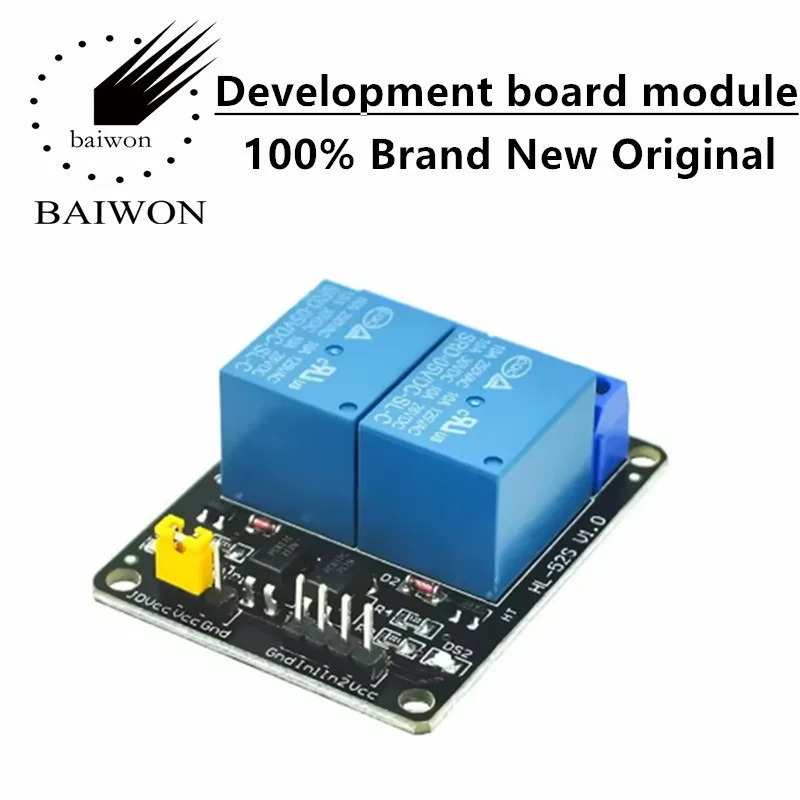
The relay module acts as a switch to control the AC bulb. It connects to the bulb's power line, allowing it to either complete the circuit (turn on the bulb) or break the circuit (turn off the bulb) based on signals received from the Arduino. The Arduino serves as the brain of the operation, interpreting commands sent from the Bluetooth module and controlling the relay accordingly.
Datasheet Details
| Manufacturer | HC |
|---|---|
| Part number | HC-06 |
| Logic/IO voltage | 3.3 V – 6 V |
| Supply voltage | 3.3 V – 6 V |
| Output current (per channel) | 20 mA |
| Peak current (per channel) | 50 mA |
| PWM frequency guidance | Not applicable |
| Input logic thresholds | 0.2 V (low) / 0.7 V (high) |
| Voltage drop / RDS(on) / saturation | 0.5 V |
| Thermal limits | 85 °C |
| Package | Module |
| Notes / variants | Bluetooth 2.0 |
- Ensure proper voltage levels to avoid damaging the module.
- Use proper heat sinking if the module is used in high-load applications.
- Keep the TX and RX pins correctly connected to avoid communication issues.
- Double-check relay specifications to match the AC bulb's voltage and current ratings.
- Implement proper isolation to enhance safety when working with AC voltage.
Wiring Instructions

To wire the HC-06 Bluetooth module and relay to the Arduino, start by connecting the VCC pin of the HC-06 to the 5V pin on the Arduino and the GND pin to the Arduino's ground. Next, connect the TX pin of the HC-06 to digital pin 10 on the Arduino and the RX pin to digital pin 11. This setup allows the Arduino to communicate with the Bluetooth module.
For the relay module, connect the control pin (often labeled as IN) to digital pin 2 on the Arduino. The VCC pin of the relay should also connect to the 5V power supply, and the ground pin should go to the common ground. Make sure to connect the AC bulb wires to the relay's normally open (NO) and common (COM) terminals to control the power to the bulb effectively.
Code Examples & Walkthrough
The Arduino code begins with including the SoftwareSerial library, which allows for serial communication on other digital pins. The Bluetooth module is initialized with the TX pin connected to pin 10 and the RX pin connected to pin 11:
SoftwareSerial BT(10, 11); // creates a "virtual" serial port/UARTThis setup enables the Arduino to communicate with the HC-06 module effectively. The control pin for the relay is defined as follows:
#define SW 2 // define pin 2 as control pinThe setup() function initializes the Bluetooth connection and sets the relay control pin as an output:
void setup() { pinMode(SW, OUTPUT); BT.begin(9600); }In the loop() function, the Arduino checks for incoming Bluetooth commands. If a '1' is received, the relay is activated to turn the light on:
if (a=='1') { digitalWrite(SW, LOW); BT.println("Light on"); }Conversely, if a '2' is received, the relay is deactivated to turn the light off:
if (a=='2') { digitalWrite(SW, HIGH); BT.println("Light off"); }For further details and the complete code, please refer to the full program loaded below the article.
Demonstration / What to Expect
Once everything is set up correctly, you can turn the AC bulb on and off using the Bluetooth commands. Typing '1' will power the bulb on, while typing '2' will turn it off. Make sure your Bluetooth device is paired with the HC-06 module before sending commands. If the commands are not recognized, check your wiring and ensure the HC-06 is properly connected (in video at 3:30).
Video Timestamps
- 00:00 - Introduction to the project
- 01:45 - Hardware setup
- 04:30 - Code explanation
- 06:15 - Demonstration of the app
- 08:00 - Troubleshooting tips
图像
/*
 * This is the Arduino code for the HC-06 Bluetooth module
 * to measure the distance using Arduino for a robotic car and other applications
 * Watch the video https://youtu.be/-E9J9ExdZ20
 *
 * Written by Ahmad Nejrabi for Robojax Video
 * Date: January 1, 2018, in Ajax, Ontario, Canada
 * Permission granted to share this code given that this
 * note is kept with the code.
 * Disclaimer: this code is "AS IS" and for educational purposes only.
 *
 */

// original source code: https://github.com/tronixlabsAU/HC06
#include <SoftwareSerial.h>

SoftwareSerial BT(10, 11);
// creates a "virtual" serial port/UART
// connect BT module TX to D10
// connect BT module RX to D11
// connect BT Vcc to 5V, GND to GND

#define SW 2 // define pin 2 as control pin
// by Robojax for Robojax.com, January 1, 2018
void setup()
{

  // set digital pin to control as an output
  pinMode(SW, OUTPUT);

  // set the data rate for the SoftwareSerial port
  BT.begin(9600);

  // Send test message to other device
  BT.println("Hello from Arduino");
}

char a; // stores incoming character from other device

void loop()
{
  if (BT.available())
  // if text arrived from BT serial...
  {
    a=(BT.read());
    if (a=='1')
    {
      digitalWrite(SW, LOW);// Turn LIGHT ON
      BT.println("Light on");
    }
    if (a=='2')
    {
      digitalWrite(SW, HIGH);// Turn LIGHT OFF
      BT.println("Light off");
    }
    if (a=='?')
    {
      BT.println("Send '1' to turn LIGHT on");
      BT.println("Send '2' to turn LIGHT off");
    }

  }
}
|||您可能需要的东西
-
亚马逊在亚马逊购买HC-06蓝牙模块amzn.to
资源与参考
-
外部HC-06 Bluetooth 代码在 GitHub 上github.com
文件📁
Fritzing 文件
-
Bluetooth HC-06 Male fritzing
Bluetooth HC-06 Male.fzpz0.04 MB