Measure Temperature over Wi-Fi with ESP32, DHT11, and DHT22
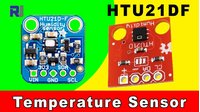
Learn how to use an ESP32 as a web server to measure temperature over WiFi on a mobile phone or computer using a DHT11, DHT21, or DHT22. A full wiring diagram, wiring instructions, and preparing the Arduino IDE are explained.
Your Arduino IDE must be prepared with the ESP32 support. To prepare your Arduino IDE, please watch this video.
[ad] measure temperature
Images

Câblage ESP32 avec module nu DHT11

Câblage ESP32 avec module PCB DHT11

Câblage ESP32 avec le module DHT12
365-Arduino code
Langue: C++
/*

 * Display temperature using DHT11, DHT22 or DHT21 with ESP32
 * over WiFi in a local network on a computer or mobile devices
 *
 * Written by Ahmad Shamshiri on April 06, 2021
 * in Ajax, Ontario, Canada
 * Watch video instruction for this video:  https://youtu.be/JXCcmZUmzy8
 *
 * I have combined the DHT library of Adafruit with the ESP8266 WebServer; both links are below:
 * Adafruit DHT library on GitHub: https://github.com/adafruit/DHT-sensor-library
 * and
 * ESP8266 on GitHub : https://github.com/esp8266/Arduino
 *
 *
Get this code and other Arduino codes from Robojax.com
You can get the wiring diagram from my Arduino Course at Udemy.com
Learn Arduino step by step with all libraries, codes, and wiring diagrams all in one place
visit my course now http://robojax.com/L/?id=62

If you found this tutorial helpful, please support me so I can continue creating
content like this.
or make a donation using PayPal http://robojax.com/L/?id=64

   Copyright (c) 2015, Majenko Technologies
   All rights reserved.

   Redistribution and use in source and binary forms, with or without modification,
   are permitted provided that the following conditions are met:

 * * Redistributions of source code must retain the above copyright notice, this
     list of conditions and the following disclaimer.

 * * Redistributions in binary form must reproduce the above copyright notice, this
     list of conditions and the following disclaimer in the documentation and/or
     other materials provided with the distribution.

 * * Neither the name of Majenko Technologies nor the names of its
     contributors may be used to endorse or promote products derived from
     this software without specific prior written permission.

   THIS SOFTWARE IS PROVIDED BY THE COPYRIGHT HOLDERS AND CONTRIBUTORS "AS IS" AND
   ANY EXPRESS OR IMPLIED WARRANTIES, INCLUDING, BUT NOT LIMITED TO, THE IMPLIED
   WARRANTIES OF MERCHANTABILITY AND FITNESS FOR A PARTICULAR PURPOSE ARE
   DISCLAIMED. IN NO EVENT SHALL THE COPYRIGHT HOLDER OR CONTRIBUTORS BE LIABLE FOR
   ANY DIRECT, INDIRECT, INCIDENTAL, SPECIAL, EXEMPLARY, OR CONSEQUENTIAL DAMAGES
   (INCLUDING, BUT NOT LIMITED TO, PROCUREMENT OF SUBSTITUTE GOODS OR SERVICES;
   LOSS OF USE, DATA, OR PROFITS; OR BUSINESS INTERRUPTION) HOWEVER CAUSED AND ON
   ANY THEORY OF LIABILITY, WHETHER IN CONTRACT, STRICT LIABILITY, OR TORT
   (INCLUDING NEGLIGENCE OR OTHERWISE) ARISING IN ANY WAY OUT OF THE USE OF THIS
   SOFTWARE, EVEN IF ADVISED OF THE POSSIBILITY OF SUCH DAMAGE.
*/

const int refresh=3;//read every 3 seconds
boolean showSerial =true;//true or false

unsigned int unit=2;//0=C, 1=F, 2=Humidity
char *title[]={"Temperature","Temperature","Humidity"};
char *unitText[]={"°C","°F","%"};

#include "DHT.h"
#define DHTPIN 2
#define DHTTYPE DHT11   // DHT 11
//#define DHTTYPE DHT22   // DHT 22  (AM2302), AM2321
//#define DHTTYPE DHT21   // DHT 21 (AM2301)
DHT dht(DHTPIN, DHTTYPE);
float temperatureValue,temperatureFValue, humidityValue;//
// ****** DHT settings end (Robojax.com )

#include <WiFi.h>
#include <WiFiClient.h>
#include <WebServer.h>
#include <ESPmDNS.h>

const char *ssid = "Robojax";
const char *password = "100%Right";

WebServer server(80);


void sendTemp() {
//see video https://youtu.be/JXCcmZUmzy8
  String page = "<!DOCTYPE html>\n";
  page +="<html>\n";
  page +="<head>\n";
  page +="<title>Robojax DHT</title>\n";
  page +="    <meta http-equiv='refresh' content='";
  page += String(refresh);// how often temperature is read
  page +="'/>\n";

  page +="<head>\n";
  page +="<body>\n";
  page +="<h1>Robojax.com DHT Code</h1>\n";
  page +="<p style=\"font-size:50px;\">";
  page +=title[unit];
  page +="<br/>";
  page +="<p style=\"color:red; font-size:50px;\">";
 if (DHTTYPE ==DHT11){
  page += String((int)temperatureValue);
}else{
  page += String(temperatureValue, 1);
}

  page +=unitText[unit];
  page +="</p>\n</body>";
  page +="</html>\n";
 server.send(200,  "text/html",page);

}


void handleNotFound() {

  String message = "File Not Found\n\n";
  message += "URI: ";
  message += server.uri();
  message += "\nMethod: ";
  message += (server.method() == HTTP_GET) ? "GET" : "POST";
  message += "\nArguments: ";
  message += server.args();
  message += "\n";

  for (uint8_t i = 0; i < server.args(); i++) {
    message += " " + server.argName(i) + ": " + server.arg(i) + "\n";
  }

  server.send(404, "text/plain", message);

}

void setup(void) {
  // Robojax.com code for ESP32 DHT11 DHT22
   dht.begin();

  Serial.begin(115200);
  WiFi.mode(WIFI_STA);
  WiFi.begin(ssid, password);
  Serial.println("");

  // Wait for connection
  while (WiFi.status() != WL_CONNECTED) {
    delay(500);
    Serial.print(".");
  }

  Serial.println("");
  Serial.print("Connected to ");
  Serial.println(ssid);
  Serial.print("Open: http://");
  Serial.print(WiFi.localIP());
  Serial.println(" to read temperature");

  if (MDNS.begin("robojaxDHT")) {
    Serial.println("MDNS responder started");
    Serial.println("or open http://robojaxDHT");
  }

  server.on("/", sendTemp);

  server.on("/inline", []() {
    server.send(200, "text/plain", "this works as well");
  });
  server.onNotFound(handleNotFound);
  server.begin();
  Serial.println("HTTP server started");
  //see video https://youtu.be/JXCcmZUmzy8
}


void loop(void) {
  //Robojax.com code for ESP32 DHT11 DHT22
  server.handleClient();
  temperatureValue = dht.readTemperature();// Read temperature as Celsius (the default)
  humidityValue = dht.readHumidity();// Reading humidity
  temperatureFValue = dht.readTemperature(true);// Read temperature as Fahrenheit (isFahrenheit = true)
  if(unit ==1)
  {
   temperatureValue =temperatureFValue; //
  }else if(unit==3)
  {
    temperatureValue =humidityValue;
  }else{
    temperatureValue =temperatureValue;
  }
  if(showSerial){
      Serial.print(title[unit]);
      Serial.print(": ");
      if (DHTTYPE ==DHT11){
     Serial.println((int)temperatureValue);
      }else{
       Serial.print(temperatureValue,1);
      }

  }
  Serial.println();//just adds new line

  delay(300);// change this to a larger value (1000 or more) if you don't need very frequent readings
  // Robojax.com code for ESP32 and DHT11 DHT22
  //see video https://youtu.be/JXCcmZUmzy8
}
Ressources et références
-
ExterneRegardez cette vidéoyoutu.be
Fichiers📁
Aucun fichier disponible.