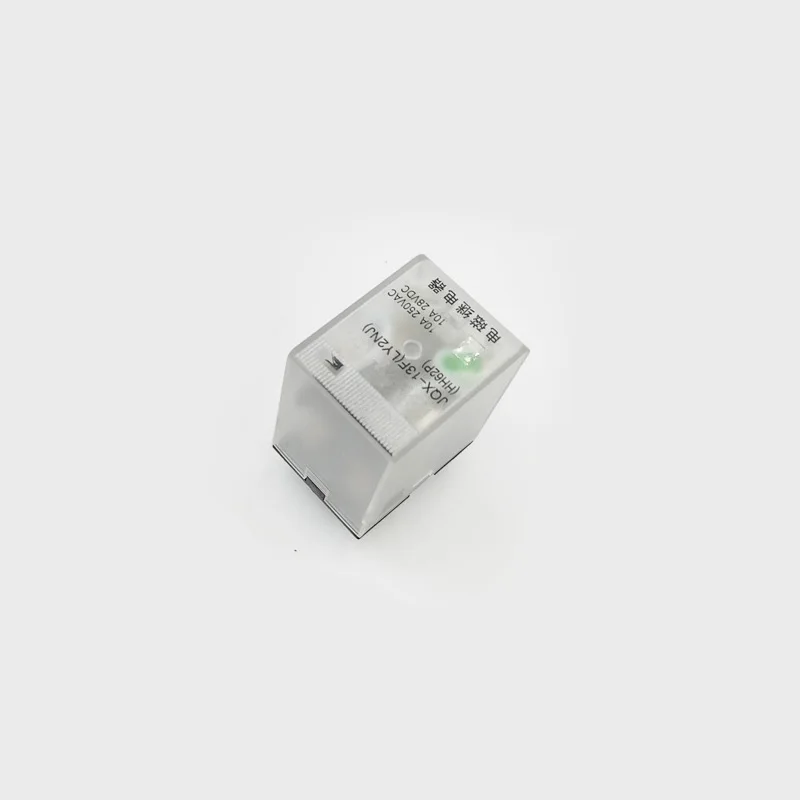
MAX6675 with K-Type Thermocouple and Control Relay as Thermostat
In this tutorial, we learn how to use a K-Type thermocouple with a MAX6675 module to use it as a heater control or cooler control by using a relay. With the provided code, the project can be set to work as a cooler or heater controller, and the temperature value can be set in any unit: C, F, or K.
327-Arduino code to measure a MAX6675 K-type thermocouple sensor
语言: C++
/*
 * Library from: // www.ladyada.net/learn/sensors/thermocouple
 *
 * This is Arduino code to measure MAX6675 Thermocouple K-Type sensor
 * and control relay as heater or cooler
 *
 * Watch Video instruction for this code: https://youtu.be/dVh77wT-4Ao
 *

 * Written by Ahmad Shamshiri on May 20, 2020 in Ajax, Ontario, Canada
 * www.robojax.com
 *

 * Get this code and other Arduino codes from Robojax.com.
Learn Arduino step by step in a structured course with all material, wiring diagrams, and libraries
all in one place. Purchase my course on Udemy.com: http://robojax.com/L/?id=62

If you found this tutorial helpful, please support me so I can continue creating
content like this. You can support me on Patreon: http://robojax.com/L/?id=63

or make a donation using PayPal: http://robojax.com/L/?id=64
Related videos:
Introduction to MAX6675 K-Type: https://youtu.be/VGqONmUinqA
Using MAX6675 K-Type thermocouple with LED display: https://youtu.be/cD5oOu4N_AE
Using MAX6675 K-Type thermocouple with LCD1602-I2C: https://youtu.be/BlhpktgPdKs
Using 2 or more MAX6675 K-Type thermocouples: https://youtu.be/c90NszbNG8c
Using MAX6675 K-Type thermocouple as heater or cooler controller: [this video]
 *  * This code is "AS IS" without warranty or liability. Free to be used as long as you keep this note intact.*
 * This code has been downloaded from Robojax.com
    This program is free software: you can redistribute it and/or modify
    it under the terms of the GNU General Public License as published by
    the Free Software Foundation, either version 3 of the License, or
    (at your option) any later version.

    This program is distributed in the hope that it will be useful,
    but WITHOUT ANY WARRANTY; without even the implied warranty of
    MERCHANTABILITY or FITNESS FOR A PARTICULAR PURPOSE.  See the
    GNU General Public License for more details.

    You should have received a copy of the GNU General Public License
    along with this program.  If not, see <https://www.gnu.org/licenses/>.


*/


#include "max6675.h"
//Robojax.com heater/cooler with MAX6675 Thermocoupler
int GNDpin = 2;
int VCCpin =3;
int thermoCLK = 4;
int thermoCS = 5;
int thermoDO = 6;
MAX6675 thermocouple(thermoCLK, thermoCS, thermoDO);


const int relayPin =8;
const int relayON = LOW;// do not change
const int relayOFF = HIGH; //do not change
int relayState = relayOFF;//initial state of relay

const int TEMPERATURE_UNIT =1;//1=Celsius, 2=Fahrenheit, 3=Kelvin
const float START_TEMPERATURE = 80.0;//unit above
const float STOP_TEMPERATURE = 100.0;//unit above
const int CONTROL_TYPE = 1;// 1= heater, 2=cooler
float temperature;

void setup() {
  //Robojax.com heater/cooler with MAX6675 Thermocoupler
  Serial.begin(9600);
  Serial.println("MAX6675 test with relay");
  // use Arduino pins
  pinMode(relayPin, OUTPUT);//pin for relay
  digitalWrite(relayPin, relayState);

  pinMode(VCCpin, OUTPUT);
  digitalWrite(VCCpin, HIGH);

  pinMode(GNDpin, OUTPUT);
  digitalWrite(GNDpin, LOW);

  // wait for MAX chip to stabilize
  delay(500);
//Robojax.com heater/cooler with MAX6675 Thermocoupler
}

void loop() {
  //Robojax.com heater/cooler with MAX6675 Thermocoupler
   readTemperature();
   printTemperature();
   loadControl();
   if(temperature >=89.5)
   {
    ///
   }
   delay(1000);
//Robojax.com heater/cooler with MAX6675 Thermocoupler
}//loop


/*
 * loadControl()
 * @brief controls the load based
 * @param state can be either : relayON or relayOFF

 * @return returns none
 * Written by Ahmad Shamshiri for robojax.com
 * on May 20, 2020 at 15:23 in Ajax, Ontario, Canada
 */
void loadControl()
{
//Robojax.com heater/cooler with MAX6675 Thermocoupler
     // Serial.print("Start: ");
     // Serial.print(START_TEMPERATURE);
     // Serial.print(" Stop: ");
      //Serial.println(STOP_TEMPERATURE);
  if(CONTROL_TYPE ==1)
  {
    if(START_TEMPERATURE >= temperature && STOP_TEMPERATURE >=temperature)
    {
      relayControl(relayON);
    }
    if(STOP_TEMPERATURE <=temperature)
    {
      relayControl(relayOFF);
    }
  }else{
    if(START_TEMPERATURE >= temperature && STOP_TEMPERATURE >=temperature)
    {
      relayControl(relayOFF);
    }
    if(STOP_TEMPERATURE <=temperature)
    {
      relayControl(relayON);
    }
  }

//Robojax.com heater/cooler with MAX6675 Thermocoupler
}//loadControl()


/*
 * relayControl(int state))
 * @brief turns the relay ON or OFF
 * @param state is "relayON" or "relayOFF" defined at the top of code
 * @return returns none
 * Written by Ahmad Shamshiri for robojax.com
 * on May 20, 2020 at 15:23 in Ajax, Ontario, Canada
 */
void relayControl(int state)
{
  //Robojax.com heater/cooler with MAX6675 Thermocoupler
  if(state ==relayON)
  {
    digitalWrite(relayPin, relayON);
    Serial.println("Relay ON");
  }else{
   digitalWrite(relayPin, relayOFF);
    Serial.println("Relay OFF");
  }
  //Robojax.com heater/cooler with MAX6675 Thermocoupler

}//relayControl()


/*
 *  readTemperature()
 * @brief reads the temperature based on the TEMPERATURE_UNIT
 * @param average temperature

 * @return returns one of the values above
 * Written by Ahmad Shamshiri for robojax.com
 * on May 20, 2020 at 15:23 in Ajax, Ontario, Canada
 */
void readTemperature()
{
 //Robojax.com heater/cooler with MAX6675 Thermocoupler

  if(TEMPERATURE_UNIT ==2)
   {
   temperature = thermocouple.readFahrenheit();//convert to Fahrenheit
   }else if(TEMPERATURE_UNIT ==3)
   {
    temperature = thermocouple.readCelsius() + 273.15;//convert to Kelvin
   }else{
    temperature = thermocouple.readCelsius();// return Celsius
   }
 //Robojax.com heater/cooler with MAX6675 Thermocoupler
}// readTemperature()

/*
 * printTemperature()
 * @brief prints  temperature on serial monitor
 * @param charact type
 * @param "type" is character
 *     C = Celsius
 *     K = Kelvin
 *     F = Fahrenheit
 * @return none
 * Written by Ahmad Shamshiri for robojax.com
 * on May 08, 2020 at 02:45 in Ajax, Ontario, Canada
 */
void printTemperature()
{
//Robojax.com heater/cooler with MAX6675 Thermocoupler
   Serial.print(temperature);
    printDegree();
  if(TEMPERATURE_UNIT ==2)
   {
     Serial.print("F");
    }else if(TEMPERATURE_UNIT ==3)
   {
     Serial.print("K");
   }else{
     Serial.print("C");
   }
  Serial.println();
//Robojax.com heater/cooler with MAX6675 Thermocoupler
}//printTemperature()

/*
 * @brief prints degree symbol on serial monitor
 * @param none
 * @return returns nothing
 * Written by Ahmad Shamshiri on July 13, 2019
 * for Robojax Tutorial Robojax.com
 */
void printDegree()
{
    Serial.print("\\xC2");
    Serial.print("\\xB0");
}
资源与参考
尚无可用资源。
文件📁
没有可用的文件。