Pro Micro ATmega32U4 Arduino Pins: 5V and 3.3V Explained
In this video, you will learn about the Pro Micro ATMEGA32U4 Arduino board and how to connect it to external power or USB. Digital and analog pins are explained; PWM is tested.
Pro Micro Driver. You should not need a driver, as the Arduino IDE has all the drivers for this board. It is located inside your Arduino folder: arduino-1.x.x\drivers, where x is your version of the Arduino IDE. But you may download the zip driver from the links below.
图像
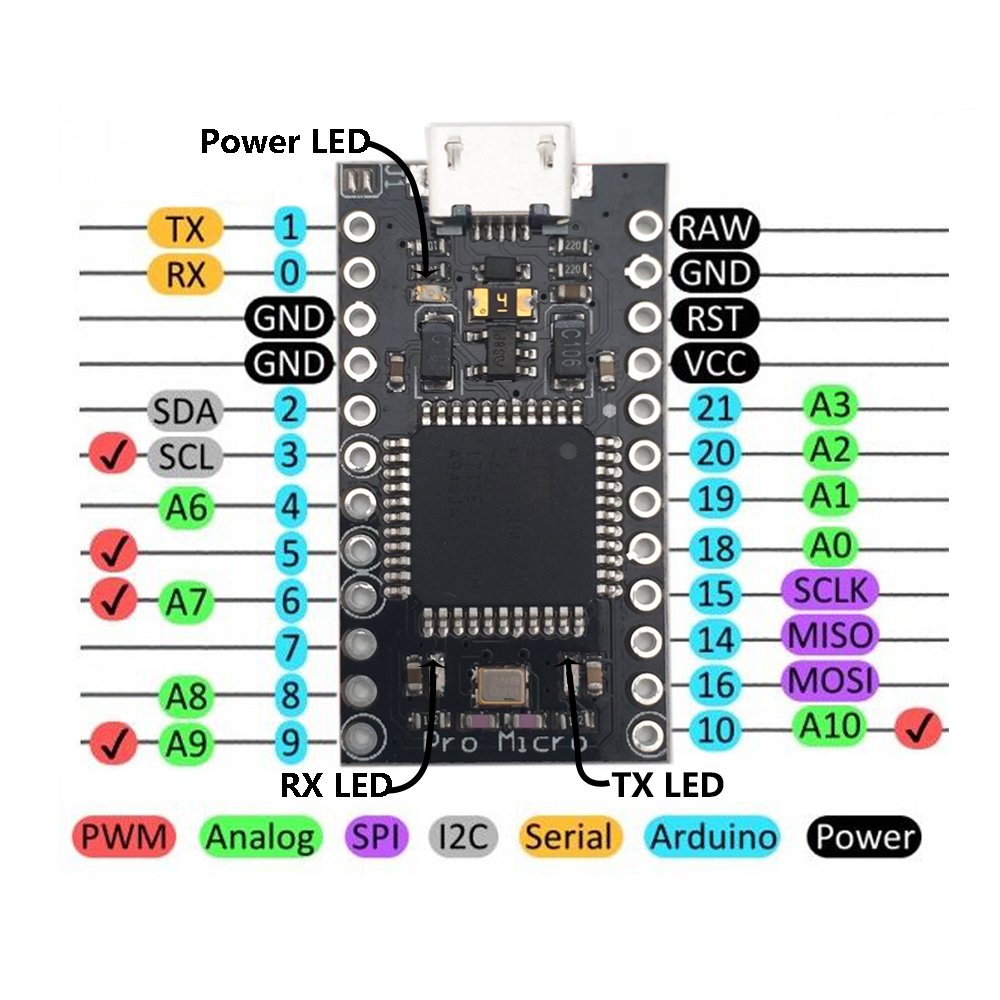
Pro Micro板的引脚映射

Arduino Pro Micro:引脚说明

Arduino Pro Micro:售卖引脚插头

Arduino Pro Micro:从外部电源供电
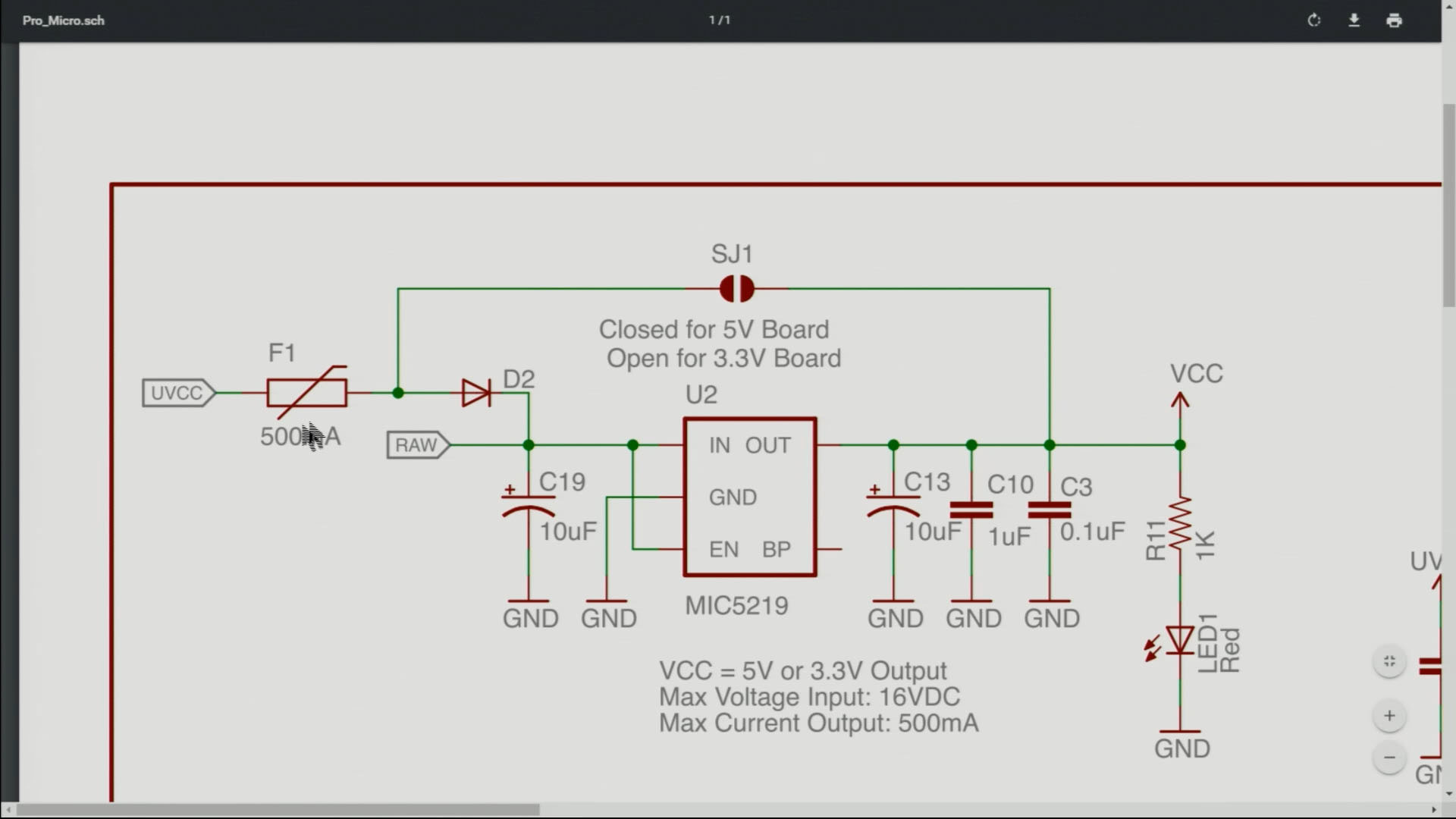
Arduino Pro Micro: J1 连接器说明
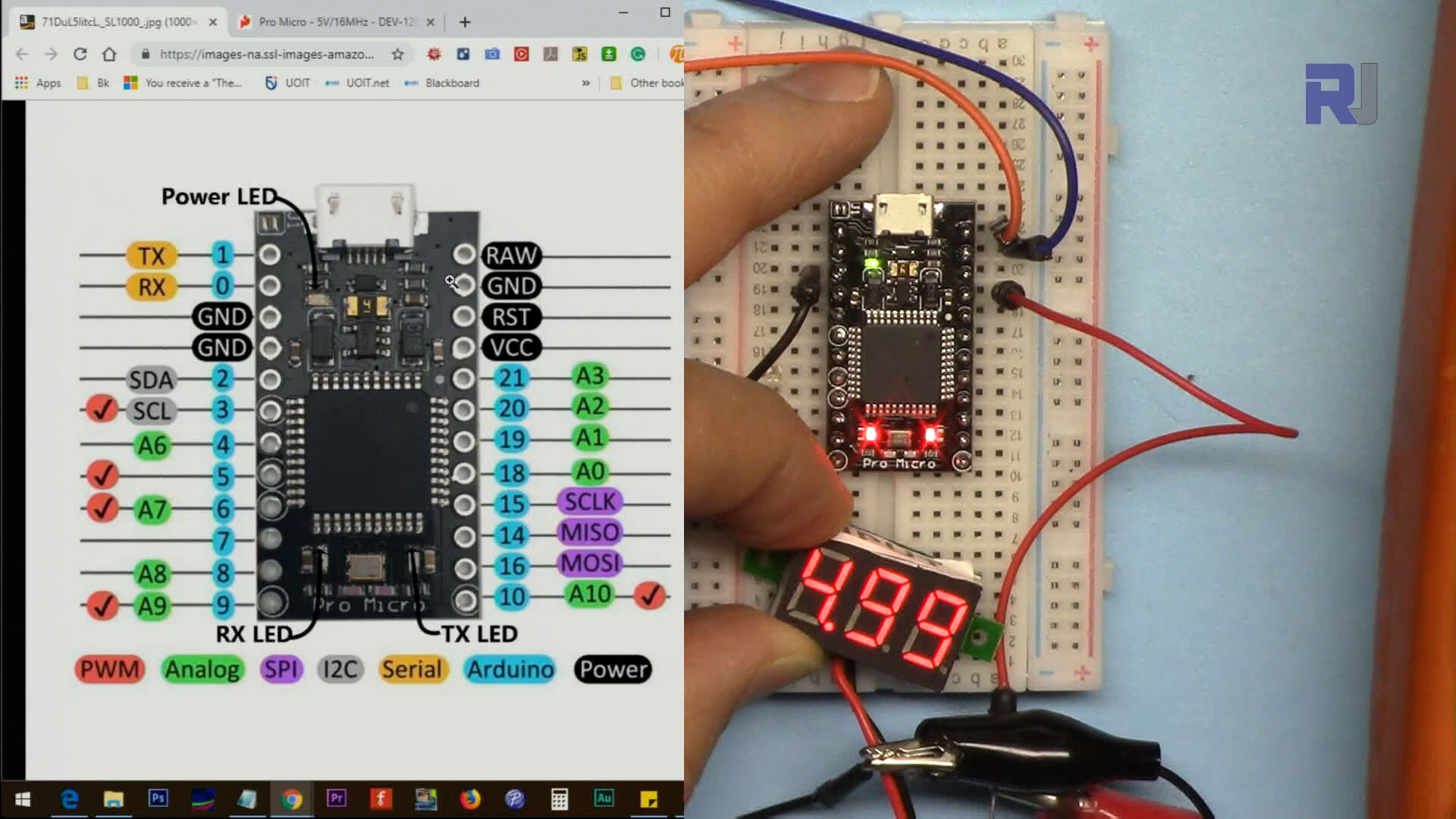
Arduino Pro Micro:测量 VCC 引脚电压

Arduino Pro Micro:将LED连接到引脚以进行闪烁程序

Arduino Pro Micro:控制伺服电机
没有附加代码。
资源与参考
-
外部ATmega32U4 MCU 数据表 (PDF)cdn.sparkfun.com
-
外部Pro Micro 板的原理图 (PDF)cdn.sparkfun.com
-
外部该芯片的驱动程序(ZIP)github.com
文件📁
没有可用的文件。


![Arduino Micro with Headers [A000053] - ATmega32U4 Microcontroller, 16MHz, 20 Digital I/O Pins, 7 PWM Outputs, USB HID Support, Compact Design for Embedded Projects, Compatible with Arduino IDE](https://m.media-amazon.com/images/I/41CEC9Gnj1L._SL75_.jpg)