Pro Micro ATmega32U4 Arduino Pins: 5V and 3.3V Explained
In this video, you will learn about the Pro Micro ATMEGA32U4 Arduino board and how to connect it to external power or USB. Digital and analog pins are explained; PWM is tested.
Pro Micro Driver. You should not need a driver, as the Arduino IDE has all the drivers for this board. It is located inside your Arduino folder: arduino-1.x.x\drivers, where x is your version of the Arduino IDE. But you may download the zip driver from the links below.
画像
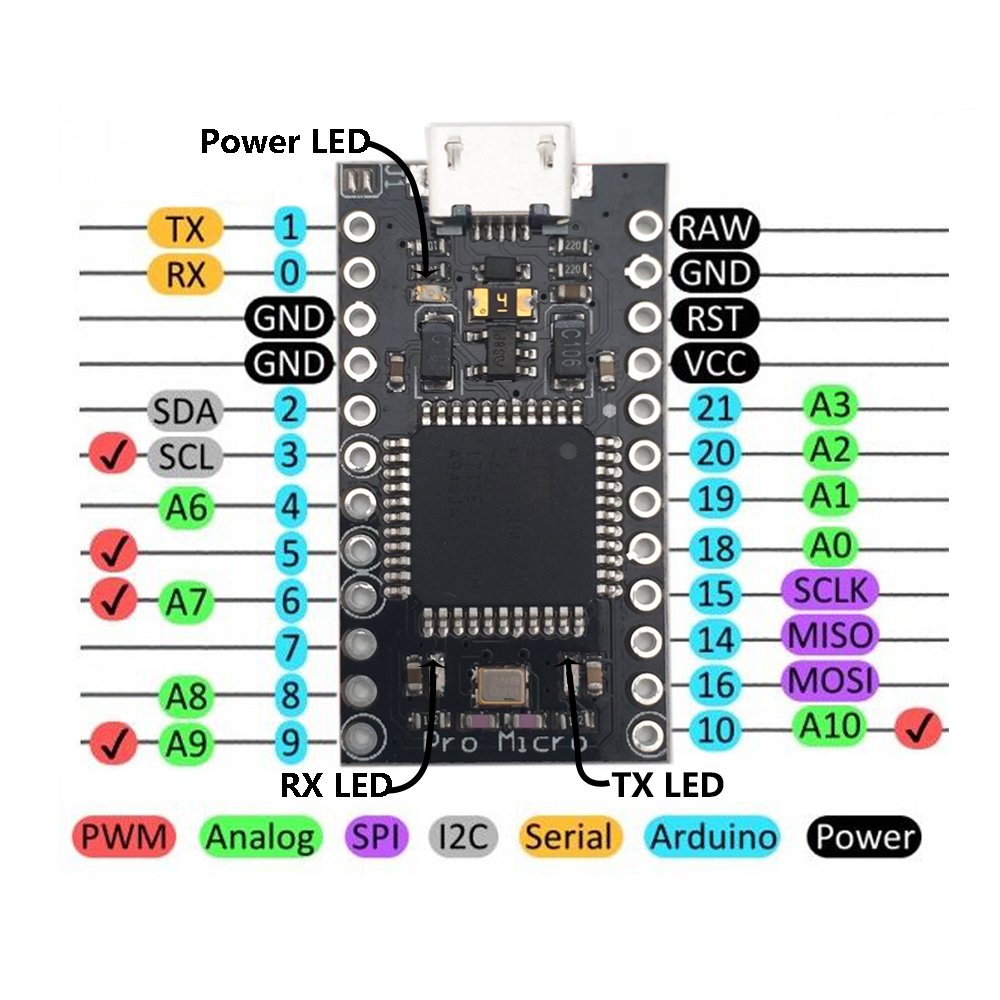
Pro Microボードのピンマッピング

Arduino Pro Micro: ピンの説明

Arduino Pro Micro:ソルダリングピンヘッダー

Arduino Pro Micro: 外部電源からの起動
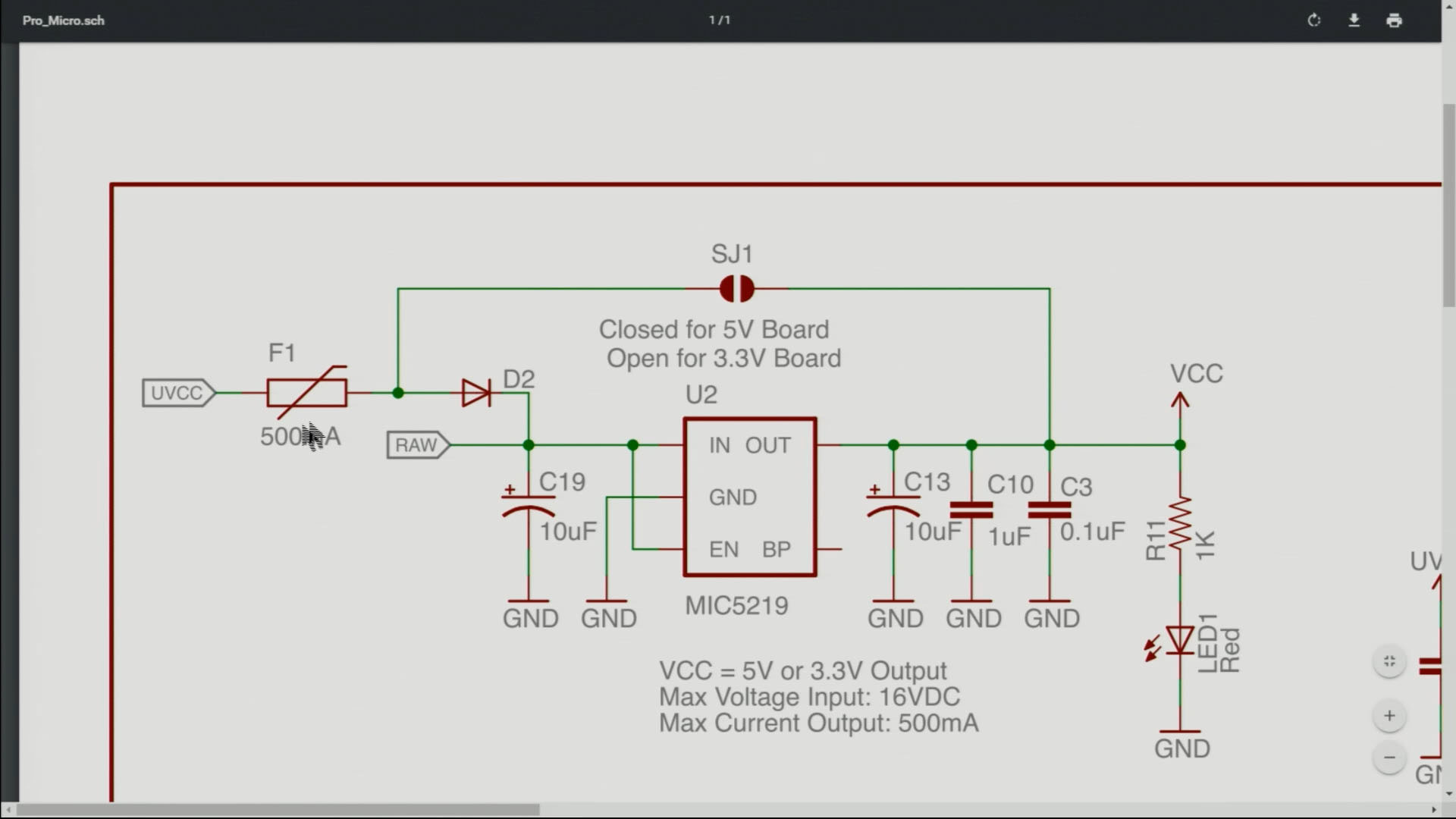
Arduino Pro Micro: J1コネクタの説明
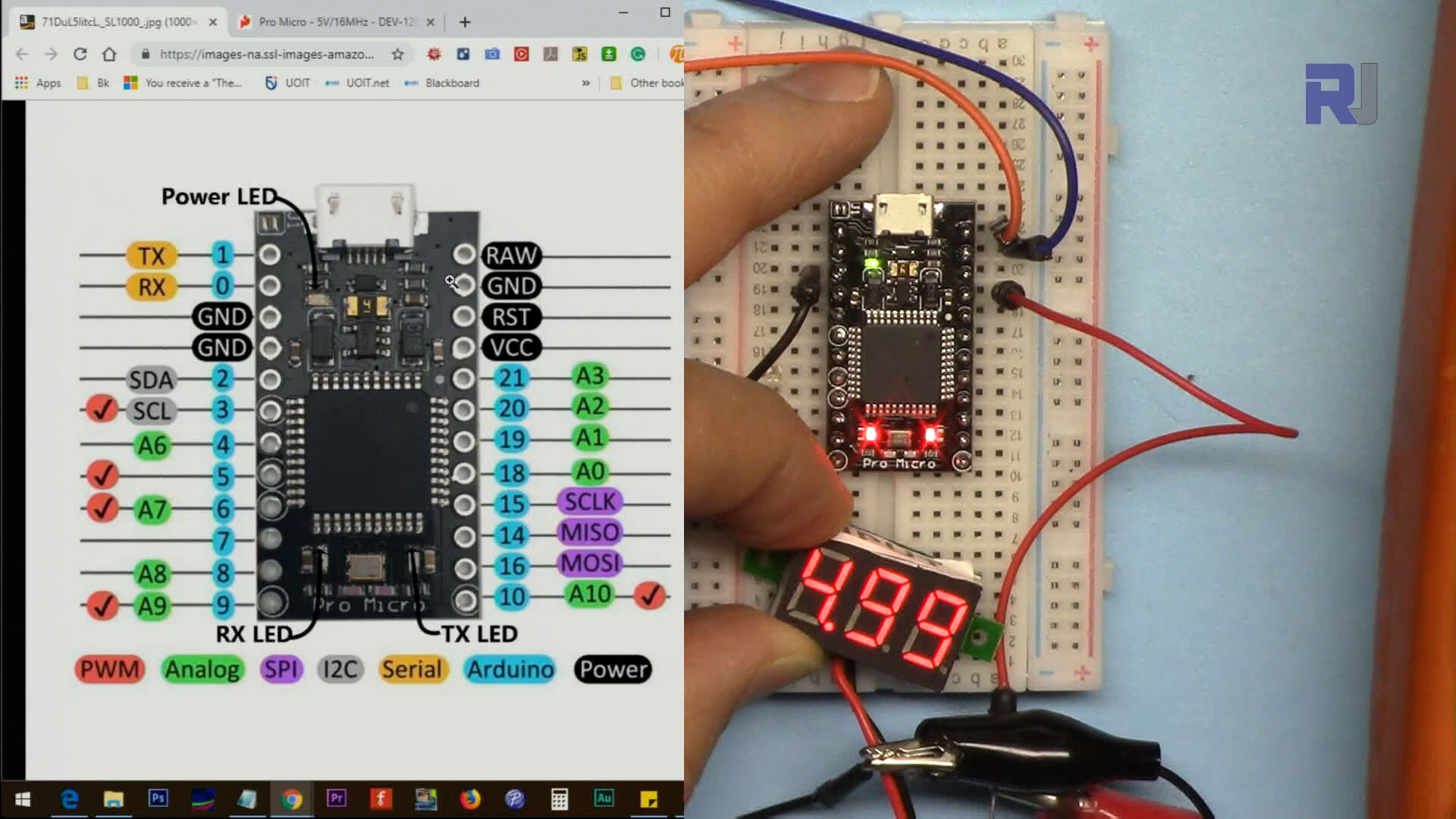
Arduino Pro Micro: VCCピン電圧の測定

Arduino Pro Micro:ブリンクプログラムのためにLEDをピンに接続する

Arduino Pro Micro: サーボモーターの制御
コードは添付されていません。
リソースと参考文献
-
外部ATmega32U4 MCUのデータシート(PDF)cdn.sparkfun.com
-
外部Pro Microボードの回路図(PDF)cdn.sparkfun.com
-
外部このチップのドライバー(ZIP)github.com
ファイル📁
ファイルは利用できません。


![Arduino Micro with Headers [A000053] - ATmega32U4 Microcontroller, 16MHz, 20 Digital I/O Pins, 7 PWM Outputs, USB HID Support, Compact Design for Embedded Projects, Compatible with Arduino IDE](https://m.media-amazon.com/images/I/41CEC9Gnj1L._SL75_.jpg)