Pro Micro ATmega32U4 Arduino Pins: 5V and 3.3V Explained
In this video, you will learn about the Pro Micro ATMEGA32U4 Arduino board and how to connect it to external power or USB. Digital and analog pins are explained; PWM is tested.
Pro Micro Driver. You should not need a driver, as the Arduino IDE has all the drivers for this board. It is located inside your Arduino folder: arduino-1.x.x\drivers, where x is your version of the Arduino IDE. But you may download the zip driver from the links below.
Bilder
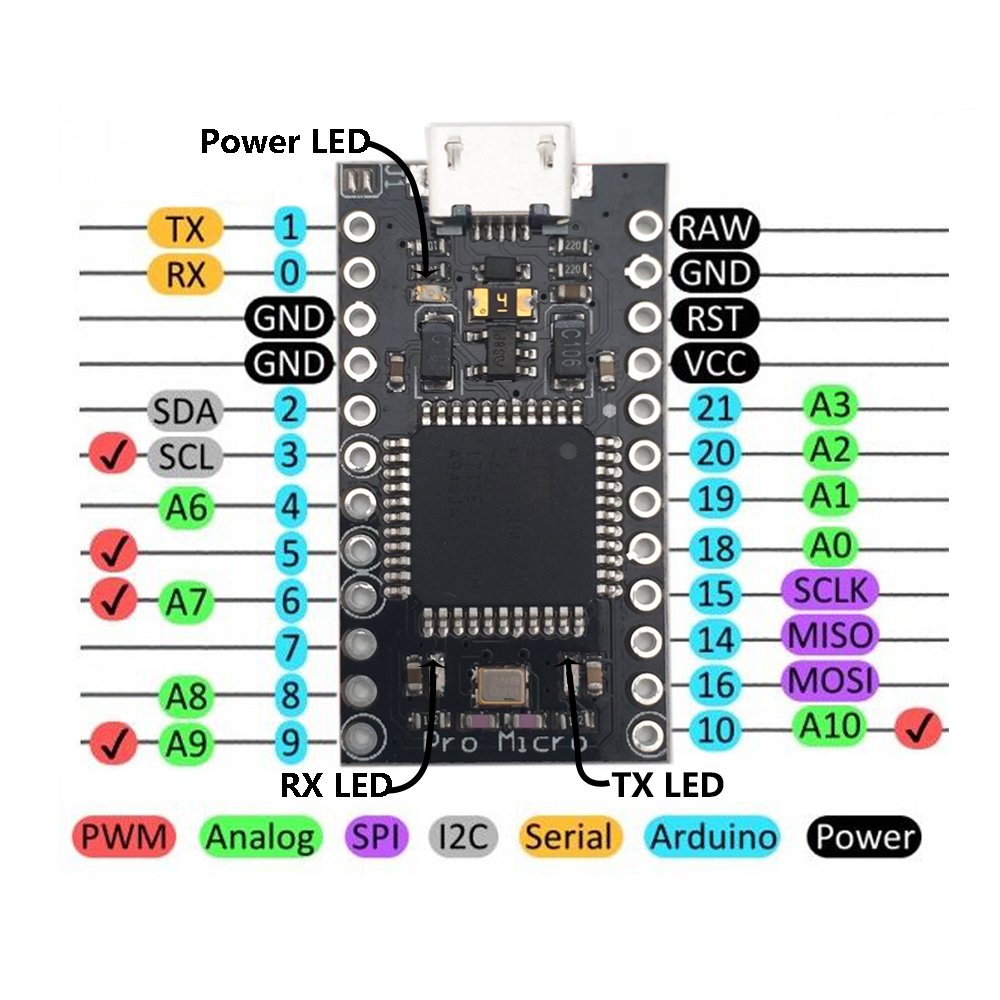
Pin-Belegung für das Pro Micro Board

Arduino Pro Micro: Pins erklärt

Arduino Pro Micro:Soldreing-Pinheader

Arduino Pro Micro: Hochfahren von einer externen Quelle
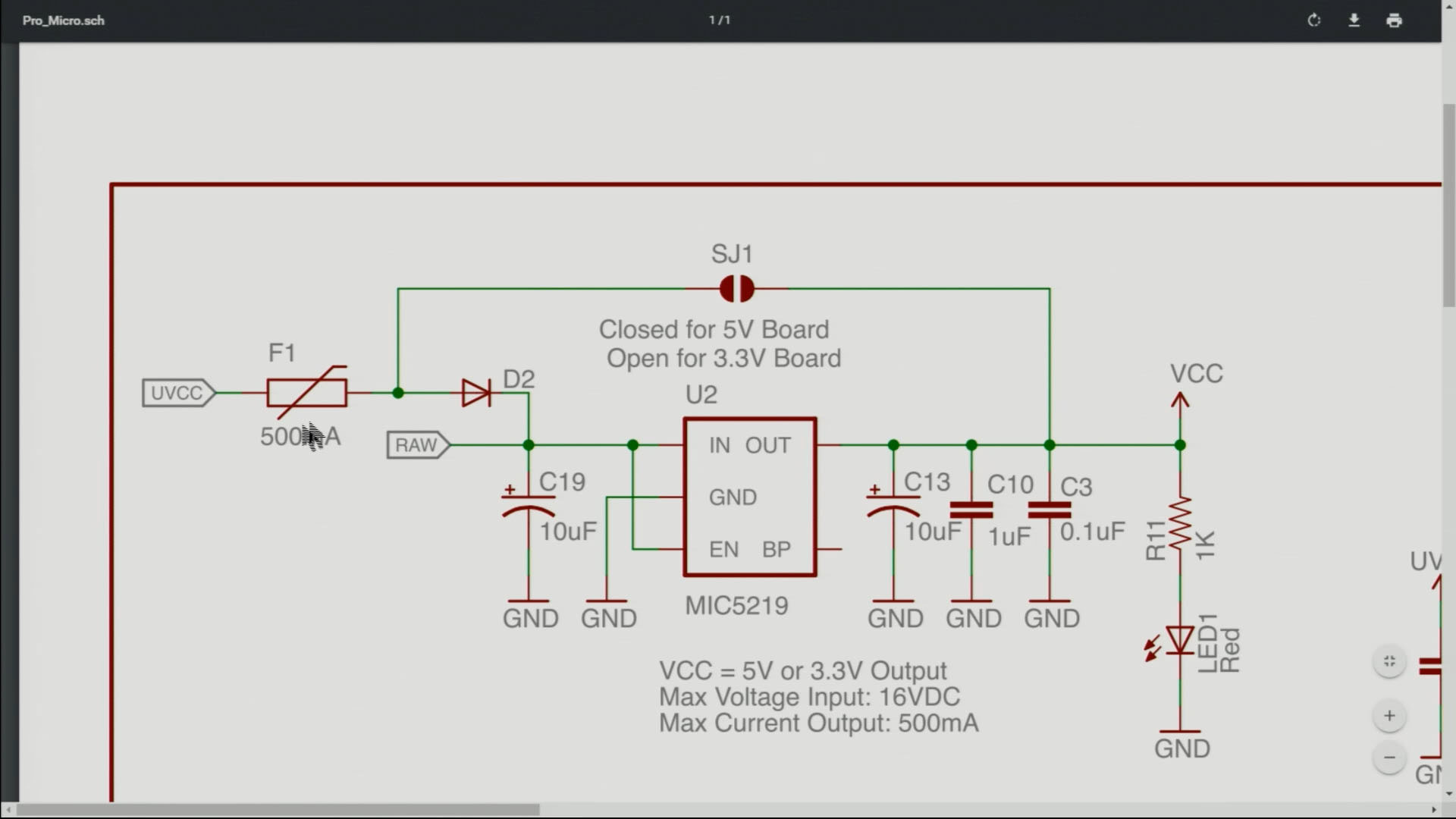
Arduino Pro Micro: J1-Anschluss erklärt
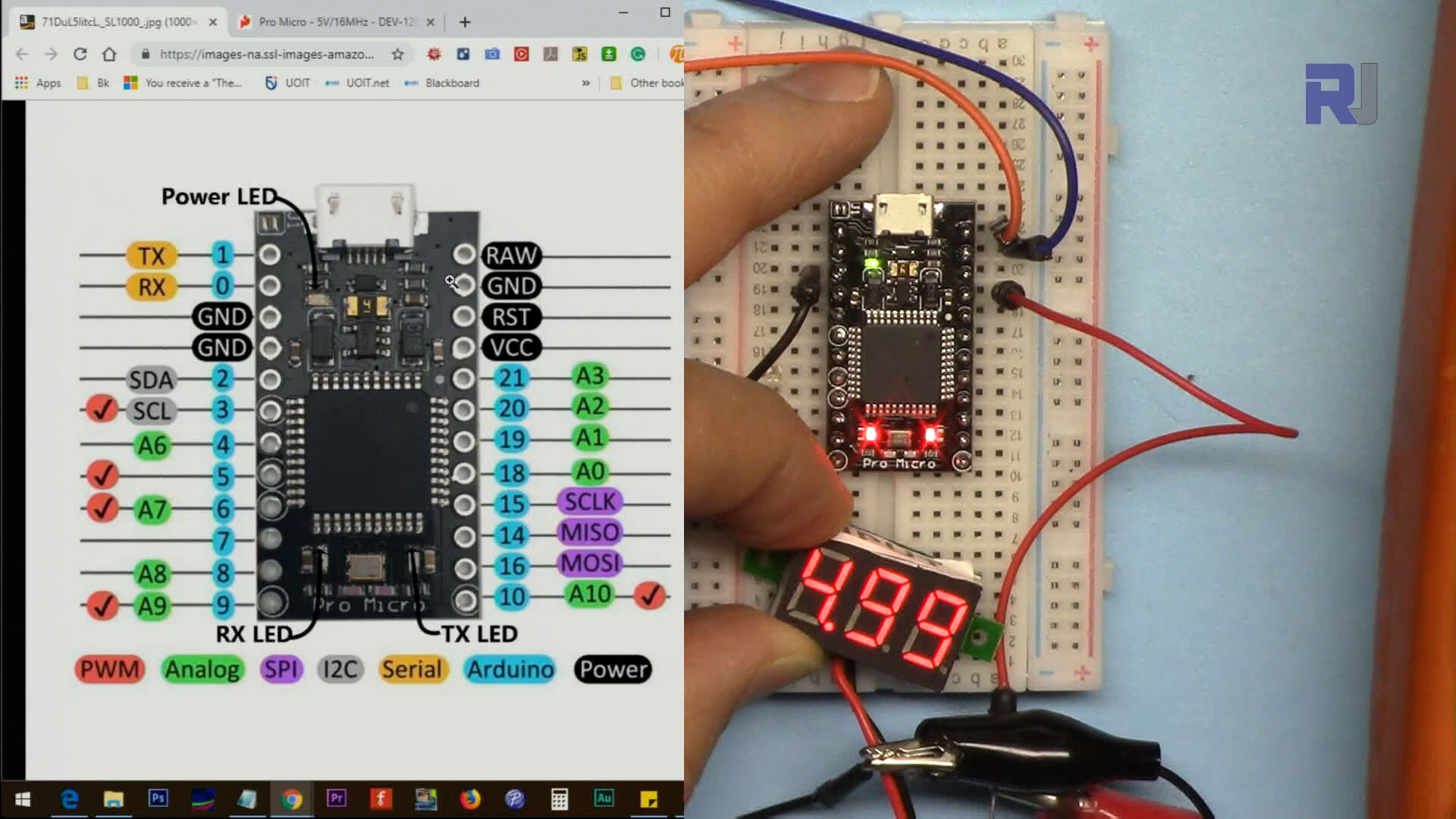
Arduino Pro Micro: Messung der VCC-Pin-Spannung

Arduino Pro Micro: LED an Pin für Blink-Programm anschließen

Arduino Pro Micro: Steuerung des Servomotors
Kein Code angehängt.
Ressourcen & Referenzen
-
ExternDatenblatt für den ATmega32U4 Mikrocontroller (PDF)cdn.sparkfun.com
-
ExternSchematische Darstellung für das Pro Micro Board (PDF)cdn.sparkfun.com
-
ExternTreiber für diesen Chip (ZIP)github.com
Dateien📁
Keine Dateien verfügbar.


![Arduino Micro with Headers [A000053] - ATmega32U4 Microcontroller, 16MHz, 20 Digital I/O Pins, 7 PWM Outputs, USB HID Support, Compact Design for Embedded Projects, Compatible with Arduino IDE](https://m.media-amazon.com/images/I/41CEC9Gnj1L._SL75_.jpg)