이 튜토리얼은 다음의 일부입니다: 디지털 상대 습도 및 온도 센서 HTU21D
디지털 상대 습도 및 온도 센서 HTU21D 관련 동영상입니다. 다른 동영상 링크는 이 글 아래에 있습니다.
How to Use the HTU21DF Humidity and Temperature Sensor with Arduino (Custom Code)
This code is to measure temperature and humidity using the HTU21DF sensor. Full hardware, two types of code, and a demonstration are shown. This code displays the temperature as Celsius, Fahrenheit, or Kelvin, and humidity on the serial monitor shown in the video. For other related codes, please scroll lower on this screen.
[ad] measure temperature and humidity
이미지

thumb_robojax_HTU21DF_types-1756423961-8524
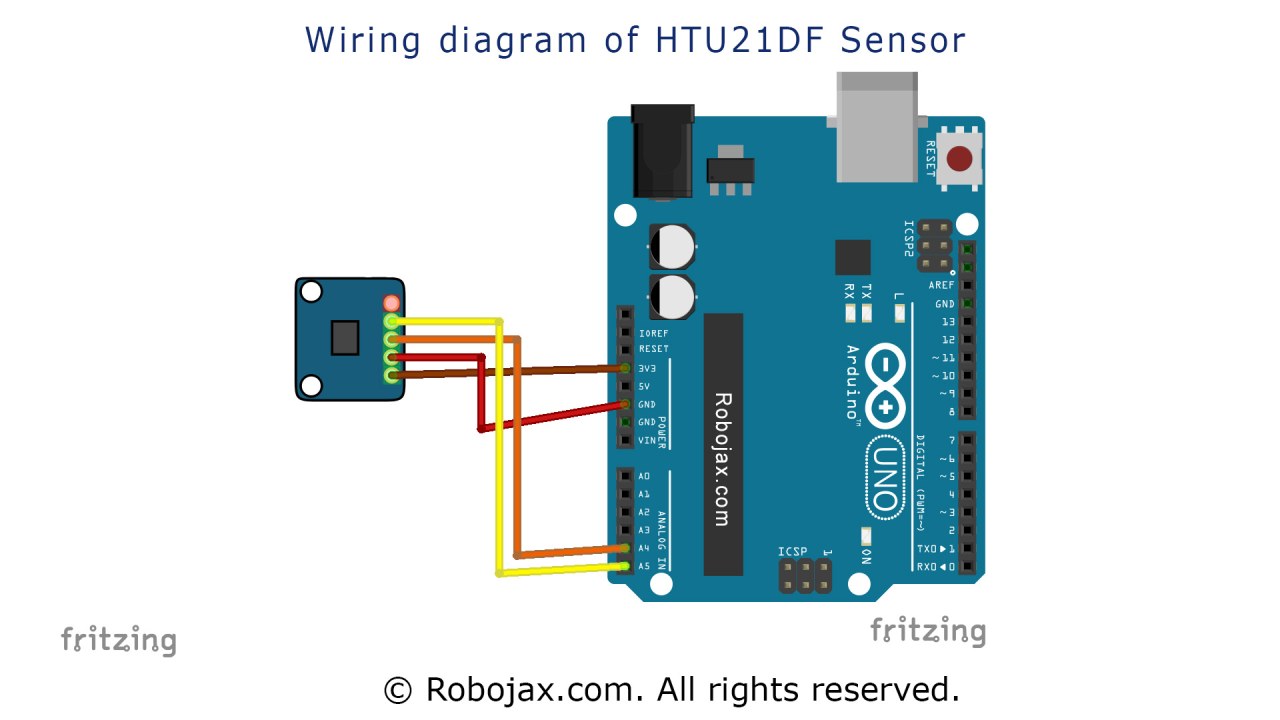
Arduino wiring for HTU21DF light intesity sensor

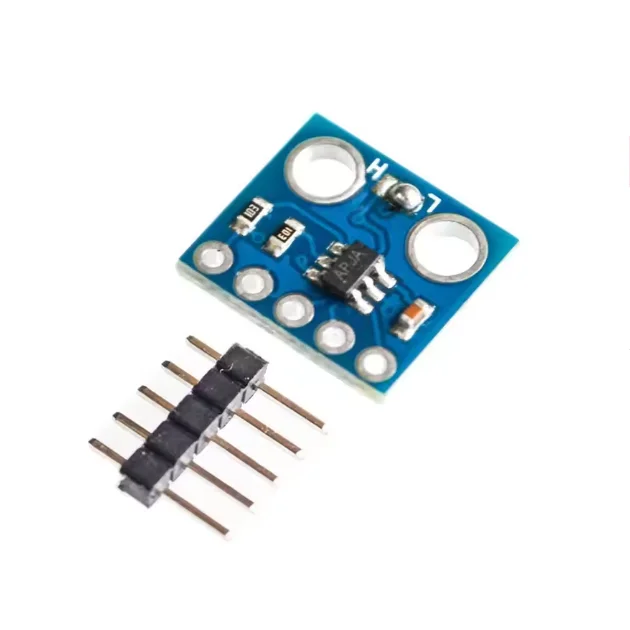
HTU21D module
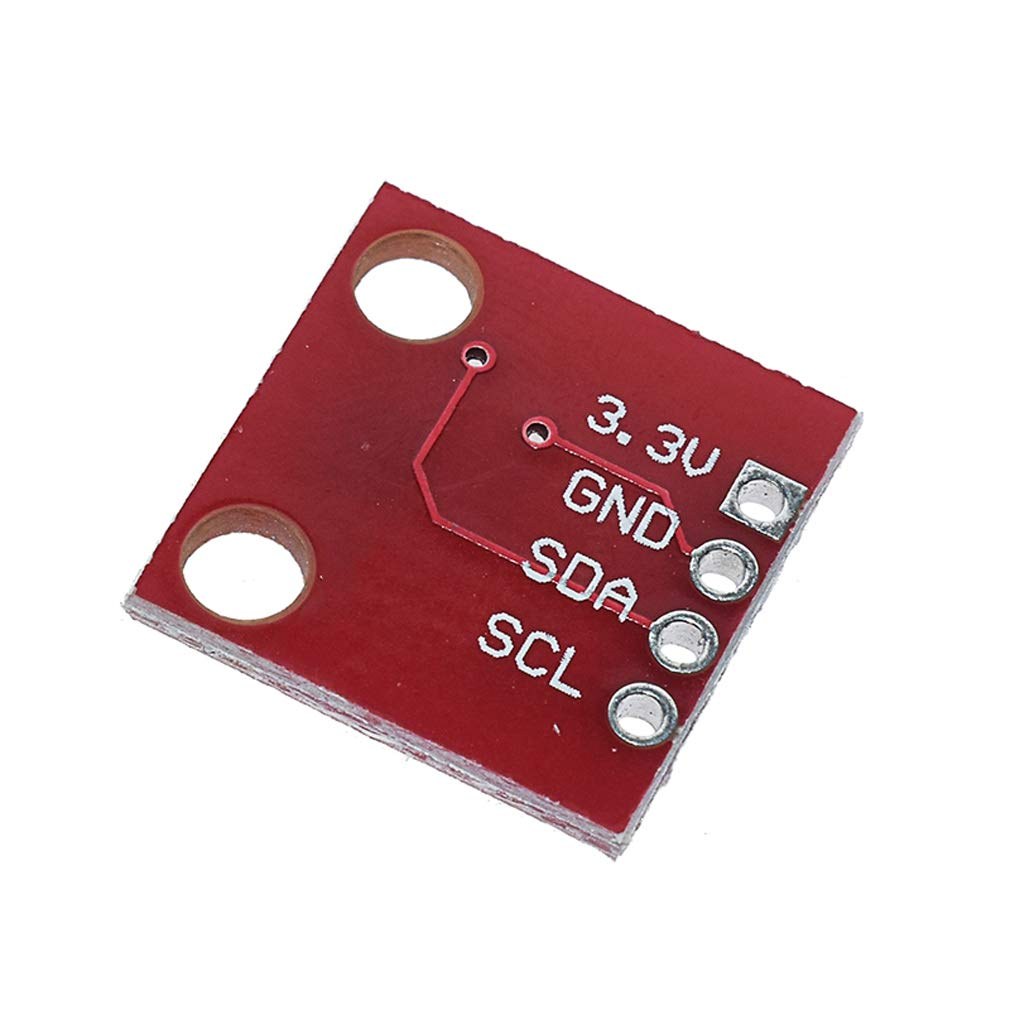
HTU21D module-back
이 튜토리얼은 다음의 일부입니다: 디지털 상대 습도 및 온도 센서 HTU21D
- 레슨 35-1: HTU21D 온도 센서 사용하기
- 레슨 35-2: HTU21D 온도 센서 사용자 정의 코드 사용하기
- 제35과: Arduino와 함께 HTU21D 온도 센서 사용하기
- 레슨 36: HTU21D 온도 센서를 LCD 아두이노와 함께 사용하기 단계별 과정
- Using Two More HTU21DF Humidity and Temperature Sensors with Arduino
- Displaying Temperature from an HTU21D on an LCD
- Displaying Temperature from an HTU21D as a Bar Graph on an LCD
- How to Use the HTU21DF Humidity and Temperature Sensor with Arduino (Basic Code)
211-Arduino code using HTU21D-F Humidity & Temperature Sensor (Advanced)
언어: C++
/*
 * Written/Updated by Ahmad Shamshiri on July 13, 2019
 * in Ajax, Ontario, Canada
 * Watch video instructions for this sketch: https://youtu.be/Q5y18rgTAhA

**************************************************
*
  This is an example for the HTU21D-F Humidity & Temperature Sensor

  Designed specifically to work with the HTU21D-F sensor from Adafruit
  ----> https://www.adafruit.com/products/1899

  These displays use I2C to communicate; 2 pins are required to
  interface
 ***************************************************
*/

#include <Wire.h>
#include "Adafruit_HTU21DF.h"

// Connect Vin to 3-5VDC
// Connect GND to ground
// Connect SCL to I2C clock pin (A5 on UNO)
// Connect SDA to I2C data pin (A4 on UNO)

Adafruit_HTU21DF htu = Adafruit_HTU21DF();

void setup() {
  Serial.begin(9600);
  Serial.println("Robojax.com");
  Serial.println("HTU21D-F test");

  if (!htu.begin()) {
    Serial.println("Couldn't find sensor!");
    while (1);
  }
}

void loop() {
	// Robojax HTU21DF Code
    Serial.print(getHTU('C'));
    printDegree();
    Serial.println("C");

    Serial.print(getHTU('F'));
    printDegree();
    Serial.println("F");

    Serial.print(getHTU('K'));
    Serial.println("K");
    Serial.println(" ");

    Serial.print("Humidity:");
    Serial.print(getHTU('H'));
    Serial.println("%");

    if(getHTU('C') <81)
    {
      //digitalWrite(5, LOW);

    }
    delay(1000);
}


/*
 * @brief returns temperature or relative humidity
 * @param "type" is a character
 *     C = Celsius
 *     K = Kelvin
 *     F = Fahrenheit
 *     H = Humidity
 * @return returns one of the values above
 * Usage: to get Fahrenheit type: getHTU('F')
 * to print it on the serial monitor: Serial.println(getHTU('F'));
 * Written by Ahmad Shamshiri on July 13, 2019
 * in Ajax, Ontario, Canada
 * www.Robojax.com
 */
float getHTU(char type)
{
  float value;
    float temp = htu.readTemperature();
    float rel_hum = htu.readHumidity();
   if(type =='F')
   {
    value = temp *9/5 + 32;//convert to Fahrenheit
   }else if(type =='K')
   {
    value = temp + 273.15;//convert to Kelvin
   }else if(type =='H')
   {
    value = rel_hum;//return relative humidity
   }else{
    value = temp;// return Celsius
   }
   return value;
}//


/*
 * @brief prints degree symbol on serial monitor
 * @param none
 * @return returns nothing
 * Written by Ahmad Shamshiri on July 13, 2019
 * for Robojax Tutorial Robojax.com
 */
 void printDegree()
{
    Serial.print("\\xC2");
    Serial.print("\\xB0");
}
필요할 수 있는 것들
-
아마존
-
이베이Purchase HTU21D from eBayebay.us
-
알리익스프레스Purchase HTU21D or SHT21 from AliExpresss.click.aliexpress.com
자원 및 참고자료
-
외부Adafruit HTU21D Library (GitHub)github.com
파일📁
데이터시트 (pdf)
-
HTU21D 온도 습도 데이터시트
HTU21D_temerature_humidity_datasheet.pdf0.96 MB