Ce tutoriel fait partie de: Capteur numérique d'humidité relative et de température HTU21D
Vidéos relatives au capteur numérique d'humidité relative et de température HTU21D. Des liens vers d'autres vidéos se trouvent ci-dessous.
Comment utiliser le capteur d'humidité et de température HTU21DF avec Arduino (code personnalisé)
Ce code est destiné à mesurer la température et l'humidité à l'aide du capteur HTU21DF. Le matériel complet, deux types de code et une démonstration sont présentés. Ce code affiche la température en degrés Celsius, Fahrenheit ou Kelvin, et l'humidité sur le moniteur série montré dans la vidéo. Pour d'autres codes connexes, veuillez faire défiler vers le bas de cet écran.
[annonce]mesurer la température et l'humidité
Images

thumb_robojax_HTU21DF_types-1756423961-8524
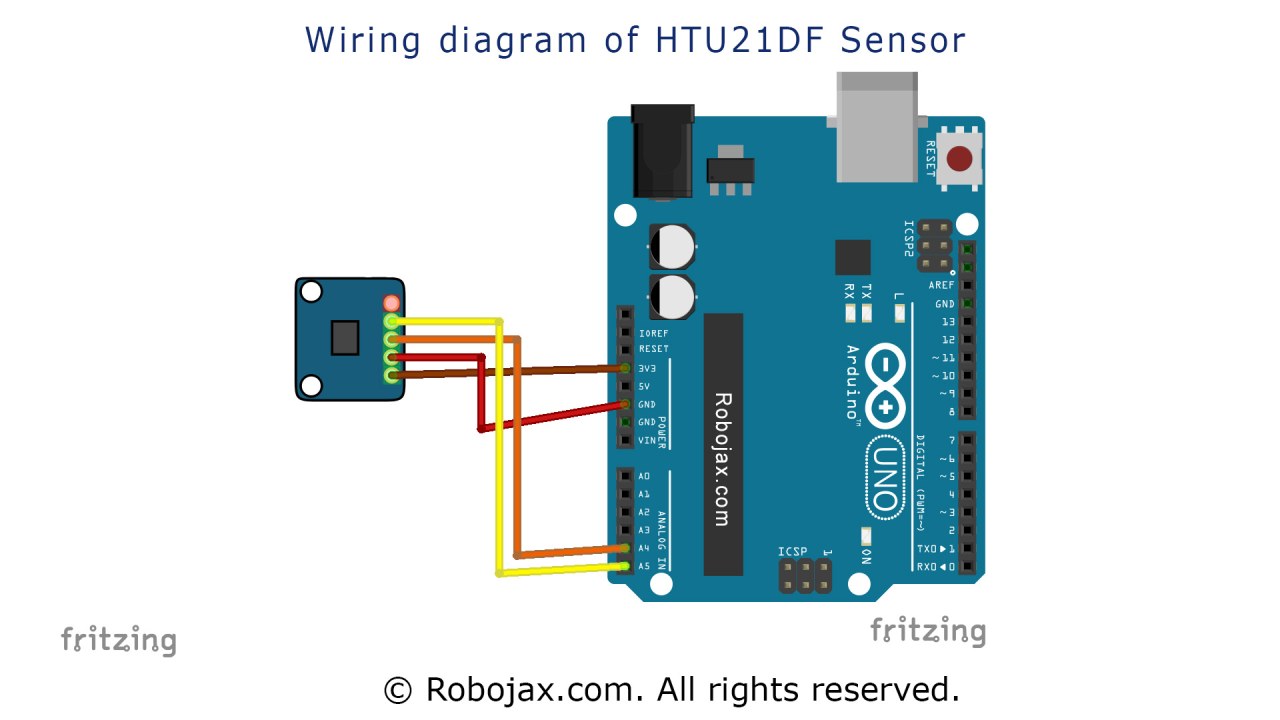
Arduino wiring for HTU21DF light intesity sensor

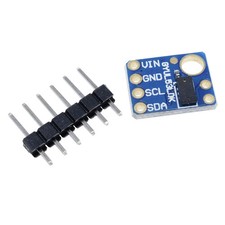
HTU21D module
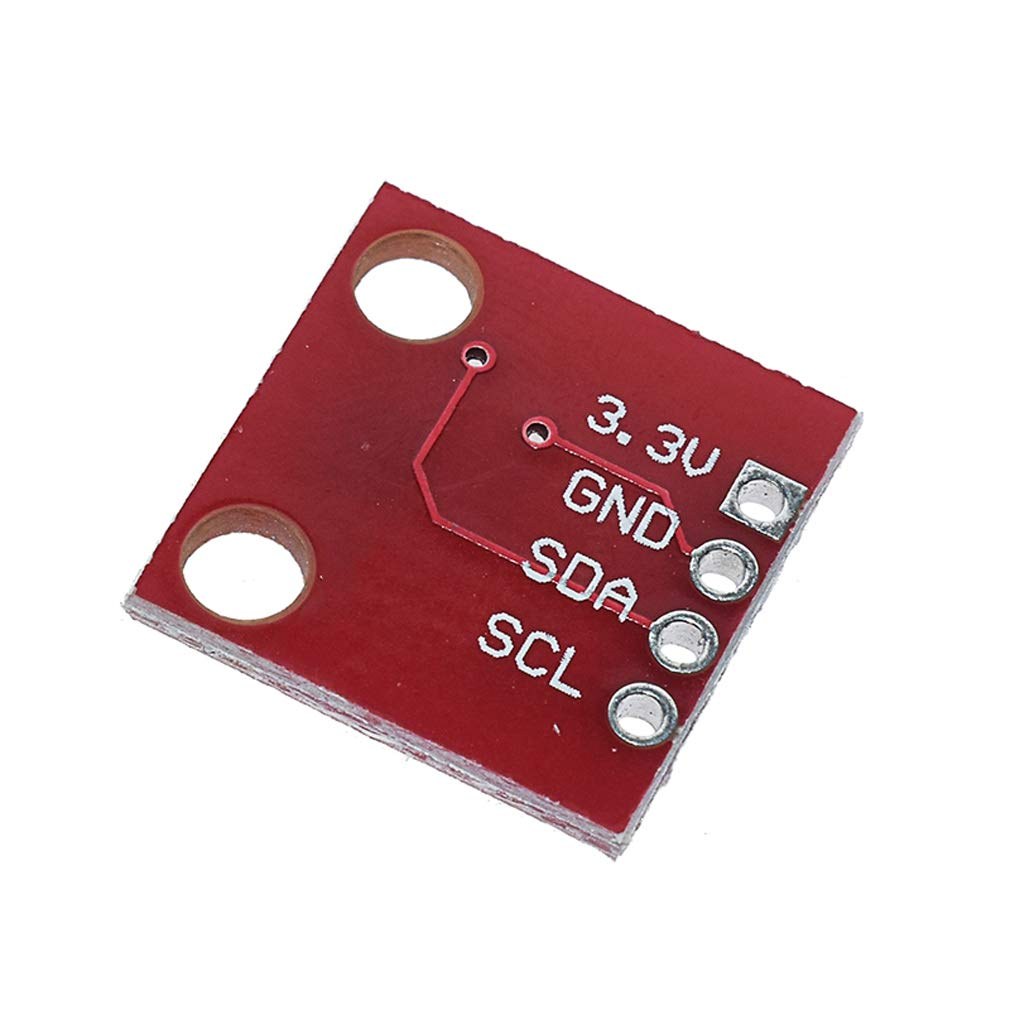
HTU21D module-back
Ce tutoriel fait partie de: Capteur numérique d'humidité relative et de température HTU21D
- Leçon 35-1 : Utilisation du capteur de température HTU21D
- Leçon 35-2 : Utilisation du capteur de température HTU21D - Code personnalisé
- Leçon 35 : Utilisation du capteur de température HTU21D avec Arduino
- Leçon 36 : Utilisation du capteur de température HTU21D avec un écran LCD Arduino Cours étape par étape
- Utilisation de deux capteurs d'humidité et de température HTU21DF supplémentaires avec Arduino
- Affichage de la température d'un HTU21D sur un écran LCD
- Affichage de la température d'un HTU21D sous forme de graphique à barres sur un LCD
- Comment utiliser le capteur d'humidité et de température HTU21DF avec Arduino (code de base)
211-Arduino code using HTU21D-F Humidity & Temperature Sensor (Advanced)
Langue: C++
/*
 * Written/Updated by Ahmad Shamshiri on July 13, 2019
 * in Ajax, Ontario, Canada
 * Watch video instructions for this sketch: https://youtu.be/Q5y18rgTAhA

**************************************************
*
  This is an example for the HTU21D-F Humidity & Temperature Sensor

  Designed specifically to work with the HTU21D-F sensor from Adafruit
  ----> https://www.adafruit.com/products/1899

  These displays use I2C to communicate; 2 pins are required to
  interface
 ***************************************************
*/

#include <Wire.h>
#include "Adafruit_HTU21DF.h"

// Connect Vin to 3-5VDC
// Connect GND to ground
// Connect SCL to I2C clock pin (A5 on UNO)
// Connect SDA to I2C data pin (A4 on UNO)

Adafruit_HTU21DF htu = Adafruit_HTU21DF();

void setup() {
  Serial.begin(9600);
  Serial.println("Robojax.com");
  Serial.println("HTU21D-F test");

  if (!htu.begin()) {
    Serial.println("Couldn't find sensor!");
    while (1);
  }
}

void loop() {
	// Robojax HTU21DF Code
    Serial.print(getHTU('C'));
    printDegree();
    Serial.println("C");

    Serial.print(getHTU('F'));
    printDegree();
    Serial.println("F");

    Serial.print(getHTU('K'));
    Serial.println("K");
    Serial.println(" ");

    Serial.print("Humidity:");
    Serial.print(getHTU('H'));
    Serial.println("%");

    if(getHTU('C') <81)
    {
      //digitalWrite(5, LOW);

    }
    delay(1000);
}


/*
 * @brief returns temperature or relative humidity
 * @param "type" is a character
 *     C = Celsius
 *     K = Kelvin
 *     F = Fahrenheit
 *     H = Humidity
 * @return returns one of the values above
 * Usage: to get Fahrenheit type: getHTU('F')
 * to print it on the serial monitor: Serial.println(getHTU('F'));
 * Written by Ahmad Shamshiri on July 13, 2019
 * in Ajax, Ontario, Canada
 * www.Robojax.com
 */
float getHTU(char type)
{
  float value;
    float temp = htu.readTemperature();
    float rel_hum = htu.readHumidity();
   if(type =='F')
   {
    value = temp *9/5 + 32;//convert to Fahrenheit
   }else if(type =='K')
   {
    value = temp + 273.15;//convert to Kelvin
   }else if(type =='H')
   {
    value = rel_hum;//return relative humidity
   }else{
    value = temp;// return Celsius
   }
   return value;
}//


/*
 * @brief prints degree symbol on serial monitor
 * @param none
 * @return returns nothing
 * Written by Ahmad Shamshiri on July 13, 2019
 * for Robojax Tutorial Robojax.com
 */
 void printDegree()
{
    Serial.print("\\xC2");
    Serial.print("\\xB0");
}
Ce dont vous pourriez avoir besoin
-
Amazon
-
eBayAchetez le HTU21D sur eBayebay.us
-
AliExpressAchetez HTU21D ou SHT21 sur AliExpresss.click.aliexpress.com
Ressources et références
-
ExterneBibliothèque Adafruit HTU21D (GitHub)github.com
Fichiers📁
Fiche technique (pdf)
-
HTU21D_fiche_de_données_température_humidité
HTU21D_temerature_humidity_datasheet.pdf0.96 MB