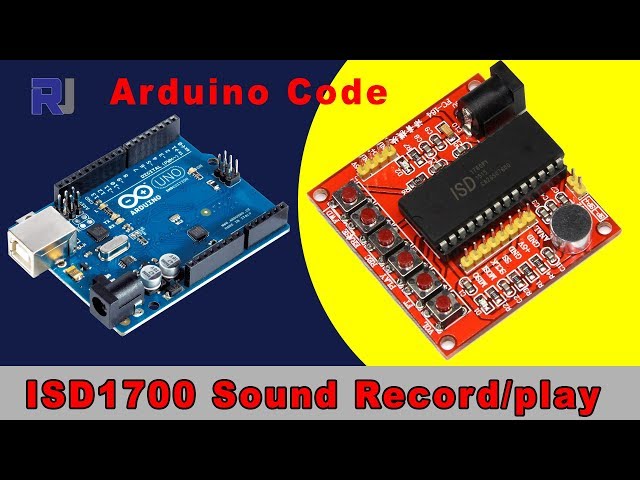
Record and play sound using Arduino and an ISD1700/ISD1760 chip
This is the Arduino code to control the ISD1700 sound recorder/player module. Using this code, you can control record, play, erase, and forward (next clip) functions with this module. ISD11700 Datasheet ISD11700 Design Guide My Arduino Course on Udemy Patreon Account204-Record and play sound using an Arduino and an ISD1700/ISD1760 chip.
语言: C++
/*
* This is the Arduino code to control ISD1700 sournd recorder/player module
Using this code you can control Record, Play, Erase, Forward (next clip) with this module

// Written by Ahmad Shamshiri for Robojax.com on
// on June 21, 2019 at 06:12 in Ajax, Ontario, Canada
Watch video instruction for this sketch : https://youtu.be/KDc2Z43DzT0

If you found this tutorial helpful, please support me so I can continue creating content like this. You can support me on Patreon (
http://bit.ly/2ZnITLz
or make donation using PayPal http://bit.ly/rj-paypal

*
 * Code is available at http://robojax.com/learn/arduino

 * This code is "AS IS" without warranty or liability. Free to be used as long as you keep this note intact.*
 * This code has been download from Robojax.com
    This program is free software: you can redistribute it and/or modify
    it under the terms of the GNU General Public License as published by
    the Free Software Foundation, either version 3 of the License, or
    (at your option) any later version.

    This program is distributed in the hope that it will be useful,
    but WITHOUT ANY WARRANTY; without even the implied warranty of
    MERCHANTABILITY or FITNESS FOR A PARTICULAR PURPOSE.  See the
    GNU General Public License for more details.

    You should have received a copy of the GNU General Public License
    along with this program.  If not, see <https://www.gnu.org/licenses/>.

*/

//
#define FWD 6
#define ERASE 5
#define REC 4
#define PLAY 3
#define VOL 2
#define RECLED 8 // record LED

char *label[]={" ", " ", "VOL", "PLAY", "REC", "ERASE", "FWD"};


void setup() {
  // Robojax.com OSD1700 Recorder
  pinMode(FWD, OUTPUT);// set pin as OUTPUT for FWD
  pinMode(ERASE, OUTPUT);// set pin as OUTPUT for ERASE
  pinMode(REC, OUTPUT);// set pin as OUTPUT for REC
  pinMode(PLAY, OUTPUT);// set pin as OUTPUT for PLAY
  pinMode(VOL, OUTPUT);// set pin as OUTPUT for VOL
  pinMode(RECLED, OUTPUT);// set pin as OUTPUT for RECLED (record LED)

  digitalWrite(FWD, HIGH);//turn OFF the pin: FWD
  digitalWrite(ERASE, HIGH);//turn OFF the pin: ERASE
  digitalWrite(REC, HIGH);//turn OFF the pin: REC
  digitalWrite(PLAY, HIGH);//turn OFF the pin: PLAY
  digitalWrite(VOL, HIGH); //turn OFF the pin: VOL

  Serial.begin(9600);// initialize serial monitor to display text
  Serial.println("IDS1700 Sound Recorder Player");
  Serial.println("By Robojax.com");
  record(2000);//  record sound for 2 sec
  delay(2000);// Wait for 2s
  action(PLAY);// play the last sound (the recorded sound)
}

void loop() {
  /*
   * if you want to record or play something
   * based on some action or value like temperature value or distance or ligh intensity
   * or voltage, you can use the if statement to do that
   * for example if we have a variable for temperature called tempC and
   * want to play the last sound which 3sec  if temperature is greater than 48.5°C we will do it like this
   if(tempC > 48.5){
    action(PLAY);//play last sound
    delay(3000);// Wait for 3s

    }

   *
   * Erase and forward can be done the same way.
   */

}


/*
 * @brief executes the action to the pin
 * @param "pin" is integer representing the pin
 * @return does not return anything
 *
 * www.Robojax.com code June 2019
 */
 void action(int pin){
  digitalWrite(pin,LOW);// start the command
    Serial.print("Pin: ");
    Serial.print(pin);
    Serial.println(" Active");
  delay(400);// give it a 400ms time to execute
  digitalWrite(pin,HIGH);// stop the command
    Serial.print("Pin: ");
    Serial.print(pin);
    Serial.println(" OFF");
  delay(400);// give it a 400ms time  to stop
 }// action end


/*
 * @brief starts recording
 * @param "dur" is integer representing the duration of recording in millisecond
 * @return does not return anything
 *
 * www.Robojax.com code June 2019
 */
void record(int dur){
  digitalWrite(REC,LOW);// start recording
  digitalWrite(RECLED,HIGH);// set the Record LED ON
  delay(dur);// record for the dur sec
  digitalWrite(REC,HIGH);// STOP recording
  delay(300);// give stop command a 300ms to stop
  digitalWrite(RECLED,LOW);// set the Record LED OFF
}///record end
资源与参考
尚无可用资源。
文件📁
没有可用的文件。