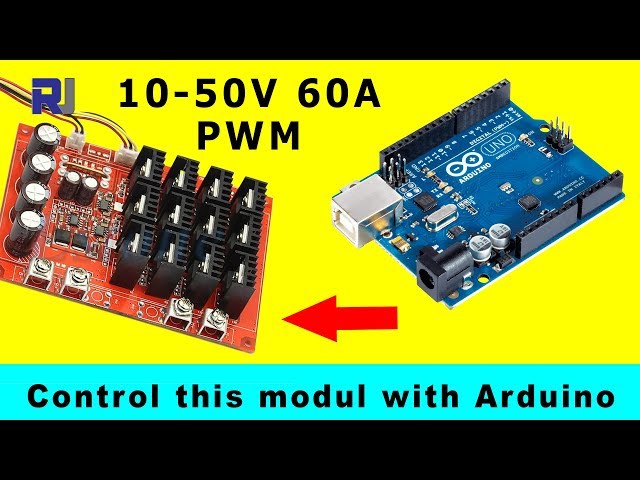
Control XY-1250 10-50A/60A 3000W PWM Motor Speed Controller Using Arduino Without Potentiometer
This video explains how to modify the 60A PWM module and control it with Arduino. Either with a potentiometer or just Arduino code.If you don't want to control this module using an external signal, and see this module fully tested under different loads, you may have to see XY-1250 60A Module is tested and explained page.
See How to control a 60A motor using Arduino with a potentiometer. Chapters of this video
197-Resources for this sketch
语言: C++
/*
 *  file: PWM_for_XY1260_module_no_pot
 * Modify XY-1250 12-50V 60A PWM to work with Arduino
 * This code allows you to control the motor without a potentiometer. See video for demonstration.
 *
 * How to use:
 * To control speed at 100%
    motorControl(100);
    delay(3000);//keep it running for 3 seconds
 * To control speed at 400%
    motorControl(40);
    delay(3000);//keep it running for 3 seconds
 * To stop motor
    motorControl(0); //set zero
    delay(3000);//keep it running for 3 seconds
 * Written by Ahmad Shamshiri
 * on Saturday, January 30, 2021, at 12:49
 * in Ajax, Ontario, Canada
 * www.Robojax.com
 * Watch the video instruction: https://youtu.be/ZLZr2AZgmPI
 */
#define pwmPin1 3
#define pwmPin2 6
bool defaultMotorON = false;// or set to "true" to make the motor start
unsigned int defaultSpeed= 20;//20% set it in % 0=stop, 100=full speed

int toPWM(int);//prototype
void setup() {
  pinMode(pwmPin1,OUTPUT);
  pinMode(pwmPin2,OUTPUT);
  Serial.begin(9600);
  Serial.print("Control XY-1260 without pot");
  if(defaultMotorON){
  analogWrite(pwmPin1,toPWM(defaultSpeed));
  analogWrite(pwmPin2,toPWM(defaultSpeed));
  }else{
  analogWrite(pwmPin1,0);
  analogWrite(pwmPin2,0);
  }


}

void loop() {
    motorControl(100);//set speed to 100%
    delay(3000);//keep motor running at 100% for 3 seconds

    motorControl(0);//stops motor
    delay(4000);//keep motor stopped for 4 seconds

    motorControl(45);//set speed to 45%
    delay(3000);//keep motor running at 45% for 3 seconds

    motorControl(0);//stops motor
    delay(4000);//keep motor stopped for 4 seconds

    //from 0 to 100% with 50 millisecond delay (increasing speed)
      for(int i=0; i<100; i++)
      {
        motorControl(i);//set speed with value of i from 0 to 100
        delay(50);//give motor 50 milliseconds before going to the next value
      }//for loop end


    motorControl(0);//stops motor
    delay(4000);//keep motor stopped for 4 seconds

    //from 100% to 10 with 50 millisecond delay (decreasing speed)
      for(int i=100; i>0; i--)
      {
        motorControl(i);//set speed with value of i from 0 to 100
        delay(50);//give motor 50 milliseconds before going to the next value
      }//for loop end

    motorControl(0);//stops motor
    delay(4000);//keep motor stopped for 4 seconds

}//loop end

/*
 * @brief converts % value from 0 to 100% to 0-255
 * @param v is integer value representing % from 0-100
 * @return will return value from 0 to 255
 */
int toPWM(int v){
  return map(v, 0,100,0,255);
}//

/*
 * @brief controls the speed of motor with value from 0 to 100%
 * @param speed is integer value representing % from 0-100
 * @return none
 * written January 30, 2021 by Ahmad Shamshiri
 * www.robojax.com
 *
 */
void motorControl(int speed)
{
  int pwm= map(speed, 0,100,0,255);
  analogWrite(pwmPin1,pwm);
  analogWrite(pwmPin2,pwm);
}
资源与参考
尚无可用资源。
文件📁
没有可用的文件。