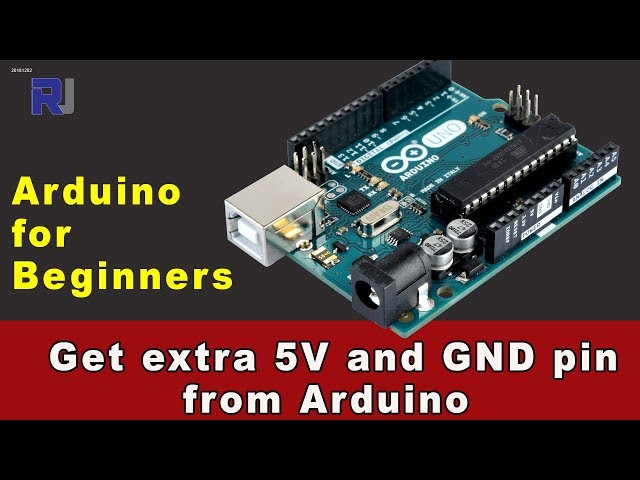
How to Get Additional 5V and GND Pins from Arduino
This article shows, with video and code, how to get additional 5V and GND (ground) pins from your Arduino. Most Arduino boards have only one or two 5V pins. Your applications might need extra 5V pins. Watch the video to see how you can have additional pins using code or a breadboard.
177-How to get additional 5V and GND pins from an Arduino
语言: C++
/*
 * This is an Arduino sketch (code)
 * How to get additional 5V pin or GND pin from an Arduino
 *
 *
 * Watch the video instruction for this video: https://youtu.be/Vmrmp7reHOY
Download other Arduino projects and code from http://robojax.com
 *
 * Written by Ahmad Shamshiri for Robojax.com on Sunday, December 2, 2018
 * at 10:28 in Ajax, Ontario, Canada
 * Video Tutorial recorded December 2, 2018
 *
  * This code is "AS IS" without warranty or liability. Free to be used as long as you keep this note intact.
 * This code has been downloaded from Robojax.com
    This program is free software: you can redistribute it and/or modify
    it under the terms of the GNU General Public License as published by
    the Free Software Foundation, either version 3 of the License, or
    (at your option) any later version.

    This program is distributed in the hope that it will be useful,
    but WITHOUT ANY WARRANTY; without even the implied warranty of
    MERCHANTABILITY or FITNESS FOR A PARTICULAR PURPOSE.  See the
    GNU General Public License for more details.

    You should have received a copy of the GNU General Public License
    along with this program.  If not, see <https://www.gnu.org/licenses/>.
 */

#define VCC2  5 // define pin 5 or any other digital pin here as VCC2
#define GND2  2 // define pin 2 or any other digital pin as Ground 2

void setup() {
  // Robojax.com getting extra 5V pin from Arduino 20181202

  pinMode(VCC2,OUTPUT);//define a digital pin as output
  digitalWrite(VCC2, HIGH);// set the above pin as HIGH so it acts as 5V

  pinMode(GND2,OUTPUT);//define a digital pin as output
  digitalWrite(GND2, LOW);// set the above pin as LOW so it acts as Ground

}

void loop() {
    // Robojax.com getting extra 5V pin from Arduino 20181202
  // put your project code here

}
资源与参考
尚无可用资源。
文件📁
没有可用的文件。


![Arduino USB-C Power Supply (45W) [TPX00242] – 45 W Official Multi-Region Adapter](https://m.media-amazon.com/images/I/41KquJCCHSL._SL75_.jpg)