아두이노 모터 실드(L298N/L298P)를 사용한 전류 감지
이 프로젝트는 Arduino 모터 쉴드(L298N/L298P 등)의 전류 감지 기능을 사용하여 DC 모터가 소비하는 전류를 측정하고, 그 전류에 따라 동작을 트리거하는 방법을 보여줍니다. 이를 통해 변화하는 부하에 대응하고, 과열을 방지하며, 고급 제어 알고리즘을 구현할 수 있는 더 스마트한 모터 제어 시스템을 만들 수 있습니다.
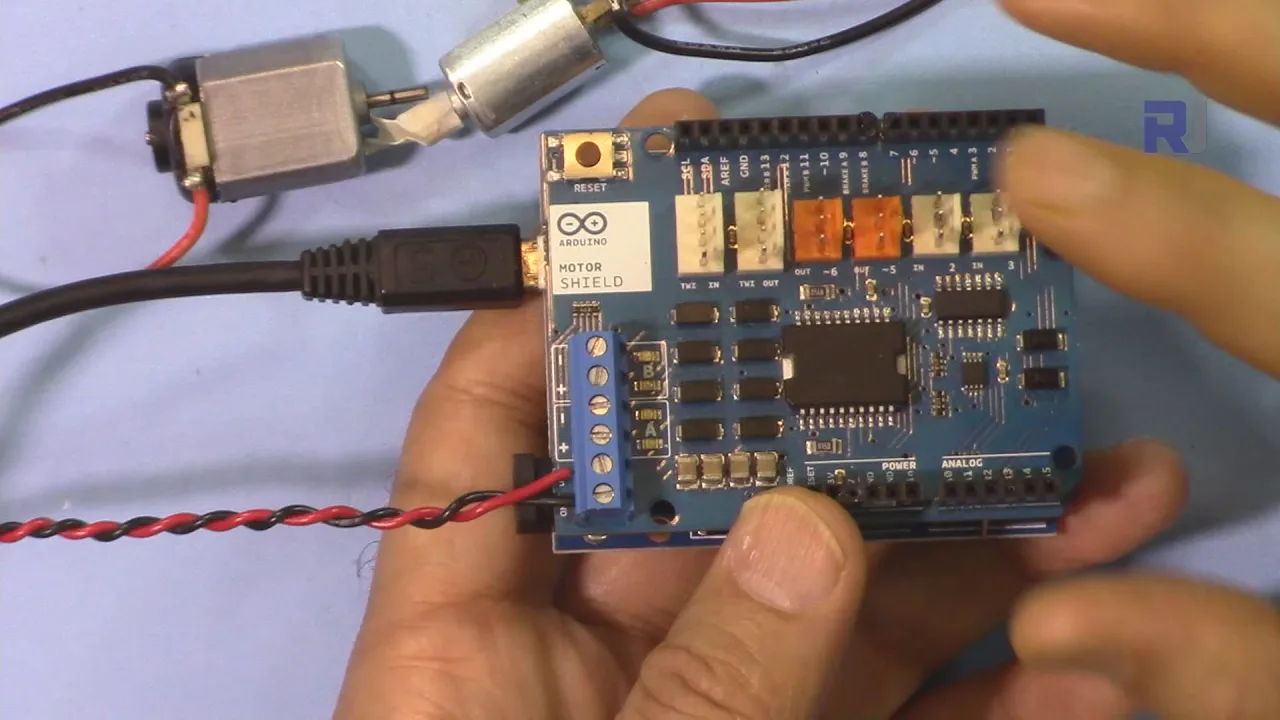
프로젝트 아이디어:
- 운반하는 부하에 따라 속도를 자동으로 조절하는 로봇을 만듭니다.
- 주변 온도가 상승함에 따라(모터가 더 열심히 작동하면서 전류 소비가 증가하는 것을 감지하여) 속도를 높이는 스마트 팬을 만듭니다.
- 모터가 정지하거나 장애물에 부딪히면 모터를 차단하여 손상을 방지하는 안전 메커니즘을 개발합니다.
- 전류 감지를 사용하여 불균형을 감지하고 자세를 교정하는 자이로 밸런싱 로봇을 설계합니다.
하드웨어/부품
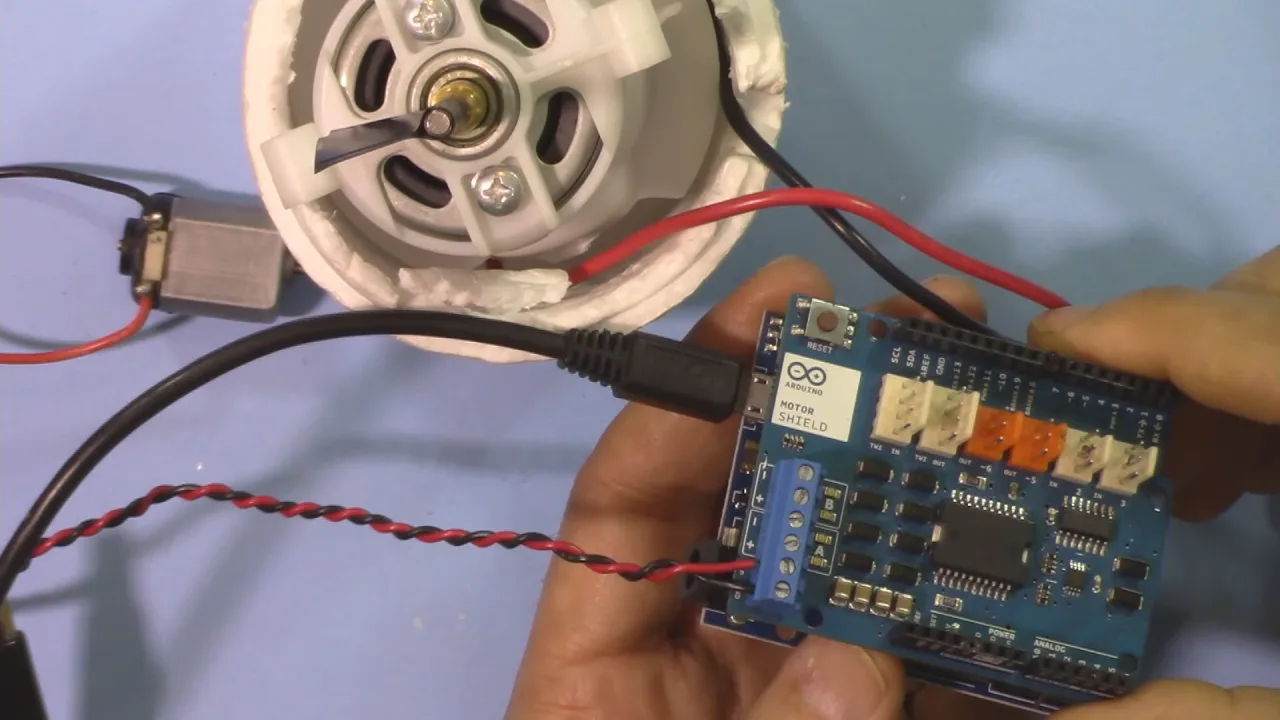
- Arduino Uno
- L298N/L298P 모터 쉴드
- DC 모터
- 전원 공급 장치(모터용)
- 멀티미터(선택 사항, 전류 판독값 확인용)
코드 설명
제공된 Arduino 코드는 Arduino의 아날로그 입력을 사용하여 모터 쉴드의 전류 감지 저항 양단의 전압을 읽습니다. 이러한 판독값은 전류 값으로 변환됩니다. 핵심 기능은 다음 주요 코드 섹션에 있습니다:
const double currentFactor = 2/3.3;// 3.3V당 2A (영상 04:35)
// ... loop() 함수 내부 ...
double currentVB = map(analogRead(currentSenseB), 0, 1024, 0, 5000)/1000;
double currentB = currentVB * currentFactor; //(영상 04:44)
// ... currentSenseA 및 currentA에 대한 유사한 코드
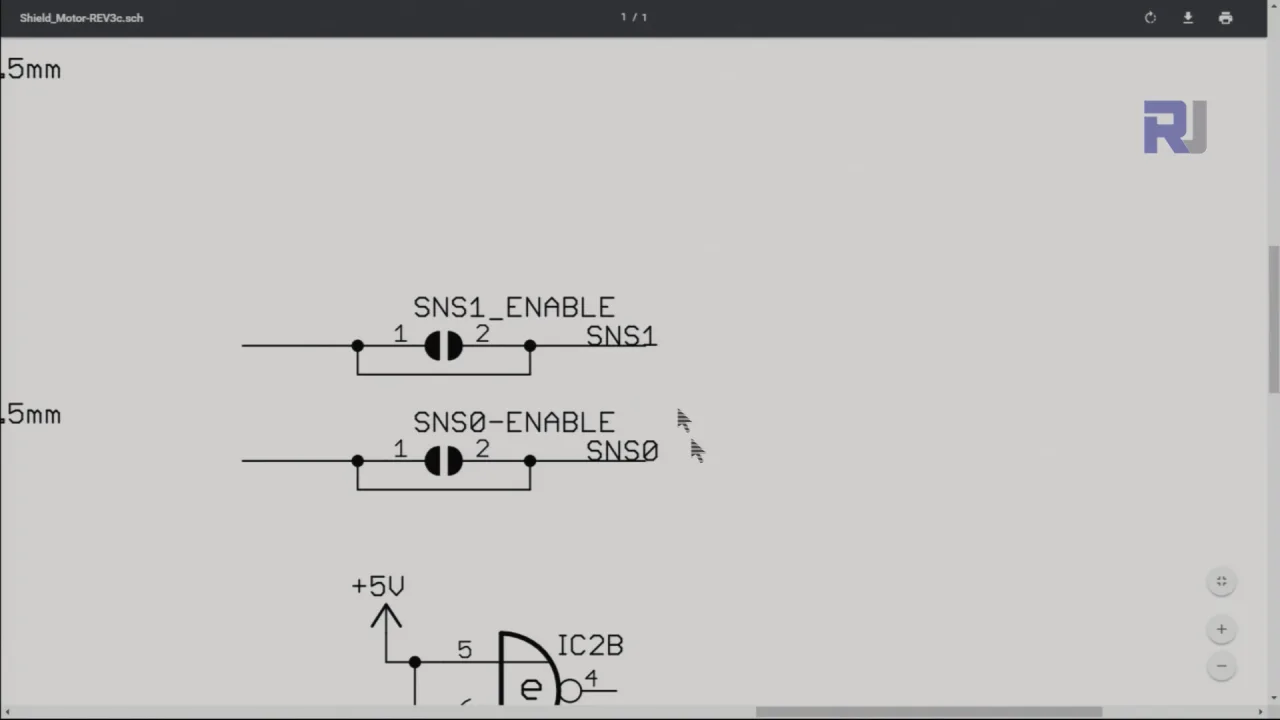
currentFactor는 모터 쉴드의 사양에서 파생됩니다(이 경우 3.3V는 2A에 해당). map 함수는 원시 아날로그 판독값(0-1024)을 전압(0-5V)으로 스케일링합니다. 그런 다음 이 전압에 currentFactor를 곱하여 실제 전류(암페어)를 얻습니다.
사용자 구성 가능 매개변수:
currentSenseA및currentSenseB: 모터 쉴드의 전류 감지 출력에 연결된 아날로그 핀(이 예에서는 A0 및 A1). (영상 04:44)if문 내의 임계값(예에서는 1.25)은 정의된 동작이 트리거되는 전류 수준을 결정합니다. (영상 07:29)
if(currentB > 1.25) {
    brake('B', 1);// 브레이크 적용 (영상 07:42)
    // ... 기타 동작
}
실시간 프로젝트/데모
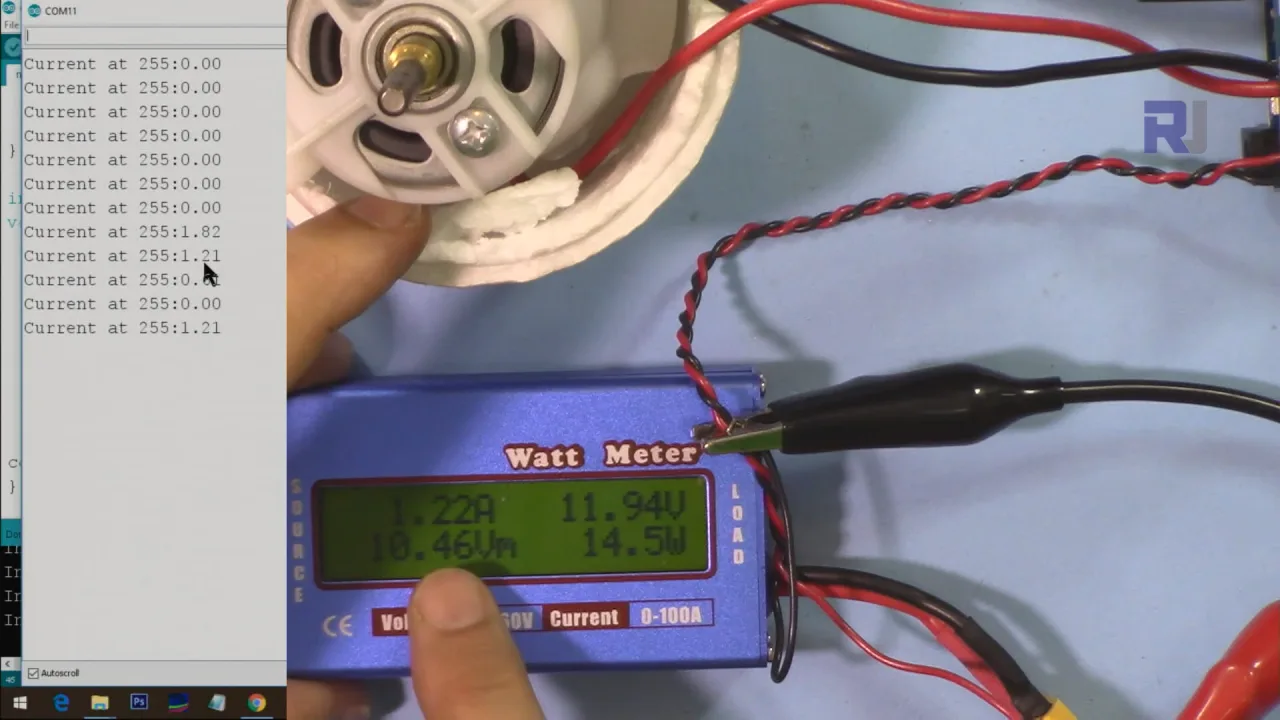
(영상 05:43) 영상은 프로젝트가 작동하는 모습을 보여주며, 멀티미터 측정값과 함께 실시간 전류 판독값을 표시합니다. 이를 통해 전류 감지 설정의 정확성을 검증하고 코드가 모터 부하 변화에 어떻게 반응하는지 보여줍니다. 예제 코드에는 전류가 사전 정의된 임계값을 초과하면 브레이크를 적용하는 조건문이 포함되어 있어 전류 감지의 실용적인 응용을 보여줍니다.
챕터
- [00:00] 소개 및 프로젝트 개요
- [00:35] 모터 쉴드 기본 및 전류 감지
- [01:06] 하드웨어 설명: 전류 감지 저항 및 핀
- [02:35] 모터 쉴드의 내부 회로
- [04:13] 코드 설명 및 전류 계산
- [05:43] 데모 및 실시간 전류 측정
- [07:15] 전류 판독값에 따른 동작 수행
이미지
L298N-motor-shield-1
motor-shield-current-sensing-2
motor-shield-current-sensing-3-enable_current_sensing
motor-shield-current-sensing-1
147-Arduino source code for the L293D motor driver (loop)
언어: C++
/*
 * Current Sensing with Arduino Motor Shield
 *
 * Written by Ahmad Shamshiri for Robojax.com on August 31, 2018 at 17:40 in Ajax, Ontario, Canada
 * Watch video instruction for this code: https://youtu.be/-uQKBDTWHPM
 * This code requires a viewing of the introduction to the Arduino Motor Shield,
 * which you can watch here: https://youtu.be/kIgbjyqNrV8

     This program is free software: you can redistribute it and/or modify
    it under the terms of the GNU General Public License as published by
    the Free Software Foundation, either version 3 of the License, or
    (at your option) any later version.

    This program is distributed in the hope that it will be useful,
    but WITHOUT ANY WARRANTY; without even the implied warranty of
    MERCHANTABILITY or FITNESS FOR A PARTICULAR PURPOSE.  See the
    GNU General Public License for more details.

    You should have received a copy of the GNU General Public License
    along with this program.  If not, see <https://www.gnu.org/licenses/>.
 */
const int MotorPinA = 12;
const int MotorSpeedPinA = 3;
const int MotorBrakePinA = 9;
const int currentSenseA =A0;


const int MotorPinB = 13;
const int MotorSpeedPinB = 11;
const int MotorBrakePinB = 8;
const int currentSenseB =A1;

const int CW  = HIGH;// variable for clockwise rotation
const int CCW = LOW;// variable for counterclockwise rotation

const int showComments = 1;// show comments in serial monitor
const double currentFactor = 2/3.3;// 3.3V per 2A which is 0.909

void setup() {
  // motor A pin assignment
  pinMode(MotorPinA, OUTPUT);// define motor pin as output
  pinMode(MotorSpeedPinA, OUTPUT);//define motor speed control pin
  pinMode(MotorBrakePinA, OUTPUT);// define motor brake pin

  // motor B pin assignment
  pinMode(MotorPinB, OUTPUT);
  pinMode(MotorSpeedPinB, OUTPUT);
  pinMode(MotorBrakePinB, OUTPUT);


  Serial.begin(9600);//  serial monitor initialized

}


void loop() {

  brake('B', 0); // release brake

  moveMotor('B', CW, 255);// start motor B in CW direction with 255 PWM value
  Serial.print("Current at 255:");
  double currentVB = map(analogRead(currentSenseB), 0, 1024, 0, 5000)/1000;
  double currentB = currentVB*currentFactor;// get channel B current from voltage and current factor (from data sheet)

  double currentVA = map(analogRead(currentSenseA), 0, 1024, 0, 5000)/1000;
  double currentA = currentVA*currentFactor;// get channel A current from voltage and current factor (from data sheet)

  if(currentB >1.25)
  {
    brake('B', 1);// apply brake
    brake('B',0);// release brake
    // change the rotation direction to CCW
    moveMotor('B', CCW, 255);
  }
  Serial.println(currentB);// print the current
  delay(300);


}// loop end


/*
 *
 * Written by Ahmad Shamshiri August 29, 2018 at 20:59 in Ajax, Ontario, Canada
 * moveMotor controls the motor
  @param motor is char A or B referring to motor A or B.
  @param dir is motor direction, CW or CCW
  @param speed is PWM value between 0 to 255

  Example 1: to start moving motor A in CW direction with 135 PWM value
  moveMotor('A', CW, 135);

  Example 2: to start moving motor B in CCW direction with 200 PWM value
  moveMotor('B', CCW, 200);
 */

void moveMotor(char motor, int dir, int speed)
{
  int motorPin;
  int motorSpeedPin;

  if(motor =='A')
  {
    motorPin      = MotorPinA;
    motorSpeedPin = MotorSpeedPinA;
  }else{
    motorPin      = MotorPinB;
    motorSpeedPin = MotorSpeedPinB;
  }
   digitalWrite(motorPin, dir);// set direction for motor
   analogWrite(motorSpeedPin, speed);// set speed of motor
}//moveMotor end

/*
 * brake, stops the motor, or releases the brake
 * @param motor is character A or B
 * @param brk if 1, brake; if 0, release brake
 * example of usage:
 * brake('A', 1);// applies brake to motor A
 * brake('A', 0);// releases brake from motor A
 */
void brake(char motor, int brk)
{
  if(motor =='A')
  {
    digitalWrite(MotorBrakePinA, brk);// brake
    delay(1000);
  }else{
    digitalWrite(MotorBrakePinB, brk);// brake
    delay(1000);

  }
}
자원 및 참고자료
파일📁
데이터시트 (pdf)
-
Datashet for L298N Dual H-bridge motor driver
robojax_L298N datasheet.pdf0.18 MB