የVL53L0X ሌዘር ርቀት መለኪያን ከአርዱኖ ጋር መጠቀም
በዚህ ትምህርት ውስጥ፣ VL53L0X ሌዘር ርቀት መለኪያን ከአርዱኖ ጋር እንዴት መጠቀም እንደሚቻል እንመረምራለን። ይህ መሳሪያ ሌዘርን በመጠቀም ርቀቶችን በትክክል እንዲለኩ ያስችልዎታል፣ ይህም እንደ ሮቦቲክስ እና አውቶሜሽን ላሉ የተለያዩ መተግበሪያዎች ተስማሚ ያደርገዋል። በዚህ ትምህርት መጨረሻ፣ ርቀቶችን መለካት እና በተከታታይ መቆጣጠሪያ ላይ ማሳየት የሚችል ተግባራዊ ዝግጅት ይኖርዎታል።

ለፕሮጀክታችን፣ ከሴንሰሩ ጋር የመገናኘት ሂደትን የሚያቃልለውን የአዳፍሩት VL53L0X ቤተ-መጻሕፍትን እንጠቀማለን። ይህ ቤተ-መጻሕፍት ሴንሰሩን ለማስጀመር፣ መለኪያዎችን ለማንበብ እና ሊከሰቱ የሚችሉ ስህተቶችን ለማስተናገድ አስፈላጊ ተግባራትን ይሰጣል። ለዝግጅቱ ምስላዊ መመሪያ ቪዲዮውን መመልከት ይችላሉ (በቪዲዮ 02:15)።
ሃርድዌር ተብራርቷል
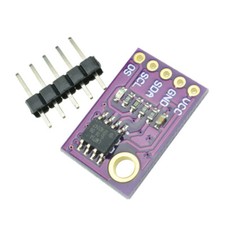
የዚህ ፕሮጀክት ዋና ክፍሎች VL53L0X ሌዘር ርቀት መለኪያ እና የአርዱኖ ቦርድ ያካትታሉ። VL53L0X እስከ 2 ሜትር ርቀት ድረስ በከፍተኛ ትክክለኛነት ለመለካት ሌዘርን የሚጠቀም የበረራ ጊዜ ሴንሰር ነው። ከአርዱኖ ጋር ቀላል ግንኙነት በሚፈቅደው በI2C ፕሮቶኮል ይሰራል።
የአርዱኖ ቦርድ ከVL53L0X የተገኘውን መረጃ የሚያስኬድ ማይክሮ መቆጣጠሪያ ሆኖ ያገለግላል። ለሴንሰሩ ትዕዛዞችን ይልካል እና የርቀት መለኪያዎችን ይቀበላል፣ ከዚያም ሊታዩ ወይም በሌሎች መተግበሪያዎች ውስጥ ጥቅም ላይ ሊውሉ ይችላሉ። ከሴንሰሩ ትክክለኛ ንባቦችን ለማረጋገጥ ትክክለኛ ሽቦ ማያያዝ ወሳኝ ነው።
የዳታሼት ዝርዝሮች
| አምራች | STMicroelectronics |
|---|---|
| የክፍል ቁጥር | VL53L0X |
| የአሰራር ቮልቴጅ | 2.6 ቪ እስከ 3.5 ቪ |
| ክልል | 30 ሚሜ እስከ 2000 ሚሜ |
| ትክክለኛነት | ±3% የተለመደ |
| በይነገጽ | I2C |
| የሙቀት ክልል | -40 °ሴ እስከ +85 °ሴ |
| የኤሌክትሪክ ፍጆታ | <1 ሚኤ (በመጠባበቅ ላይ)፣ 20 ሚኤ (ንቁ) |
| ፓኬጅ | VFLGA-8 |
- ሴንሰሩ በትክክል መሞላቱን ያረጋግጡ (2.6 ቪ እስከ 3.5 ቪ)።
- ግጭቶችን ለማስቀረት ትክክለኛ የI2C አድራሻ ቅንብሮችን ይጠብቁ።
- ለትክክለኛ የርቀት መለኪያዎች ሴንሰሩን ንጹህ ያድርጉት።
- አስፈላጊ ከሆነ በI2C መስመሮች ላይ ተስማሚ የመጎተት መቋቋሚያዎችን ይጠቀሙ።
- ለአስተማማኝ ንባቦች በሴንሰሩ ላይ ቀጥተኛ የፀሐይ ብርሃንን ያስወግዱ።
የሽቦ መመሪያዎች

VL53L0X ሴንሰሩን ከአርዱኖ ጋር ለማያያዝ፣ የሴንሰሩን የVCC ፒን በአርዱኖ ላይ ካለው የ5V ፒን ጋር ያገናኙ። የGND ፒን ከአርዱኖ መሬት (GND) ጋር መገናኘት አለበት። ለI2C ግንኙነት፣ የVL53L0Xን የSDA ፒን በአርዱኖ ላይ ካለው A4 ፒን ጋር ያገናኙ፣ እና የSCL ፒንን ከA5 ፒን ጋር ያገናኙ። የተለየ የአርዱኖ ሞዴል እየተጠቀሙ ከሆነ፣ ለዚያ ቦርድ የተወሰኑትን የSDA እና SCL ፒን ምደባዎች ይመልከቱ።
ለምሳሌ፣ በአርዱኖ ሜጋ ላይ፣ SDAን ከፒን 20 እና SCLን ከፒን 21 ጋር ያገናኛሉ። የግንኙነት ችግሮችን ለማስቀረት ሁሉም ግንኙነቶች ደህንነታቸው የተጠበቀ መሆናቸውን ያረጋግጡ። ሴንሰሩ ምላሽ ካልሰጠ፣ ሽቦውን በድጋሚ ያረጋግጡ እና አርዱኖው በትክክል መሞላቱን ያረጋግጡ።
የኮድ ምሳሌዎች እና ማብራሪያ
ከዚህ በታች VL53L0X ሴንሰሩን የሚያስጀምረው ከሴትአፕ ተግባር የተወሰደ ቁራጭ ነው፦
void setup() {
  Serial.begin(9600);
  while (! Serial) {
    delay(1);
  }
  Serial.println("Robojax Test");
  if (!lox.begin()) {
    Serial.println(F("Failed to boot VL53L0X"));
    while(1);
  }
}
ይህ ኮድ የተከታታይ ግንኙነትን ያስጀምራል እና VL53L0X ሴንሰሩን ለማስጀመር ይሞክራል። ሴንሰሩ መነሳት ካልቻለ፣ የስህተት መልእክት ያትማል እና ፕሮግራሙን ያቆማል።
በመቀጠል፣ የርቀት መለኪያን የሚያነብ ከሉፕ ተግባር የተወሰደ ቁራጭ እዚህ አለ፦
void loop() {
  VL53L0X_RangingMeasurementData_t measure;
  lox.rangingTest(&measure, false);
  if (measure.RangeStatus != 4) {
    Serial.print("Distance (mm): "); Serial.println(measure.RangeMilliMeter);
  } else {
    Serial.println(" out of range ");
  }
  delay(100);
}
ይህ ብሎክ ከሴንሰሩ የርቀት መለኪያን ያለማቋረጥ ያነባል እና በተከታታይ መቆጣጠሪያ ላይ ያትመዋል። መለኪያው ከክልል ውጭ ከሆነ፣ በዚሁ መሰረት ያመለክታል።
ማሳያ / ምን እንደሚጠበቅ
ፕሮግራሙን ሲያሂዱ፣ በተከታታይ መቆጣጠሪያ ላይ የርቀት መለኪያዎች ሲታዩ ማየት አለብዎት። ንባቦቹ በየ100 ሚሊሰከንድ መዘመን አለባቸው። ሴንሰሩ ወደ አንድ ነገር እየጠቆመ ከሆነ፣ ርቀቱን በሚሊሜትር ያሳያል። ነገሩ ከክልል ውጭ ከሆነ፣ ያንንም ያመለክታል። ለተሻለ ውጤት ሴንሰሩን በተጠቀሰው ክልል ውስጥ መሞከርዎን ያረጋግጡ (በቪዲዮ 10:00)።
የቪዲዮ የጊዜ ምልክቶች
- 00:00 - መግቢያ
- 02:15 - የሽቦ ዝግጅት
- 05:30 - የኮድ ማብራሪያ
- 10:00 - ማሳያ
ምስሎች
/* This example shows how to use continuous mode to take
range measurements with the VL53L0X.
// Original source from Adafruit https://github.com/adafruit/Adafruit_VL53L0X
// Modified by Ahmad Shamshiri for RoboJax.com
// Date modified: Sep 26, 2017
// Nejrabi

* Get this code and other Arduino codes from Robojax.com
Learn Arduino step by step in a structured course with all material, wiring diagrams, and libraries
all in one place.

If you found this tutorial helpful, please support me so I can continue creating
content like this.

or make a donation using PayPal http://robojax.com/L/?id=64

 *  * This code is "AS IS" without warranty or liability. Free to be used as long as you keep this note intact.*
 * This code has been downloaded from Robojax.com
    This program is free software: you can redistribute it and/or modify
    it under the terms of the GNU General Public License as published by
    the Free Software Foundation, either version 3 of the License, or
    (at your option) any later version.

    This program is distributed in the hope that it will be useful,
    but WITHOUT ANY WARRANTY; without even the implied warranty of
    MERCHANTABILITY or FITNESS FOR A PARTICULAR PURPOSE.  See the
    GNU General Public License for more details.

    You should have received a copy of the GNU General Public License
    along with this program.  If not, see <https://www.gnu.org/licenses/>.

   Copyright (c) 2015, Majenko Technologies
   All rights reserved.

   Redistribution and use in source and binary forms, with or without modification,
   are permitted provided that the following conditions are met:

 * * Redistributions of source code must retain the above copyright notice, this
     list of conditions and the following disclaimer.

 * * Redistributions in binary form must reproduce the above copyright notice, this
     list of conditions and the following disclaimer in the documentation and/or
     other materials provided with the distribution.

 * * Neither the name of Majenko Technologies nor the names of its
     contributors may be used to endorse or promote products derived from
     this software without specific prior written permission.

   THIS SOFTWARE IS PROVIDED BY THE COPYRIGHT HOLDERS AND CONTRIBUTORS "AS IS" AND
   ANY EXPRESS OR IMPLIED WARRANTIES, INCLUDING, BUT NOT LIMITED TO, THE IMPLIED
   WARRANTIES OF MERCHANTABILITY AND FITNESS FOR A PARTICULAR PURPOSE ARE
   DISCLAIMED. IN NO EVENT SHALL THE COPYRIGHT HOLDER OR CONTRIBUTORS BE LIABLE FOR
   ANY DIRECT, INDIRECT, INCIDENTAL, SPECIAL, EXEMPLARY, OR CONSEQUENTIAL DAMAGES
   (INCLUDING, BUT NOT LIMITED TO, PROCUREMENT OF SUBSTITUTE GOODS OR SERVICES;
   LOSS OF USE, DATA, OR PROFITS; OR BUSINESS INTERRUPTION) HOWEVER CAUSED AND ON
   ANY THEORY OF LIABILITY, WHETHER IN CONTRACT, STRICT LIABILITY, OR TORT
   (INCLUDING NEGLIGENCE OR OTHERWISE) ARISING IN ANY WAY OUT OF THE USE OF THIS
   SOFTWARE, EVEN IF ADVISED OF THE POSSIBILITY OF SUCH DAMAGE.
*/

#include "Adafruit_VL53L0X.h"

Adafruit_VL53L0X lox = Adafruit_VL53L0X();

void setup() {
  Serial.begin(9600);

  // wait until serial port opens for native USB devices
  while (! Serial) {
    delay(1);
  }

  Serial.println("Robojax Test");
  if (!lox.begin()) {
    Serial.println(F("Failed to boot VL53L0X"));
    while(1);
  }
  // power
  Serial.println(F("VL53L0X API Simple Ranging example\n\n"));
}


void loop() {
  VL53L0X_RangingMeasurementData_t measure;

  Serial.print("Reading a measurement... ");
  lox.rangingTest(&measure, false); // pass in 'true' to get debug data printout!

  if (measure.RangeStatus != 4) {  // phase failures have incorrect data
    Serial.print("Distance (mm): "); Serial.println(measure.RangeMilliMeter);
  } else {
    Serial.println(" out of range ");
  }

  delay(100);
}
እንደሚያስፈልግዎት ይችላል
-
አማዞንPurchase VL53L0X from Amazonamzn.to
-
ኢቤይPurchase VL53l0x from eBayebay.us
-
አሊኤክስፕሬስPurchase 1 to 10 pcs of VL53L0X from AliExpresss.click.aliexpress.com
ምንጮች እና ምንጮች
-
ውስጥArduino Library (GitHub)github.com
-
ውስጥPurchase 1 to 10 pcs of VL53L0X from AliExpresss.click.aliexpress.com
-
ውስጥPurchase VL53L0X from Amazonamzn.to
-
ውስጥPurchase VL53l0x from eBayebay.us
-
ውስጥVL53L0X datasheet (PDF)st.com
-
ውስጥVL53L0X datasheet (PDF)st.com
ፋይሎች📁
ፍሪትዚንግ ፋይል
-
Adafruit VL6180X Time of Flight Distance SensorFritzing part for the Adafruit VL6180X Time of Flight distance sensor. This sensor measures absolute distance up to 100mm and ambient light, communicating via I2C. Includes the sensor breakout board and pin connections for use in Fritzing projects.
Adafruit VL6180X Time of Flight Distance Sensor-1.fzpz0.02 MB
ሌላ ፋይሎች
-
Polou VL53L0X ቤተ መዝገብ
robojax-VL53L0X-polou-arduino-master.zip0.02 MB