LM75A 温度传感器与 LCD1602 I2C
在本教程中,我们将学习如何使用LM75A温度传感器通过I2C通信在LCD1602屏幕上显示摄氏度和华氏度的温度读数。LM75A可以测量范围从-55°C到+125°C的温度,适合各种应用。一旦设置完成,您将能够在LCD显示屏上看到实时的温度读数。


对于这个项目,我们将利用LM75A传感器和通过I2C连接的LCD1602模块,这样可以简化接线,并减少Arduino上使用的引脚数量。目标是创建一个系统,持续读取温度并在LCD上显示。如果您对过程中的任何部分需要澄清,请务必查看视频教程(视频在00:00)。
硬件解析
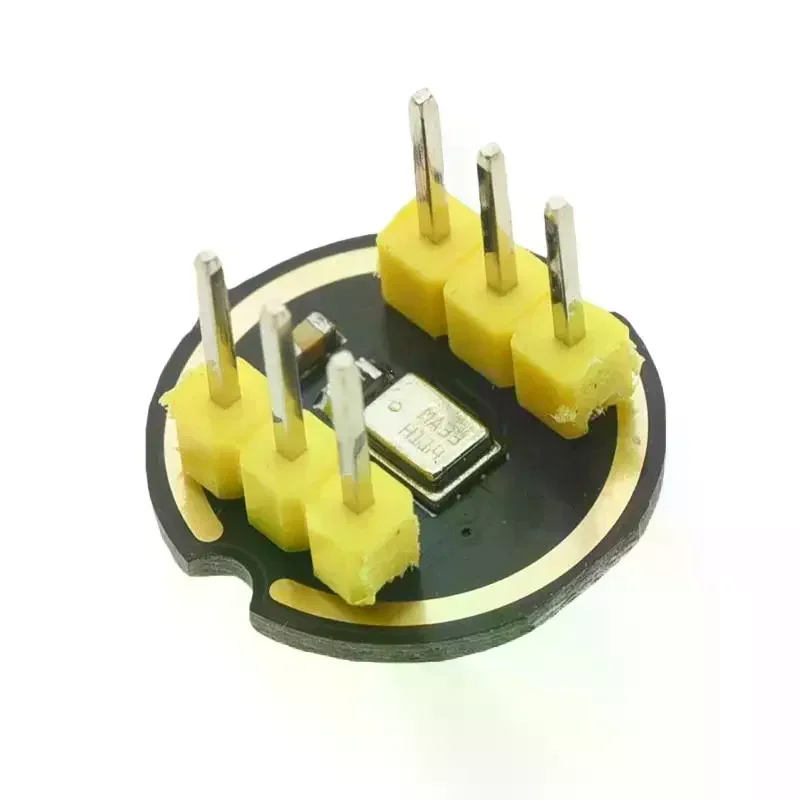
该项目的主要组件包括LM75A温度传感器和LCD1602显示器。LM75A是一个I2C温度传感器,提供准确的温度读数。它仅通过两根线与Arduino通信,分别是SDA(数据线)和SCL(时钟线),使其易于集成到您的项目中。
LCD1602 是一个 16x2 字符显示器,可以同时显示多达 32 个字符。通过使用 I2C 接口,我们只需额外接入两根线即可控制它,这大大简化了接线过程。LCD 的背光功能在低光环境下也能提供更好的可见性。
数据表详细信息
| 制造商 | 德州仪器 |
|---|---|
| 部件编号 | LM75A |
| 逻辑/IO电压 | 2.7 V 至 5.5 V |
| 供电电压 | 2.7伏特到5.5伏特 |
| 输出电流(每通道) | N/A |
| 峰值电流(每个通道) | N/A |
| PWM频率指导 | N/A |
| 输入逻辑阈值 | 0.3 * Vcc(低),0.7 * Vcc(高) |
| 电压降 / RDS(on)/ 饱和度 | N/A |
| 热极限 | 工作温度范围:-55°C 到 +125°C |
| 包裹 | SOT-23 |
| 注释 / 变体 | 可用多个 I2C 地址 |
- 确保适当的电源供应(2.7 V 到 5.5 V)。
- 在必要时,在SDA和SCL线路上使用上拉电阻。
- 检查多个设备的I2C地址配置。
- 保持接线简短,以减少干扰。
- 监测温度范围:-55°C到+125°C。
- 使用串口监视器调试温度读数。
- 在代码中有效地处理错误状态。
- 注意显示器的电源要求。
接线说明

要连接LM75A温度传感器和LCD1602,首先连接电源。将LM75A和LCD1602的VCC引脚连接到Arduino上的5V引脚。然后,将两个模块的地(GND)引脚连接到Arduino上的GND引脚。
接下来,连接I2C通信线路。LM75A的SDA引脚应连接到Arduino的A4引脚,而SCL引脚应连接到A5引脚。这样可以实现传感器与Arduino之间的I2C通信。确保连接牢固,以防止任何通信错误。
代码示例与演练
在代码中,我们首先包含LM75A传感器和LCD1602显示器所需的库。以下摘录演示了如何创建LM75A传感器的实例:
LM75A lm75a_sensor(false, false, false);该行初始化LM75A传感器对象。布尔参数对应于LM75A的A0、A1和A2引脚,允许在需要时使用不同的I2C地址。
接下来,我们设置串口监视器并初始化LCD显示器:
void setup(void) {
  Serial.begin(9600);
  lcd.begin();
  lcd.backlight();
  lcd.print("Robojax LM75A");
}
在这里,我们以9600波特率开始串行通信,并初始化LCD显示器。背光已开启,并在屏幕上打印初始消息。
在主循环中,我们不断读取温度并显示它:
float temperature_in_degrees = lm75a_sensor.getTemperatureInDegrees();
if (temperature_in_degrees == INVALID_LM75A_TEMPERATURE) {
  Serial.println("Error while getting temperature");
}
本节从传感器获取温度。如果读数无效,则会向串口监视器发送错误消息。否则,温度可以被处理并显示在液晶屏上。
演示 / 期待什么
一旦所有线路连接完成并上传了代码,您应该可以在LCD1602显示器上看到温度读数,摄氏度和华氏度交替显示。如果LM75A传感器正常工作,它将每秒连续更新显示的温度。如果有任何问题,例如极性反转或布线错误,请检查连接并确保使用正确的引脚(在视频的00:00处)。
图像


/*
 * \brief Show temperature in degrees Celsius and Fahrenheit every second
 *
 * \author Quentin Comte-Gaz <quentin@comte-gaz.com>
 * \date 8 July 2016
 * \license MIT License (contact me if too restrictive)
 * \copyright Copyright (c) 2016 Quentin Comte-Gaz
 * \version 1.0
 *
 * Modified by Ahmad Shamshiri on July 12, 2018 at 22:40 for Robojax.com
 * in Ajax, Ontario, Canada
 * Watch video instructions for this code: https://youtu.be/hVo_msVMlaI
For this sketch, you need to connect:
VCC to 3.3V or 5V and GND to GND of the Arduino
SDA to A4 and SCL to A5

 */

#include <LM75A.h>

// Create I2C LM75A instance
LM75A lm75a_sensor(false,  //A0 LM75A pin state
                   false,  //A1 LM75A pin state
                   false); //A2 LM75A pin state
// Equivalent to "LM75A lm75a_sensor;"


// start of settings for LCD1602 with I2C
#include <Wire.h>
#include <LiquidCrystal_I2C.h>
// Set the LCD address to 0x27 for a 16 chars and 2 line display
LiquidCrystal_I2C lcd(0x27, 16, 2);
// end of settings for LCD1602 with I2C

void setup(void)
{
  Serial.begin(9600);
  Serial.println("Robojax LM75A Test");
  // initialize the LCD
  lcd.begin();
  lcd.backlight();
  lcd.print("Robojax LM75A");
  lcd.setCursor(0,1);
  lcd.print("Demo");
  delay(2000);
}

void loop()
{
   lcd.clear();// clear previous values from screen
  // Robojax.com LM75A Test
  float temperature_in_degrees = lm75a_sensor.getTemperatureInDegrees();

  if (temperature_in_degrees == INVALID_LM75A_TEMPERATURE) {
    Serial.println("Error while getting temperature");
  } else {
    Serial.print("Temp: ");
    Serial.print(temperature_in_degrees);
    Serial.print(" C (");
    float tmpF = LM75A::degreesToFahrenheit(temperature_in_degrees);
    Serial.print(tmpF);
    Serial.println(" F)");
  lcdDisplay(
             // to print Celsius:
             0, // character 0
             0, // line 0
             "Celsius: ",

             // to print Celsius
             11, // character 10
             0, // line 0
             temperature_in_degrees
             );

  lcdDisplay(
             // to print Fahrenheit:
             0, // character 0
             1, // line 1
             "Fahrenheit: ",

             // to print Fahrenheit
             11, // character 9
             1, // line 0
             tmpF
             );
  }

  delay(1000);
}


/*
 * lcdDisplay(int tc, int tr, String title, int vc, int vr, float value)
 * displays value and title on LCD1602
 * How to use:
 * If you want to display: "Voltage: 13.56mV" starting from the first character
 * on the second row.
 * use:
 * lcdDisplay(0, 1, "Voltage: ", 13.56)
 *
 * tc  is the character number  (0)
 * tr is the row number in the LCD (1)
 * title is the text ("Voltage:")
 * vc is the character number for the value
 * vr is the row number for the value
 * value is the value (13.56)
 */
void lcdDisplay(int tc, int tr, String title, int vc, int vr, float value)
{
   // Robojax.com LCD1602 for LM75A Demo
   lcd.setCursor (tc,tr); //
   lcd.print(title);

   lcd.setCursor (vc,vr); //
   lcd.print(value);

}
|||您可能需要的东西
-
亚马逊从亚马逊购买LCD1602-I2Camzn.to
-
亚马逊从亚马逊购买LM75Aamzn.to
-
易趣在eBay上购买LCD1602-I2Cebay.us
-
全球速卖通在AliExpress上购买10个LCD1602-I2Cs.click.aliexpress.com
资源与参考
-
外部LM75A 数据表来自 TIti.com
-
外部NXP的LM75A数据表nxp.com
-
外部来自GitHub的LM75A库github.com
文件📁
Fritzing 文件
-
LM75 温度传感器
Temperature Sensor - LM75.fzpz0.01 MB
其他文件
-
LM75A library from Robojax.com
robojax-LM75A_temperature_sensor.zip0.56 MB