This tutorial is part of: WiFi LoRa 32 튜토리얼
이 그룹을 사용하면 Heltec WiFi LoRa 32 관련 모든 동영상을 볼 수 있습니다. 다른 동영상 링크는 이 글 아래에 있습니다.
멀리서 서보 모터를 제어하세요! Heltec WiFi LoRa 32 V3 Arduino 튜토리얼 (TX)
이 가이드에서는 Heltec ESP32 LoRa V3 서보 프로젝트에서 사용한 정확한 스케치를 가져와 추가 코드 없이 어떻게 작동하는지 살펴봅니다. 송신기가 로터리 엔코더를 읽고, 해당 각도를 LoRa를 통해 안전하게 전송하며, 수신기가 이를 복호화하여 마이크로 서보를 구동하는 방법을 배우게 됩니다. 모든 부품 및 코드 링크는 아래에 있으며, 제휴 링크를 통해 주문하시면 저희가 이러한 튜토리얼을 계속 제작하는 데 도움이 됩니다.
Heltec ESP32 보드 설치
비디오에 표시된 대로 Arduino IDE의 환경 설정에 이 경로를 추가하세요:https://resource.heltec.cn/download/package_heltec_esp32_index.json
1. 송신기(TX) 하드웨어 및 설정
TX 측에 필요한 것:
-
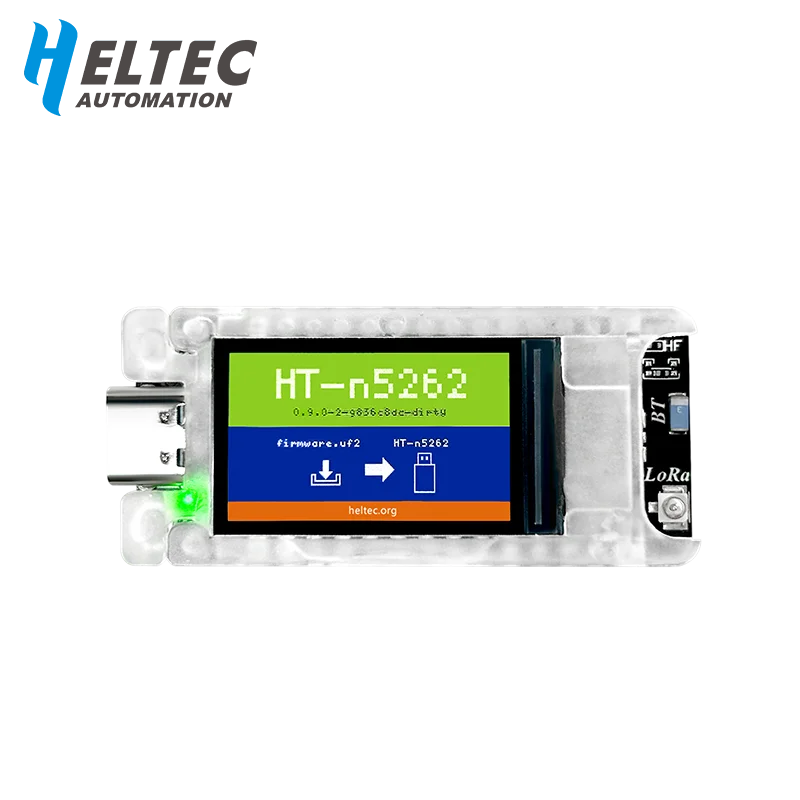
Heltec WiFi LoRa 32 V3 보드(Meshnology N33 케이스, 3000mAh 팩으로 전원 공급)
-
GPIO 6(CLK), GPIO 5(DT), GPIO 4(SW)에 연결된 로터리 엔코더
-
I²C의 OLED 디스플레이(SDA= 4, SCL= 15)
스케치는 Heltec_ESP32_LoRa_V3_Sevo_TX_AiRotaryEncoder.ino에서와 정확히 동일하게 모든 것을 포함하고 초기화하는 것으로 시작합니다:
cppCopyEdit#include "AiEsp32RotaryEncoder.h"
#include "HT_SSD1306Wire.h"
#include "LoRaWan_APP.h"
#include "mbedtls/aes.h"
// …
static SSD1306Wire display(0x3c, 500000, SDA_OLED, SCL_OLED, GEOMETRY, RST_OLED);
AiEsp32RotaryEncoder rotaryEncoder = AiEsp32RotaryEncoder(
    PIN_A, PIN_B, SW_PIN, ROTARY_ENCODER_VCC_PIN, false, true, true);
const int homePosition = 90;
const int MAX_ANGLE    = 180;
int servoAngel = homePosition;
setup()에서 코드는:
-
디스플레이 전원을 켜고 글꼴을 설정합니다
-
rotaryEncoder.begin(),rotaryEncoder.setup(readEncoderISR),rotaryEncoder.setBoundaries(0, MAX_ANGLE, true)및rotaryEncoder.setAcceleration(20)을 호출합니다 -
엔코더를
homePosition으로 재설정합니다 -
Mcu.begin(HELTEC_BOARD, SLOW_CLK_TPYE)을 통해 LoRa를 초기화하고 제공된 스케치에서와 정확히 동일하게RadioEvents, 채널 및 매개변수를 설정합니다.
2. 각도를 안전하게 전송
모든 루프 주기마다 rotary_loop()가 실행되며, 이 함수는:
-
ISR에서 엔코더를 읽습니다
-
servoAngel이 변경되면 이를 16바이트 버퍼에 패키징하고 AES-128(encryptAES()스케치에서)로 암호화한 후 다음을 호출합니다cppCopyEditRadio.Send(data, sizeof(data)); -
OnTxDone()이 발생하여 재설정할 때까지lora_idle = false로 설정합니다.
3. 수신기(RX) 하드웨어 및 설정
RX 측에 필요한 것:
-
Heltec WiFi LoRa 32 V3 보드(동일한 케이스/배터리)
-
GPIO 6(또는 테스트된 다른 PWM 핀)의 마이크로 서보(예: SG90)
-
OLED 디스플레이
Heltec_ESP32_LoRa_V3_Sevo_RX.ino의 스케치는 다음으로 시작합니다:
cppCopyEdit#include <ESP32Servo.h>
#include "HT_SSD1306Wire.h"
#include "LoRaWan_APP.h"
#include "mbedtls/aes.h"
// …
const int servoPin       = 6;
const int SERVO_DUTY_MIN = 400;  // us
const int SERVO_DUTY_MAX = 2400; // us
Servo    myservo;
int      servoAngel     = homePosition;
setup()에서:
-
디스플레이/LoRa 모듈용 Vext 전원을 켭니다(
VextON()) -
Radio.Init(&RadioEvents)를 호출하고 동일한 LoRa 매개변수로 RX를 구성합니다 -
myservo.attach(servoPin, SERVO_DUTY_MIN, SERVO_DUTY_MAX)로 서보를 연결하고homePosition에서 중앙에 배치합니다.
4. 수신, 복호화 및 서보 구동
핵심은 OnRxDone(uint8_t *payload, …) 콜백입니다:
cppCopyEditdecryptAES((uint8_t*)rxpacket, userKey);
if (isNumber(rxpacket)) {
  servoAngel = atoi(rxpacket);
  myservo.write(servoAngel);
  delay(15);
}
Serial.println("Angle: " + String(servoAngel));
lora_idle = true;
16바이트 블록을 복호화하고 정수로 변환한 후 즉시 서보를 업데이트합니다.
5. PWM 핀 지원 및 서보 튜닝
PWM 출력용으로 다음 ESP32 핀을 테스트했으며 모두 마이크로 서보 구동에 작동합니다:
CopyEdit1, 2, 3, 4, 5, 6, 19, 35, 36, 38, 39, 40, 41, 42, 45, 47, 48
표준 SG90의 경우 코드는 400 µs(0°)에서 2400 µs(180°)의 펄스 범위를 사용하여 지터 없이 부드럽고 완전한 스윕을 제공합니다.
6. 배선도
아래는 TX 및 RX 회로도를 넣을 수 있는 자리 표시자입니다:


코드 및 제휴 링크
위의 모든 스케치는 아래의 “코드 및 자료†섹션에서 다운로드할 수 있습니다. 직접 만들어 보시려면, 제휴 링크를 통해 Heltec LoRa32 V3 모듈, Meshnology N33 케이스, 로터리 엔코더, SG90 서보를 구매해 주시기 바랍니다. 추가 비용은 들지 않으며, 이와 같은 무료 튜토리얼을 계속 제작하는 데 도움이 됩니다!
참고용 비디오 챕터
-
00:00 소개 및 개요
-
00:05 원격 제어 개념
-
00:19 LoRa 통신 기초
-
00:23 하드웨어 미리보기
-
00:28 케이스 및 배터리 소개
-
01:03 모듈 기능
-
01:42 사양 및 연결성
-
02:54 서보 전원 공급
-
03:05 배선 및 핀 배치
-
09:35 안테나 배치
-
11:04 케이스 조립
-
29:26 스케치 업로드
-
35:09 범위 테스트 1.2km
-
36:38 범위 테스트 1.4km
-
38:41 성능 요약
-
43:04 결론 및 지원
This tutorial is part of: WiFi LoRa 32 튜토리얼
- Heltec WiFi LoRa 32 V3를 사용하여 DHT22로 온도를 1.4km까지 전송
- 13마일(20km)에 WiFi 없이? LoRa가 어떻게 미친 거리를 가로질러 전압을 보냈는가! (Heltec WiFi LoRa 32 V3)
- 13마일(21km) 떨어진 곳에서 기기 켜기 – WiFi LoRa 32를 활용한 최고의 오프그리드 LoRa 프로젝트!
- 13마일(21km) 떨어진 곳에서 LoRa로 원격 도어 알림 시스템 – 오프 그리드! (Heltec WiFi LoRa 32 V3)
- DIY 원격 릴레이 프로젝트: 13마일, Wi-Fi/ SIM 없이 작동하는 Heltec LoRa 32 모듈
- How to Use the Heltec LoRa CubeCell Development Board HTCC-AB01
/*
File: Heltec_ESP32_LoRa_V3_Sevo_TX_AiRotaryEncoder.ino
written on 24 Jun, 2025 by Ahmad Shamshiri

 * =====================================================================
 * ARDUINO CODE DESCRIPTION: SECURE LoRa SERVO CONTROL SYSTEM (TX)
 * =====================================================================
 *
 * HARDWARE COMPONENTS:
 * -------------------
 *  - Main Controller: Heltec WiFi LoRa 32 V3
 *  - Enclosure: Meshnology N33 case with 3000mAh battery
 *  - Input: Rotary encoder with push-button
 *  - Feedback: Built-in OLED display
 *  - Output: Servo motor + LoRa wireless transmission
 *
 * SYSTEM FUNCTIONALITY:
 * -------------------
 * [1] ROTARY ENCODER CONTROL:
 *     - Clockwise/Counter-clockwise rotation adjusts target angle (0°-180°)
 *     - Real-time angle display on OLED screen
 *     - Push-button returns servo to Home position (default: 90°)
 *
 * [2] SECURE WIRELESS TRANSMISSION:
 *     - All angle values encrypted before LoRa transmission
 *     - Home position command transmitted as special secure packet
 *     - Uses 433MHz LoRa band for reliable communication
 *
 * [3] POWER MANAGEMENT:
 *     - Optimized for battery operation (3000mAh)
 *     - Low-power modes between transmissions
 *
 * FOR COMPLETE SETUP INSTRUCTIONS:
 * Please watch the tutorial video at: https://youtu.be/EPynuJ7sasY
 * =====================================================================

Watch full video explaination:  https://youtu.be/EPynuJ7sasY
Resources page: https://robojax.com/T635


 * DISCLAIMER:
 * This code is provided "AS IS" without warranty of any kind. The author
 * shall not be held liable for any damages arising from the use of this code.
 *
 * LICENSE:
 * This work is licensed under the GNU General Public License v3.0
 * Permissions beyond the scope of this license may be available at Robojax.com
 *
 * SHARING TERMS:
 * You are free to share, copy and modify this code for non-commercial purposes
 * PROVIDED you:
 * 1. Keep this entire comment block intact with the original code
 * 2. Include the original Robojax.com link
 * 3. Keep the YouTube tutorial link (if applicable)
 * 4. Clearly indicate any modifications made
 *
 * Original tutorial at: https://robojax.com/T635
 * YouTube Video: https://youtu.be/EPynuJ7sasY
 *
 * ********************************************************************
 */

#include <Wire.h>
#include "HT_SSD1306Wire.h"
#include "WiFi.h"
static SSD1306Wire  display(0x3c, 500000, SDA_OLED, SCL_OLED, GEOMETRY_128_64, RST_OLED); // addr , freq , i2c group , resolution , rst


const int TX_POWER = 2;//dBm from 2 to 20. when powered via battery 2 to 14dBm is the best option
const int MAX_ANGLE = 180;//the most common is 180, but you can set it as needed

String labelAngle = "Angle";
const int homePosition = 90; //initial position


//endcoder
const int SW_PIN = 4;//define a pin for rotary encode switch
const int PIN_A  = 6;
const int PIN_B  = 5;//
const int ANGLE_STEP  = 6;//
const bool debug= false;//to print debug data in serial moinitor set it to true, else false

int servoAngel = homePosition;
int oldAngleValue = servoAngel;
#include "mbedtls/aes.h"//for securing data
#include <cstring>  // For memset, memcpy
mbedtls_aes_context aes;
const char *userKey = "hyhT676#h~_1a"; //Security key.


#include "LoRaWan_APP.h"
#include "AiEsp32RotaryEncoder.h"
#include "Arduino.h"
#define ROTARY_ENCODER_VCC_PIN -1

//instead of changing here, rather change numbers above
AiEsp32RotaryEncoder rotaryEncoder = AiEsp32RotaryEncoder(
            PIN_A,
            PIN_B,
            SW_PIN,
            ROTARY_ENCODER_VCC_PIN,
            ANGLE_STEP);


#define RF_FREQUENCY                                915432000 // Hz

#define TX_OUTPUT_POWER                             TX_POWER        // dBm from 2 to 20. when powered via battery 2 to 14dBm

#define LORA_BANDWIDTH                              0         // [0: 125 kHz,
                                                              //  1: 250 kHz,
                                                              //  2: 500 kHz,
                                                              //  3: Reserved]
#define LORA_SPREADING_FACTOR                       7         // [SF7..SF12]
#define LORA_CODINGRATE                             1         // [1: 4/5,
                                                              //  2: 4/6,
                                                              //  3: 4/7,
                                                              //  4: 4/8]
#define LORA_PREAMBLE_LENGTH                        8         // Same for Tx and Rx
#define LORA_SYMBOL_TIMEOUT                         0         // Symbols
#define LORA_FIX_LENGTH_PAYLOAD_ON                  false
#define LORA_IQ_INVERSION_ON                        false


#define RX_TIMEOUT_VALUE                            1000
#define BUFFER_SIZE                                 64 // Define the payload size here

char txpacket[BUFFER_SIZE];
char rxpacket[BUFFER_SIZE];

double txNumber;

bool lora_idle=true;

static RadioEvents_t RadioEvents;
unsigned long lastTxTime = 0;
void OnTxDone( void );
void OnTxTimeout( void );
void decryptAES(uint8_t *data, const char *key);
void encryptAES(uint8_t *data, const char *key);
void processKey(const char *userKey, uint8_t *processedKey, size_t keySize);
void VextON(void);

void rotary_loop();//prototyp function: rotary encoder
void IRAM_ATTR readEncoderISR();//prototyp function: rotary encoder
void rotary_onButtonClick();//prototyp function: rotary encoder

void setup() {
  Serial.begin(115200);
  Serial.println();

  VextON();
  delay(100);

	//we must initialize rotary encoder
	rotaryEncoder.begin();
	rotaryEncoder.setup(readEncoderISR);
	bool circleValues = false;
	rotaryEncoder.setBoundaries(0, MAX_ANGLE, circleValues); //minValue, maxValue, circleValues true|false (when max go to min and vice versa)
	/*Rotary acceleration introduced 25.2.2021.
   * in case range to select is huge, for example - select a value between 0 and 1000 and we want 785
   * without accelerateion you need long time to get to that number
   * Using acceleration, faster you turn, faster will the value raise.
   * For fine tuning slow down.
   */
	//rotaryEncoder.disableAcceleration(); //acceleration is now enabled by default - disable if you dont need it
	rotaryEncoder.setAcceleration(20); //or set the value - larger number = more accelearation; 0 or 1 means disabled acceleration
  rotaryEncoder.reset(homePosition); //set home position

  // Initialising the UI will init the display too.
  display.init();
  display.setFont(ArialMT_Plain_10);
  //LoRa stuff
  Mcu.begin(HELTEC_BOARD,SLOW_CLK_TPYE);

    txNumber=0;

    RadioEvents.TxDone = OnTxDone;
    RadioEvents.TxTimeout = OnTxTimeout;

    Radio.Init( &RadioEvents );
    Radio.SetChannel( RF_FREQUENCY );
    Radio.SetTxConfig( MODEM_LORA, TX_OUTPUT_POWER, 0, LORA_BANDWIDTH,
                                   LORA_SPREADING_FACTOR, LORA_CODINGRATE,
                                   LORA_PREAMBLE_LENGTH, LORA_FIX_LENGTH_PAYLOAD_ON,
                                   true, 0, 0, LORA_IQ_INVERSION_ON, 3000 );

}


void displayAngle() {
    display.clear();  // Clear display before new content

    // Line 1: Text: Angle
    display.setTextAlignment(TEXT_ALIGN_LEFT);

    // Line 2: Temperature value in 24pt font
    display.setFont(ArialMT_Plain_24);

    // Format
    String angleString = String(servoAngel) + "°"; //

    display.setFont(ArialMT_Plain_16);
    display.drawString(0, 0, labelAngle);
    display.setFont(ArialMT_Plain_24);
    display.drawString(0, 15, angleString);

    display.display();  // Update OLED
}


void VextON(void)
{
  pinMode(Vext,OUTPUT);
  digitalWrite(Vext, LOW);
}

void VextOFF(void) //Vext default OFF
{
  pinMode(Vext,OUTPUT);
  digitalWrite(Vext, HIGH);
}

void sendData()
{

  String txData = String(servoAngel) ;

  uint8_t data[BUFFER_SIZE];
  memset(data, 0, sizeof(data));  // Zero-padding
  strncpy((char*)data, txData.c_str(), sizeof(data) - 1); // Copy string safely

  encryptAES(data, userKey);  // Encrypt before sending
  if(lora_idle == true)
    {
      //delay(1000);
      Radio.Send(data,  sizeof(data));
      if(debug){
      Serial.print("Sending: ");
      Serial.println((char *)data);
      }
      lora_idle = false;
      oldAngleValue =servoAngel;//keep record of angle change
    }
    Radio.IrqProcess( );
}


void loop() {
  rotary_loop();
  // clear the display
  display.clear();

  displayAngle(); //

  if(oldAngleValue != servoAngel)
  {
	  sendData();
  }
  //delay(100);

}


void OnTxDone( void )
{
        if(debug){
	        Serial.println("TX done......");
        }
	lora_idle = true;
}

void OnTxTimeout( void )
{
    Radio.Sleep( );
        if(debug){
	        Serial.println("TX Timeout......");
        }
    lora_idle = true;
}


/**
 * Converts a user-provided plaintext key into a fixed-length 16-byte (128-bit)
 * or 32-byte (256-bit) key.
 */
void processKey(const char *userKey, uint8_t *processedKey, size_t keySize) {
    memset(processedKey, 0, keySize); // Fill with zeros
    size_t len = strlen(userKey);
    if (len > keySize) len = keySize; // Truncate if too long
    memcpy(processedKey, userKey, len); // Copy valid key part
}

/**
 * Encrypts a 16-byte (one block) message using AES-128.
 */
void encryptAES(uint8_t *data, const char *key) {
    uint8_t processedKey[16]; // 128-bit key
    processKey(key, processedKey, 16);

    mbedtls_aes_init(&aes);
    mbedtls_aes_setkey_enc(&aes, processedKey, 128);
    mbedtls_aes_crypt_ecb(&aes, MBEDTLS_AES_ENCRYPT, data, data);
    mbedtls_aes_free(&aes);
}

/**
 * Decrypts a 16-byte (one block) message using AES-128.
 */
void decryptAES(uint8_t *data, const char *key) {
    uint8_t processedKey[16]; // 128-bit key
    processKey(key, processedKey, 16);

    mbedtls_aes_init(&aes);
    mbedtls_aes_setkey_dec(&aes, processedKey, 128);
    mbedtls_aes_crypt_ecb(&aes, MBEDTLS_AES_DECRYPT, data, data);
    mbedtls_aes_free(&aes);
}


void rotary_onButtonClick()
{
	static unsigned long lastTimePressed = 0;
	//ignore multiple press in that time milliseconds
	if (millis() - lastTimePressed < 500)
	{
		return;
	}
	lastTimePressed = millis();

	        if(debug){
	          Serial.print("button pressed ");
	          Serial.print(millis());
	          Serial.println(" milliseconds after restart");
          }
}

void rotary_loop()
{
	//dont print anything unless value changed
	if (rotaryEncoder.encoderChanged())
	{
		        if(debug){
	            Serial.print("Value: ");
		          Serial.println(rotaryEncoder.readEncoder());
            }
    servoAngel = rotaryEncoder.readEncoder();

	}
	if (rotaryEncoder.isEncoderButtonClicked())
	{
    rotaryEncoder.reset(homePosition);
    servoAngel = homePosition;
		rotary_onButtonClick();
	}
}

void IRAM_ATTR readEncoderISR()
{
	rotaryEncoder.readEncoder_ISR();
}
Common Course Links
Common Course Files
자원 및 참고자료
-
외부Heltec WiFi Kit 32 website linkheltec.org
-
외부
-
외부Purchase a WiFi LoRa 32 V3 from AliExpresss.click.aliexpress.com
-
외부Purchase a WiFi LoRa 32 V3 from AliExpress-2s.click.aliexpress.com
-
외부
파일📁
아두이노 라이브러리 (zip)
-
Robojax_HeltecLoRa32V3
Robojax_HeltecLoRa32V3.zip0.09 MB