ESP32 教學 37/55 - 使用藍牙應用程式配合 ESP32 BLE | SunFounder 嘅 ESP32 IoT 學習套件
喺呢個教學入面,我哋會探討點樣將ESP32用作藍牙伺服器,同手機應用程式收發訊息。咁樣就可以令你嘅ESP32開發板同流動裝置之間有互動通訊,令佢成為你物聯網項目嘅一個多功能配件。完成呢一課之後,你將可以從流動裝置傳送文字去ESP32,並且喺序列監視器上面睇到顯示。
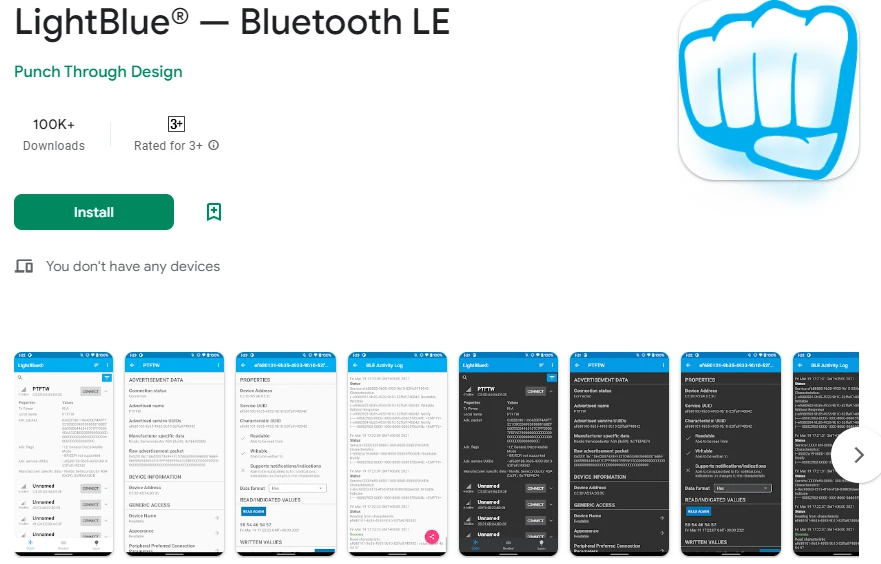
我哋會用LightBlue Explorer應用程式(iOS同Android都有得下載)同ESP32通訊。呢個教學係理解藍牙低功耗(BLE)通訊嘅基礎,亦都為更進階嘅項目鋪路。如果想睇視覺化指南,請參考影片(影片喺02:00嘅位置)。
硬件講解
呢個項目嘅主要元件係ESP32微控制器,佢整合咗Wi-Fi同藍牙功能。咁樣令ESP32可以充當伺服器,無線接收同發送數據。ESP32內置嘅藍牙功能支援BLE,令佢喺低功耗應用上更加有效率。
除咗ESP32之外,我哋仲會用一部裝咗LightBlue應用程式嘅流動裝置。呢個應用程式容許用戶連接ESP32,並透過藍牙發送數據。呢啲元件嘅整合令ESP32同流動裝置之間可以無縫通訊,提升用戶互動體驗。
數據手冊詳情
| 製造商 | Espressif Systems |
|---|---|
| 零件編號 | ESP32-WROOM-32 |
| 邏輯/IO電壓 | 3.3 V |
| 供電電壓 | 3.0 – 3.6 V |
| 輸出電流(每通道) | 40 mA |
| 峰值電流(每通道) | 160 mA |
| PWM頻率指引 | 1 kHz |
| 輸入邏輯閾值 | 0.2 VCC(低),0.8 VCC(高) |
| 電壓降 / RDS(on) / 飽和 | 0.1 V |
| 熱限制 | 125 °C |
| 封裝 | QFN48 |
| 備註 / 變體 | ESP32-WROOM-32, ESP32-WROVER |
- 確保穩定供電(3.3 V),以防電壓驟降。
- 喺電源引腳附近用電容做去耦。
- 如果使用高電流,要保持適當散熱。
- 小心GPIO引腳電壓水平;佢哋係3.3 V兼容。
- 按GPIO配置需要,使用上拉或下拉電阻。
- 監察BLE連接;確保應用程式已正確配對。
- 確認服務同特徵嘅UUID係獨一無二。
- 定期檢查序列監視器,睇調試訊息。
- 考慮用邏輯分析儀處理複雜訊號問題。
接線說明
呢個項目嘅接線好簡單,因為ESP32主要透過USB連接嚟供電同編程。用一條micro USB線將ESP32連接去電腦。確保USB埠提供足夠電力(通常係5 V)。序列監視器會用嚟做調試,所以呢個應用唔需要額外硬件連接。
將來喺項目入面用ESP32連接外部元件時,記得將接地引腳連接到共同接地。咁樣確保ESP32同任何連接嘅感測器或模組共享相同參考點。另外,如果你用電池,將正極連接到3.3 V引腳,負極連接到ESP32嘅接地引腳。
程式碼範例同講解
提供嘅程式碼初始化藍牙伺服器,設定所需嘅服務同特徵,並處理傳入訊息。關鍵識別碼包括bleName,佢定義藍牙裝置嘅名稱,同receivedText,佢儲存從手機應用程式傳入嘅訊息。
const char *bleName = "ESP32_Bluetooth";
String receivedText = "";
setup()函數初始化序列通訊同BLE設定。呢個對建立同LightBlue應用程式嘅連接好重要。
void setup() {
  Serial.begin(115200);  // 初始化序列埠
  setupBLE();            // 初始化藍牙BLE
}
喺loop()函數入面,程式碼檢查有冇傳入訊息。如果收到新訊息,就會打印去序列監視器,並向已連接嘅BLE裝置發送通知。
if (receivedText.length() > 0 && millis() - lastMessageTime > 1000) {
    Serial.print("收到訊息:");
    Serial.println(receivedText);
    pCharacteristic->setValue(receivedText.c_str());
    pCharacteristic->notify();
    receivedText = "";
}
如果想完整理解,請參考文章下面載入嘅完整程式碼。佢會提供你成功實現呢個項目所需嘅所有細節。
示範 / 預期效果
成功實現之後,你應該可以從LightBlue應用程式發送訊息去ESP32。當你輸入訊息,例如「Hello」,佢就會出現喺序列監視器上面。另外,你都可以發送訊息返去應用程式,確認雙向通訊。如果你遇到好似訊息冇出現嘅問題,請確保ESP32已經同應用程式正確配對,而且UUID係匹配嘅。
影片時間戳
- 00:00 開始
- 2:10 項目簡介
- 2:45 文檔頁面
- 4:04 Arduino 代碼
- 6:31 安裝藍牙應用程式
- 7:12 選擇 ESP32 開發板和 COM 端口
- 8:54 項目演示
圖片
#include "BLEDevice.h"
#include "BLEServer.h"
#include "BLEUtils.h"
#include "BLE2902.h"

// Define the Bluetooth device name
const char *bleName = "ESP32_Bluetooth";

// Define the received text and the time of the last message
String receivedText = "";
unsigned long lastMessageTime = 0;

// Define the UUIDs of the service and characteristics
#define SERVICE_UUID           "your_service_uuid_here"
#define CHARACTERISTIC_UUID_RX "your_rx_characteristic_uuid_here"
#define CHARACTERISTIC_UUID_TX "your_tx_characteristic_uuid_here"

// Define the Bluetooth characteristic
BLECharacteristic *pCharacteristic;

void setup() {
  Serial.begin(115200);  // Initialize the serial port
  setupBLE();            // Initialize the Bluetooth BLE
}

void loop() {
  // When the received text is not empty and the time since the last message is over 1 second
  // Send a notification and print the received text
  if (receivedText.length() > 0 && millis() - lastMessageTime > 1000) {
    Serial.print("Received message: ");
    Serial.println(receivedText);
    pCharacteristic->setValue(receivedText.c_str());
    pCharacteristic->notify();
    receivedText = "";
  }

  // Read data from the serial port and send it to BLE characteristic
  if (Serial.available() > 0) {
    String str = Serial.readStringUntil('\n');
    const char *newValue = str.c_str();
    pCharacteristic->setValue(newValue);
    pCharacteristic->notify();
  }
}

// Define the BLE server callbacks
class MyServerCallbacks : public BLEServerCallbacks {
  // Print the connection message when a client is connected
  void onConnect(BLEServer *pServer) {
    Serial.println("Connected");
  }
  // Print the disconnection message when a client is disconnected
  void onDisconnect(BLEServer *pServer) {
    Serial.println("Disconnected");
  }
};

// Define the BLE characteristic callbacks
class MyCharacteristicCallbacks : public BLECharacteristicCallbacks {
  void onWrite(BLECharacteristic *pCharacteristic) {
    // When data is received, get the data and save it to receivedText, and record the time
    std::string value = std::string(pCharacteristic->getValue().c_str());
    receivedText = String(value.c_str());
    lastMessageTime = millis();
    Serial.print("Received: ");
    Serial.println(receivedText);
  }
};

// Initialize the Bluetooth BLE
void setupBLE() {
  BLEDevice::init(bleName);                        // Initialize the BLE device
  BLEServer *pServer = BLEDevice::createServer();  // Create the BLE server
  // Print the error message if the BLE server creation fails
  if (pServer == nullptr) {
    Serial.println("Error creating BLE server");
    return;
  }
  pServer->setCallbacks(new MyServerCallbacks());  // Set the BLE server callbacks

  // Create the BLE service
  BLEService *pService = pServer->createService(SERVICE_UUID);
  // Print the error message if the BLE service creation fails
  if (pService == nullptr) {
    Serial.println("Error creating BLE service");
    return;
  }
  // Create the BLE characteristic for sending notifications
  pCharacteristic = pService->createCharacteristic(CHARACTERISTIC_UUID_TX, BLECharacteristic::PROPERTY_NOTIFY);
  pCharacteristic->addDescriptor(new BLE2902());  // Add the descriptor
  // Create the BLE characteristic for receiving data
  BLECharacteristic *pCharacteristicRX = pService->createCharacteristic(CHARACTERISTIC_UUID_RX, BLECharacteristic::PROPERTY_WRITE);
  pCharacteristicRX->setCallbacks(new MyCharacteristicCallbacks());  // Set the BLE characteristic callbacks
  pService->start();                                                 // Start the BLE service
  pServer->getAdvertising()->start();                                // Start advertising
  Serial.println("Waiting for a client connection...");              // Wait for a client connection
}
Common Course Links
Common Course Files
資源與參考資料
-
文件记录ESP32 Tutorial 37/55 - SunFounder doc page for Bluetooth appdocs.sunfounder.com
文件📁
冇文件可用。