ESP32 Tutorial 47/55 - WS2812 CheerLights using MQTT over Internet | SunFounder's ESP32 IoT kit
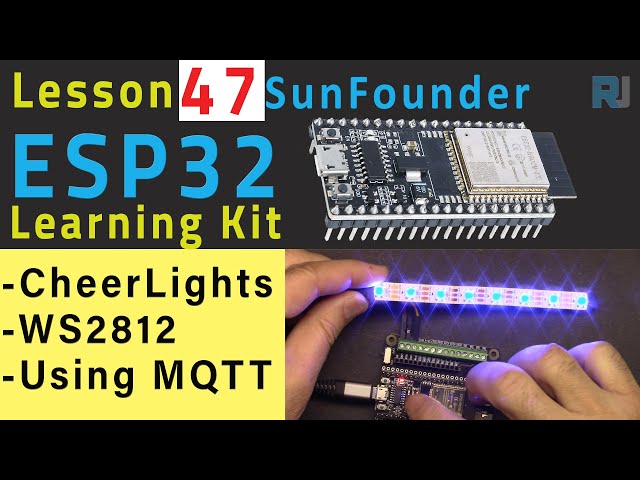
In this tutorial, we will create a synchronized lighting system using the ESP32 and WS2812 LEDs that can be controlled remotely via MQTT. This system allows multiple users to change the color of the lights simultaneously, creating a connected experience regardless of location. The project utilizes the SunFounder ESP32 IoT kit, which includes a powerful microcontroller with Wi-Fi capabilities, making it ideal for IoT applications.

Throughout the video, we will walk through the necessary setup, wiring, and code implementation to achieve this effect. If you need further clarification, be sure to check the video at specific timestamps (in video at mm:ss).
Hardware Explained
The primary components of this project include the ESP32 microcontroller, WS2812 LED strip, and an MQTT broker. The ESP32 is a versatile microcontroller with built-in Wi-Fi and Bluetooth capabilities, allowing it to connect to the Internet easily. It serves as the brain of our project, handling the communication and controlling the LED strip.
The WS2812 LED strip consists of individually addressable RGB LEDs, which can be controlled to display a wide range of colors. Each LED can be turned on or off and set to any color using a single data line, making it perfect for dynamic lighting effects. The MQTT broker facilitates the communication between different clients, allowing users to publish and subscribe to topics that control the LED colors.
Datasheet Details
| Manufacturer | Adafruit |
|---|---|
| Part number | WS2812B |
| Logic/IO voltage | 3.5 - 5.5 V |
| Supply voltage | 5 V |
| Output current (per channel) | 20 mA |
| Peak current (per channel) | 60 mA |
| PWM frequency guidance | 400 Hz |
| Input logic thresholds | 0.2Vcc (low), 0.7Vcc (high) |
| Voltage drop / RDS(on) / saturation | 0.5 V |
| Thermal limits | Operating temperature: -25 to 85 °C |
| Package | Individual 5050 SMD |
| Notes / variants | Available in various lengths and configurations |
- Ensure adequate power supply for the WS2812 strip to avoid voltage drops.
- Use a common ground between the ESP32 and the LED strip.
- Keep data lines short to prevent signal degradation.
- Consider using a capacitor (1000μF) across the power supply to smooth out voltage spikes.
- Use appropriate resistors on the data line to prevent signal reflection.
- Be mindful of the total current draw of the LED strip; use external power when necessary.
Wiring Instructions
To wire the ESP32 with the WS2812 LED strip, start by connecting the power supply. Connect the red wire from the LED strip to a 5V power source and the black wire to the ground. Next, connect the data line (yellow wire) from the WS2812 strip to pin 14 on the ESP32. Ensure that the ESP32 is also connected to the same ground as the LED strip to maintain a common reference.
After setting up the power and data connections, connect the ESP32 to your computer using a micro USB cable for programming. You will need to ensure the ESP32 is powered on while programming to establish a connection. Once wired, you can proceed to upload the code and test the setup.

Code Examples & Walkthrough
The code begins by including necessary libraries for Wi-Fi and MQTT functionality. The identifiers ssid and password are used to store your Wi-Fi credentials, while mqtt_server holds the address of the MQTT broker.
const char* ssid = "SSID";
const char* password = "PASSWORD";
const char* mqtt_server = "mqtt.cheerlights.com";
Next, we define the supported CheerLights colors and their corresponding RGB values using arrays. This allows the program to easily access the color settings based on user input.
String colorName[] = {"red", "pink", "green", "blue", "cyan", "white", "warmwhite", "oldlace", "purple", "magenta", "yellow", "orange"};
int colorRGB[][3] = { 255, 0, 0,  // "red"
                      255, 192, 203,  // "pink" ...};
The setup() function initializes the serial communication, sets up the Wi-Fi connection, and prepares the MQTT client. It also begins the LED strip.
void setup() {
  Serial.begin(115200);
  setup_wifi();
  client.setServer(mqtt_server, 1883);
  pixels.begin();
  pixels.show();
}
The main loop continuously checks the MQTT connection and processes incoming messages that control the LED colors. The callback() function is triggered when a message is received on the subscribed topic.
Demonstration / What to Expect
Once everything is set up and the code is uploaded, you should be able to change the color of the WS2812 LEDs by sending messages to the MQTT topic. If another user changes the color, all connected devices will reflect the change simultaneously. Be cautious of potential issues such as reversed polarity or improper connections, which could prevent the LEDs from functioning correctly (in video at mm:ss).
Video Timestamps
- 00:00 Start
- 2:00 Introduction
- 3:48 Documentation page
- 6:33 Wiring explained
- 7:35 Arduino Code explained
- 15:03 Selecting ESP32 board and COMP port in Arduino IDE
- 16:46 CheerLighs Demonstration
图像
/*
 * :ref: https://randomnerdtutorials.com/esp32-mqtt-publish-subscribe-arduino-ide/
 * https://docs.sunfounder.com/projects/kepler-kit/en/latest/iotproject/5.mqtt_pub.html
 */
#include <WiFi.h>
#include <PubSubClient.h>
 // #include <Wire.h>
#include <Adafruit_NeoPixel.h>

 // 用你的SSID/密码组合替换下列变量
const char* ssid = "SSID";
const char* password = "PASSWORD";

 // 添加您的 MQTT 代理地址:
const char* mqtt_server = "mqtt.cheerlights.com";
const char* unique_identifier = "sunfounder-client-sdgvsasdda";

WiFiClient espClient;
PubSubClient client(espClient);
long lastMsg = 0;
int value = 0;


 // 定义支持的CheerLights颜色及其RGB值。
String colorName[] = {"red", "pink", "green", "blue", "cyan", "white", "warmwhite", "oldlace", "purple", "magenta", "yellow", "orange"};

int colorRGB[][3] = { 255,   0,   0, // 红色
                      255, 192, 203, // 粉色
                        0, 255,   0, // 绿色
                        0,   0, 255, // 蓝色
                        0, 255, 255, // 青色
                      255, 255, 255, // 白色
                      255, 223, 223, // 暖白
                      255, 223, 223, // 旧花边
                      128,   0, 128, // 紫色
                      255,   0, 255, // 品红
                      255, 255,   0, // 黄色
                      255, 165,   0}; // 橙子

 // 初始化 RGB 灯带
#define LED_PIN 13
#define NUM_LEDS 8

Adafruit_NeoPixel pixels = Adafruit_NeoPixel(NUM_LEDS, LED_PIN, NEO_GRB + NEO_KHZ800);

void setup() {
  Serial.begin(115200);

 // wifi默认设置
  setup_wifi();
  client.setServer(mqtt_server, 1883);
  client.setCallback(callback);

 // rgb 灯带开始
  pixels.begin();
  pixels.show();

}

void setup_wifi() {
  delay(10);
 // 我们首先连接到一个WiFi网络。
  Serial.println();
  Serial.print("Connecting to ");
  Serial.println(ssid);

  WiFi.begin(ssid, password);

  while (WiFi.status() != WL_CONNECTED) {
    delay(500);
    Serial.print(".");
  }

  Serial.println("");
  Serial.println("WiFi connected");
  Serial.println("IP address: ");
  Serial.println(WiFi.localIP());
}

void callback(char* topic, byte* message, unsigned int length) {
  Serial.print("Message arrived on topic: ");
  Serial.print(topic);
  Serial.print(". Message: ");
  String messageTemp;

  for (int i = 0; i < length; i++) {
    Serial.print((char)message[i]);
    messageTemp += (char)message[i];
  }
  Serial.println();

 // 如果在该主题上收到消息,您将检查该消息。
 // 根据消息改变输出状态
  if (String(topic) == "cheerlights") {
    Serial.print("Changing color to ");
    Serial.println(messageTemp);
    setColor(messageTemp);
  }
}

void reconnect() {
 // 循环直到我们重新连接
  while (!client.connected()) {
    Serial.print("Attempting MQTT connection...");
 // 尝试连接
    if (client.connect(unique_identifier)) {
      Serial.println("connected");
 // 订阅
      client.subscribe("cheerlights");
    } else {
      Serial.print("failed, rc=");
      Serial.print(client.state());
      Serial.println(" try again in 5 seconds");
 // 在重试之前请等待5秒钟
      delay(5000);
    }
  }
}

void setColor(String color) {
 // 遍历颜色列表以找到匹配的颜色
  for (int colorIndex = 0; colorIndex < 12; colorIndex++) {
    if (color == colorName[colorIndex]) {
 // 设置条带上每个NeoPixel的颜色
      for (int pixel = 0; pixel < NUM_LEDS; pixel++) {
        pixels.setPixelColor(pixel, pixels.Color (colorRGB [colorIndex][0], colorRGB [colorIndex][1], colorRGB [colorIndex][2]));
      }
      pixels.show();
    }
  }
}


void loop() {
  if (!client.connected()) {
    reconnect();
  }
  client.loop();
}
Common Course Links
Common Course Files
资源与参考
-
文档ESP32教程 47/55 - SunFounder欢呼灯的文档页面docs.sunfounder.com
文件📁
没有可用的文件。